
TrickleStar TS6015 ポータブル パワー ステーション ユーザー マニュアル
TrickleStar TS6015 ポータブル電源 ユーザーマニュアル ようこそ!TrickleStar® TS6015 PowerStation1500TM をお選びいただきありがとうございます。PowerStation1500は、緊急時の家庭用バックアップ電源として、また…


TrickleStar manufactures energy-saving products, including Advanced PowerStrips and surge protectors, designed to reduce standby power waste in homes and offices.
TrickleStar is a specialist in affordable, simple, and effective energy-saving products that help consumers and businesses reduce their environmental impact. Best known for their line of Advanced PowerStrips (APS), TrickleStar focuses on combating "vampire power"—the energy wasted by electronics left in standby mode. Their intelligent surge protectors utilize current-sensing technology to automatically switch off peripheral devices (such as printers or soundbars) when a primary control device (like a computer or TV) is turned off.
Headquartered with operations in Grand Rapids, Michigan, TrickleStar offers a range of solutions including motion sensor power strips, energy monitors, Wi-Fi thermostats, and portable power stations. Their products are designed for easy installation and often qualify for energy efficiency rebates. TrickleStar stands behind its surge protection technology with robust warranties and connected device protection, ensuring safe and efficient power management for modern electronics.
最新のマニュアル manuals+ このブランドのために厳選されたものです。




このブランドのマニュアル、登録、サポートに関するよくある質問。
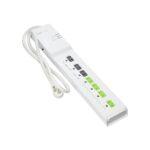
A TrickleStar Advanced PowerStrip helps save energy by automatically cutting power to switched outlets when a control device, such as a TV or computer, is turned off. This eliminates standby 'vampire' power waste.
If the circuit breaker trips, locate the switch on the unit (usually on the side or top), toggle it to the 'OFF' position, and then back to 'RESET' to restore power.
に file a claim, visit the TrickleStar website's warranty claim page. You will typically need to provide the product part number, proof of purchase, and a description of the issue. The form can often be emailed to warranty@tricklestar.com.
Many TrickleStar surge protectors come with a Connected Device Warranty that covers repair or replacement costs for properly connected equipment damaged by a surge, up to a specified dollar amount (e.g., $20,000), subject to terms and conditions.
The 'Switched' LED only lights up when the switched outlets are receiving power. This happens when the device plugged into the 'Control' outlet is turned on and drawing sufficient power to trigger the sensor.