
Hello MA1 Inioasis S1 MP3 プレーヤー ユーザー マニュアル
MA1 Innioasis S1 MP3 プレーヤー ユーザー マニュアル MA1 Innioasis S1 MP3 プレーヤー ボックスの内容 S1 デジタル MP3 プレーヤー x 1 ユーザー マニュアル x 1 TYPE-C ケーブル x 1 仕様…


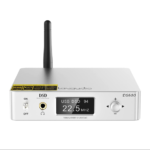
Hello is a diverse brand offering a wide range of consumer electronics, including wireless earbuds, desktop audio decoders, smart pet cameras, and drones.
Hello encompasses a versatile lineup of consumer products, functioning as a trademark under Supermax Healthcare Inc. as well as encompassing electronic devices manufactured by companies like Shenzhen 1Mii Technologies. The Hello brand catalog features a variety of innovative tech devices, including desktop audio decoders, true wireless earbuds, MP3 players, and smart home gadgets like auto-tracking pet cameras and sleep systems.
In addition to audio and smart home electronics, Hello also includes recreational tech like advanced foldable aerial drones, as well as personal wellness and care items. Through creative solutions and responsive support, Hello strives to build relationships that inspire buyer confidence and elevate daily living.
最新のマニュアル manuals+ このブランドのために厳選されたものです。



このブランドのセットアップ、インストール、トラブルシューティングのビデオをご覧ください。
このブランドのマニュアル、登録、サポートに関するよくある質問。
Drivers and electronic file manuals for the DS600 and other 1Mii-manufactured Hello audio products can be downloaded directly from the official 1Mii website at www.1mii.com.
Take both earbuds out of the charging case simultaneously. Wait 2-3 seconds until the left earbud's indicator flashes red and blue, then activate Bluetooth on your device, search for the earbuds model, and click to connect.
Remove the earbuds from the charging case, press and hold the multi-function buttons on both earbuds for 15 seconds. The red and blue lights will flash alternately 3 times. Release the buttons and put the earbuds back into the charging case to complete the reset.
For Hello electronics and audio products manufactured by 1Mii, you can email support@1mii.com. For specific MP3 players like the Innioasis S1, support is available via JiuYun_css@hotmail.com or through their official Facebook page.