導入
Thank you for choosing GOBOULT Tenet TWS Earbuds. This manual provides essential information for setting up, operating, and maintaining your earbuds. Please read it carefully before use to ensure optimal performance and longevity of your device.

画像: 上view of GOBOULT Tenet TWS Earbuds features.
箱の中身
- GOBOULT Tenet TWS Earbuds (Left and Right)
- 充電ケース
- USB Type-C充電ケーブル
- イヤークッション(各種サイズ)
- ユーザーマニュアル
- 保証書
製品終了view
The GOBOULT Tenet TWS Earbuds are designed for a seamless audio experience with advanced features.
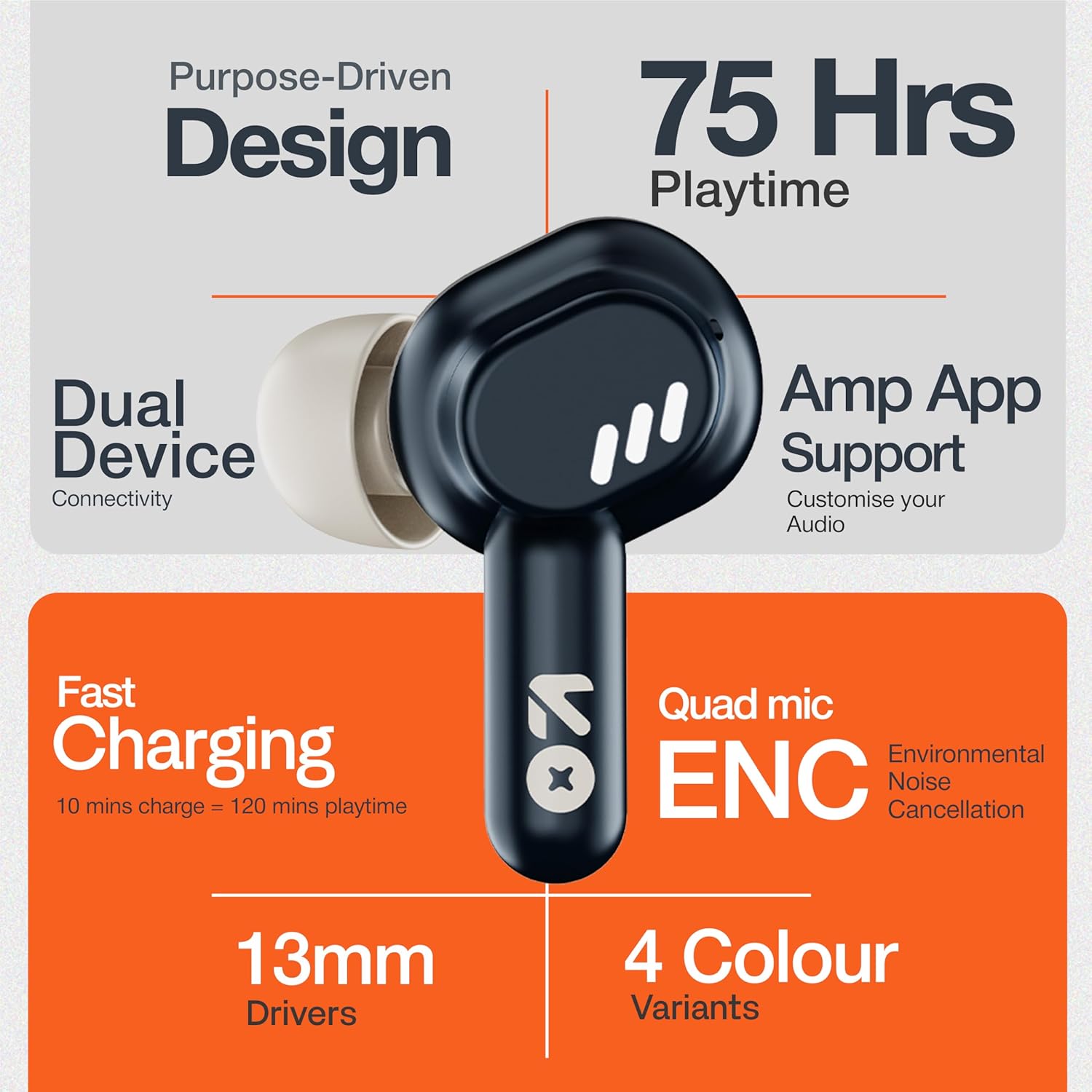
Image: GOBOULT Tenet TWS Earbuds and Charging Case.
コンポーネント:
- イヤホン: タッチ コントロール サーフェスと内蔵マイクを備えた左右のイヤホン。
- 充電ケース: Stores and charges the earbuds, featuring a USB Type-C port for charging.
- LEDインジケーター: 両方のイヤホンと充電ケースにバッテリーの状態とペアリング モードが表示されます。

Image: Quad Mic Environmental Noise Cancellation (ENC) technology.
設定
1. イヤホンとケースの充電
初めて使用する前に、イヤホンと充電ケースを完全に充電してください。
- イヤホンを充電ケースに入れてください。正しく装着されていることを確認してください。
- USB Type-C 充電ケーブルをケースの充電ポートと電源に接続します。
- ケースのLEDインジケーターが充電状態を示します。フル充電には通常約1.5時間かかります。
急速充電: A 10-minute charge provides up to 120 minutes of playtime.

Image: Charging the GOBOULT Tenet TWS Earbuds.
2. デバイスとのペアリング
- 充電ケースを開けると、イヤホンは自動的にペアリングモードになり、LEDライトが点滅します。
- デバイス(スマートフォン、タブレット、ラップトップ)で Bluetooth を有効にします。
- 検索する "GOBOULT Tenet" in the list of available Bluetooth devices and select it to connect.
- 接続されると、イヤホンの LED の点滅が停止します。
デュアルデバイス接続: The earbuds support simultaneous connection to two devices. After pairing with the first device, connect to the second device. The earbuds will intelligently switch between them.

Image: Dual Device Connectivity.
3. Amp アプリサポート
Enhance your listening experience by downloading the GOBOULT Amp App. The app allows for custom EQ settings, control customization, and other audio preferences.
- Download the "GOBOULT Amp「」アプリをデバイスのアプリストアからダウンロードします。
- Open the app and follow the on-screen instructions to connect your Tenet earbuds.

Image: GOBOULT Amp App for custom audio tuning.
操作手順
イヤホンの装着
Insert the earbuds gently into your ears and rotate them slightly to find a comfortable and secure fit. Choose the appropriate ear cushion size for optimal sound quality and comfort.
電源オン/オフ
- 電源オン: 充電ケースを開くか、両方のイヤホンのタッチコントロール領域を 3 秒間長押しします。
- 電源を切る: イヤホンを充電ケースに戻し、蓋を閉じるか、両方のイヤホンのタッチコントロール領域を 5 秒間長押しします。
タッチコントロール
The GOBOULT Tenet TWS Earbuds feature intuitive touch controls on each earbud.

Image: Touch Controls and AI Assistant.
| アクション | 左イヤホン | 右イヤフォン |
|---|---|---|
| 音楽の再生/一時停止 | シングルタップ | シングルタップ |
| 次のトラック | ダブルタップ | ダブルタップ |
| 前のトラック | トリプルタップ | トリプルタップ |
| 通話の応答/終了 | シングルタップ | シングルタップ |
| 通話を拒否 | 長押し(2秒) | 長押し(2秒) |
| 音声アシスタントを有効にする | 長押し(2秒) | 長押し(2秒) |
メンテナンス
クリーニング
- イヤホンと充電ケースは、柔らかく乾いた糸くずの出ない布で定期的に清掃してください。
- 過酷な化学薬品、洗浄溶剤、または強力な洗剤は使用しないでください。
- 適切に充電できるように、イヤホンとケースの両方の充電接点を清掃してください。
ストレージ
- 使用しないときは、イヤホンを保護し、充電を保つために充電ケースに保管してください。
- 高温多湿、直射日光を避けて保管してください。
耐水性
The GOBOULT Tenet TWS Earbuds are rated IPX5防水, meaning they are protected against low-pressure water jets from any direction. This makes them suitable for workouts and light rain. However, they are not designed for swimming or submersion in water.
トラブルシューティング
If you encounter any issues with your GOBOULT Tenet TWS Earbuds, please refer to the following common solutions:
- イヤホンがペアリングされない:
- 両方のイヤホンが充電されていることを確認します。
- Place earbuds back in the case, close the lid, wait 5 seconds, then open again to re-enter pairing mode.
- デバイスの Bluetooth をオフにしてからオンにします。
- Forget/delete "GOBOULT Tenet" from your device's Bluetooth list and try pairing again.
- イヤホンが片方しか動作しない:
- 両方のイヤホンが充電されていることを確認します。
- 両方のイヤホンを充電ケースに戻し、蓋を閉じてから再度開きます。
- Try resetting the earbuds (refer to the Amp App or GOBOULT support for specific reset instructions).
- 音が出ない、または音量が低い:
- デバイスとイヤホンの両方の音量レベルを確認してください。
- イヤホンがデバイスに正しく接続されていることを確認してください。
- イヤホンのスピーカーメッシュからゴミを取り除きます。
- 充電に関する問題:
- 充電ケーブルがケースと電源の両方にしっかりと接続されていることを確認してください。
- イヤホンとケース内部の充電接点を清掃してください。
- 別の USB Type-C ケーブルと電源アダプターを試してください。
If the issue persists, please contact GOBOULT customer support.
仕様

Image: 13mm Dynamic Drivers for enhanced audio.
| 特徴 | 詳細 |
|---|---|
| モデル名 | エアベースイヤホン |
| 接続技術 | ブルートゥース5.4 |
| オーディオドライバーのサイズ | 13mmダイナミックドライバー |
| バッテリー寿命(合計) | 最大75時間 |
| 急速充電 | 10分の充電 = 120分の再生時間 |
| 充電ポート | USBタイプC |
| マイクロフォン | 環境ノイズキャンセル機能(ENC)付きクアッドマイク |
| 耐水性 | IPX5 |
| 制御方法 | 触る |
| 音声アシスタント | Built-In (Google Assistant, Siri) |
| デュアル デバイス ペアリング | サポート |
| 周波数応答 | 20 kHz |
| 感度 | 105デシベル |
| アイテム重量 | 54.5グラム |
| 製品寸法(ケース) | 6.7 x 2.2 x 5.6 cm |
保証とサポート
保証情報
The GOBOULT Tenet TWS Earbuds come with a 1年間のメーカー保証 ご購入日から1年間有効です。本保証は製造上の欠陥を対象としています。保証請求の際は、購入証明書を保管してください。
保証は、誤用、事故、不正な改造、または通常の消耗による損傷には適用されません。
カスタマーサポート
For any questions, technical assistance, or warranty claims, please contact GOBOULT customer support through their official webサイトまたは保証書に記載されている連絡先にお問い合わせください。
Please have your product model number (Airbass Earbuds) and proof of purchase ready when contacting support.


