1. はじめに
This manual provides essential information for the proper setup, operation, and maintenance of your MESWAO 15.6-inch Android 14 Tablet (Model MES-B3). Please read this manual thoroughly before using the device to ensure optimal performance and longevity. Keep this manual for future reference.
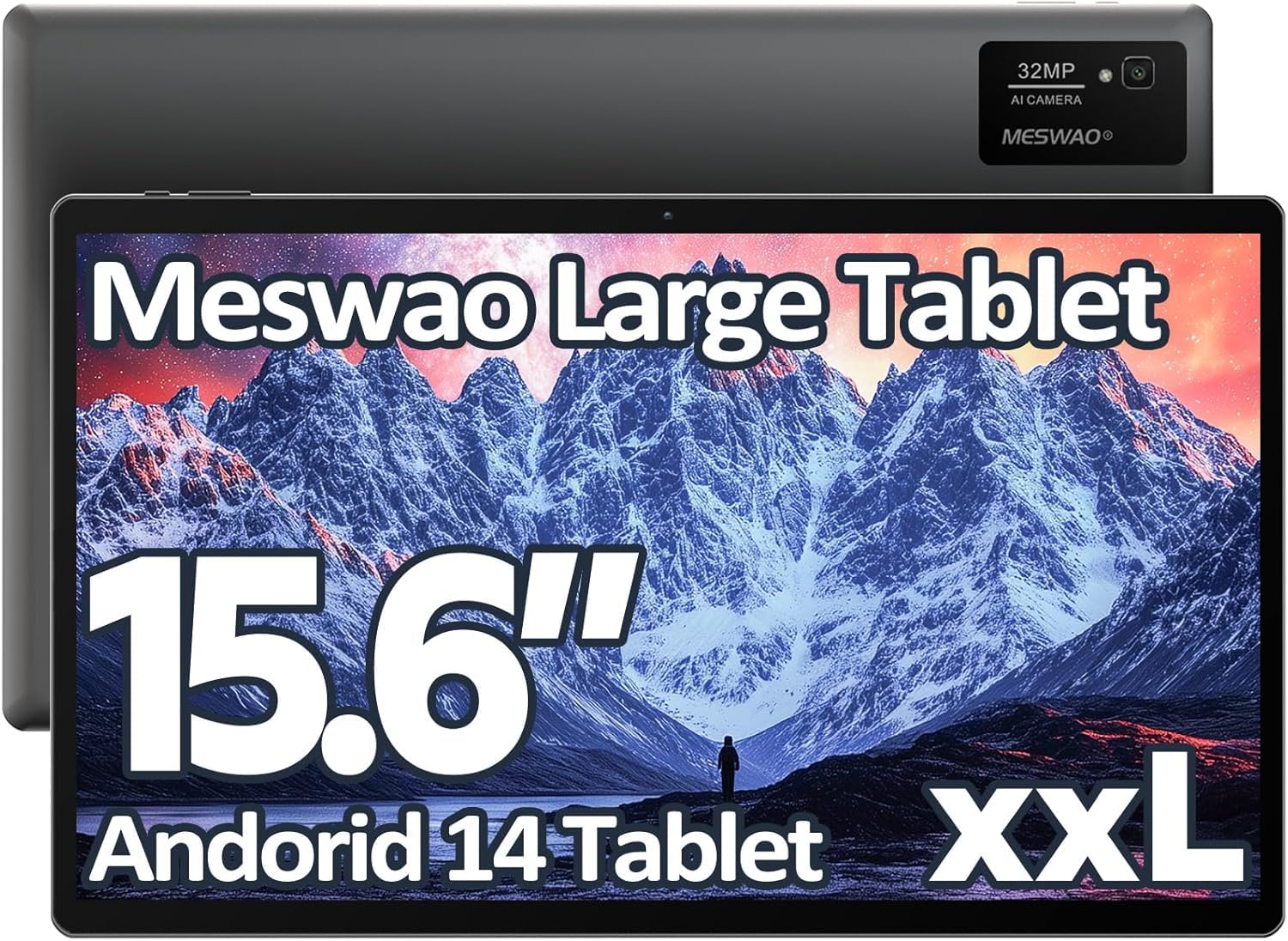
Image: The MESWAO 15.6-inch Android 14 Tablet, showcasin大きなディスプレイと洗練されたデザインが特徴です。
2. セットアップ
2.1 開梱と初期検査
すべての部品をパッケージから慎重に取り出してください。パッケージの内容物に記載されているすべての部品が揃っていて、損傷がないことを確認してください。不足または損傷のある部品がある場合は、直ちにカスタマーサポートにご連絡ください。
2.2 タブレットの充電
Before first use, fully charge the tablet. Connect the provided USB-C cable to the tablet's charging port and the other end to the power adapter. Plug the power adapter into a wall outlet. The charging indicator will illuminate. A full charge typically takes approximately 3 hours with the 30W fast charging capability.
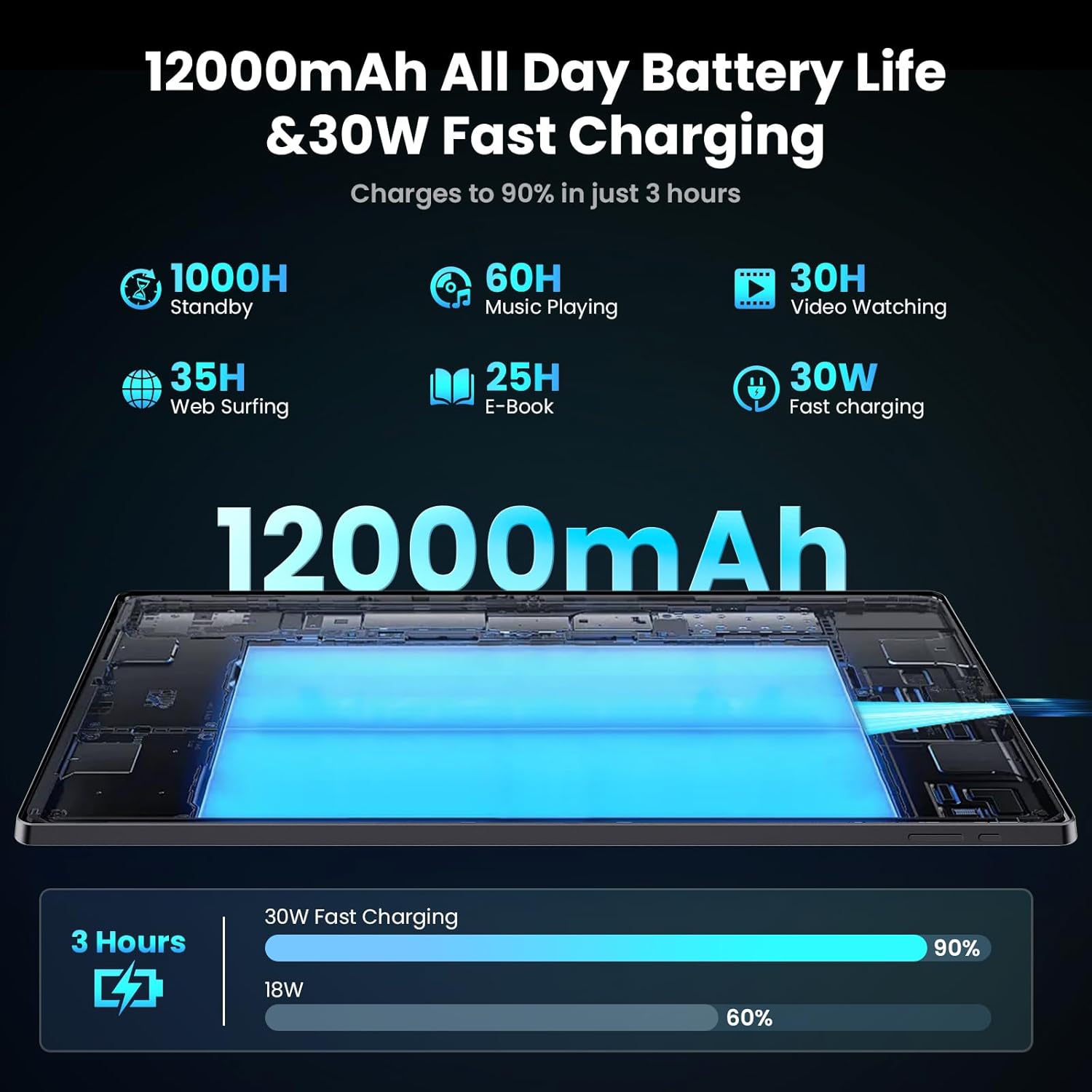
Image: Diagram illustrating the 12000mAh battery capacity and 30W fast charging feature, showing a charge to 90% in 3 hours.
2.3 電源投入と初期設定
- Press and hold the Power button until the MESWAO logo appears.
- 画面上の指示に従って言語と地域を選択し、Wi-Fi ネットワークに接続します。
- Google Play ストアやその他のサービスにアクセスするには、Google アカウントでログインするか、新しいアカウントを作成してください。
- Complete any remaining setup steps, such as setting up a screen lock (PIN, pattern, or password) and reviewプライバシー設定を変更します。
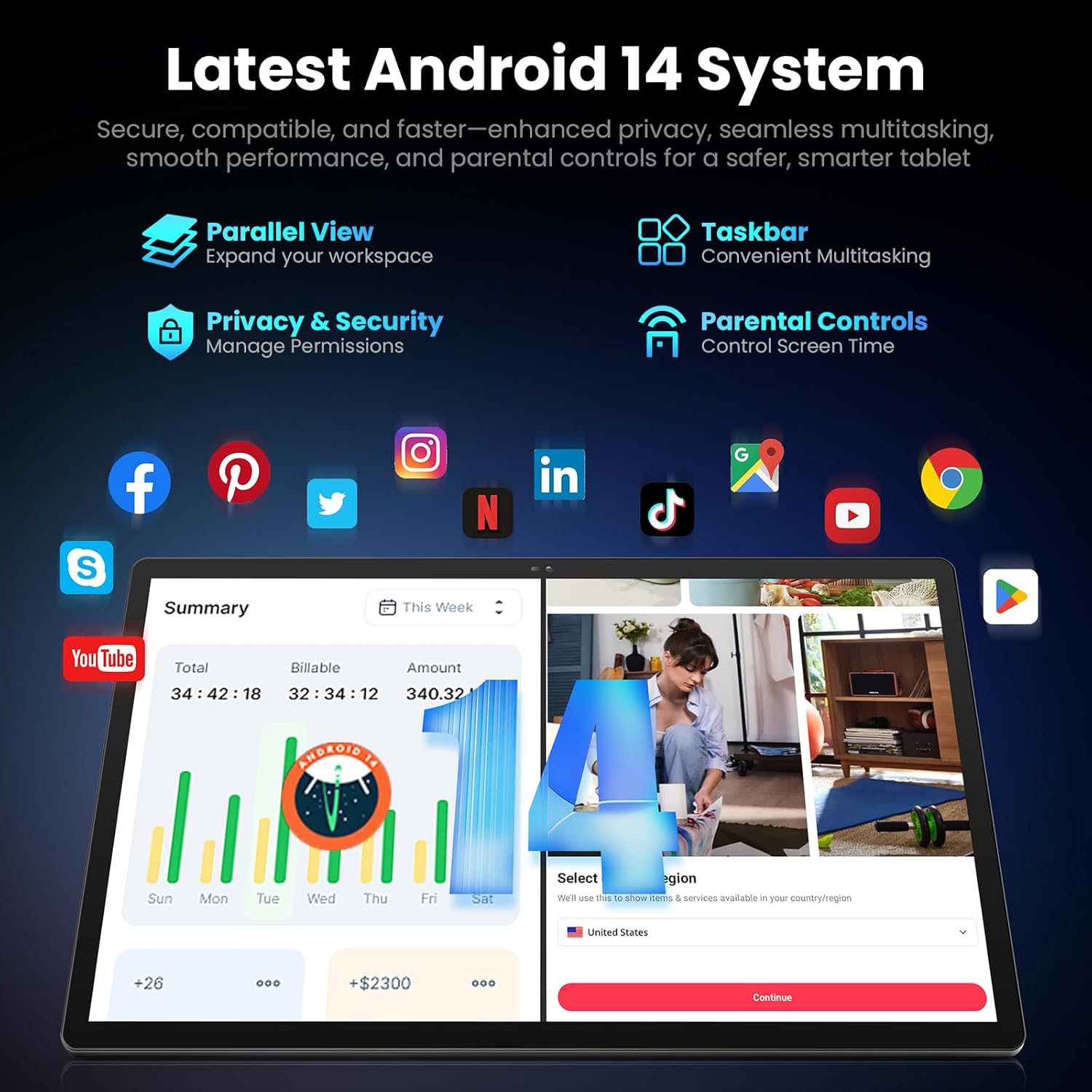
Image: Screenshot of the Android 14 system interface on the MESWAO tablet, highlighting features like Parallel View, Taskbar, Privacy & Security, and Parental Controls.
3. 操作手順
3.1 基本的なナビゲーション
- タッチジェスチャー: タップして選択、スワイプしてスクロール、ピンチしてズームします。
- ホーム画面: アプリ、ウィジェット、通知にアクセスします。
- 通知パネル: 画面の上部から下にスワイプして view 通知とクイック設定。
- アプリドロワー: 画面の下部から上にスワイプすると、インストールされているすべてのアプリケーションにアクセスできます。
3.2 ディスプレイと視覚体験
The 15.6-inch Full HD (1920x1080) IPS display offers vivid colors and wide viewing angles. Adjust brightness and display settings in the Settings menu under "Display" for optimal viewing comfort. The large screen is ideal for multitasking and immersive media consumption.

Image: The MESWAO tablet displaying a high-definition image, emphasizing the 1920x1080P Full HD IPS display with eye protection features.
3.3 パフォーマンスとストレージ
Equipped with an Octa-Core Helio G99 processor and Android 14, the tablet provides smooth performance for various applications. It includes 8GB RAM and 256GB internal storage, expandable up to 1TB via a TF (microSD) card. To insert a TF card, locate the card slot on the side of the tablet, open the tray, and carefully place the card into the designated slot before reinserting the tray.
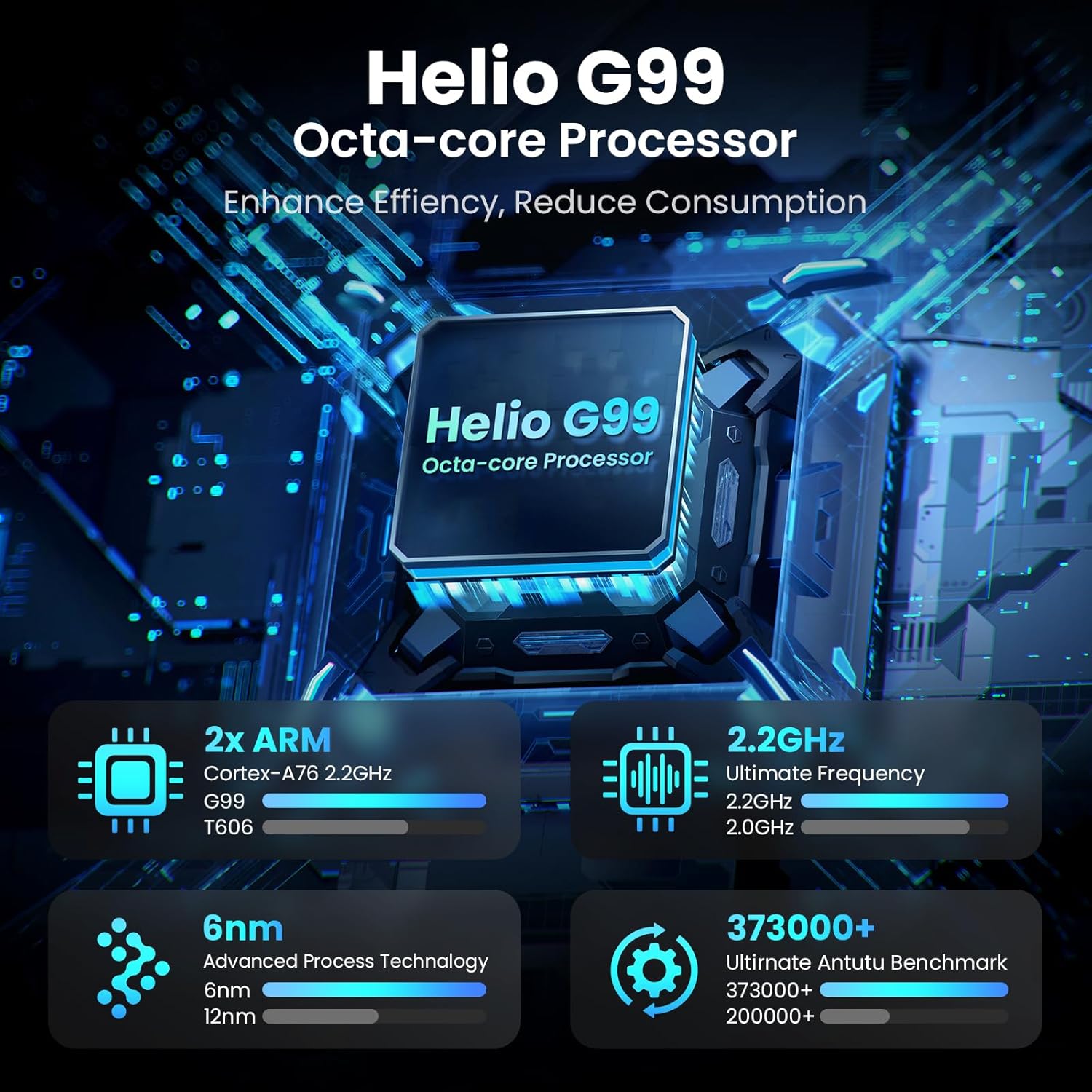
Image: Visual representation of the Helio G99 Octa-core Processor, detailing its architecture and performance metrics like 2.2GHz frequency and 6nm process technology.

Image: The MESWAO tablet screen showing multiple open applications and storage capacity details: 8GB RAM, 256GB ROM, and support for up to 1TB external storage.
3.4 カメラの使用
The tablet features a 32MP rear camera with flash and a 5MP front camera. Open the Camera application to capture photos, record videos, or engage in video calls. Ensure good lighting for best results.

Image: A visual demonstrating the MESWAO tablet's 5MP front camera and 32MP rear camera, showing a family photo being taken and a video call in progress.
3.5 接続性
The tablet supports dual-band Wi-Fi (2.4GHz & 5GHz) for stable internet connectivity. Bluetooth is also available for connecting wireless accessories. Access these settings via the Notification Panel or the main Settings app.
4. メンテナンス
4.1 タブレットのクリーニング
柔らかく糸くずの出ない布を使用して、タブレットの画面と本体を拭いてください。頑固な汚れには、軽く拭いてください。amp布に水または画面に安全な洗浄液を含ませてください。刺激の強い化学薬品や研磨剤の使用は避けてください。
4.2ソフトウェアアップデート
タブレットに最新の機能、セキュリティパッチ、パフォーマンスの改善が適用されるように、定期的にシステムアップデートを確認し、インストールしてください。 設定 > システム > システムアップデート 更新を確認します。
4.3バッテリーケア
- 極端な温度はバッテリー寿命を縮める可能性があるため、避けてください。
- バッテリーを頻繁に完全に消耗させないでください。
- 付属の充電器または認定された互換性のある充電器のみを使用してください。
5。 トラブルシューティング
5.1 タブレットの電源が入らない
- タブレットが十分に充電されていることを確認してください。再度電源を入れる前に、少なくとも30分間充電器に接続してください。
- 強制的に再起動するには、電源ボタンを 10 ~ 15 秒間押し続けます。
5.2 Wi-Fi接続の問題
- Check if Wi-Fi is enabled in the Quick Settings or Settings menu.
- Wi-Fiルーターとタブレットを再起動します。
- Wi-Fi設定でネットワークを削除して再接続します。
- Wi-Fi 信号の範囲内にいることを確認してください。
5.3 パフォーマンスの低下
- 不要なバックグラウンド アプリケーションを閉じます。
- よく使うアプリのキャッシュデータを消去する(設定 > アプリ > [アプリ名] > ストレージとキャッシュ > キャッシュを消去).
- Ensure sufficient free storage space. Delete unused filesまたはアプリ。
- タブレットを定期的に再起動してください。
5.4 画面が反応しない
- 強制的に再起動します(電源ボタンを10~15秒間押し続けます)。
- 画面がきれいで、湿気やゴミなどがないことを確認してください。
6. 仕様
| 特徴 | 詳細 |
|---|---|
| モデル名 | MES-B3 |
| 表示サイズ | 15.6インチ |
| 最大画面解像度 | 1920 x 1080ピクセル(フルHD IPS) |
| オペレーティング·システム | アンドロイド14 |
| プロセッサ | Octa-Core Helio G99 (up to 2.2 GHz) |
| ラム | 8GB |
| 内部ストレージ (ROM) | 256GB |
| 拡張可能なストレージ | 最大1TB(TFカード) |
| バッテリー容量 | 12000mAh |
| 充電 | 30W急速充電 |
| リアカメラ | 32MP(フラッシュ付き) |
| フロントカメラ | 5MP |
| 接続性 | Dual-band Wi-Fi (2.4GHz & 5GHz), Bluetooth |
| 寸法(長さx幅x高さ) | 14.53 x 8.78 x 0.43インチ |
| アイテム重量 | 3.84ポンド |
7. 保証とサポート
7.1 保証情報
MESWAO products are covered by a limited warranty. Please refer to the warranty card included in your product packaging for specific terms and conditions. Keep your proof of purchase for warranty claims.
7.2 カスタマーサポート
For technical assistance, troubleshooting, or warranty inquiries, please contact MESWAO customer support. Contact information can typically be found on the official MESWAO webサイトまたは保証書に記載されています。
Online resources such as FAQs and support forums may also be available on the MESWAO webサイト。


