1.製品オーバーview
The Monster Mission 320 Gaming Headset (Model H16) is designed to provide an immersive audio experience for gamers across multiple platforms. It features Bionic 7.1 Audio, dynamic RGB lighting, comfortable earcups, and an adaptive noise-canceling microphone for clear communication. This manual provides essential information for setup, operation, and maintenance.

画像: 上view of the Monster Mission 320 Gaming Headset highlighting its key features.
2. セットアップと接続
The Monster Mission 320 headset offers versatile connectivity options for various gaming platforms and devices.
2.1 有線接続(3.5mmジャック)
For most gaming consoles (PS5, PS4, Switch) and mobile devices, connect the headset directly using the integrated 3.5mm audio jack. Ensure the jack is fully inserted into the device's audio port.
2.2 USB接続(PCの場合)
For PC gaming, the headset can be connected via USB for enhanced features like 7.1 surround sound and RGB lighting control. Plug the USB connector into an available USB port on your computer. Drivers may install automatically.
2.3 Bluetooth接続
For wireless audio on compatible devices, activate Bluetooth pairing mode on the headset (refer to the operating instructions for specific steps). 検索する 'Monster Mission 320' on your device's Bluetooth settings and select to pair.

Image: The headset demonstrating wide compatibility with various gaming consoles and PCs.
3. 操作手順
3.1 電源オン/オフ
Locate the power button on the headset. Press and hold for 3 seconds to power on or off. An indicator light will confirm the status.
3.2 ボリュームコントロール
Adjust the audio volume using the integrated volume roller or buttons on the headset's earcup or inline control, if present.
3.3 マイクの使用
The adaptive noise-canceling microphone is omnidirectional and swivel-adjustable. Position it optimally for clear voice pickup. To mute the microphone, use the dedicated mute switch on the headset or inline control.

Image: A user demonstrating the adaptive noise-canceling microphone feature of the headset.
3.4 7.1 サラウンドサウンドのアクティベーション
When connected via USB to a compatible PC, the Bionic 7.1 Audio feature can be activated for an immersive surround sound experience. Refer to your PC's audio settings or any accompanying software for specific activation steps.
3.5 ダイナミックRGB照明
The headset features dynamic RGB lighting effects. These lights automatically cycle through colors, enhancing the gaming atmosphere. There may be a dedicated button on the headset or inline control to cycle through lighting modes or turn them off.
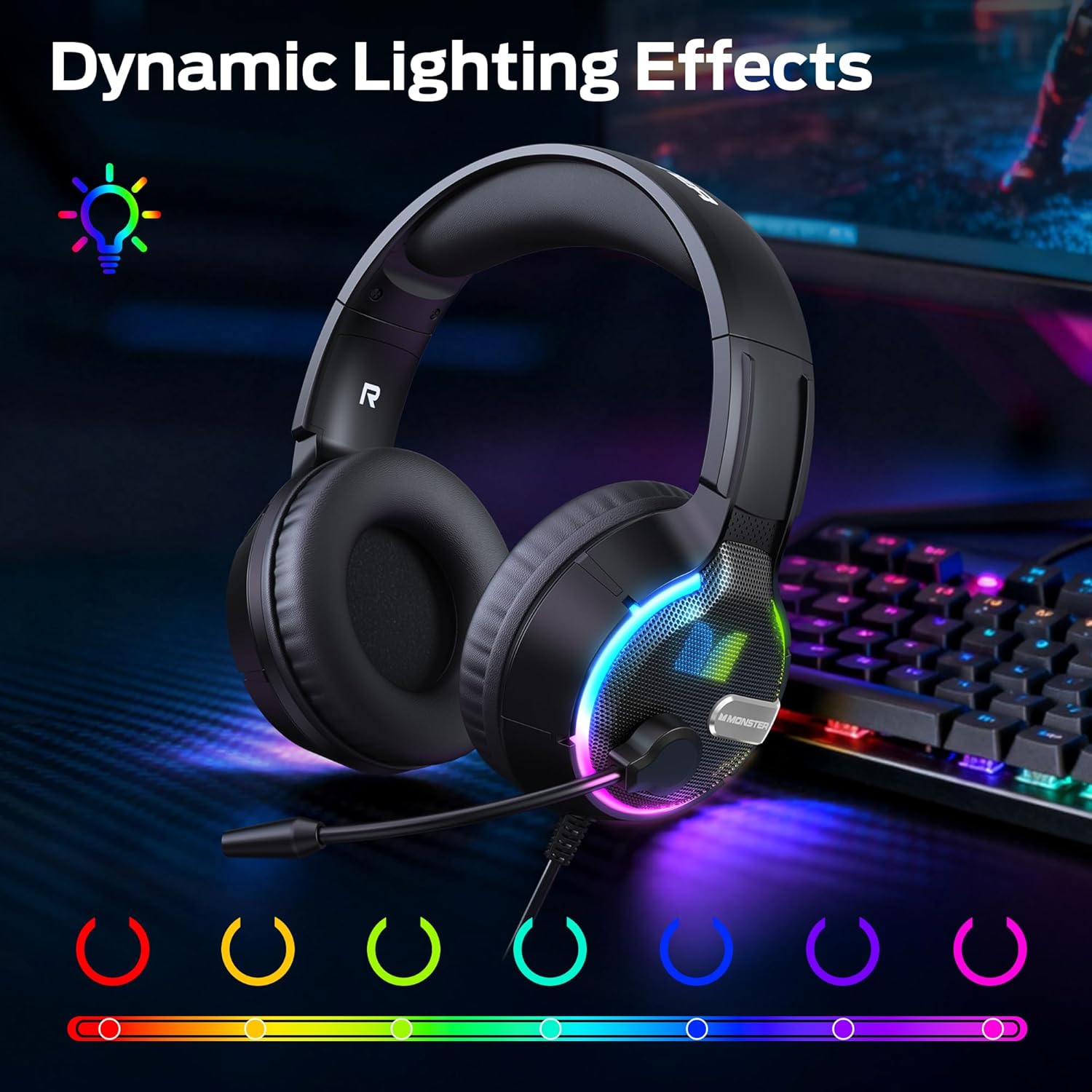
画像: ヘッドセットのショーケースasing its vibrant dynamic RGB lighting effects.
4. 主な特徴
4.1 Bionic 7.1 Audio
Experience specialized, professional-grade 7.1 surround sound that enhances positional audio cues in games, providing a competitive edge and deeper immersion. This feature is primarily available via USB connection on compatible platforms.
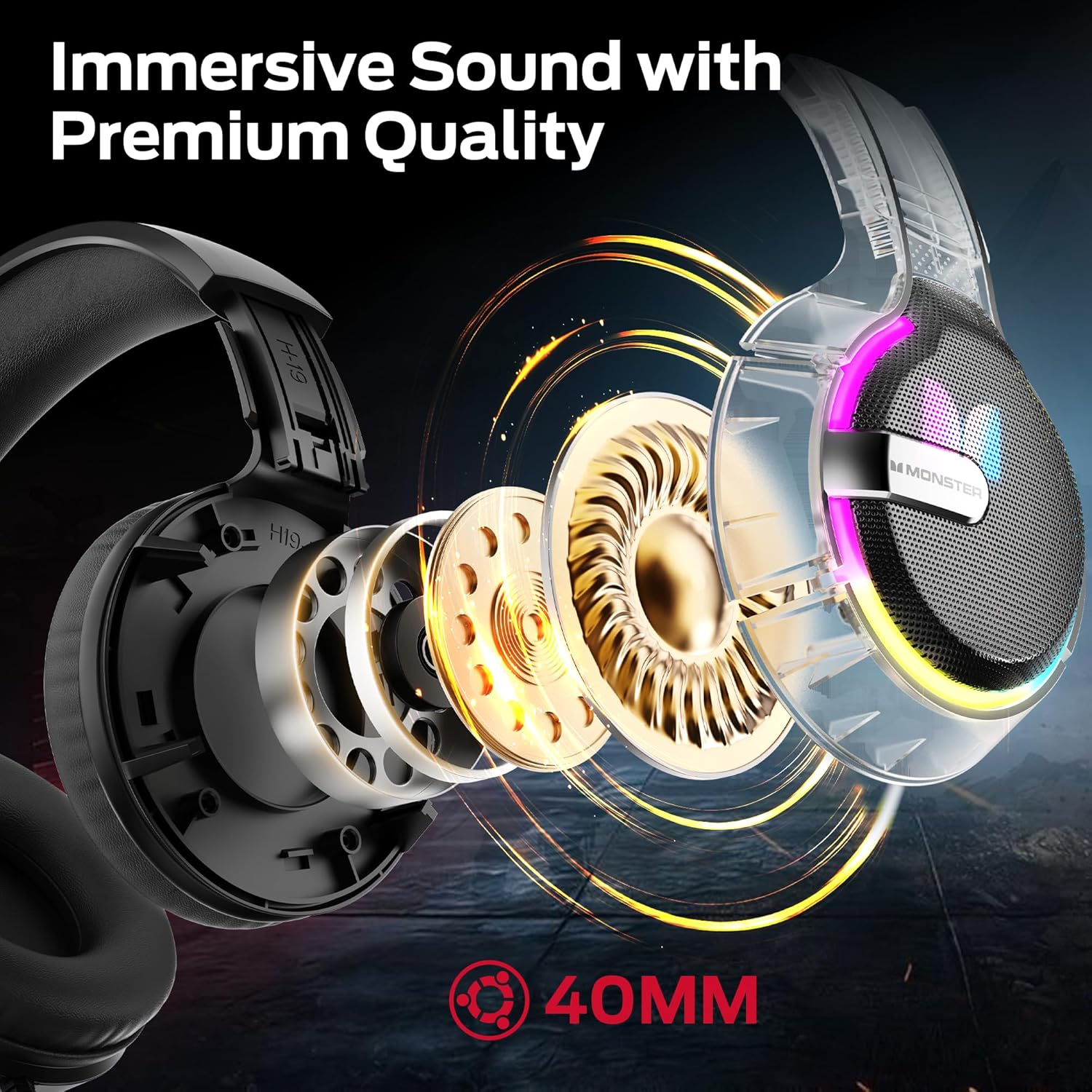
画像: 内部 view of the headset's 40mm audio drivers, responsible for its immersive sound.
4.2 Dynamic RGB Lighting Effects
The headset's earcups feature vibrant RGB lighting that cycles dynamically, adding a visual flair to your gaming setup and integrating with the game atmosphere.
4.3 Comfortable Earmuff Design
Soft and smooth imitation protein leather earmuffs, combined with an optimized headband ergonomic curvature, ensure a comfortable fit without negative pressure. The earmuff-style cavity provides excellent comfort during extended gaming sessions for all ages.

画像: 詳細な view of the soft, skin-friendly earmuffs designed for comfort and ventilation.
4.4 Adaptive Noise-Canceling Microphone
The omnidirectional, swivel microphone includes high-quality adaptive noise cancellation. Coupled with passive noise-canceling earmuffs, it effectively blocks external noise, ensuring your voice is clearly transmitted for in-game commands.
5. 仕様
| 特徴 | 詳細 |
|---|---|
| ブランド | モンスター |
| モデル名 | H16 |
| 接続技術 | Bluetooth (also supports wired 3.5mm and USB) |
| 色 | 黒 |
| 耳の位置 | オーバーイヤー |
| アイテム重量 | 15.8オンス |
| パッケージ寸法 | 8.86 x 7.76 x 4.17インチ |
| 含まれるコンポーネント | ユーザーマニュアル |
6. メンテナンス
To ensure the longevity and optimal performance of your Monster Mission 320 Gaming Headset, follow these maintenance guidelines:
- クリーニング: イヤーカップとヘッドバンドは、柔らかく乾いた布で拭いてください。より深く洗浄するには、軽く湿らせた布を使用してください。amp cloth with mild soap can be used, ensuring no moisture enters the speaker grilles or microphone.
- ストレージ: ヘッドセットは、直射日光や極端な温度を避け、涼しく乾燥した場所に保管してください。ヘッドセットの上に重い物を置かないでください。
- ケーブルのお手入れ: Avoid sharp bends or excessive pulling on the cables. When not in use, gently coil the cables to prevent tangling and damage.
- マイクのお手入れ: If the microphone is detachable, remove it when not needed to prevent accidental damage. Keep the microphone clean and free from dust.
7。 トラブルシューティング
If you encounter any issues with your Monster Mission 320 Gaming Headset, refer to the following common troubleshooting steps:
- 音が出ない:
- Ensure the headset is properly connected to your device (3.5mm jack fully inserted, USB securely plugged in, or Bluetooth successfully paired).
- ヘッドセットと接続されたデバイスの両方の音量レベルを確認します。
- デバイスのサウンド設定で正しいオーディオ出力デバイスが選択されていることを確認します。
- マイクが機能しない:
- Ensure the microphone is not muted (check the mute switch on the headset/inline control).
- Verify that the microphone is securely plugged into the headset, if detachable.
- Check your device's sound settings to ensure the headset microphone is selected as the input device and its volume is not set to zero.
- RGB ライトが機能しない:
- Ensure the headset is powered on and connected via USB, as RGB lighting often requires USB power.
- Check for a dedicated RGB control button on the headset or inline control.
- 歪んだオーディオ:
- ヘッドセットとデバイスの両方の音量を下げます。
- デバイス固有の問題を除外するために、別のデバイスでヘッドセットをテストします。
8. 保証とサポート
Monster provides a one-year warranty for the Mission 320 Gaming Headset. For any questions or assistance with your product, please contact our customer support. Our team is dedicated to providing high-quality after-sales service to ensure a worry-free experience.
Please refer to the contact information provided with your purchase or visit the official Monster webサポート詳細のサイト。


