1. はじめに
The Shelly BLU H&T is a compact, water and dust-resistant Bluetooth sensor designed to accurately measure temperature and humidity. This device is an integral part of a smart home ecosystem, enabling users to monitor environmental conditions and automate climate control when integrated with other Shelly devices. This manual provides essential information for the safe and effective use of your Shelly BLU H&T sensor.

Image 1: Introduction to the Shelly BLU H&T sensor, highlighting its precision and durability.
2. 安全情報
- 設置および使用する前に、このユーザーマニュアルをよくお読みください。
- デバイスを分解または変更しようとしないでください。
- デバイスを直射日光、熱源、火気から遠ざけてください。
- 電池が極性マークに従って正しく挿入されていることを確認してください。
- 使用済みバッテリーは地域の規制に従って責任を持って廃棄してください。
- The device is IP54 rated for dust and splash water resistance; however, it is not designed for submersion in water.
3. 箱の中身
製品のパッケージを開けると、次のアイテムが見つかります。
- 1 x Shelly BLU H&T Sensor (Black)
- 1 x CR2032 3V Battery (pre-installed)
- ユーザーマニュアル (本書) x 1

Image 2: The Shelly BLU H&T sensor and its packaging.
4.デバイスオーバーview
The Shelly BLU H&T sensor is designed for discreet placement and reliable performance. It features a compact square design with a central sensor opening and a small LED indicator.
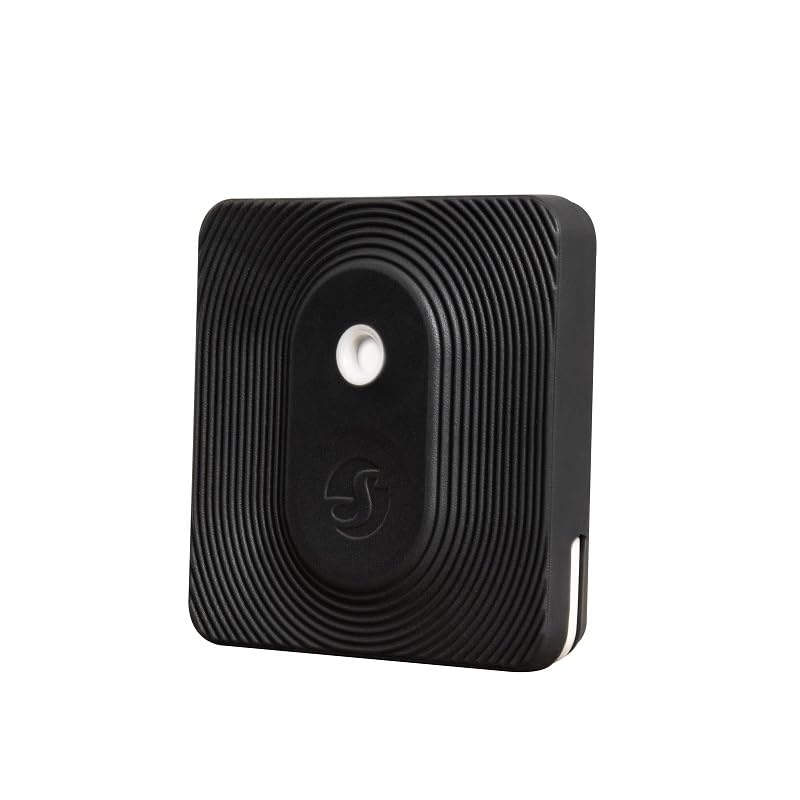
画像3: 詳細 view of the Shelly BLU H&T sensor.
主な機能は次のとおりです。
- Bluetooth Low Energy (BLE) Technology: Ensures quick response and extended battery life.
- IP54 評価: Provides resistance against dust and splashing water, suitable for both indoor and outdoor use.
- 正確な測定: Accurately monitors temperature and humidity levels.
- データ履歴: Access historical data for environmental trends.
- ビーコンモード: Allows for proximity-based automations.

Image 4: Features of the Shelly BLU H&T, emphasizing Bluetooth operation.

Image 5: The Shelly BLU H&T's IP54 durability and suitability for various environments.
5. セットアップ
5.1. バッテリーの取り付け
The Shelly BLU H&T comes with a pre-installed CR2032 3V battery. To activate the device, remove the small plastic tab if present. If you need to replace the battery, gently open the device casing and insert a new CR2032 battery, ensuring correct polarity.
5.2. Shelly Smart Control App Installation & Pairing
To utilize the full functionality of your Shelly BLU H&T sensor, you need to pair it with the Shelly Smart Control app. The app is available for both iOS and Android devices.
- ダウンロード Shellyスマートコントロール デバイスのアプリ ストアからアプリをダウンロードします。
- Create an account or log in to your existing Shelly account.
- スマートフォンでBluetoothが有効になっていることを確認します。
- In the app, follow the on-screen instructions to add a new device. The app will scan for nearby Shelly BLU devices.
- Select your Shelly BLU H&T from the list and complete the pairing process.
5.3. Gateway Requirement
The Shelly BLU H&T sensor requires a compatible Shelly gateway device (e.g., Shelly BLU Gateway, Shelly Plus, Pro, or Gen3 device) to connect to the Shelly Smart Control app and enable remote monitoring and automation features. Without a gateway, the sensor will operate locally but cannot communicate with the app or cloud services.
6. 操作
6.1. 温度と湿度の監視
Once paired with the Shelly Smart Control app via a gateway, you can view real-time temperature and humidity readings from your sensor. The app provides a dashboard to monitor current conditions and access historical data.

Image 6: The Shelly BLU H&T offers data history and secure communication.

Image 7: The sensor's role in climate control by tracking temperature and humidity.
6.2. Smart Scenes and Automation
The Shelly BLU H&T sensor can be used to trigger automated actions (Smart Scenes) with other Shelly devices. For examp上:
- 温度制御: If the temperature drops below a set threshold, automatically activate a Shelly-controlled heater.
- 湿度管理: If humidity exceeds a certain level, turn on a fan connected to a Shelly relay.
- Window/Blind Control: Based on outdoor temperature, automatically adjust blinds or open/close windows (with compatible Shelly devices).

Image 8: The sensor enables scene activation and automation with other Shelly devices.
Video 1: An official Shelly video demonstrating how Shelly devices can create a smart home environment. This video showcases various smart home applications, including lighting, security, energy saving, and daily routine simplification, highlighting the benefits of integrating Shelly products into your life.
7. メンテナンス
7.1. バッテリーの交換
The Shelly BLU H&T uses a single CR2032 3V battery. The battery life can vary depending on usage and environmental conditions. When the battery level is low, you will receive a notification via the Shelly Smart Control app. To replace the battery:
- Gently open the device casing.
- 古い CR2032 電池を取り外します。
- Insert a new CR2032 3V battery, ensuring the positive (+) side faces up.
- デバイスを閉じるasin安全に。
7.2. 清掃
To clean the device, use a soft, dry cloth. Do not use abrasive cleaners, solvents, or immerse the device in water. Ensure the sensor opening remains clear of dust and debris for accurate readings.
8。 トラブルシューティング
| 問題 | 考えられる原因 | 解決 |
|---|---|---|
| Device not detected during pairing | Bluetooth is off; device out of range; low battery. | Ensure Bluetooth is on, move device closer to phone/gateway, check/replace battery. |
| 不正確な測定値 | Sensor opening blocked; device placed in extreme conditions. | Clean sensor opening, relocate device to a suitable environment. |
| No remote access/automation | No Shelly gateway connected or configured. | Ensure a compatible Shelly gateway is set up and connected to the internet. |
| バッテリー寿命が短い | Frequent data updates; extreme temperatures. | Adjust reporting frequency in app settings, avoid extreme temperatures. |
9. 仕様
Detailed technical specifications for the Shelly BLU H&T sensor:
| 特徴 | 仕様 |
|---|---|
| モデル番号 | 3800235266809 |
| 接続性 | Bluetooth Low Energy(BLE) |
| 電源 | 1 x CR2032 3V Battery (included) |
| バッテリー寿命 | Up to 5 years (depending on usage) |
| 温度範囲 | 0°C ~ 60°C (32°F ~ 140°F) |
| 湿度範囲 | 0% ~ 100% RH (結露なし) |
| 正確さ | Temperature: ±0.5°C; Humidity: ±5% RH |
| IP 定格 | IP54(防塵・防水) |
| 寸法 | 1.46 x 1.46 x 1.46 インチ (37 x 37 x 13 mm) |
| 重さ | 0.46オンス(13グラム) |
| 取り付けタイプ | パネルマウント |
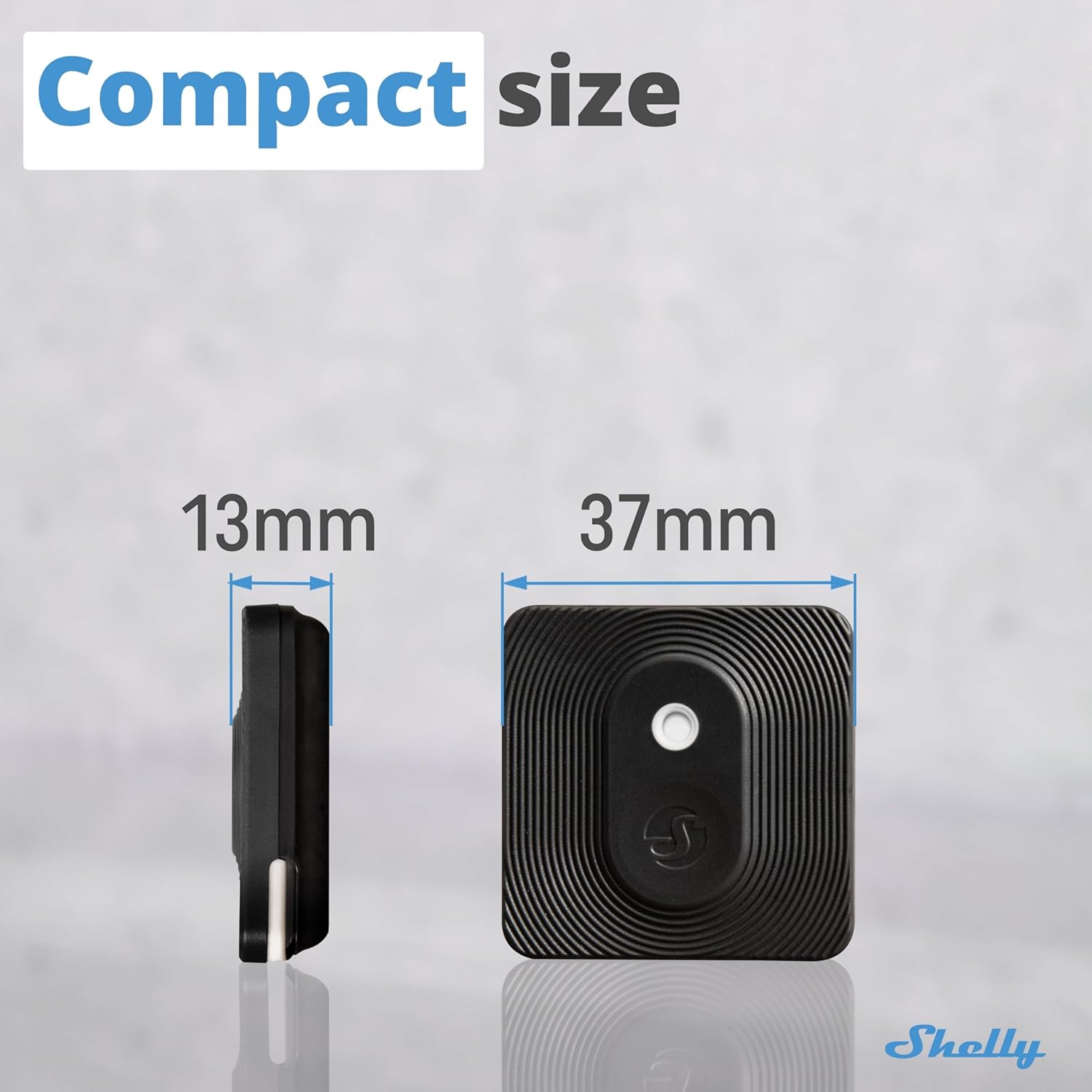
Image 9: Dimensions of the Shelly BLU H&T sensor.
10. 保証とサポート
Shelly provides a 2-year device warranty. For technical support, product information, or warranty claims, please refer to the official Shelly support resources.
- オンラインサポート: 訪問する Shellyサポートホーム for a knowledge base, FAQs, and community forums.
- プロフェッショナルサポート: Contact Shelly customer service for direct assistance.

Image 10: Scan the QR code for quick access to Shelly's support resources.
11. Related Shelly Products
Enhance your smart home experience by integrating the Shelly BLU H&T with other Shelly devices:


