1.製品オーバーview
The Acer Connect M6E 5G Mobile Wi-Fi Hotspot is a portable device designed to provide high-speed 5G connectivity and secure Wi-Fi access. It is ideal for travel, remote work, and maintaining internet access for multiple devices without relying on public networks.
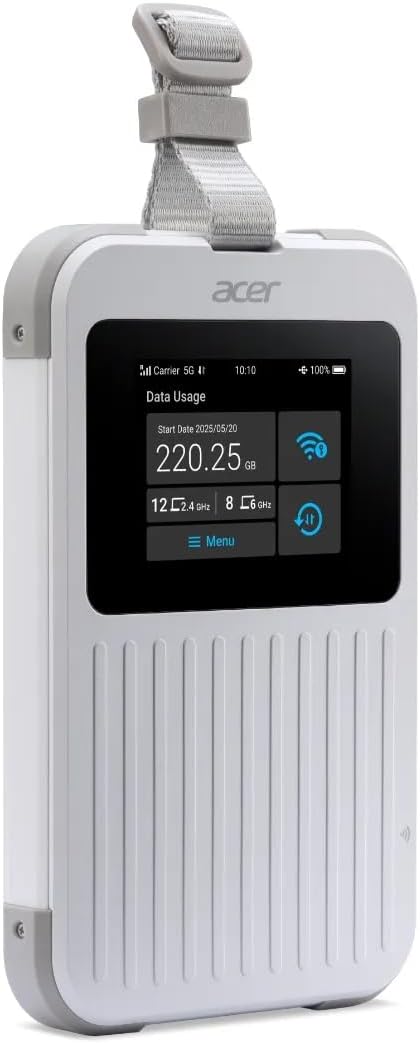
The Acer Connect M6E 5G Mobile Wi-Fi Hotspot, a compact and portable device designed for high-speed internet access on the go.
主な特徴:
- Blazing Fast 5G Speeds: Enjoy ultra-low latency and high-speed internet for streaming, gaming, and work.
- ポータブルで軽量: Compact design fits easily in your bag, making it ideal for travel and remote work.
- Secure Wi-Fi Anywhere: Protect your data with encrypted connections instead of using public hotspots.
- 長いバッテリー寿命: Stay connected for hours with a powerful 8000 mAh battery designed for all-day use.
- マルチデバイスサポート: Connect up to 20 devices simultaneously for seamless productivity and entertainment.
- 頑丈な設計: MIL-STD 810H certified and IP68 water-resistant for enhanced durability.
- Tri-SIM Support: Supports physical SIM, Virtual SIM, and eSIM for broad country coverage.
- NFC Touch-to-Connect: Quick pairing with Android devices.
2. 箱の中身
Upon unboxing your Acer Connect M6E, ensure all components are present:
- Acer Connect M6E 5G Mobile Wi-Fi Hotspot
- USB Type-C充電ケーブル
- クイックスタートガイド/取扱説明書
3.セットアップガイド
3.1. デバイスの充電
Before initial use, fully charge your Acer Connect M6E hotspot.
- 付属のUSB Type-Cケーブルをデバイスの充電ポートに接続します。
- ケーブルのもう一方の端を互換性のある USB 電源アダプター (別売) またはコンピューターの USB ポートに差し込みます。
- The touchscreen display will indicate charging status. A full charge typically takes several hours.
3.2. SIMカードの挿入(オプション)
The Acer Connect M6E supports physical SIM cards, virtual SIMs, and eSIMs. If using a physical SIM:
- Power off the device by pressing and holding the power button.
- Locate the SIM card slot, usually under a removable back cover or side tray.
- Insert your Nano-SIM card into the designated slot with the gold contacts facing down.
- SIM カードがしっかりと挿入されていることを確認してください。
- Replace any covers or trays.
3.3. Initial Power On and Connection
- Press and hold the power button until the Acer logo appears on the touchscreen.
- The device will boot up and automatically search for available 5G or 4G LTE networks.
- Once connected, the network status (e.g., 5G, 4G LTE) and signal strength will be displayed on the screen.
- The Wi-Fi network name (SSID) and password (Key) will be shown on the touchscreen.
- On your device (smartphone, laptop, tablet), search for the Wi-Fi network name displayed on the M6E.
- パスワードを入力して接続します。
4. 操作手順
4.1. タッチスクリーンナビゲーション
The 2.4-inch touchscreen allows for easy management of the hotspot's settings and information.
- スワイプ: Navigate through different information screens (e.g., data usage, connected devices, battery status).
- タップ: オプションを選択するか、アクションを確認します。
4.2. 複数のデバイスを接続する

The Acer Connect M6E supports connections for up to 20 devices simultaneously, enabling seamless sharing of its high-speed Wi-Fi 6E network.
The M6E can support up to 20 devices simultaneously. To connect additional devices:
- Ensure the hotspot is powered on and has an active internet connection.
- On each device, go to Wi-Fi settings and select the M6E's SSID.
- プロンプトが表示されたら、Wi-Fi パスワードを入力します。
4.3. NFC Touch-to-Connect (for Android Devices)
For compatible Android smartphones, you can quickly connect using NFC:
- Android デバイスで NFC が有効になっていることを確認してください。
- Tap your Android device against the NFC area on the Acer Connect M6E.
- Follow the on-screen prompts to establish the Wi-Fi connection.
4.4. セキュリティ機能

Ensure your data is protected with enterprise-grade security features including WPA3 encryption, firewall, and VPN support, safeguarding your connections from public networks.
The Acer Connect M6E includes advanced security protocols to protect your data:
- WPA3暗号化: Provides enhanced security for your Wi-Fi network.
- 組み込みファイアウォール: Helps prevent unauthorized access to your connected devices.
- VPN サポート: Allows for secure, encrypted connections over public networks.
- SIM Lock: Prevents unauthorized use of your SIM card.
4.5. USB Type-C Tethering
You can also connect a single device directly to the hotspot via USB for a stable, wired internet connection.
- Connect the Acer Connect M6E to your laptop or PC using a USB Type-C cable.
- On the hotspot's touchscreen, select the USB tethering option (if prompted).
- Your connected device should now have internet access via the hotspot.
5. メンテナンス
To ensure the longevity and optimal performance of your Acer Connect M6E:
- 清潔に保つ: Wipe the device with a soft, dry cloth. Avoid harsh chemicals or abrasive materials.
- ソフトウェアアップデート: Regularly check for and install firmware updates to ensure the latest features and security patches. This can usually be done via the device's settings menu on the touchscreen or a connected web インタフェース。
- バッテリーのケア: Avoid extreme temperatures. Do not leave the device fully discharged for extended periods.
- ストレージ: デバイスを使用しないときは、涼しく乾燥した場所に保管してください。
6。 トラブルシューティング
6.1. インターネットに接続できない
- 信号強度を確認します。 Ensure the device is in an area with good 5G/4G LTE coverage.
- SIMカード: Verify the SIM card is correctly inserted and active. Check your data plan status with your service provider.
- リブート: Turn the hotspot off and then on again.
- APN設定: If using a physical SIM, ensure the Access Point Name (APN) settings are correct for your carrier. These can usually be configured via the device's web インタフェース。
6.2. デバイスがWi-Fiに接続できない
- 正しいパスワード: 正しい Wi-Fi パスワードを入力していることを再確認してください。
- デバイス制限: Ensure you haven't exceeded the maximum number of connected devices (20).
- 再起動: ホットスポットと接続しようとしているデバイスの両方を再起動します。
6.3. 低速
- 信号強度: 信号がより良い場所に移動します。
- 接続されたデバイス: Disconnect any unnecessary devices to free up bandwidth.
- データ上限: Check if you have reached your data plan's high-speed limit.
- 干渉: 干渉を引き起こす可能性のある他の電子機器から遠ざけてください。
7. 仕様
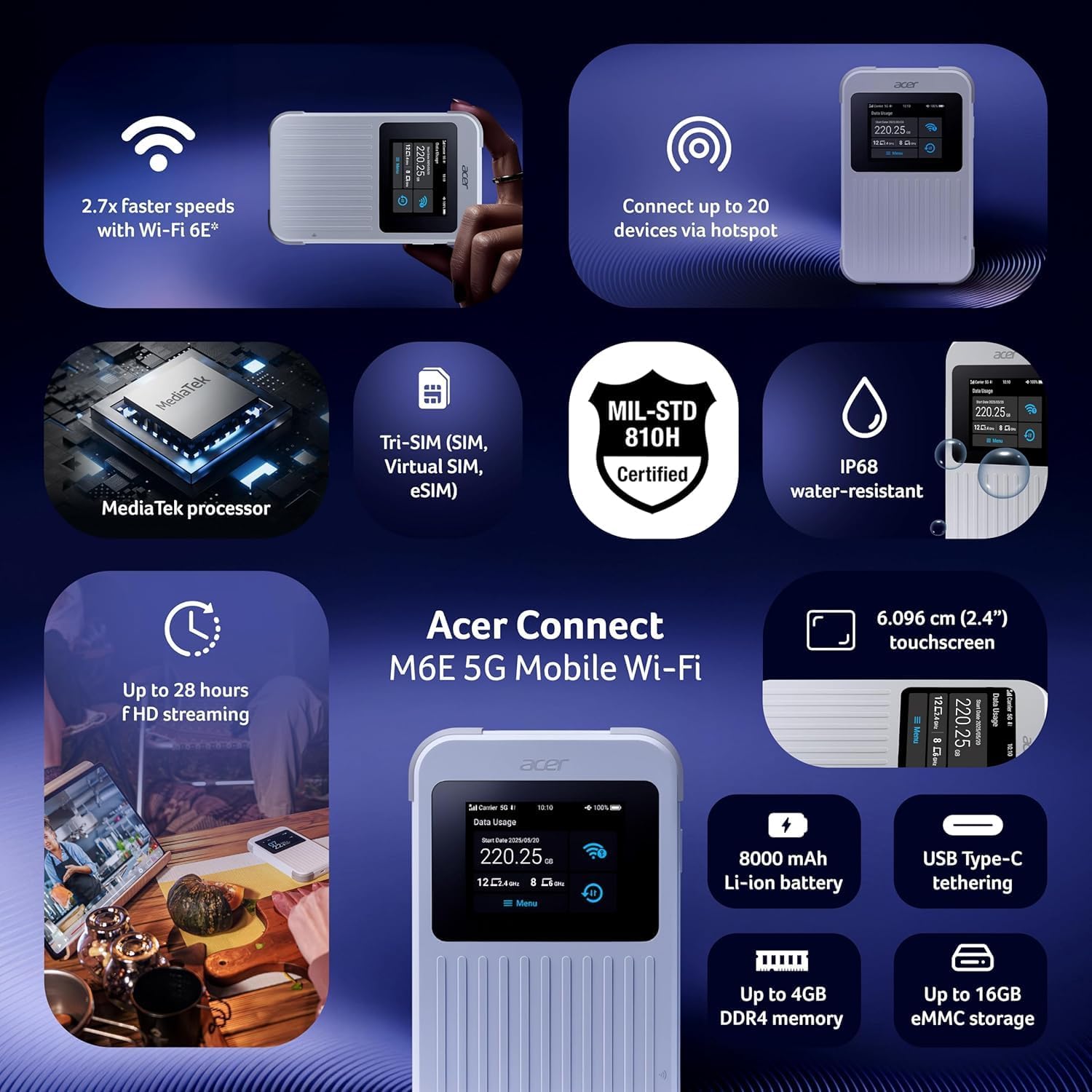
オーバーview of the Acer Connect M6E's capabilities, including MediaTek processor, Tri-SIM support (SIM, Virtual SIM, eSIM), MIL-STD 810H certification, IP68 water resistance, 2.4-inch touchscreen, 8000 mAh battery, USB Type-C tethering, up to 4GB DDR4 memory, and up to 16GB eMMC storage.
| 特徴 | 詳細 |
|---|---|
| モデル名 | M6E |
| 接続技術 | 5G |
| 無線通信規格 | 802.11ac, 802.11ax (Wi-Fi 6E), 802.11b, 802.11g, 802.11n |
| 周波数帯域クラス | デュアルバンド |
| バッテリー容量 | 8000mAh |
| タッチスクリーンのサイズ | 2.4インチ |
| 凹凸 | IP68 Water-Resistant, MIL-STD 810H Certified |
| SIMサポート | Tri-SIM (Physical SIM, Virtual SIM, eSIM) |
| セキュリティ機能 | Enterprise-Grade Security, WPA3, Firewall, VPN, SIM Lock |
| 特集 | Remote Access, NFC Touch-to-Connect |
| 対応デバイス | パソコン、スマートフォン |
| 含まれるコンポーネント | ホットスポット |
8. 保証とサポート
保証情報、技術サポート、またはサービスに関するお問い合わせについては、Acerの公式ウェブサイトをご覧ください。 website or contact Acer customer service directly.
- オンラインサポート: 訪問する Acer サポート Webサイト FAQ、ドライバー、マニュアルについてはこちらをご覧ください。
- カスタマーサービスにお問い合わせください: Refer to your product packaging or the Acer web地域の連絡先情報のサイト。
9. 追加リソース
9.1. 製品画像

The 'Tap, Connect, Create' image highlights the M6E's NFC touch-to-connect, 8000 mAh battery for up to 28 hours of HD streaming, and USB Type-C tethering capabilities for charging and data sharing.
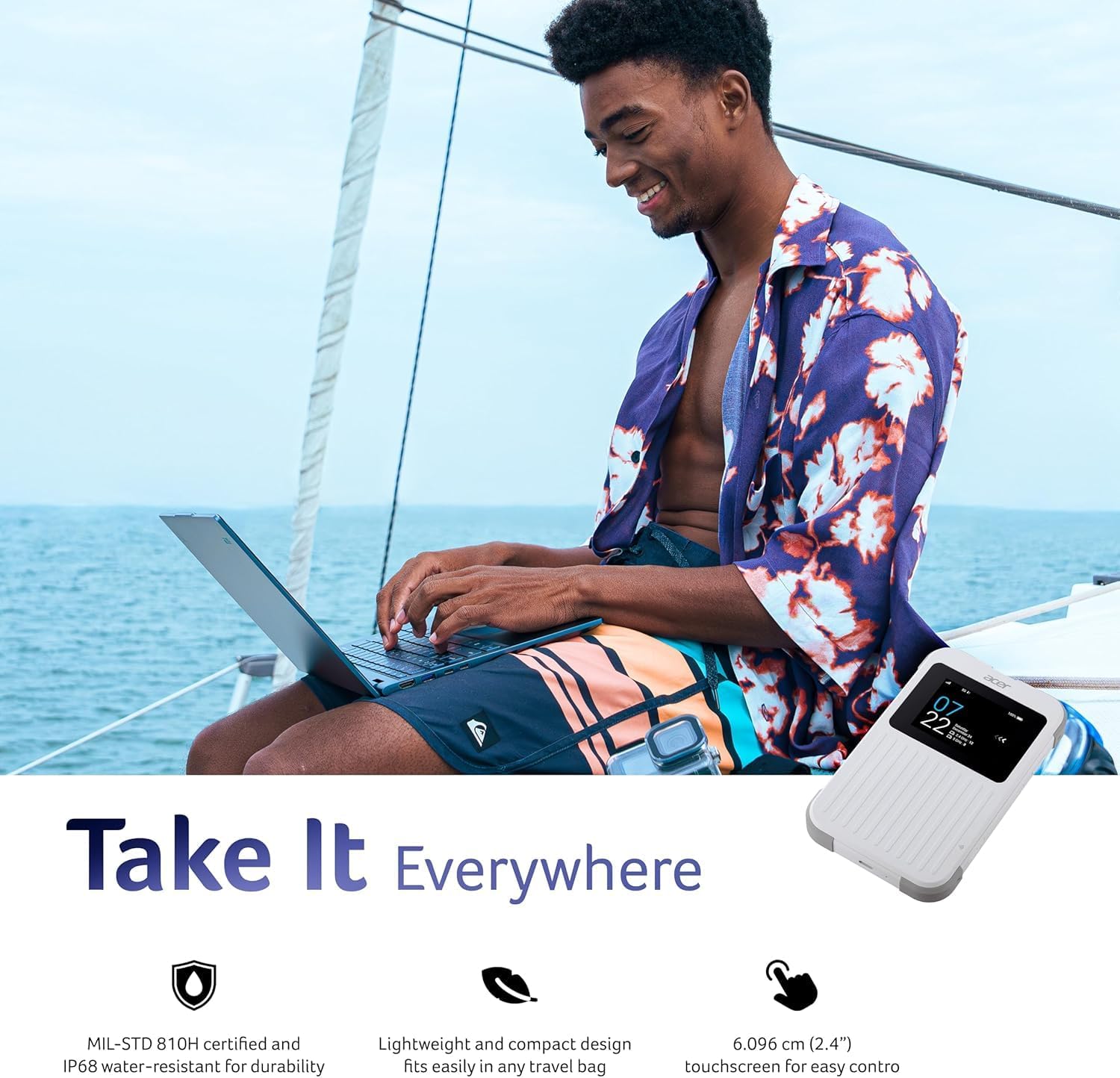
The 'Take It Everywhere' image emphasizes the M6E's MIL-STD 810H certification, IP68 water-resistant durability, lightweight design, and 2.4-inch touchscreen for easy control, making it suitable for any environment.
9.2. 関連動画
This video illustrates how a portable Wi-Fi hotspot provides a secure and private internet connection, offering an alternative to public Wi-Fi networks and simplifying eSIM management for global connectivity.
Discover the convenience of global travel Wi-Fi with this portable mobile hotspot, featuring 4G LTE and Wi-Fi 6 for fast and reliable internet access wherever you go.


