1. はじめに
This manual provides detailed instructions for the installation, setup, and operation of your Hiseeu Solar Wireless Security Camera System. This system includes a 10-channel 2K NVR and 4MP battery-powered cameras, designed for outdoor use with features like AI human detection, color night vision, and two-way audio. Please read this manual thoroughly before use to ensure proper functionality and safety.
2 製品の特徴
- IP66 Weatherproof & Easy Plug-and-Play Setup: The cameras are built to withstand outdoor conditions with an IP66 rating. The system is pre-paired for immediate use upon connection, requiring no complex setup or monthly fees.
- AI Human Detection & Smart Alerts: Advanced AI technology accurately identifies human motion, reducing false alarms from animals or other moving objects. Instant alerts are sent to your device when human presence is detected.
- Long Battery Life & Solar Support: Equipped with dual 9000mAh rechargeable batteries and solar panel compatibility for extended standby performance and reduced recharging frequency.
- 1TB HDD Storage & Motion-Based Recording: The system includes a pre-installed 1TB hard drive for secure local storage of motion-triggered recordings. Footagあなたはできる viewed and played back via the "Hisee Cloud" app when connected to the network.
- Two-Way Audio & Expandable 10-Channel System: Communicate in real-time using the built-in two-way audio feature. The NVR supports up to 10 cameras, allowing for expanded security coverage.
- カラーナイトビジョン: The camera features color night vision for clearer identification in low-light conditions, alongside traditional infrared night vision.
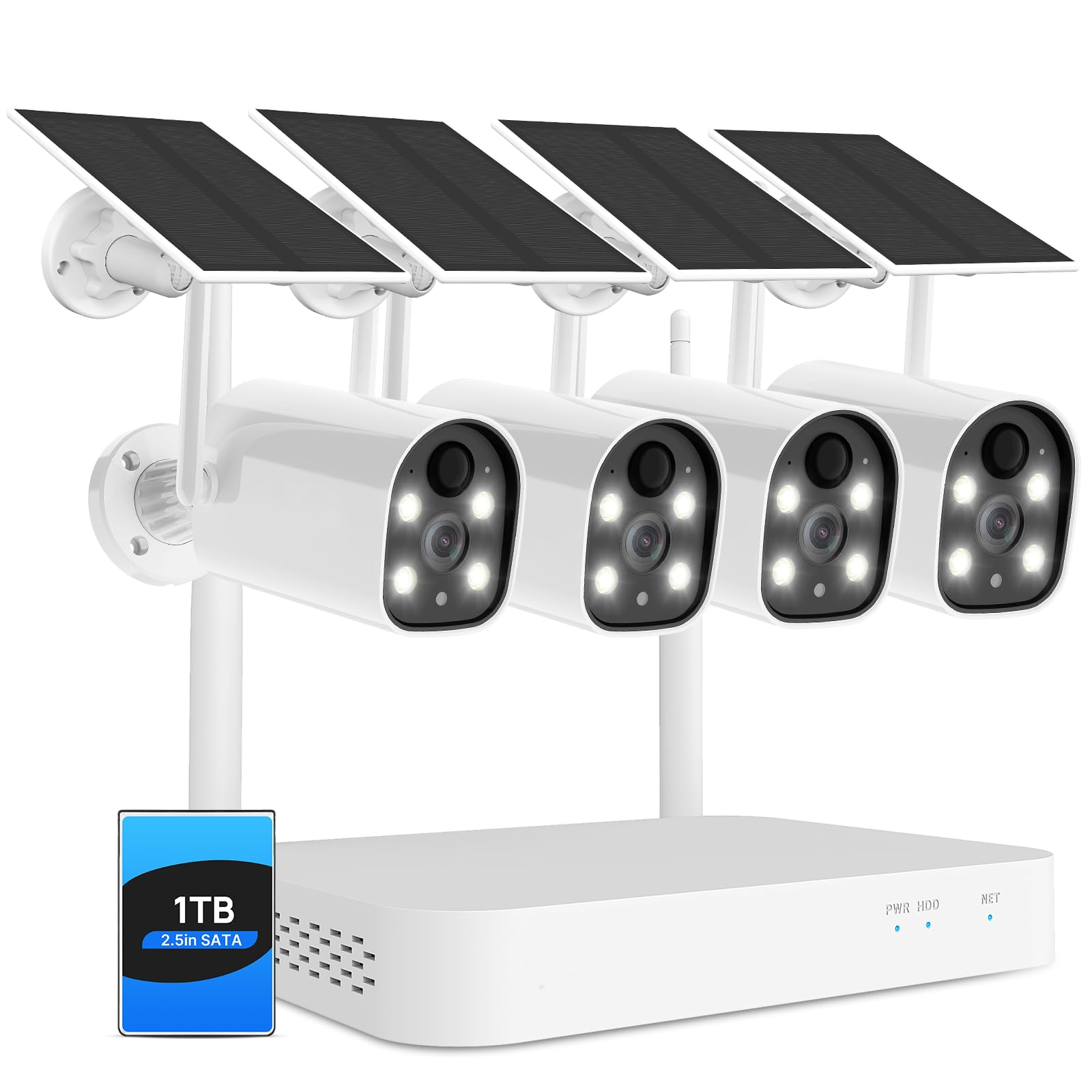
Image: Hiseeu outdoor camera demonstrating IP66 weatherproof capability in rainy conditions, with operating temperature range indicated.

Image: A Hiseeu camera detecting a person approaching a doorway, with a mobile app notification displaying "Device - object movement".

Image: A Hiseeu security camera installed on an outdoor wall, connected to a solar panel for continuous power.

Image: A Hiseeu NVR unit with a transparent overlay showing a 1TB hard drive installed, highlighting its local storage feature.

Image: A user interacting with a delivery person at their door via the Hiseeu mobile app's two-way audio function.

Image: A split image showing the difference between colorful night vision and infrared night vision captured by a Hiseeu camera.
3. 箱の中身
The Hiseeu Solar Wireless Security Camera System includes the following components:
- Camera body (4MP Battery Cameras)
- 10-Channel 2K NVR with 1TB HDD
- Solar Panels (for each camera)
- 取り付けアクセサリ
- NVR用電源アダプター
- ユーザーマニュアル(このドキュメント)
4. セットアップとインストール
4.1 NVRのセットアップ
- 付属の電源アダプターを使用して NVR を電源に接続します。
- Connect the NVR to a monitor (PC or TV) using an HDMI or VGA cable.
- The system is pre-paired; the cameras should automatically connect to the NVR upon power-up.
- ネットワークアクセスとリモート viewing, connect the NVR to your router via an Ethernet cable.
4.2カメラの設置
The cameras are wireless and solar-powered, offering flexible placement options. Ensure the solar panel receives adequate sunlight for continuous charging.
- Choose a suitable outdoor location for each camera, ensuring a clear field of view and good Wi-Fi signal if connecting directly to Wi-Fi (though NVR provides its own wireless network).
- 付属の取り付けアクセサリを使用してカメラをしっかりと取り付けます。
- Position the solar panel to maximize sun exposure throughout the day.
- Ensure the waterproof cap is correctly installed on the Ethernet port if not using a wired connection, to protect against moisture.
Video: Instructions on how to properly use and install the waterproof cap for the camera's Ethernet port, ensuring protection from outdoor elements.
5. App Configuration (EseeCloud)
To access and manage your security system remotely, download and configure the EseeCloud app on your smartphone.
- Download the EseeCloud app from your device's app store (iOS or Android).
- Register an account using your phone number or email address.
- Add your device by scanning the QR code on the camera or NVR, or by manually adding it.
- Connect the device to your home Wi-Fi network (2.4GHz only).
- 接続すると、次のことができます view ライブフィード、録画にアクセスし、設定を構成します。
Video: A detailed guide on how to use the EseeCloud mobile application for setting up and managing your Hiseeu security camera system.
6. 操作手順
6.1 ライブ View と再生
- Open the EseeCloud app to view ライブカメラフィード。
- 記録された foo にアクセスするtage from the 1TB HDD via the app. Recordings are motion-triggered.
6.2 双方向オーディオ
- Use the microphone icon in the app to speak through the camera.
- カメラからの音声を聞くには、携帯電話の音量が最大になっていることを確認してください。
6.3 ナイトビジョンモード
- The system supports both color night vision and infrared night vision.
- Color night vision activates automatically in low light conditions when the floodlight is enabled.
6.4 AIによる人間検出
- The system is configured to detect human shapes, minimizing false alerts.
- Customize detection zones and sensitivity settings within the EseeCloud app to optimize performance.
7. メンテナンス
- クリーニング: Periodically clean camera lenses and solar panels to ensure optimal performance. Use a soft, damp 布。
- バッテリー管理: The solar panels help maintain battery charge. If cameras are in areas with limited sunlight, occasional manual recharging may be necessary.
- ファームウェアの更新: Check the EseeCloud app regularly for firmware updates to ensure your system has the latest features and security enhancements.
8。 トラブルシューティング
If you encounter issues with your Hiseeu security camera system, consider the following:
- ビデオフィードなし: Ensure all cameras and the NVR are powered on and connected. Check network cables and Wi-Fi connections.
- 誤報: Adjust the AI human detection sensitivity and detection zones within the EseeCloud app to reduce unwanted alerts.
- 夜間視力が悪い: Ensure camera lenses are clean and free from obstructions. Verify that the floodlight is enabled for color night vision if desired.
- アプリの接続の問題: Confirm your smartphone has a stable internet connection. Restart the EseeCloud app or your phone if necessary.
- NVR ストレージ: If the 1TB HDD is full, older recordings may be overwritten. Ensure the NVR is recording as expected.
For further assistance, refer to the help section within the EseeCloud app or contact Hiseeu customer support.
9. 仕様
| 特徴 | 詳細 |
|---|---|
| モデル名 | WK-4C40-ATus |
| 屋内/屋外での使用 | 屋外 |
| 対応デバイス | スマートフォン |
| 電源 | 太陽光発電 |
| 接続プロトコル | Wi-Fi |
| コントローラータイプ | エシークラウド |
| 取り付けタイプ | 壁掛け |
| ビデオキャプチャ解像度 | 4MP |
| アイテム数 | 1 (System includes NVR and cameras) |
| 含まれるコンポーネント | Camera body, NVR, Solar Panels, Mounting accessories, Power adapter |
| チャンネル数 | 10 |
| 暗視範囲 | 65フィート |
| 商品の寸法(長さ×幅×高さ) | 12.36 x 8.86 x 8.07インチ |
| 電池は必要ですか? | No (Built-in rechargeable batteries, solar charged) |
| ビデオキャプチャフォーマット | MP4 |
| アイテム重量 | 6.89ポンド |
| メーカー | ヒセウ |
| 製品の推奨用途 | 屋外セキュリティ |
| 接続技術 | 無線 |
| 特集 | 双方向オーディオ、ローカル録音、モーションセンサー、ナイトビジョン、耐候性 |
10. 保証とサポート
10.1 保証
The product comes with a 12-month limited warranty. The actual warranty period is implemented according to local laws and regulations.
10.2 カスタマーサポート
For any questions or issues, the EseeCloud app provides one-on-one 24/7 online support. Please contact support directly through the app for assistance.