1. はじめに
This manual provides essential information for setting up, operating, maintaining, and troubleshooting your Thunderobot Storm 15 4050 Gaming Laptop. Please read it thoroughly to ensure optimal performance and longevity of your device.
主な特徴:
- プロセッサ: Intel Core i7-13620H (10 コア、最大 4.9 GHz)
- グラフィック: NVIDIA GeForce RTX 4050 ノート PC GPU
- メモリ: 32GB DDR4 RAM (3200 MHz)
- ストレージ: 1TB PCIe M.2 SSD
- 画面: 15.6-inch Full HD (1920x1080) 165Hz, 100% sRGB, DC Dimming
- オペレーティング·システム: Windows 11 ホーム
- 冷却: Advanced Frost Cooling System with multi-heat-pipe design and high-pressure turbine fan
- キーボード: Full-size backlit keyboard with numeric keypad
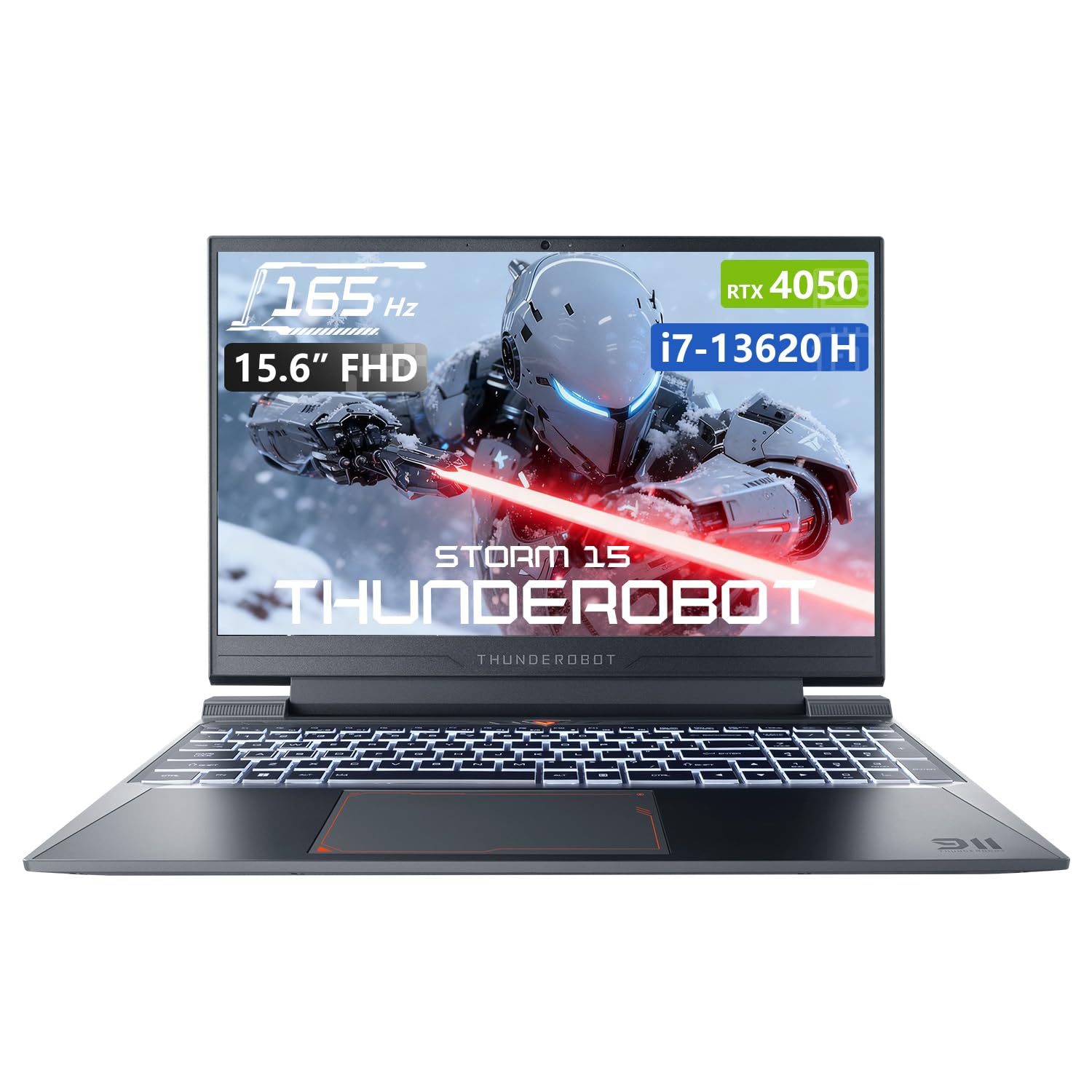
Image: The Thunderobot Storm 15 4050 Gaming Laptop, showcasin洗練されたデザインとバックライト付きキーボードが特徴です。
2. セットアップ
2.1初期電源オン
- 開梱: ノートパソコンとすべての付属品をパッケージから慎重に取り出します。
- 接続電源: AC アダプターをノートパソコンの電源ポートに差し込み、次に壁のコンセントに差し込みます。
- 電源オン: ノートパソコンの蓋を開けて、通常はキーボードの上または側面にある電源ボタンを押します。
- 初期設定: 画面上の指示に従って、言語、地域、ネットワーク接続、ユーザー アカウントの作成などの Windows 11 Home のセットアップを完了します。
2.2 周辺機器の接続
ノートパソコンには、外部デバイスを接続するためのさまざまなポートが装備されています。

Image: Diagram illustrating the various ports and slots available on the Thunderobot Storm 15 laptop.
- USB デバイス: Connect USB mice, keyboards, external drives, or other peripherals to the USB 3.1 Type-A ports or the USB 3.1 Gen 2 Type-C port.
- 外部ディスプレイ: Use the HDMI port to connect an external monitor or TV.
- ネットワーク: 安定した有線インターネット接続を確保するには、イーサネット ケーブルを RJ-45 ポートに接続します。
- オーディオ: Connect headphones or external speakers to the 3.5mm Combo Jack.
3. ノートパソコンの操作
3.1 表示機能
The 15.6-inch Full HD display offers a 165Hz refresh rate for smooth visuals and 100% sRGB color gamut for accurate color reproduction. DC dimming technology helps reduce screen flickering.
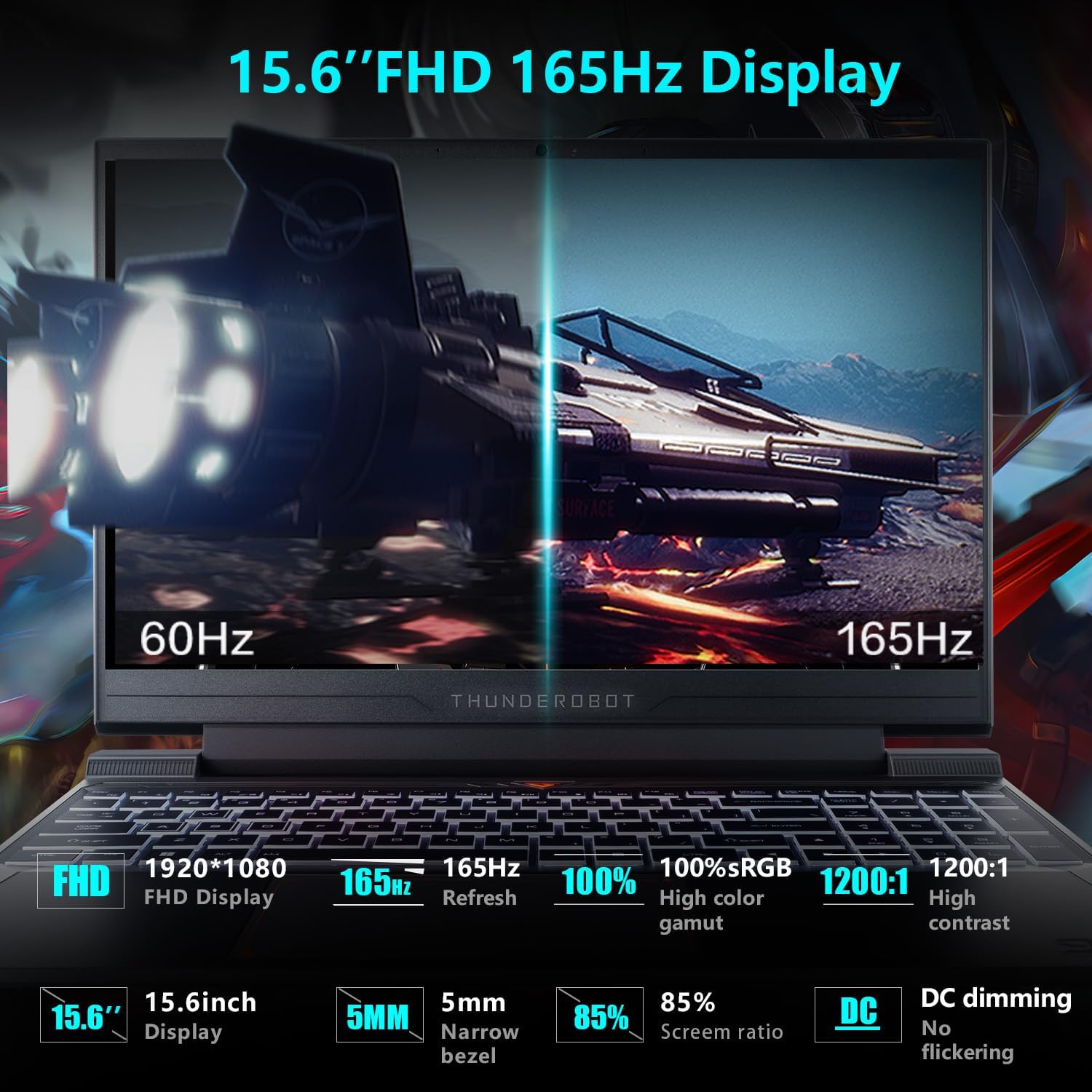
Image: Close-up of the 15.6-inch Full HD 165Hz display, highlighting its smooth motion capabilities.
3.2 キーボードとタッチパッド
The full-size backlit keyboard includes a numeric keypad for enhanced productivity and gaming. The anti-fingerprint surface helps maintain a clean appearance.
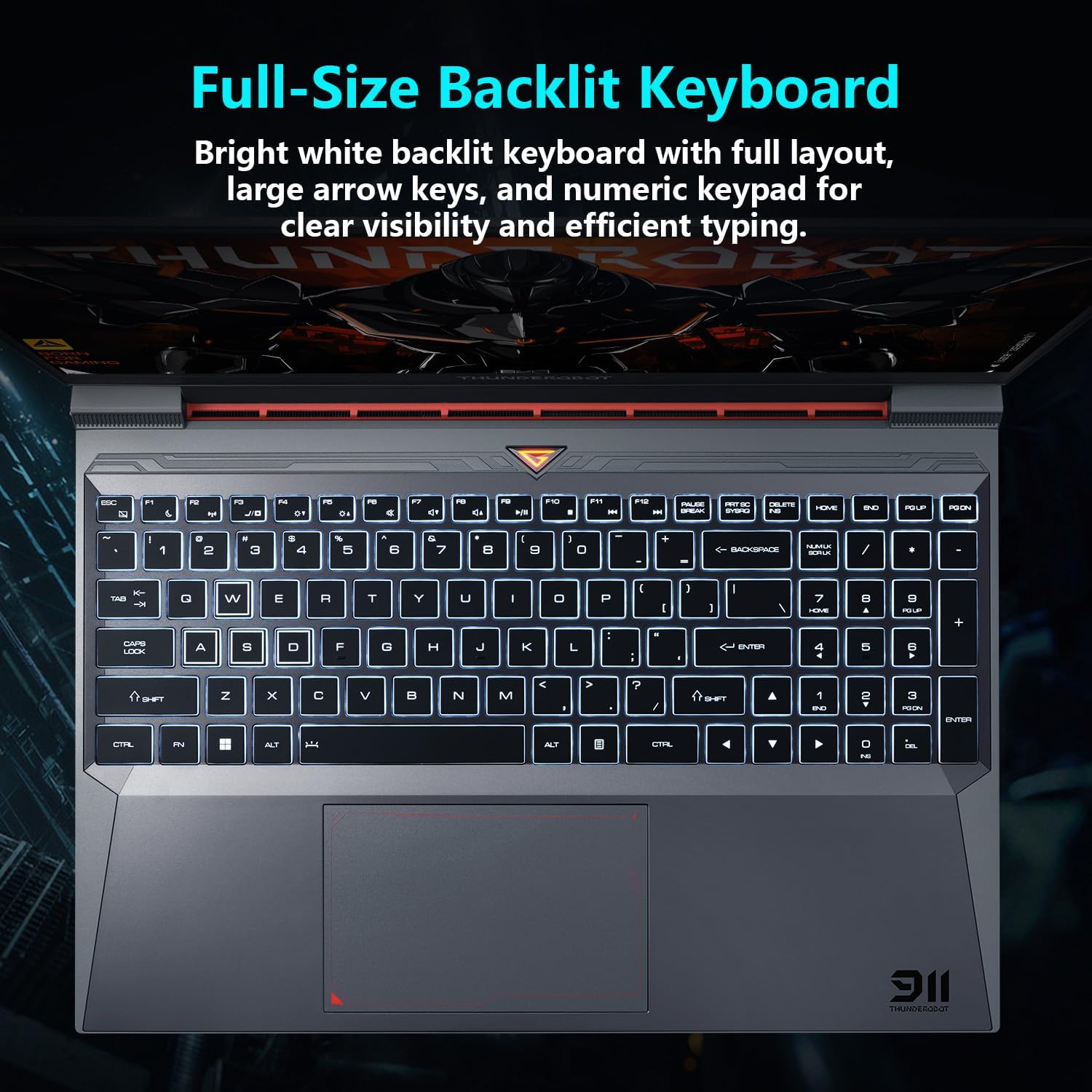
画像: View of the full-size backlit keyboard with its bright white backlighting and numeric keypad.
3.3 オーディオシステム
Experience immersive sound with the laptop's professional sound certification and high-specification speaker design.
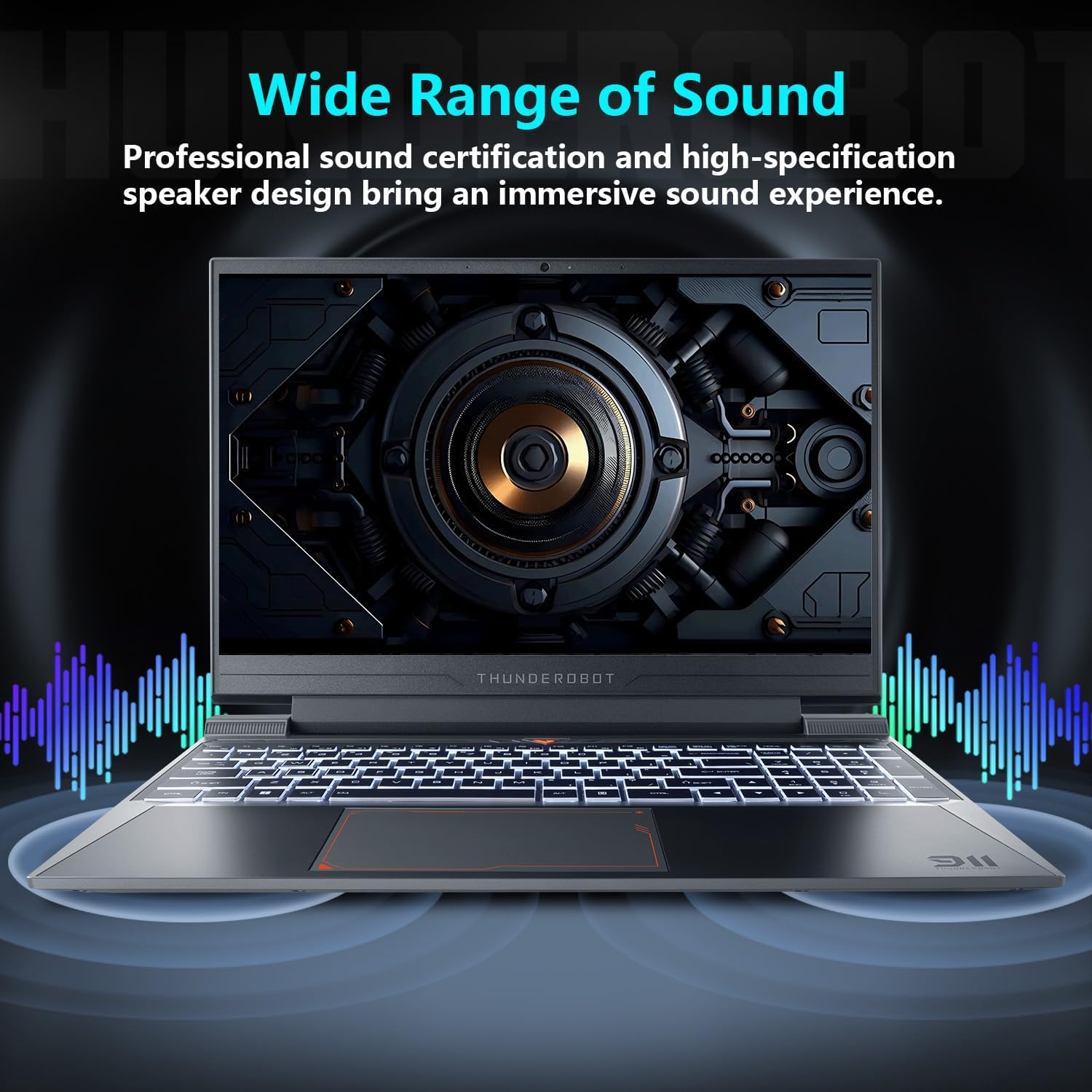
Image: Laptop displaying sound waves, illustrating its wide range of sound capabilities.
3.4冷却システム
The Advanced Frost Cooling System features multi-heat-pipe design (10mm/8mm composite pipes), a high-pressure turbine fan with 80 ultra-thin LCP blades, and 126 dense copper fins (28,000mm²) to ensure efficient heat dissipation. This design keeps critical components cool during intensive use.
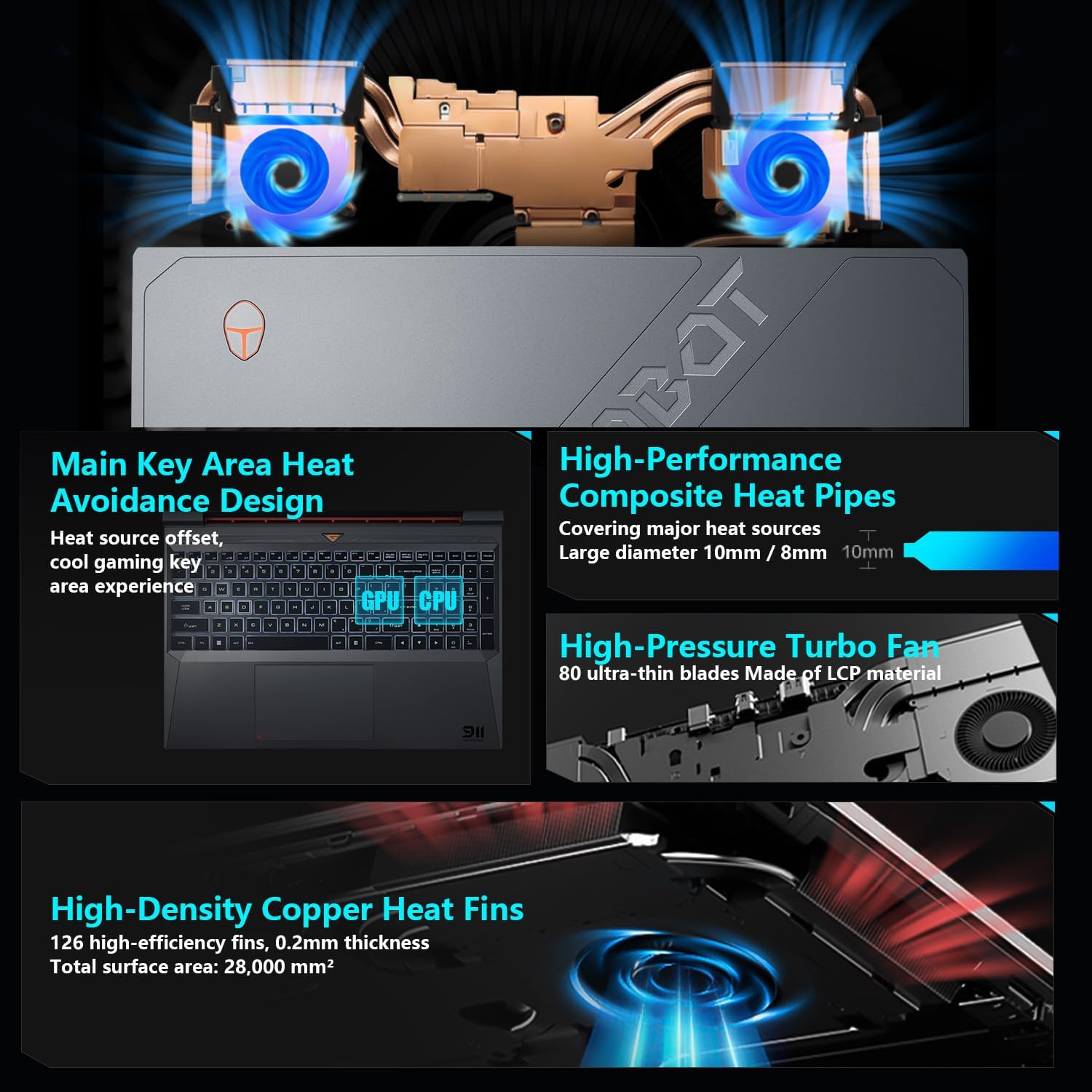
Image: Diagram showing the internal cooling system with heat pipes, fans, and copper fins.
3.5 Control Center Software
The Control Center software allows you to adjust and switch between various performance modes (e.g., Berserk mode, Game mode, Audio and Video Office mode) and customize fan speed and lighting settings. Access it by typing "Control Center" in the Windows search bar or using designated function keys.

Image: Screenshots of the Control Center software interface, showing options for performance modes, fan adjustment, and lighting controls.
4. メンテナンス
4.1 クリーニング
- 画面: 柔らかく糸くずの出ない布を使用してください。amp水またはスクリーンクリーナーで拭いてください。刺激の強い化学薬品は使用しないでください。
- キーボードとシャーシ: 表面を拭く際は柔らかい布を使用してください。キーや通気口の間の埃を取り除くには、圧縮空気を吹き付けると効果的です。
- 通気口: Regularly check and clean the cooling vents to prevent dust buildup, which can hinder airflow and performance.
4.2ソフトウェアアップデート
Keep your operating system and drivers updated to ensure optimal performance and security. Windows Update will handle OS updates, and you can check the Thunderobot support website for the latest driver versions for your specific model.
5。 トラブルシューティング
5.1 よくある問題
- ノートパソコンの電源が入らない: Ensure the AC adapter is securely connected to both the laptop and a working power outlet. Check if the power button is functioning correctly.
- 過熱: Ensure cooling vents are not blocked. Use the Control Center to adjust fan speeds. Consider using the laptop on a hard, flat surface to improve airflow.
- 表示の問題: If the screen is blank, try connecting an external monitor to check if the issue is with the laptop's display or the graphics output. Update graphics drivers.
- パフォーマンスが遅い: リソースを消費しているバックグラウンドアプリケーションがないか確認してください。十分な空きストレージ容量を確保してください。マルウェアスキャンを実行してください。
- 周辺機器が検出されません: Ensure the peripheral is correctly plugged into the appropriate port. Try a different port or restart the laptop. Update relevant drivers.
5.2 サポートにお問い合わせください
If you encounter issues that cannot be resolved using this guide, please refer to the Thunderobot official support channels for assistance.
6. 仕様
| 特徴 | 詳細 |
|---|---|
| スタンディングスクリーンの表示サイズ | 15.6インチ |
| 画面解像度 | 1920 x 1080 ピクセル |
| 最大画面解像度 | 1920x1080ピクセル |
| プロセッサ | Intel Core i7-13620H (4.9 GHz max turbo) |
| ラム | 32 GB DDR4 (3200 MHz) |
| ハードドライブ | 1 TB SSD (PCIE x 4) |
| グラフィックスコプロセッサ | NVIDIA GeForce RTX 4050 ノート PC GPU |
| ワイヤレスタイプ | 802.11ax、ブルートゥース |
| USB 3.0 ポートの数 | 3 |
| オペレーティング·システム | Windows 11 ホーム |
| アイテム重量 | 12ポンド |
| 製品寸法 | 14.12 x 10.14 x 0.94インチ |
| 色 | 黒 |
| 特集 | バックライト付きキーボード、テンキー |

Image: Performance benchmarks comparing the RTX 4050 and Intel Core i7-13620H against previous generations.
7. 保証とサポート
Every Thunderobot laptop includes a 12ヶ月保証, offering expert support, thorough diagnostics, and genuine parts if a repair is needed. Additionally, a 90日間の保証 is provided on all warranty replacement parts, ensuring hassle-free repairs. Your complete satisfaction is our commitment.
For further support, please visit the official Thunderobot webサイトにアクセスするか、カスタマーサービスにお問い合わせください。
ビデオ: オーバーview of the Thunderobot Storm 15 Laptop, showcasinその機能とデザイン。


