導入
This manual provides detailed instructions for the setup, operation, and maintenance of your LIGE EF21-I Smartwatch. Please read this manual thoroughly before using the device to ensure proper function and to maximize its features.
安全情報
- 時計を分解したり改造したりしないでください。
- 時計を極端な温度や直射日光を避けて保管してください。
- 時計を強い衝撃や落下から守ってください。
- Do not use corrosive chemicals to clean the watch.
- このデバイスは医療機器ではありません。健康データは参考用であり、医療診断や治療に使用しないでください。
- 充電する前に、充電接点が清潔で乾燥していることを確認してください。
パッケージ内容
パッケージにすべてのアイテムが含まれていることを確認します。
- LIGE EF21-I Smartwatch
- USB磁気充電ケーブル
- タイプC充電ケーブル
- ユーザーマニュアル

Image: The package includes both a USB magnetic charging cable and a Type-C charging cable for versatile power options.
セットアップガイド
1. 初期充電
Before first use, fully charge your smartwatch. Connect the magnetic charging cable to the charging contacts on the back of the watch and the USB end to a power adapter (not included) or a computer USB port. The watch display will show the charging status.

Image: The smartwatch connected to its magnetic charger, indicating its 800 mAh battery capacity.
2. アプリのインストールとペアリング
To unlock all features, download and install the "Fit CloudPro" app on your smartphone.
- Scan the QR code in the manual or on the watch (if available) or search for "Fit CloudPro" in your phone's app store (compatible with Android 8.0+ and iOS 12.0+).
- アプリを開いてアカウントを作成するか、ログインします。
- スマートフォンでBluetoothが有効になっていることを確認します。
- アプリで、デバイス セクションに移動し、「デバイスの追加」または同様のオプションを選択します。
- Select "EF21-I" from the list of available devices to pair.
- 画面上の指示に従ってペアリングプロセスを完了します。
ペアリングすると、時計は時間とデータを携帯電話と同期します。
操作手順
基本的なナビゲーション
- タッチスクリーン: 左右または上下にスワイプしてメニューや機能を操作します。タップして選択します。
- サイドボタン: Typically, one button acts as a power/back button, while others may be customizable shortcuts. Refer to the on-screen prompts for specific functions.

Image: The 1.43-inch AMOLED display offers brilliant colors and a fluid, efficient user experience.
Bluetooth通話機能
The EF21-I Smartwatch supports Bluetooth calls, allowing you to make and receive calls directly from your wrist.
- 時計が Bluetooth 経由でスマートフォンに接続されていることを確認します。
- Access the "Call" or "Phone" function on your watch.
- You can use the dial pad, access your contacts, or view 通話履歴。
- Advanced noise cancellation ensures clear audio during calls.
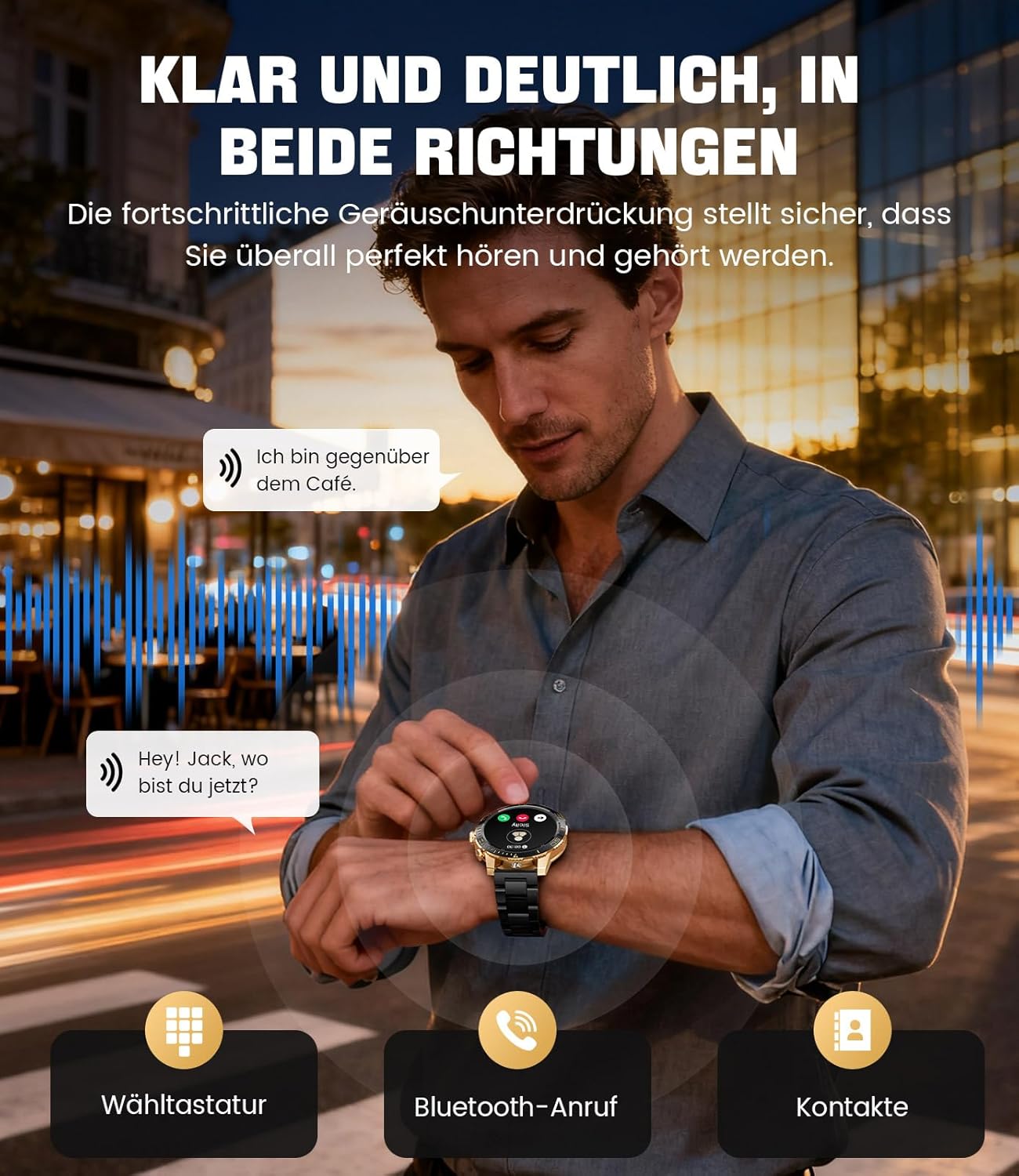
Image: The smartwatch allows clear two-way communication with advanced noise cancellation, featuring a dial pad, Bluetooth call option, and contacts access.
通知
Receive real-time notifications from your smartphone apps directly on your watch.
- Enable app notifications in the "Fit CloudPro" app settings.
- The watch will display incoming calls, SMS, and messages from social media apps (e.g., Facebook, Twitter, Instagram、WhatsApp)。
- A quick glance at your wrist allows you to stay informed discreetly.

Image: The smartwatch displays real-time notifications from various social media applications, keeping you informed discreetly.
健康モニタリング
The EF21-I Smartwatch acts as your 24/7 health guardian, providing continuous monitoring of key health metrics.
- 心拍: 一日を通して心拍数を監視します。
- 血中酸素濃度(SpO2): 血中酸素飽和度を測定します。
- 睡眠追跡: Analyzes your sleep patterns, distinguishing between deep sleep, light sleep, and awake times.
- ストレスモニタリング: ストレスレベルを追跡します。
- 座りっぱなしの注意: 一定時間活動がない後に動くように警告します。
View detailed health data and trends in the "Fit CloudPro" app.
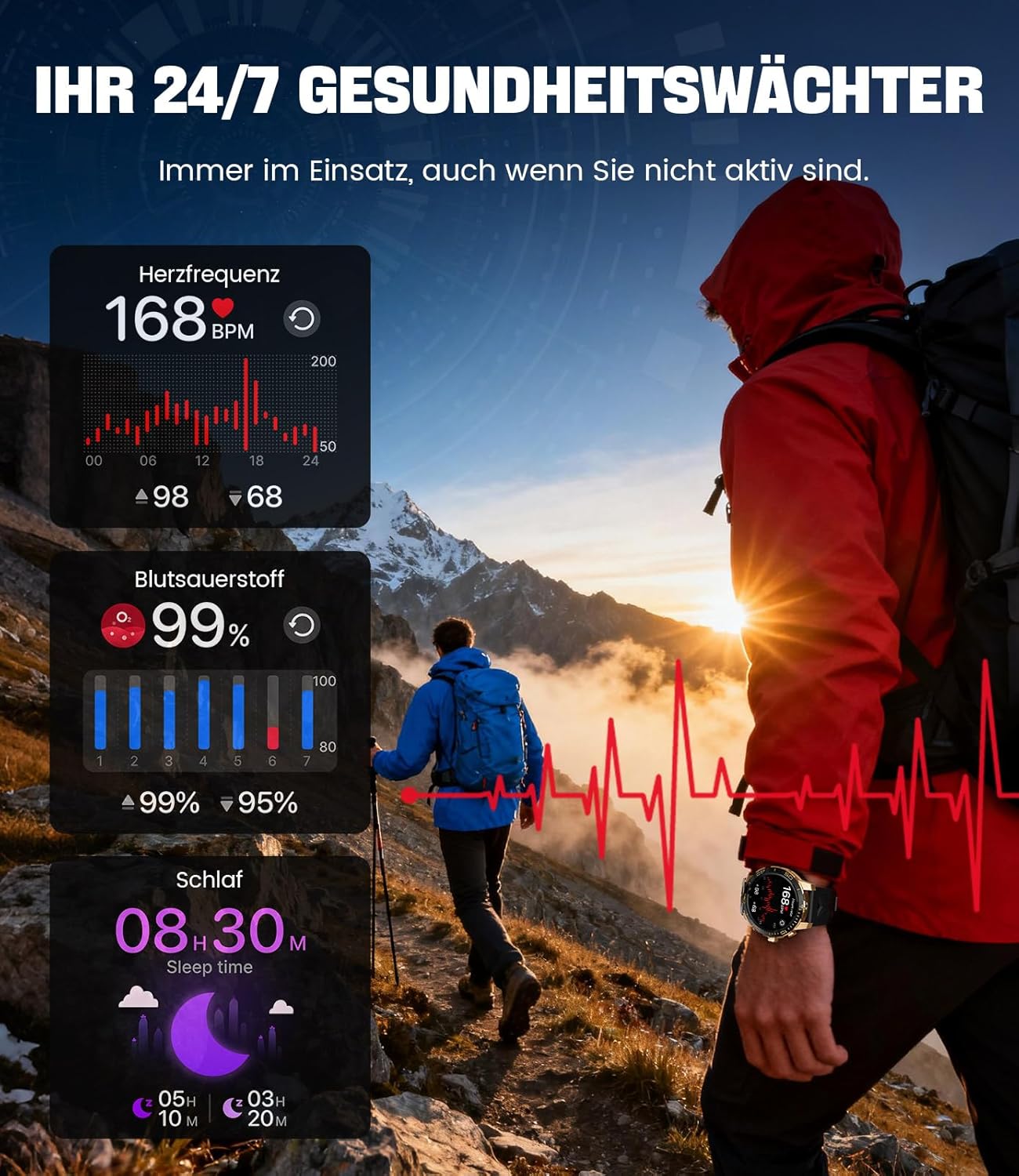
Image: The smartwatch functions as a 24/7 health guardian, monitoring heart rate, blood oxygen, and sleep patterns, even when you are not actively engaged in exercise.
スポーツモード
With over 200 sports modes, the watch helps you track your workouts and achieve your fitness goals.
- 時計のメニューから希望のスポーツモードを選択します。
- The watch records data such as heart rate, calories burned, and steps taken.
- Automatic recognition for walking, running, and cycling is supported.
- Review your activity data in the "Fit CloudPro" app for performance analysis.

Image: The smartwatch supports over 200 training modes, tracking heart rate, calories, and steps for various activities.
カスタマイズ可能なウォッチフェイス
さまざまなウォッチフェイスでスマートウォッチをカスタマイズできます。
- The watch comes with several pre-installed classic watch faces.
- Access over 200 additional designs through the "Fit CloudPro" app.
- 自分の写真をアップロードしてカスタムウォッチフェイスを作成することもできます。
追加機能
- 天気予報: リアルタイムの天気予報を入手します。
- 目覚まし時計: 手首から直接アラームを設定します。
- リモートカメラコントロール: 時計を使用して携帯電話のカメラを起動します。
- 懐中電灯: Activate a flashlight function on your wrist.
- 電話ロケーター: Find your misplaced smartphone using the watch.

Image: The smartwatch features a wrist flashlight function, providing illumination for outdoor activities.
メンテナンス
クリーニング
- 時計の画面と本体を柔らかく糸くずの出ない布で拭いてください。
- 頑固な汚れには、damp布を軽く水で湿らせます。
- Avoid using harsh chemicals, abrasive materials, or ultrasonic cleaners.
- 充電接点が清潔でゴミがないことを確認してください。
耐水性(IP68)
The LIGE EF21-I Smartwatch is IP68 water-resistant, meaning it can withstand immersion in water up to 1.5 meters for up to 30 minutes. It is suitable for daily use, hand washing, and swimming.
- 時計を温水、サウナ、スチームルームでは使用しないでください。
- 水中でボタンを押さないでください。
- After exposure to water, especially saltwater, dry the watch thoroughly.
トラブルシューティング
時計の電源が入らない
- 時計が完全に充電されていることを確認してください。充電器に少なくとも30分間接続してください。
- 電源ボタンを数秒間押し続けます。
Unable to Pair with App
- スマートフォンで Bluetooth が有効になっていることを確認してください。
- 時計が十分に充電されていることを確認してください。
- スマートフォンとスマートウォッチの両方を再起動します。
- Try unpairing and re-pairing the device through the "Fit CloudPro" app.
- お使いの携帯電話でアプリに必要な権限があるかどうかを確認してください。
不正確な健康データ
- 時計が手首にぴったりとフィットし、緩すぎたりきつすぎたりしていないことを確認してください。
- 時計の裏側にあるセンサーを清掃してください。
- 測定中は過度の動きを避けてください。
- Remember that health data is for reference and not for medical use.
Notifications Not Received
- 時計が Bluetooth 経由で携帯電話に接続されていることを確認します。
- Check notification settings in the "Fit CloudPro" app.
- Ensure your phone's notification settings allow the app to send notifications.
- Disable any battery optimization settings for the "Fit CloudPro" app on your phone.
仕様
| 特徴 | 詳細 |
|---|---|
| ブランド | ライゲ |
| モデル番号 | EF21-I |
| 表示サイズ | 1.43インチ |
| 表示タイプ | アモルファス |
| バッテリー容量 | 800 mAh(リチウムポリマー) |
| 接続性 | ブルートゥース |
| オペレーティングシステムの互換性 | Android 8.0以降およびiOS 12.0以降 |
| 耐水性評価 | IP68 |
| メモリストレージ容量 | 256MB |
| 特集 | Weather forecast, Sedentary reminder, Alarm clock, Touch screen, Always-on display, Bluetooth calling, Heart rate monitor, SpO2 monitor, Sleep monitor, 200+ sports modes, Phone locator |
| GPS | スマートフォン経由のGPS |

Image: The smartwatch features impact resistance, indicated by a 'Military Grade Drop-Tested' badge.
保証とサポート
保証情報
The product is supported by a 12-month warranty. Please retain your proof of purchase for warranty claims.
カスタマーサポート
For technical assistance, troubleshooting, or warranty inquiries, please contact LIGE customer support. Refer to the contact information provided with your purchase or visit the official LIGE webサイト。


