導入
ご購入ありがとうございますasing the Philips TAX5000 Bluetooth Party Speaker. This manual provides essential information for setting up, operating, and maintaining your speaker to ensure optimal performance and longevity. Please read these instructions carefully before using the product.
箱の中身
パッケージ内にすべてのコンポーネントが揃っていることを確認します。
- Philips TAX5000 Bluetooth Party Speaker
- USBケーブル
- クイックスタートガイド
- 保証書
製品終了view
The Philips TAX5000 is a portable party speaker designed for powerful audio output and dynamic lighting effects. It features dual 8-inch woofers and 2-inch tweeters, delivering 200W maximum sound output with Bass+ technology. The integrated RGB LED lightshow offers 13 modes. Connectivity options include Bluetooth, auxiliary input, and USB playback. For expanded audio, True Wireless Stereo (TWS) and Auracast multi-speaker connections are supported. The speaker also includes dual microphone inputs and a guitar input with independent volume and echo controls for karaoke and live performances. Its design incorporates wheels and a carry handle for portability, and it is IPX4 splash-resistant. A rechargeable battery provides up to 14 hours of playback.
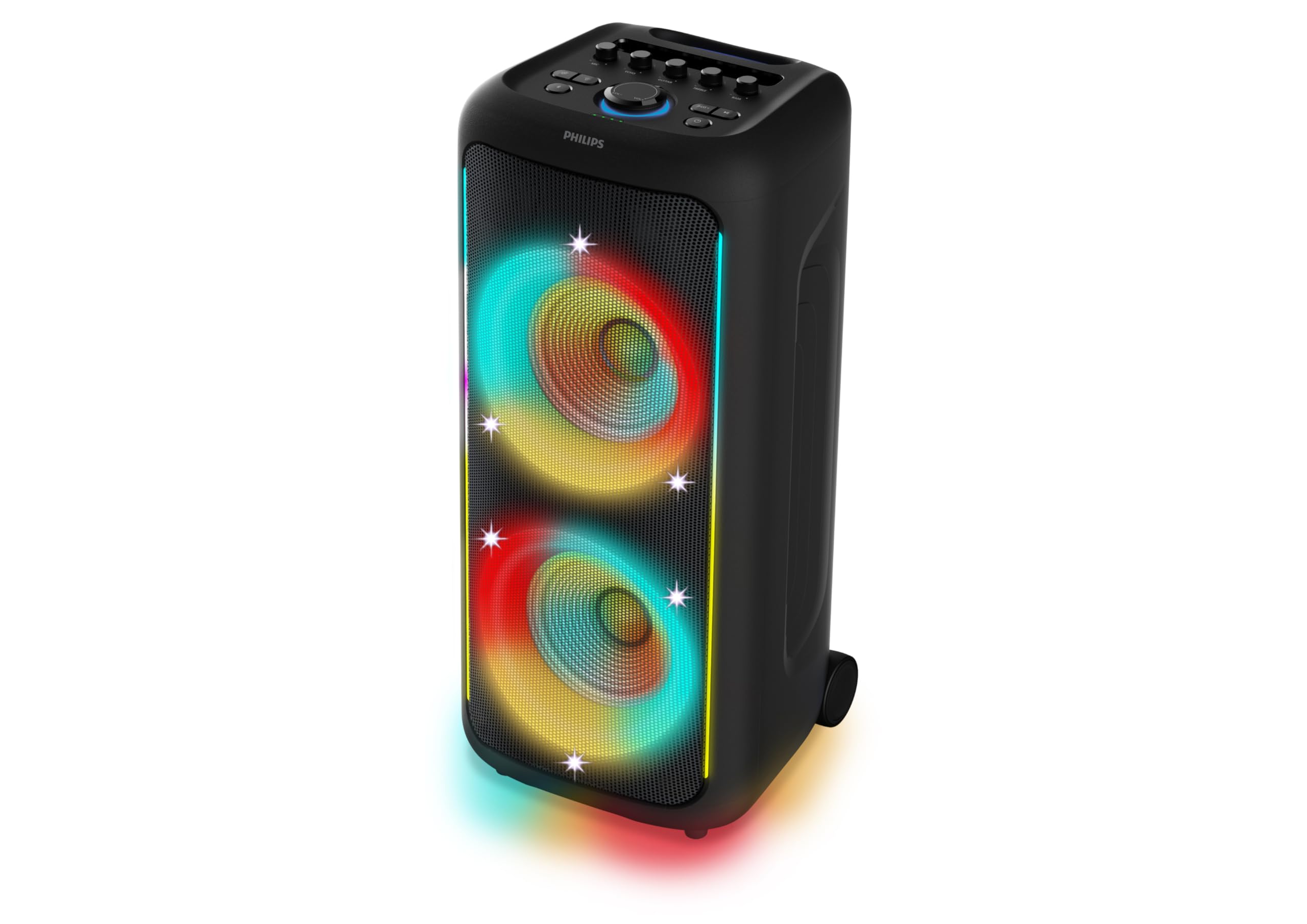
図1: 前面 view of the Philips TAX5000 speaker, showcasing the active RGB lightshow around the dual woofers.
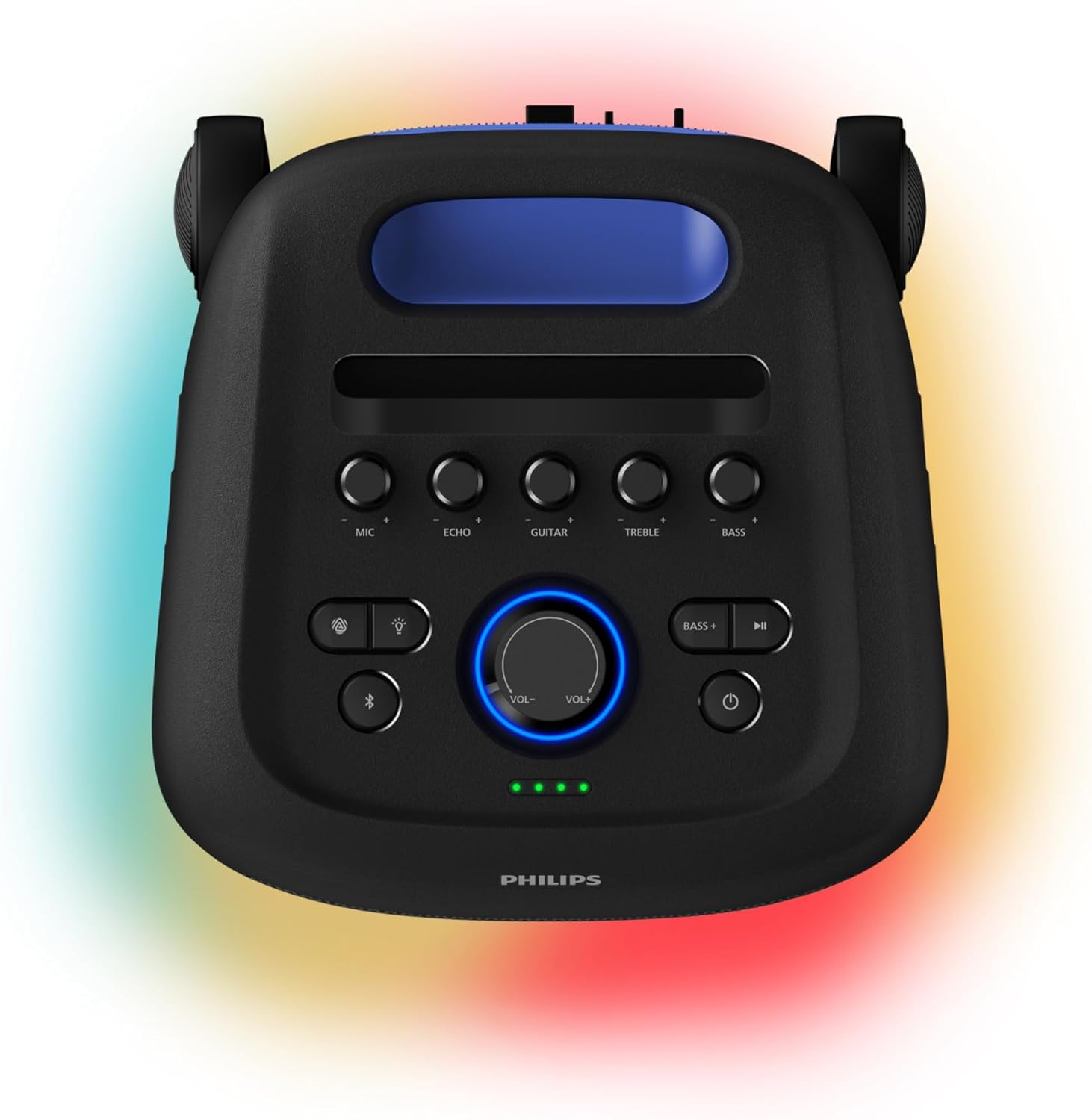
Figure 2: Top control panel of the speaker, showing buttons for microphone, echo, guitar, treble, bass, volume, light modes, Bluetooth, and power.
設定
1.スピーカーの充電
Before initial use, fully charge the speaker. Connect the provided USB cable to the speaker's charging port and a suitable power adapter (not included). A full charge takes approximately 4 hours and provides up to 14 hours of playback. The battery pack is replaceable.
2.電源のオン/オフ
- To power on: Press and hold the Power button on the control panel until the indicator lights illuminate.
- To power off: Press and hold the Power button again until the indicator lights turn off.
3.Bluetoothペアリング
- スピーカーの電源がオンになっていて、Bluetooth ペアリング モードになっていることを確認します (Bluetooth インジケーター ライトが点滅します)。
- モバイル デバイスで Bluetooth を有効にし、利用可能なデバイスを検索します。
- Select "Philips TAX5000" from the list of devices.
- Once paired, the Bluetooth indicator light on the speaker will become solid.
操作手順
1.オーディオ再生
- ブルートゥース: After pairing, play audio from your connected device. Control volume and track selection via the speaker's controls or your device.
- USB再生: オーディオが入ったUSBドライブを挿入します fileUSBポートに差し込みます。スピーカーが自動的に再生を開始します。
- 補助入力: Connect an audio device using a 3.5mm auxiliary cable (not included) to the AUX input port.
2. Lightshow Control
The speaker features an RGB LED lightshow with 13 dynamic modes. Use the dedicated Light button on the control panel to cycle through modes or turn the lights off. Further customization is available via the Philips Entertainment App.
3. Karaoke and Guitar Inputs
The speaker is equipped with two microphone inputs and one 6.3mm guitar input. Connect your microphones and/or guitar. Use the dedicated MIC, ECHO, GUITAR, TREBLE, and BASS knobs on the control panel to adjust levels and apply echo effects.
4. Multi-Speaker Connection (TWS & Auracast)
- 真のワイヤレスステレオ(TWS): To pair two TAX5000 speakers for stereo sound, follow the instructions in the Quick Start Guide for TWS pairing.
- オーラキャスト: For broadcasting audio to multiple compatible speakers, refer to the Philips Entertainment App or the full user manual for Auracast setup instructions.
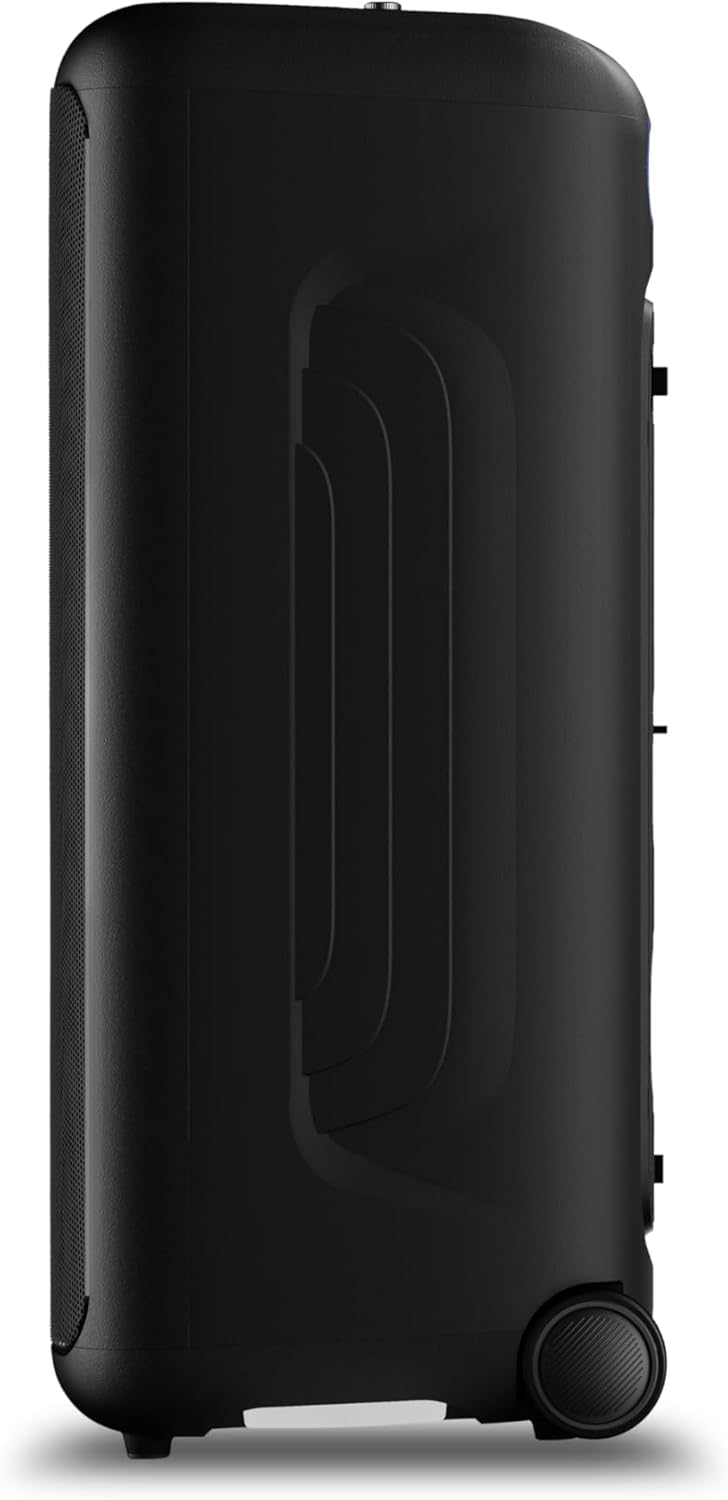
図3:側面 view of the speaker, highlighting the integrated wheels for easy transport.

図4:背面 view of the speaker, illustrating the pull-out handle for portability.
メンテナンス
To maintain your Philips TAX5000 speaker in optimal condition:
- クリーニング: 外装面の清掃には、柔らかく乾いた布をご使用ください。研磨剤入りの洗剤や溶剤は使用しないでください。
- ストレージ: スピーカーは直射日光や極端な温度を避け、涼しく乾燥した場所に保管してください。
- 水への露出: While IPX4 splash-resistant, avoid submerging the speaker in water or exposing it to heavy rain. Ensure all port covers are securely closed when near liquids.
トラブルシューティング
スピーカーに問題が発生した場合は、次の一般的な解決策を参照してください。
| 問題 | 考えられる解決策 |
|---|---|
| スピーカーの電源が入らない | Ensure the battery is charged or the speaker is connected to AC power. Press and hold the Power button. |
| 音声出力なし | Check volume levels on both the speaker and the connected device. Ensure the correct input source is selected. Re-pair Bluetooth if necessary. |
| Bluetoothペアリングが失敗する | Ensure the speaker is in pairing mode. Move the speaker closer to your device. Turn off and on Bluetooth on your device. Clear previous pairings. |
| マイク/ギターが機能しない | Check connections. Adjust MIC/GUITAR volume knobs. Ensure microphones are powered on if applicable. |
仕様
| 特徴 | 詳細 |
|---|---|
| モデル名 | 税5000/37 |
| スピーカータイプ | ポータブル、屋外 |
| スピーカー出力 | 200 Watts Max / 100 Watts RMS |
| ウーファー直径 | 8インチ(×2) |
| ツイーター直径 | 2インチ(×2) |
| 接続技術 | Bluetooth、補助(3.5mm)、USB |
| 無線通信 | ブルートゥース |
| 特集 | RGB Lightshow (13 modes), PA System, Portable with Wheels, Rechargeable Battery, TWS & Auracast Multi-Speaker, Dual Mic & Guitar Input, Karaoke |
| バッテリー寿命 | 最大14時間 |
| バッテリーの充電時間 | 約4時間 |
| 電源 | Plug In Electric (AC) / Rechargeable Battery |
| 制御方法 | アプリ、タッチコントロール |
| IP 定格 | IPX4防滴 |
| 製品寸法(奥行き×幅×高さ) | 12.6インチ x 12.6インチ x 28.74インチ |
| アイテム重量 | 39.7ポンド |
保証
This Philips TAX5000 Bluetooth Party Speaker comes with a limited warranty. Please refer to the included Warranty Certificate for detailed terms, conditions, and registration information. Keep your proof of purchase for warranty claims.
サポート
For further assistance, product updates, or detailed troubleshooting, please visit the official Philips support website or contact Philips customer service. Contact information can be found on the warranty certificate or the Philips webサイト。
製品ビデオ
Philips TAX5000 Overview
このビデオでは、view of the Philips TAX5000 Bluetooth Party Speaker's features and capabilities.
Philips TAX5000 Features Highlight
A short video highlighting key features of the Philips TAX5000 speaker, such as its portability and lightshow.


