導入
This manual provides essential information for the proper setup, operation, and maintenance of your Blaupunkt Smart TV 24HCG4000S. Please read these instructions carefully before using your television and retain them for future reference. This 24-inch HD Ready LED TV features Google TV, Wi-Fi, Bluetooth 5.0, multiple HDMI and USB ports, and integrated Chromecast, offering a comprehensive entertainment experience.
箱の中身
箱を慎重に開梱し、以下の品目がすべて揃っていることを確認してください。
- Blaupunkt Smart TV 24HCG4000S
- リモートコントロール
- 電源ケーブル
- スタンド(2個)
- ユーザーマニュアル(このドキュメント)
Note: A 12V adapter for vehicle compatibility is not included and must be purchased separately.
製品終了view
The Blaupunkt 24HCG4000S Smart TV is designed for versatile use, offering clear visuals and smart functionalities in a compact form factor.
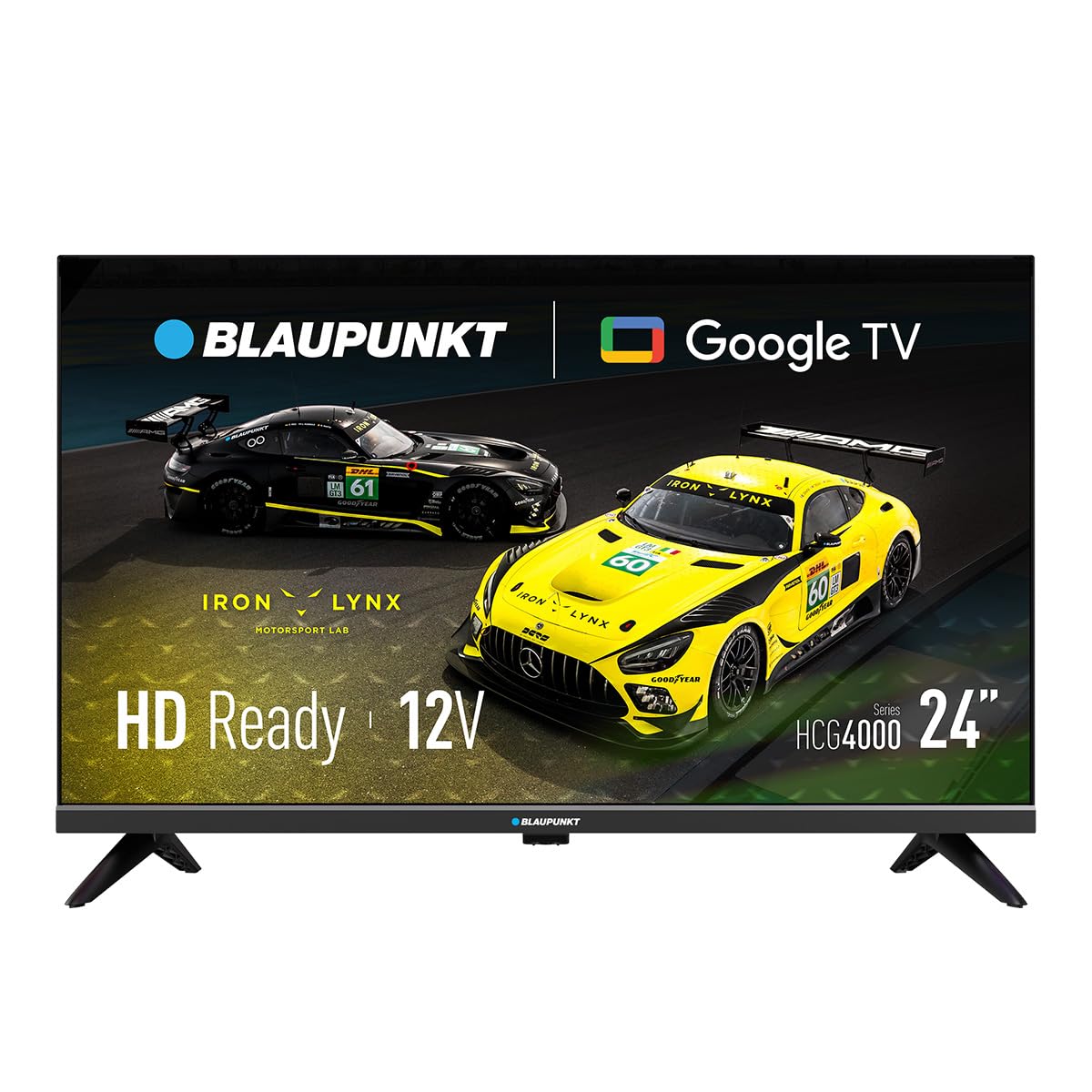
図1: 前面 view of the Blaupunkt 24HCG4000S Smart TV.
主な機能は次のとおりです。
- 画面: 24-inch HD Ready LED screen (1366 x 768 pixels) with vivid colors and a 178° view角度。
- スマート機能: Integrated Google TV platform providing access to popular streaming services like Netflix, YouTube, Disney+, Prime Video, and thousands of other applications.
- オーディオ: Dolby Audio with 12W output for enhanced sound quality.
- 音声コントロール: Google Assistant for convenient voice commands.
- 鋳造: Built-in Chromecast for easy content sharing from mobile devices.
- 接続性: Advanced options including WiFi 2T2R, Bluetooth 5.0, 3 HDMI ports, 2 USB ports, RJ45 Ethernet, CI+ slot, and a headphone output.
- デザイン: Compact and lightweight (2.25 kg) with VESA 200x200 mm support for wall mounting.
- 電力効率: Low power consumption of 17W.

図2:背面 view of the TV, highlighting the port layout.

図3:側面 view of the TV, showing accessible ports.
設定
1.スタンドの取り付け
- 損傷を防ぐため、テレビ画面を下にして柔らかく平らな面に置いてください。
- スタンド部分をテレビの下部にある対応するスロットに合わせます。
- 付属のネジを使用してスタンド部分を固定してください。締めすぎないようにしてください。
2. 電源の接続
Connect the power cable to the TV's power input and then to a wall outlet. The TV is compatible with 12V power sources, but a specific 12V adapter is required and sold separately.
3. 初期設定
Upon first power-on, the TV will guide you through the initial setup process, including language selection, network connection (Wi-Fi or Ethernet), and Google TV account setup. Follow the on-screen instructions.
テレビの操作
電源オン/オフ
を押す 力 button on the remote control or on the TV to turn the unit on or off.
入力選択
使用 入力 button on the remote to cycle through available input sources (HDMI 1, HDMI 2, HDMI 3, USB, AV, etc.).
Google TV インターフェース
Navigate the Google TV interface using the remote control's directional pad and OK button. Access apps, settings, and content recommendations from the home screen.
音声アシスタント
を押す Googleアシスタント button on your remote control and speak into the microphone to search for content, control smart home devices, or get information.
接続性
Your Blaupunkt Smart TV offers a range of connectivity options:
- Wi-Fi (2T2R): インターネット アクセスとスマート機能を利用するには、自宅のワイヤレス ネットワークに接続します。
- Bluetooth 5.0: ヘッドフォン、サウンドバー、ゲーム コントローラーなどの互換性のある Bluetooth デバイスとペアリングします。
- HDMI(×3): Connect external devices like gaming consoles, Blu-ray players, or set-top boxes. One HDMI port supports ARC (Audio Return Channel).
- USB(x2): メディアを再生する files from USB storage devices or power compatible accessories.
- RJ45(イーサネット): 安定した有線インターネット接続を実現します。
- CI+ スロット: For conditional access modules (CAM) to decrypt encrypted digital TV channels.
- ヘッドフォン出力: プライベートリスニング用にヘッドフォンを接続します。
- S/PDIF (Optical Audio Output): 外部オーディオシステムに接続します。
ビデオ1: 終了view of a 24-inch television, demonstrating its features and connectivity options. This video provides a visual guide to the product's design and functionality.
メンテナンス
画面のクリーニング
柔らかく糸くずの出ない布で画面を優しく拭いてください。頑固な汚れには、軽くamp布に水または専用のスクリーンクリーナーを含ませてください。絶対に液体をスクリーンに直接吹きかけないでください。
キャビネットの掃除
テレビキャビネットは柔らかく乾いた布で拭いてください。研磨剤入りの洗剤や溶剤の使用は避けてください。
換気
Ensure proper ventilation around the TV. Do not block the ventilation openings on the back or sides of the TV. Allow sufficient space for air circulation.
トラブルシューティング
テレビで問題が発生した場合は、次の一般的な解決策を参照してください。
- 電源なし: 電源ケーブルがテレビと壁のコンセントの両方にしっかりと接続されているか確認してください。コンセントが正常に機能していることを確認してください。
- 画像/音声なし: 正しい入力ソースが選択されていることを確認してください。すべてのケーブル接続(HDMI、AVなど)に緩みがないか確認してください。
- リモコンが動作しない: リモコンの電池を交換してください。リモコンとテレビの赤外線センサーの間に障害物がないことを確認してください。
- Wi-Fi 接続の問題: Restart your router and the TV. Check your Wi-Fi password. Ensure the TV is within range of your Wi-Fi network.
- Smart App Problems: Try restarting the app or clearing its cache in the TV settings. Ensure your TV's software is up to date.
If the problem persists, consult the Blaupunkt support webサイトをご覧いただくか、カスタマーサービスにお問い合わせください。
仕様
| 特徴 | 仕様 |
|---|---|
| ブランド | ブループンクト |
| モデル名 | 24HCG4000S |
| 表示サイズ | 24インチ |
| ディスプレイ技術 | 導かれた |
| 解決 | HD対応(1366 x 768ピクセル) |
| リフレッシュレート | 60Hz |
| オペレーティング·システム | Google TV |
| オーディオ出力 | 12W (Dolby Audio) |
| 接続性 | WiFi 2T2R, Bluetooth 5.0, 3x HDMI, 2x USB, RJ45, CI+ |
| 特集 | Built-in Speaker, Chromecast, Parental Control, Game Mode |
| 取り付け互換性 | VESA 200x200 mm |
| 製品寸法 | 15.6 x 53.6 x 36 cm |
| 製品重量 | 2.25キロ |
| 消費電力 | 17W |
| 12V Compatibility | はい(アダプターは付属していません) |
保証とサポート
Your Blaupunkt Smart TV 24HCG4000S comes with a standard manufacturer's warranty. Please refer to the warranty card included in your product packaging for specific terms and conditions, including the warranty period and coverage details.
For technical support, troubleshooting assistance, or warranty claims, please visit the official Blaupunkt support webメーカーのウェブサイトをご覧いただくか、カスタマーサービス部門にお問い合わせください。連絡先は通常、メーカーのウェブサイトに記載されています。 webサイトまたは製品ドキュメントに記載されています。
Always ensure you have your product model number (24HCG4000S) and serial number ready when contacting support.