1. はじめに
This manual provides comprehensive instructions for the Zopsc 48MP Digital Camera. Please read this manual carefully before using the camera to ensure proper operation and to maximize your user experience. Keep this manual for future reference.
2. パッケージ内容
以下にリストされているすべてのアイテムがパッケージに含まれていることを確認してください。
- 1 x Zopsc 48MP Digital Camera
- 充電ケーブル x 1
- ストラップ x 1
- ユーザーマニュアル (本書) x 1

Image: The Zopsc 48MP Digital Camera, its USB charging cable, and a black lanyard are displayed together on a white background.
3.製品オーバーview
カメラのコンポーネントとコントロールについて理解しておきましょう。
3.1フロント View

Image: The front of the Zopsc 48MP Digital Camera, featuring the lens, flash, and a 2.4-inch display screen showing an image of a puppy and a kitten.
3.2 リア View およびコントロール

Image: The rear of the Zopsc 48MP Digital Camera, highlighting the 2.4-inch HD display and the control buttons on the right side, including power, menu, zoom, and navigation.
- 電源ボタン: カメラのオン/オフを切り替えます。
- シャッターボタン: 写真を撮ったり、ビデオ録画を開始/停止します。
- モードボタン: 写真モードとビデオモードを切り替えます。
- ズームボタン: Controls 8x digital zoom.
- 表示画面: 2.4-inch HD display for framing shots and review内容。
4. セットアップ
4.1メモリーカードの挿入
- カメラの側面にあるメモリ カード スロットを見つけます。
- Insert a compatible memory card (up to 64GB, not included) into the slot until it clicks into place. Ensure the card is inserted in the correct orientation.
4.2 Inserting and Charging the Battery
The camera comes with a built-in 550mAh battery.
- Connect the camera to a power source using the provided USB charging cable.
- 充電インジケーターライトが点灯します。充電が完了すると、ライトの色が変わったり消灯したりすることがあります。
4.3 電源のオン/オフ
- 電源を入れるには: 電源ボタン 約3秒間。
- 電源を切るには: 電源ボタン again for approximately 3 seconds.
5. 操作手順
5.1 写真を撮る

Image: A close-up of the Zopsc 48MP Digital Camera's front, highlighting the lens and flash, with text overlay indicating "HD Photography".
- Ensure the camera is in photo mode (use the Mode button if necessary).
- Frame your shot using the 2.4-inch display screen.
- を押す シャッターボタン 画像をキャプチャします。
- The camera supports 48MP maximum image resolution.
- Utilize the 12 available photo frames for creative effects.
5.2ビデオの録画
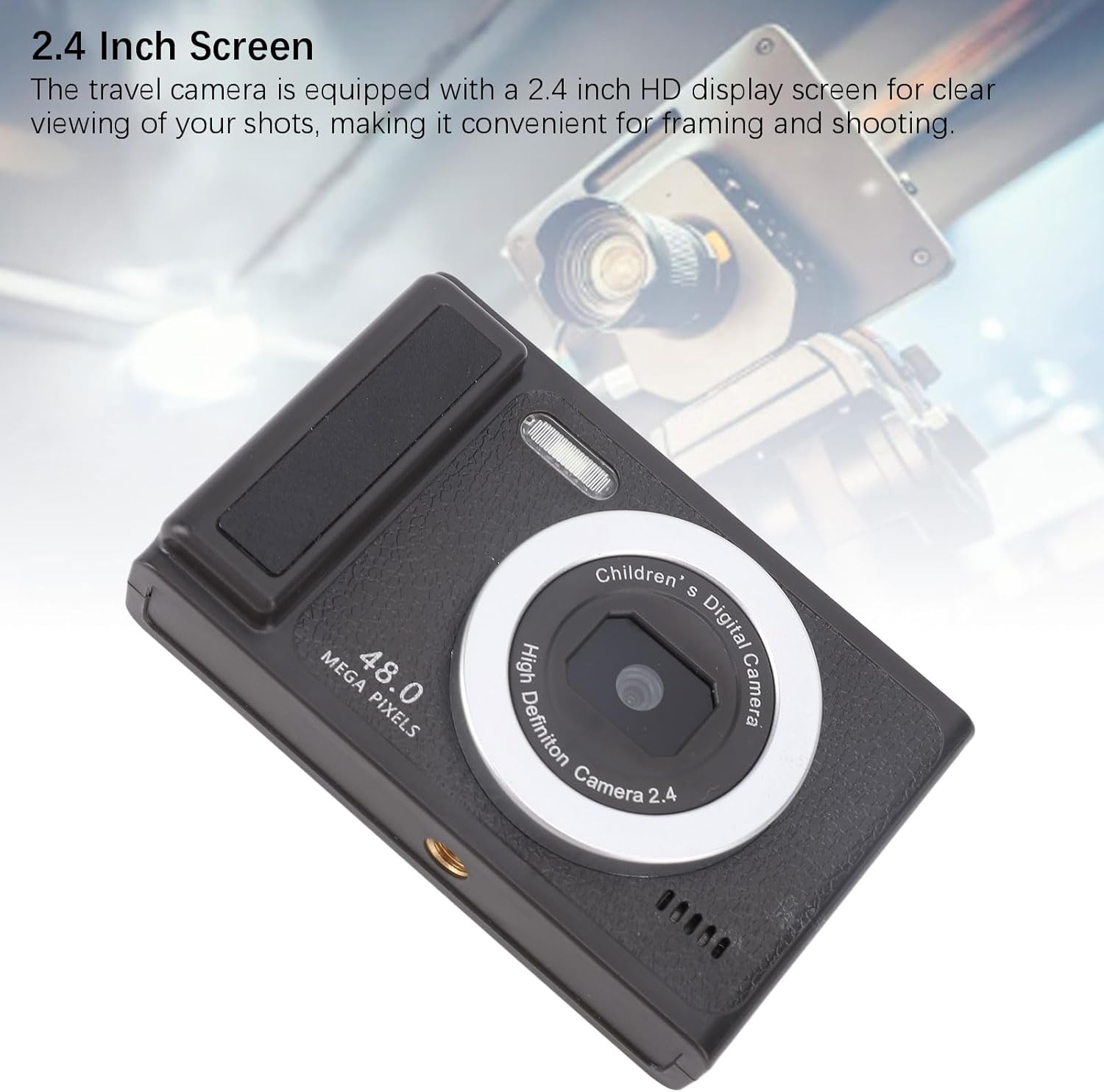
Image: A close-up of the Zopsc 48MP Digital Camera's front, highlighting the lens, with text overlay indicating "Superior Video Recording".
- カメラをビデオモードに切り替えるには、 モードボタン.
- を押す シャッターボタン once to start recording. A timer or indicator will appear on the screen.
- を押す シャッターボタン もう一度押すと録画が停止します。
- The camera supports 1080P maximum video resolution.
- Utilize the 9 available recording frames for creative effects.
5.3 ズーム機能
カメラには8倍デジタルズーム機能が搭載されています。
- 使用 ズームイン button to magnify the subject.
- 使用 ズームアウト button to widen the view.
5.4 フィルライト
The built-in fill light can be activated to provide additional illumination in low-light conditions. Refer to the on-screen menu for activation options.
5.5ホワイトバランス
Adjust white balance settings to ensure accurate color representation under different lighting conditions. The camera supports both automatic and manual white balance settings, accessible via the camera's menu.
5.6コンピューターへの接続
写真やビデオをコンピューターに転送するには:
- カメラの電源がオンになっていることを確認します。
- 付属の USB ケーブルを使用して、カメラをコンピュータに接続します。
- The camera should appear as a removable disk drive on your computer. You can then access and transfer your files.
6. メンテナンス
6.1 カメラのクリーニング
- カメラ本体を清掃する際は、柔らかく乾いた布を使用してください。
- レンズと画面には、傷を防ぐために専用のレンズクリーニングクロスと洗浄液を使用してください。
- 刺激の強い化学物質や研磨材を使用しないでください。
6.2バッテリーケア
- カメラを極端な温度にさらさないでください。
- バッテリーの状態を維持するために、カメラを使用していない場合でも定期的にバッテリーを充電してください。
6.3 ストレージ
カメラを使用しないときは、直射日光や湿気を避け、涼しく乾燥した場所に保管してください。
7。 トラブルシューティング
カメラに問題が発生した場合は、次の一般的な問題と解決策を参照してください。
| 問題 | 考えられる原因 / 解決策 |
|---|---|
| カメラの電源が入りません。 |
|
| 写真やビデオを撮影できません。 |
|
| 画像がぼやけてしまいます。 |
|
| カメラがコンピューターに認識されません。 |
|
8. 仕様
| 特徴 | 詳細 |
|---|---|
| ブランド | ゾプスク |
| アイテムタイプ | デジタルカメラ |
| 材料 | アブソリュート |
| 最大画像解像度 | 48MP |
| 最大ビデオ解像度 | 1080P |
| ズーム | 8倍デジタルズーム |
| ホワイトバランス | 自動/手動 |
| オートフォーカス | サポート |
| レンズ | Fixed 100 Degree Angle |
| 電池のタイプ | 550mAh内蔵バッテリー |
| ストレージサポート | Up to 64GB (Memory Card Not Included) |
| 接続タイプ | USB |
| WiFi接続 | サポートされていません |
| フィルライト | サポート |
| ディスプレイ画面 | Approx. 2.4 inch HD |
| 下部インターフェース | 1/4 inch Screw Interface (for tripod mounting) |
| フォトフレーム | 12種類 |
| Recording Frames | 9種類 |
9. 保証とサポート
9.1 製造元の保証
This Zopsc Digital Camera is covered by a manufacturer's warranty for 90 days from the date of purchase. Please retain your proof of purchase for warranty claims. The warranty covers defects in materials and workmanship under normal use.
9.2 カスタマーサポート
For technical assistance, troubleshooting, or warranty inquiries, please contact Zopsc customer support through the retailer's platform or the official Zopsc webサイトをご覧ください。サポートにお問い合わせの際は、製品モデルと購入情報をご用意ください。