導入
The LDNIO SW03 Smart Watch is designed to provide comprehensive health monitoring, communication features, and fitness tracking. This manual provides instructions for setting up, operating, maintaining, and troubleshooting your device to ensure optimal performance and user experience.
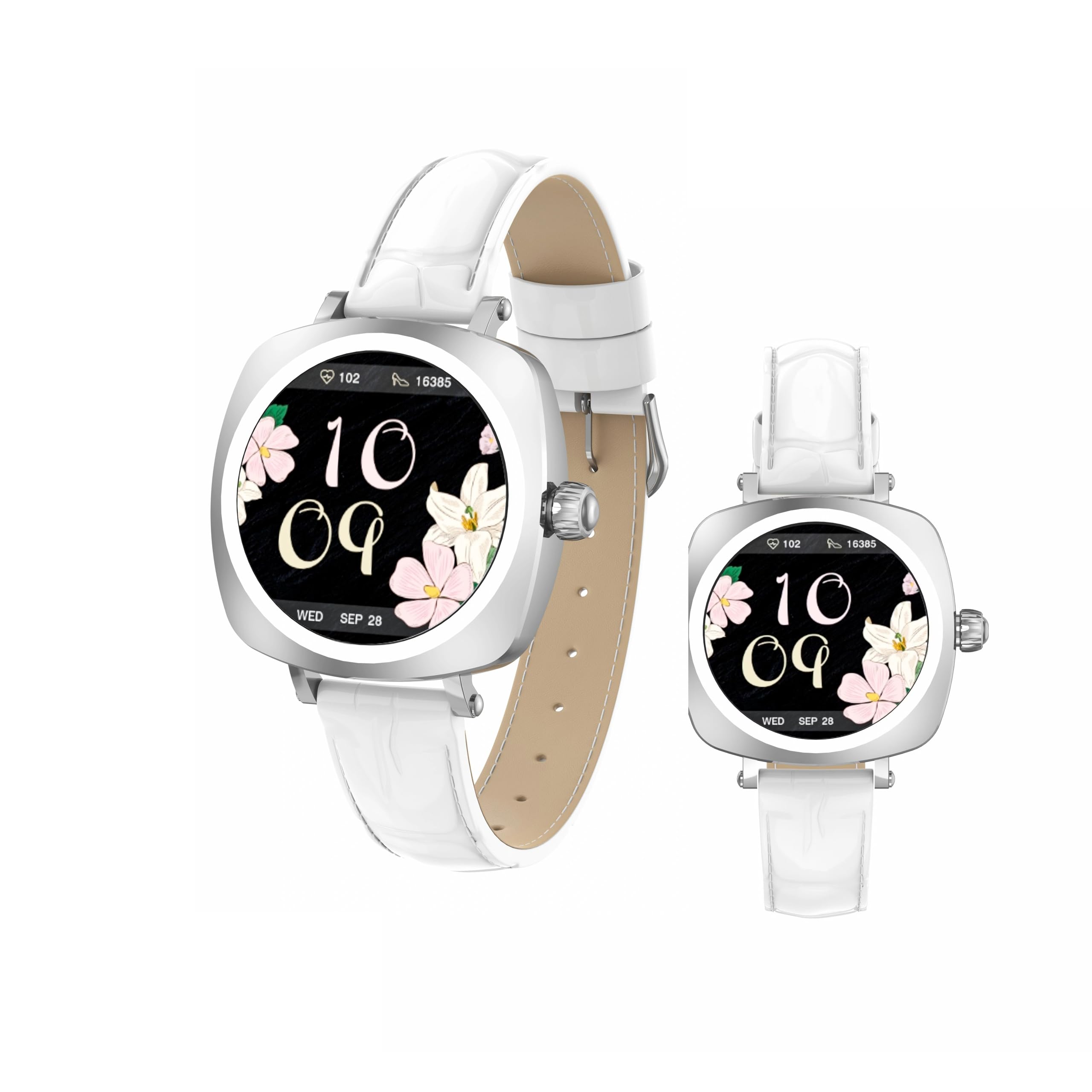
Image: LDNIO SW03 Smart Watch displaying a floral watch face.
はじめる
1. デバイスの充電
Before initial use, fully charge your LDNIO SW03 Smart Watch. The device uses a magnetic charging method for convenience.
- Connect the magnetic charging cable to a standard USB power adapter (DC5V ≥ 500mA).
- Align the magnetic end of the cable with the charging contacts on the back of your smartwatch. The magnets will secure the connection.
- 時計のディスプレイに充電状況が表示されます。フル充電には通常2~3時間かかります。
2.電源のオン/オフ
- 電源オン: Long press the side button until the screen illuminates.
- 電源を切る: Navigate to the power off option in the watch settings or long press the side button and select 'Power Off' when prompted.
3. アプリのインストールとペアリング
To unlock the full functionality of your smartwatch, install the DaFit app on your smartphone and pair the devices.
- ダウンロード ダフィット スマートフォンのアプリ ストアからアプリをダウンロードします (Android 5.0 以降および iOS 9.0 以降と互換性があります)。
- スマートフォンでBluetoothが有効になっていることを確認します。
- Open the DaFit app and follow the on-screen instructions to add your device. The app will search for available smartwatches.
- Select 'SW03' from the list of found devices to initiate pairing. Confirm the pairing request on both your watch and smartphone.
スマートウォッチの操作
1. 表示とナビゲーション
The LDNIO SW03 features a 1.19-inch AMOLED display with 390x390 resolution for clear visuals. Navigate the watch using touch gestures and the side button.
- 左/右にスワイプ: Enter the main menu or return to the previous interface.
- Quickly Press Twice (Side Button): Switch freely between multiple menus or watch faces.
- Long Press (Side Button): デバイスの電源をオン/オフします。

Image: Visual guide to the button functions: long press for power, quick double press for menu switching, and swipe for navigation.
2. コミュニケーション機能
Stay connected by making and receiving calls and texts directly from your wrist via Bluetooth V5.4 connection to your smartphone.
- 電話をかける: Access the dialer or contact list on your watch to initiate calls.
- 電話を受ける: Answer or reject incoming calls directly from the watch display.
- 通知: Receive notifications for messages, social media alerts, and other app updates.
3. 健康とフィットネスの追跡
The SW03 Smart Watch offers comprehensive monitoring capabilities to support your health and fitness goals.
- 心拍数モニタリング: Continuously tracks your heart rate with off-hand detection.
- 睡眠分析: Provides 24-hour sleep monitoring, analyzing sleep quality and patterns.
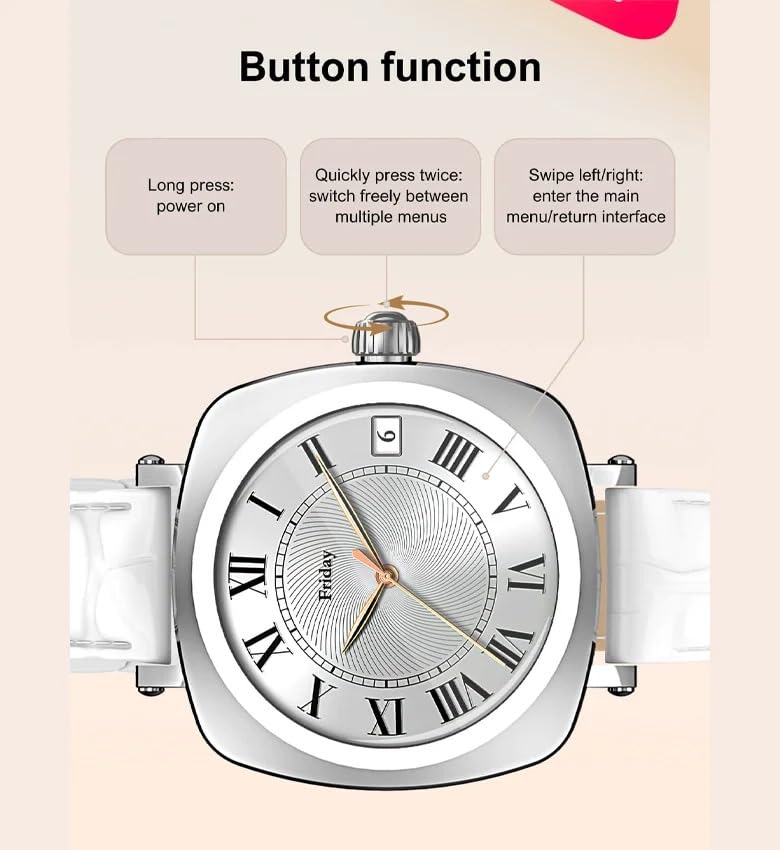
Image: The smartwatch screen showing sleep duration and analysis, worn by a user.
- アクティビティ追跡: Counts daily steps, calories burned, and distance covered.
- エクササイズモード: Supports multiple sports modes including running, cycling, and yoga.
- 女性の健康管理: Features for scientifically recording and predicting menstrual periods and supporting pregnancy preparation.
4. 耐水性
The LDNIO SW03 Smart Watch has an IP68 waterproof and dustproof rating, making it suitable for daily wear and various activities.
- It can withstand immersion in water up to 1.5 meters for up to 30 minutes.
- Suitable for swimming, showering, and exposure to rain.
- Avoid hot water, steam, or prolonged exposure to high-velocity water.
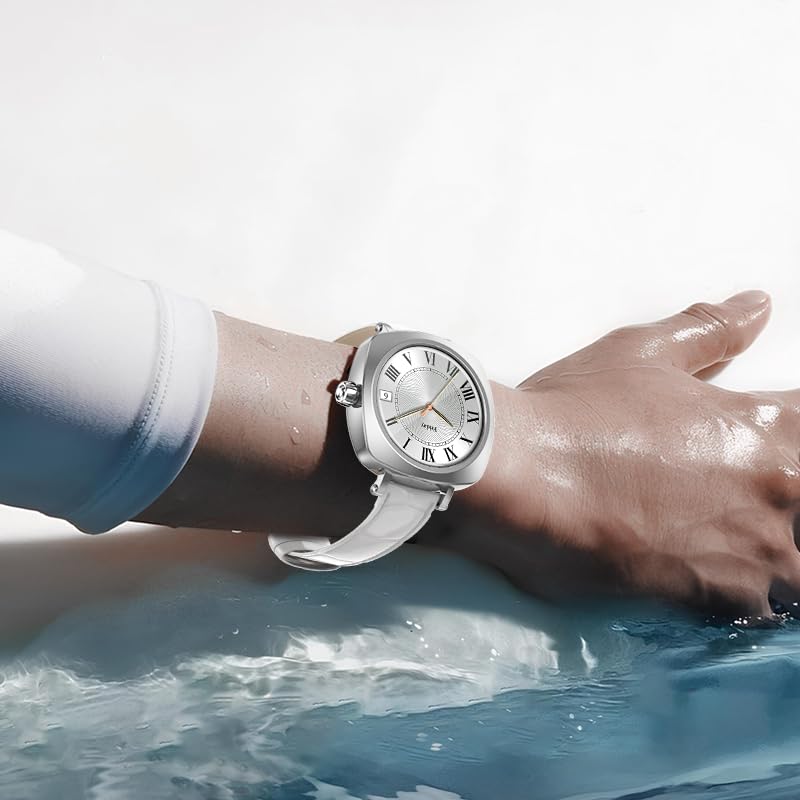
Image: The smartwatch on a user's wrist, partially submerged in water, demonstrating its water resistance.
5. カスタマイズ
Personalize your smartwatch experience with various watch faces and settings.
- ウォッチフェイス: Choose from a selection of pre-installed watch faces or download more via the DaFit app.
- 設定: Adjust brightness, vibration, notification preferences, and other settings through the watch interface or the DaFit app.
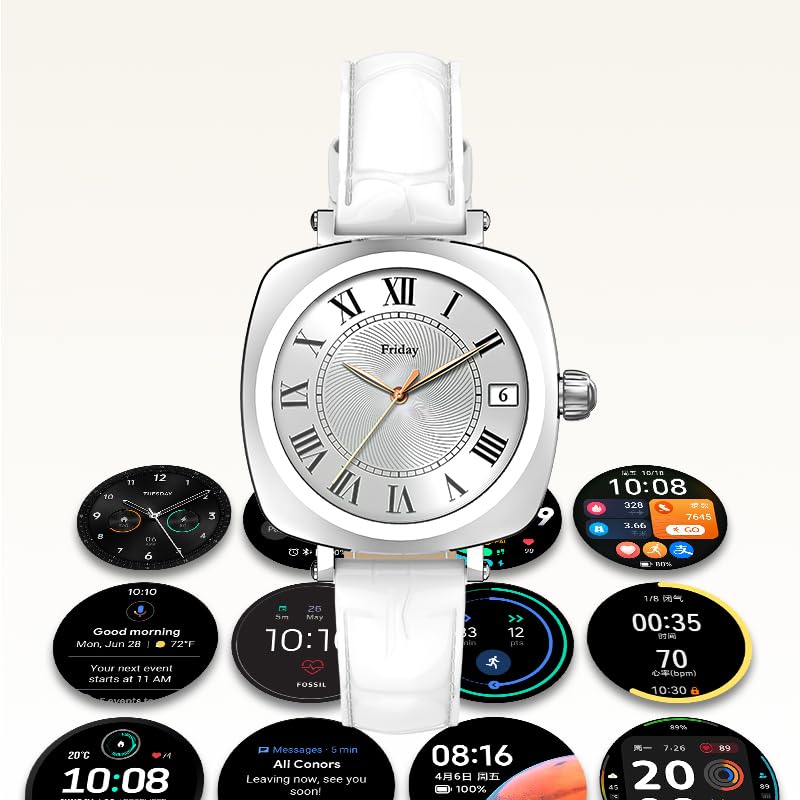
Image: A collection of different watch faces and functional widgets available on the LDNIO SW03 Smart Watch.
メンテナンス
1. 清掃
- 時計の画面とストラップは、柔らかく乾いた糸くずの出ない布で定期的に拭いてください。
- 頑固な汚れには、軽くamp布に水を含ませてください。刺激の強い化学薬品や研磨剤の使用は避けてください。
- 充電する前に、充電接点が清潔で乾燥していることを確認してください。
2.バッテリー情報
- The watch is powered by a 180mAh Polymer rechargeable lithium battery.
- Typical usage provides 5 to 10 days of battery life on a single charge, depending on usage patterns and enabled features.
- To prolong battery life, reduce screen brightness, limit notifications, and disable unnecessary features.
トラブルシューティング
- 時計の電源が入らない: 時計が完全に充電されていることを確認してください。充電器に少なくとも30分間接続してください。
- スマートフォンとペアリングできません: Make sure Bluetooth is enabled on both devices. Restart both the watch and the smartphone. Ensure the DaFit app is updated to the latest version.
- 不正確な健康データ: 時計が手首にぴったりとフィットしていることを確認してください。きつすぎたり緩すぎたりしないでください。センサーを清潔に保ってください。
- 通知を受信できませんでした: Check app permissions in your smartphone settings to ensure the DaFit app has access to notifications. Verify notification settings within the DaFit app.
仕様
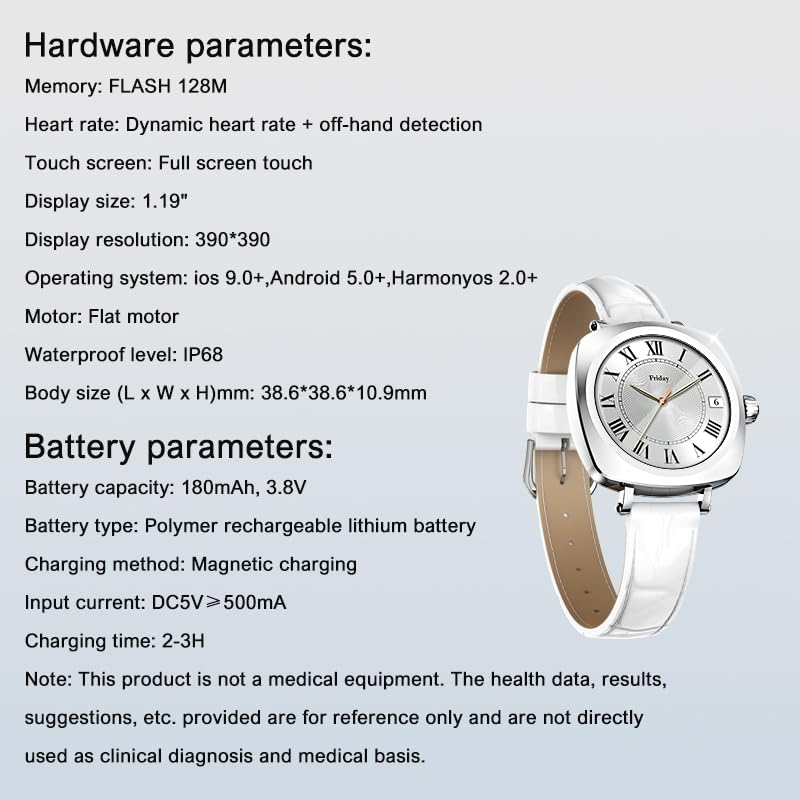
Image: Detailed specifications for the LDNIO SW03 Smart Watch, including hardware and battery parameters.
| 特徴 | 詳細 |
|---|---|
| モデル | SW03 |
| 画面 | 1.19-inch AMOLED, 390×390 resolution |
| メモリ(フラッシュ) | 128MB |
| 心拍数の検出 | Dynamic heart rate + off-hand detection |
| タッチスクリーン | フルスクリーンタッチ |
| オペレーティングシステムの互換性 | iOS 9.0以降、Android 5.0以降、HarmonyOS 2.0以降 |
| モーター | フラットモーター |
| 防水レベル | IP68 |
| 本体サイズ(長さ×幅×高さ) | 38.6 x 38.6 x 10.9 ミリメートル |
| バッテリー容量 | 180mAh、3.8V |
| 電池のタイプ | ポリマー充電式リチウム電池 |
| 充電方法 | 磁気充電 |
| 入力電流 | DC5V ≥ 500mA |
| 充電時間 | 2~3時間 |
| 接続技術 | ブルートゥース V5.4 |
| 特集 | Fitness Monitoring, Call/Text Functionality |
注記: This product is not a medical equipment. The health data, results, and suggestions provided are for reference only and are not directly used as clinical diagnosis or medical basis.
保証とサポート
For warranty information and technical support, please refer to the documentation provided with your purchase or contact LDNIO customer service. Keep your proof of purchase for warranty claims.