1. はじめに
The Machenike Machcreator Mini Desktop (Model 4762H) is a compact and powerful computing solution designed for various tasks, from office productivity and streaming to light gaming. Featuring a 13th Gen Intel Core i7-13620H processor, 16GB of high-speed DDR5 RAM, and a fast 512GB PCIe M.2 SSD, this mini PC delivers efficient performance in a small form factor. It supports 4K dual monitor output and comes pre-installed with Windows 11 Pro, offering a streamlined and intuitive user experience.
2. 箱の中身
パッケージに以下のすべてのアイテムが含まれていることを確認してください。
- Machenike Machcreator Mini Desktop (Model 4762H)
- 電源アダプター
- 電源コード
- HDMIケーブル
- VESA取り付けブラケット
- 取り付けネジ
- ユーザーマニュアル
3.製品オーバーview
3.1. 前面ポートと背面ポート
The Machenike Machcreator Mini Desktop offers a comprehensive set of ports for versatile connectivity:
- フロントポート: 2 x USB 3.2 Gen2 Type-A ports, 1 x USB Type-C, 1 x 3.5mm Audio Jack
- 背面ポート: 2 x RJ45 Ethernet ports, 4 x USB 3.2 Gen2 Type-A ports, 1 x HDMI 2.0, 1 x DisplayPort 1.4

画像: 上view of the front and rear connectivity ports on the mini PC.
3.2. 冷却システム
The mini PC features an all-new wind blade cooling system with a twin turbine cooling fan and a deluxe all-copper radiator. This design ensures efficient heat dissipation, preventing performance degradation due to overheating and maintaining stable network connections. Three preset modes (Silence, Balance, Performance) are available in the BIOS to match usage scenarios, allowing up to 65W performance release.
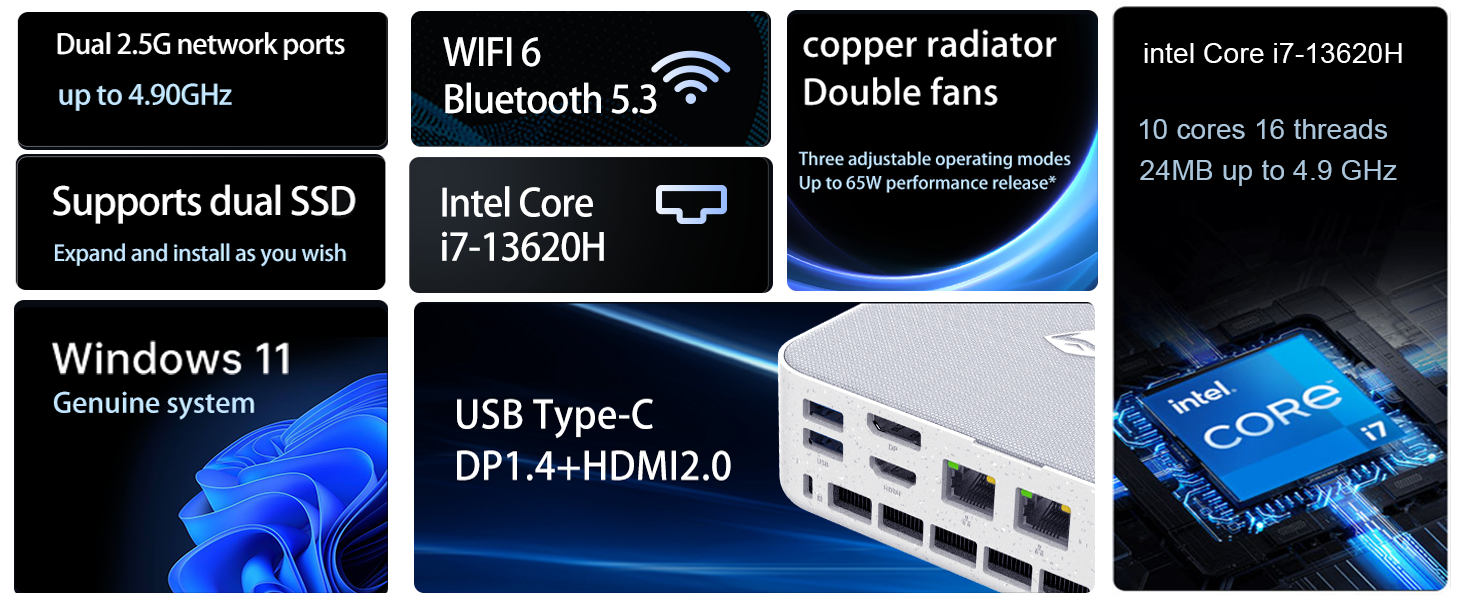
Image: Diagram illustrating the internal cooling system with twin fans and copper radiator.
3.3. コンパクトなデザイン
The Machcreator Mini2 is approximately 0.7L in size, making it highly portable and space-efficient. Its compact dimensions (5.12 x 5 x 1.85 inches) allow it to fit seamlessly into any workspace, reducing clutter and offering flexible placement options, including VESA mounting behind a monitor.

Image: Visual representation of the mini PC's compact dimensions and various port views.
4. セットアップ
4.1. 周辺機器の接続
- Connect your monitor(s) to the HDMI 2.0, DisplayPort 1.4, or USB Type-C ports using appropriate cables. The device supports up to 4K dual monitor output.
- Connect your keyboard and mouse to the available USB 3.2 Gen2 Type-A ports.
- If using a wired network, connect an Ethernet cable to one of the RJ45 ports. For wireless connectivity, the device supports Wi-Fi 6.
- Connect the power adapter to the DC-in port on the mini PC, then plug the power cord into an electrical outlet.
4.2. 電源投入と初期設定
- ミニPCの前面にある電源ボタンを押します。電源インジケータライトが点灯します。
- デバイスはWindows 11 Proで起動します。画面の指示に従って、言語、地域、ネットワーク接続、ユーザーアカウントの作成などの初期セットアップを完了してください。
- It is recommended to connect to the internet during setup to ensure the latest drivers and security updates are installed.
5. 操作手順
5.1. Windows 11 Pro
Your Machenike Machcreator Mini Desktop comes with Windows 11 Pro pre-installed. This operating system is designed to streamline your workflow by arranging open applications using pre-set configurations for enhanced efficiency. Enjoy a more intuitive navigation system that facilitates task completion and leverages advanced features for seamless collaboration.

Image: Windows 11 Pro desktop environment showcasing various application types.
5.2. Performance for Daily Tasks
Equipped with an Intel Core i7-13620H processor (10 Cores, 16 Threads, up to 4.9 GHz) and 16GB DDR5 RAM, the mini PC is capable of handling multiple applications and browser tabs simultaneously without lag. The 512GB PCIe M.2 SSD ensures fast boot-up times and rapid data transfer, making it ideal for business, office, and general computing tasks.
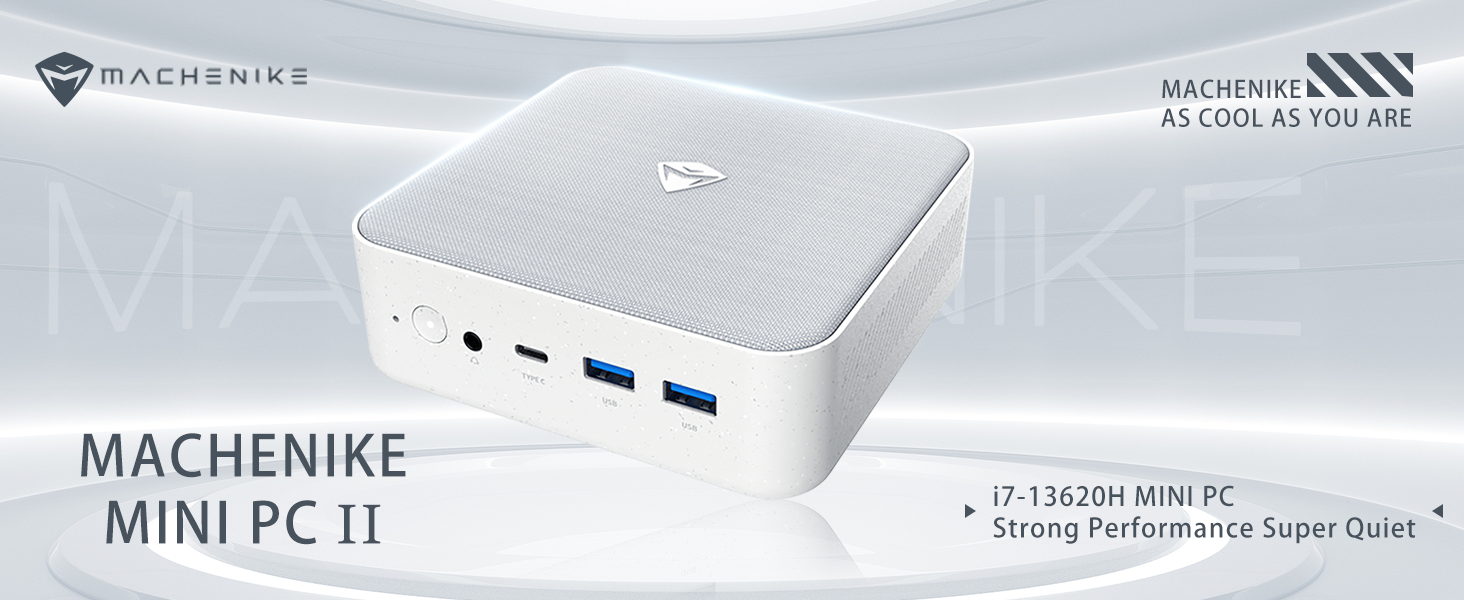
Image: Detailed specifications of the Intel Core i7-13620H processor.
6. メンテナンス
6.1. ソフトウェアの更新
定期的にWindowsのアップデートを確認し、インストールして、システムに最新のセキュリティパッチとパフォーマンス改善が適用されていることを確認してください。 設定 > Windows Update 更新を管理します。
6.2. 清掃
To maintain optimal performance and prevent dust buildup, periodically clean the exterior of the mini PC with a soft, dry cloth. Ensure the ventilation grilles are free from obstructions to allow proper airflow.
7. コンポーネントのアップグレード
The Machenike Machcreator Mini Desktop is designed to allow for easy upgrades of its RAM and SSD storage:
- ラム: The device supports DDR5 SODIMM RAM. You can upgrade the existing 16GB RAM to a higher capacity (e.g., up to 64GB) by replacing the SODIMM modules.
- SSD: The mini PC comes with a 512GB PCIe M.2 SSD. It supports dual M.2 SSDs, allowing for expansion up to 4TB. This provides ample space for data and applications.
For detailed instructions on accessing and replacing components, please refer to the manufacturer's official support documentation or consult a qualified technician.
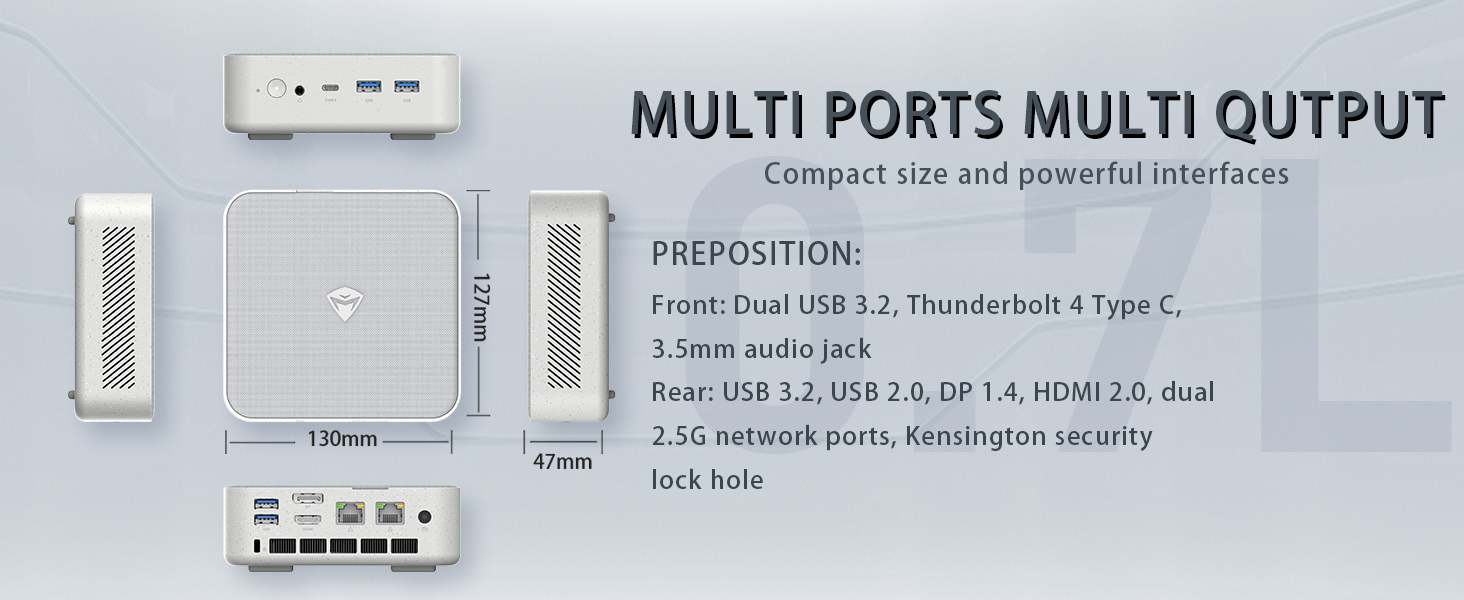
Image: Illustration of the PCIe 4.0 SSD and DDR5 RAM slots, highlighting expansion options.
8。 トラブルシューティング
8.1. ディスプレイ出力なし
- Ensure the monitor is powered on and correctly connected to the mini PC's HDMI, DisplayPort, or USB Type-C video output.
- モニターで正しい入力ソースが選択されていることを確認します。
- Try using a different video cable or port.
8.2. システムが電源を入れない
- Check that the power adapter is securely connected to both the mini PC and a working electrical outlet.
- 電源ボタンがしっかりと押されていることを確認してください。
8.3. Performance Issues / Slowdown
- バックグラウンドで実行されている不要なアプリケーションを閉じます。
- 保留中の Windows 更新プログラムまたはドライバー更新プログラムを確認してインストールします。
- Ensure the mini PC's ventilation is not obstructed and that it's placed in a well-ventilated area to prevent overheating.
9. 仕様
| 特徴 | 仕様 |
|---|---|
| プロセッサ | Intel Core i7-13620H (10 コア、16 スレッド、最大 4.9 GHz) |
| ラム | 16GB DDR5 SODIMM (Expandable) |
| ストレージ | 512GB PCIe M.2 SSD (Expandable up to 4TB) |
| グラフィックス | Intel UHD グラフィックス(統合) |
| オペレーティング·システム | ウィンドウズ11プロ |
| ビデオ出力 | HDMI 2.0, DisplayPort 1.4, USB Type-C (Supports 4K Dual Monitor) |
| 接続性 | Wi-Fi 6, Bluetooth, 2 x RJ45 Ethernet |
| USBポート | USB 3.2 Gen2 Type-A x 4、USB Type-C x 1 |
| オーディオ | 1 x3.5mmオーディオジャック |
| 寸法 | 5.12 x 5 x 1.85インチ |
| 重さ | 6ポンド |
10. 保証とサポート
詳細な保証情報と技術サポートについては、Machenikeの公式ウェブサイトをご覧ください。 webご購入の際は、ウェブサイトをご覧いただくか、カスタマーサービスまで直接お問い合わせください。保証請求の際は、購入証明としてレシートを保管してください。