1. はじめに
Welcome to the DOOGEE Note56 user manual. This guide provides essential information on setting up, operating, and maintaining your new smartphone. The DOOGEE Note56 is a SIM-free smartphone running on Android 16, featuring a 6.56-inch 90Hz HD+ display, a large 6150mAh battery, and an 8MP AI camera. Please read this manual carefully to ensure optimal performance and longevity of your device.
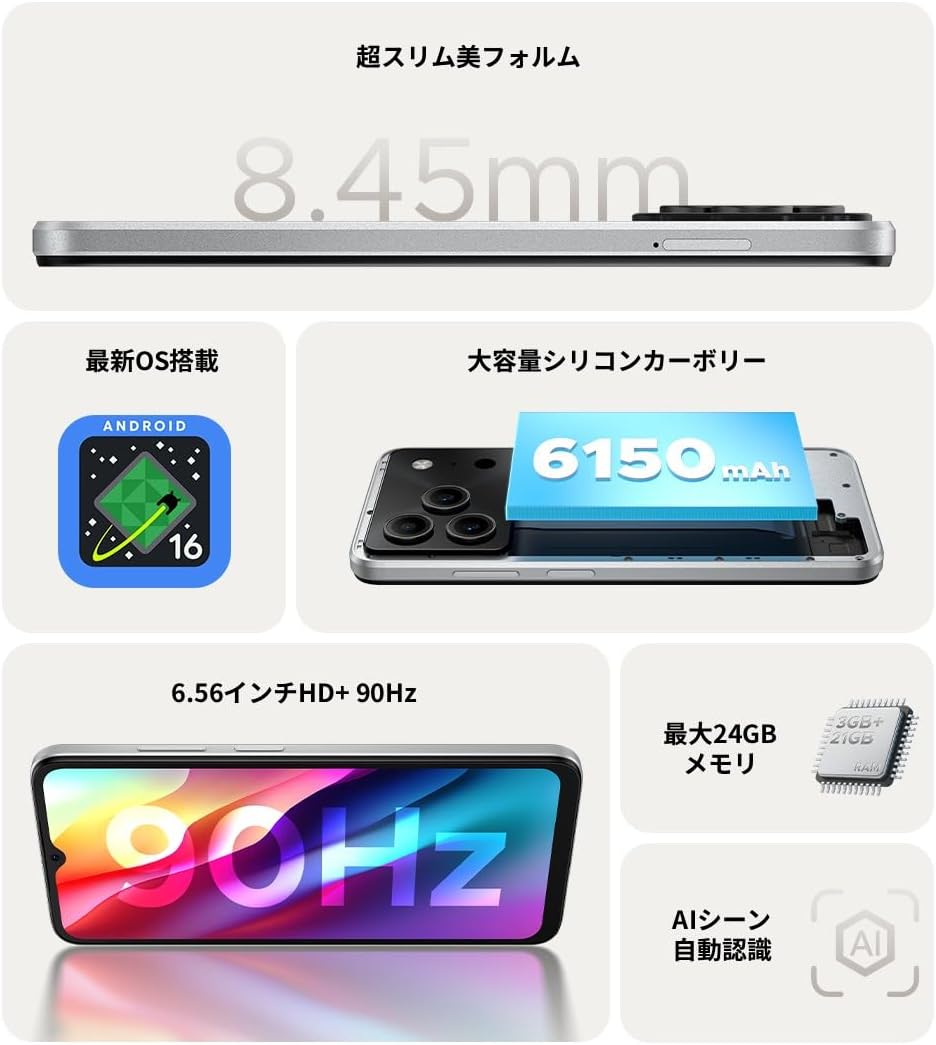
図1.1:以上view of DOOGEE Note56 key features.
2.デバイスオーバーview
The DOOGEE Note56 is designed with a sleek and lightweight profile, measuring 8.45mm thin and weighing 195g. It features a geometric lens module for its camera system and a durable build.

Figure 2.1: The ultra-slim and lightweight design of the DOOGEE Note56.
3. はじめに
3.1 パッケージ内容
製品パッケージにすべてのアイテムが揃っていることを確認します。
- 1 x DOOGEE Note56 Smartphone
- タイプC USBケーブル x 1
- 電源アダプター x 1
- 保護フィルム1枚
- SIMトレイイジェクターピン x 1
- 1 x電話ケース
- パッケージボックス x 1
- 取扱説明書 x 1
- 保証カード x 1

Figure 3.1: Included accessories with your DOOGEE Note56.
3.2SIMカードのインストール
Your DOOGEE Note56 supports Dual SIM functionality. To install your SIM card(s):
- デバイスの側面にある SIM トレイを見つけます。
- SIM イジェクタ ピンをトレイの横にある小さな穴に挿入し、トレイが飛び出すまで軽く押します。
- Nano-SIMカードまたはmicroSDカードをトレイの指定されたスロットに挿入します。金色の接点が下を向いていることを確認してください。
- トレイが側面と面一になるまで、慎重にトレイをデバイス内に押し戻します。
3.3 初回電源投入とセットアップ
デバイスを初めて電源オンにするには:
- DOOGEE ロゴが表示されるまで電源ボタンを押し続けます。
- 画面の指示に従って言語を選択し、Wi-Fi に接続し、Google アカウントを設定します。
- You can also set up security features like face recognition during this process.
3.4デバイスの充電
Connect the Type-C USB cable to the charging port at the bottom of the phone and the other end to the power adapter. Plug the adapter into a wall outlet. The battery indicator on the screen will show charging status. For optimal battery life, fully charge the device before first use.
4. デバイスの操作
4.1 Android 16 オペレーティング システム
The DOOGEE Note56 runs on the latest Android 16 operating system, offering a faster, more secure, and intuitive user experience. Key features include:
- 強化されたパフォーマンス: Improved app launch speeds and overall system responsiveness.
- Simplified UI: An easy-to-navigate interface suitable for all users.
- Stronger Security: Advanced privacy protection features to keep your data safe.
- スマート機能: Customize screen colors, Super Clipboard, Dual System Mode, Smart Body Sensing, Memory Expansion, and Screen Optimization.

図 4.1: Android 16 オペレーティング システムの主な機能。
4.2 表示機能
Experience smooth visuals on the 6.56-inch HD+ IPS display with a 90Hz refresh rate. This ensures fluid scrolling and video playback, reducing eye strain. The display also includes dedicated Reading Mode and Night Mode for comfortable viewさまざまな照明条件で撮影します。

Figure 4.2: The 6.56-inch HD+ 90Hz display for a smooth visual experience.
4.3 カメラ機能
Capture vibrant and natural photos with the 8MP AI main camera and 5MP front camera. The AI correction automatically optimizes settings for various scenes, including people, landscapes, and food. Enjoy diverse shooting modes:
- HDR: 難しい照明でもバランスのとれた露出を実現します。
- プロモード: カメラ設定を手動で制御します。
- スマイルキャプチャ: 笑顔が検出されると自動的に写真を撮影します。
- パノラマ: 広い風景を撮影する views.
- ナイトモード: Improved low-light photography.
- フィルター: 写真にさまざまな効果を適用します。
- Beauty Mode (Front Camera): Enhance selfies.
- Portrait Effects (Front Camera): Add depth to your selfies.

Figure 4.3: AI scene recognition automatically adjusts camera settings for optimal results.

Figure 4.4: Capturing clear moments with the 8MP main camera.

Figure 4.5: Easy selfies with the 5MP front camera.
4.4 バッテリー管理
The DOOGEE Note56 is equipped with a large 6150mAh Silicon-Carbon battery, providing extended usage throughout the day. The convenient Type-C charging port ensures easy and smooth charging.
- Supports approximately 1000 charge/discharge cycles.
- 20% smaller in size for a lighter design.
- Estimated usage times: 7 hours web browsing, 49.5 hours music playing, 14 hours video watching, 28 hours calling.
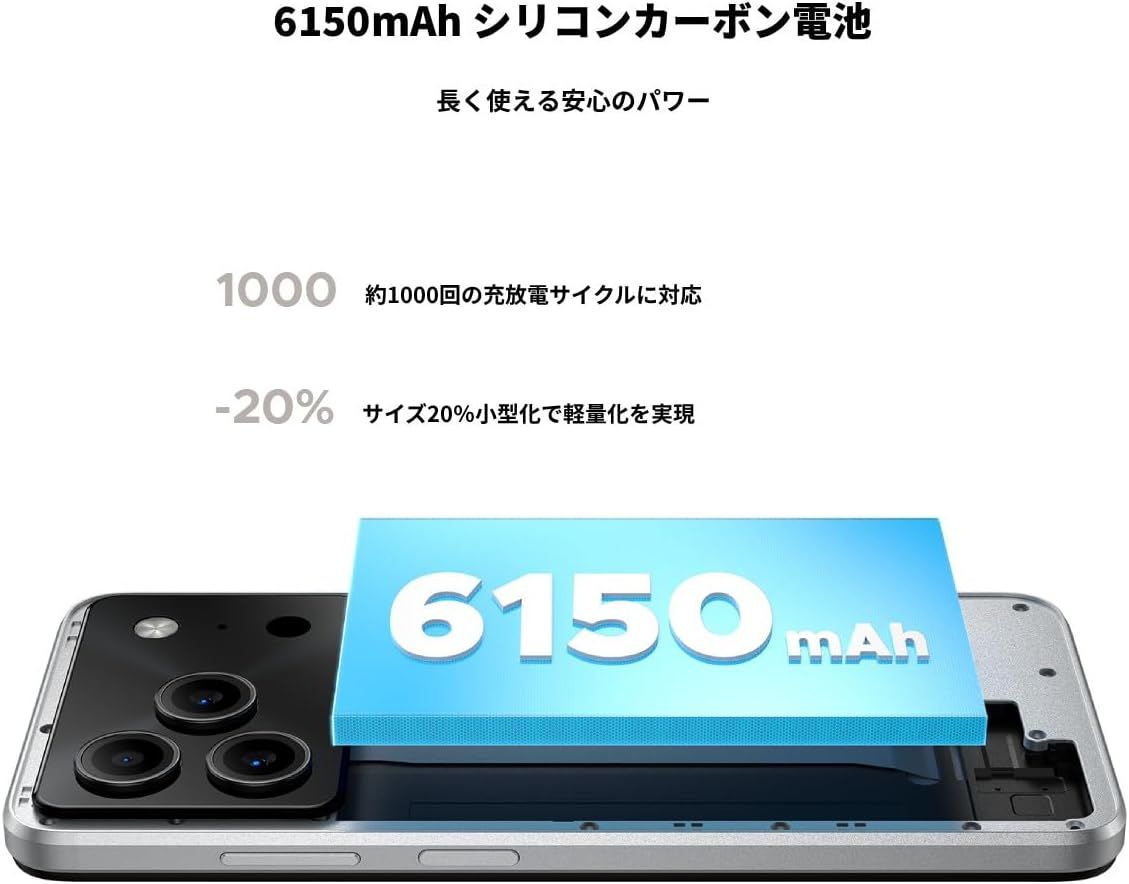
Figure 4.6: The 6150mAh Silicon-Carbon battery provides long-lasting power.

Figure 4.7: Slim design with powerful battery performance.
4.5 パフォーマンスとストレージ
The DOOGEE Note56 is powered by a Unisoc SC9863A Octa-core processor for smooth and efficient operation. It comes with 24GB of RAM (including virtual expansion) and 64GB of internal storage, expandable up to 2TB with a microSD card, ensuring ampアプリ、写真、 files.

Figure 4.8: Internal memory configuration for smooth multitasking.
4.6 接続性とその他の機能
The device supports 4G Dual SIM, allowing you to manage work and personal life separately. It includes standard connectivity options like Bluetooth and Wi-Fi. Additional features:
- USB OTG: 外部USBデバイスを接続します。
- GPS: 正確なナビゲーションのために。
- 3.5mmヘッドフォンジャック: Enjoy music and calls with wired headphones.
- FMラジオ: Listen to your favorite radio stations anytime.

Figure 4.9: Face recognition, GPS navigation, and FM radio features.

Figure 4.10: Connect wired headphones via the 3.5mm jack.
4.7セキュリティ機能
The DOOGEE Note56 offers convenient and secure unlocking methods:
- 顔認識: 顔認証を使用して、デバイスのロックをすばやく安全に解除します。
- 指紋認識: (If applicable, check device for sensor) Another secure method for unlocking and authenticating.
5. メンテナンスとケア
To ensure the longevity and optimal performance of your DOOGEE Note56, follow these maintenance guidelines:
- クリーニング: 画面と本体の清掃には、柔らかく糸くずの出ない布をご使用ください。刺激の強い化学薬品や研磨剤は使用しないでください。
- 環境条件: デバイスを極端な温度、直射日光、過度の湿気にさらさないでください。
- ソフトウェアアップデート: 最新の機能、セキュリティ パッチ、パフォーマンスの向上を活用するには、システム アップデートを定期的に確認してインストールしてください。
- バッテリーのケア: Avoid fully discharging the battery frequently. For long-term storage, keep the battery charged to around 50%.
- 保護: 付属の携帯電話ケースとスクリーンプロテクターを使用して、傷や軽度の衝撃から保護します。
6。 トラブルシューティング
If you encounter issues with your DOOGEE Note56, try the following basic troubleshooting steps:
- デバイスの電源が入っていない: バッテリーが充電されていることを確認してください。充電器を接続し、数分待ってから再度電源を入れてください。
- 充電の問題: Check the charging cable and adapter for damage. Try a different outlet or charging accessory.
- ネットワーク接続の問題: Ensure your SIM card is correctly inserted. Check if airplane mode is off. Restart the device.
- アプリのフリーズ/クラッシュ: 問題のあるアプリを閉じて再度開いてください。問題が解決しない場合は、スマートフォンを再起動してください。
- パフォーマンスが遅い: 不要なバックグラウンドアプリを閉じてください。頻繁に使用するアプリのキャッシュをクリアしてください。ストレージ容量の解放を検討してください。
For more detailed troubleshooting or persistent issues, please refer to the FAQ section on the product page or contact customer support.
7. 仕様
Key technical specifications for the DOOGEE Note56:
| 特徴 | 仕様 |
|---|---|
| 画面サイズ | 6.56インチ |
| バッテリー容量 | 6150mAh |
| 色 | 白 |
| ブランド名 | ドゥージー |
| メーカー | ドゥージー |
| リリース年 | 2025 |
| 含まれるコンポーネント | SIM Tray Ejector, USB Cable, Power Adapter, Phone Case |
| 対応OS | アンドロイド16 |
| その他の機能 | USB OTG, Dual SIM, Expandable Memory |
| 接続性 | Bluetooth wifi |
| 表示タイプ | 液晶 |
| 製品寸法 | 16.38 x 7.58 x 0.84 cm; 195 g |
| オペレーティング·システム | アンドロイド16 |
| インストールされているRAMサイズ | 24ギガバイト |
| CPU速度 | 1.6GHz帯 |
| メモリストレージ容量 | 64ギガバイト |
8. 保証とサポート
Your DOOGEE Note56 comes with a 12-month quality warranty (excluding human-caused damage) and a 30-day refund guarantee. The product is fully compatible with major Japanese carrier networks.
If you require support or have any questions, please contact our customer service. You can typically find contact information by clicking on the seller's name below the "Add to Cart" button on the product page and selecting "Ask a Question."


