導入
Welcome to the DOOGEE V Max Play 5G Rugged Smartphone user manual. This device is engineered for durability and high performance, featuring a built-in 100-lumen projector, a massive 20500mAh battery, and a powerful 200MP AI camera system. Designed to withstand challenging environments, the V Max Play is IP68/IP69K and MIL-STD-810H certified, ensuring reliability wherever your adventures take you. This manual will guide you through the setup, operation, and maintenance of your new smartphone.
箱の中身
Upon unboxing your DOOGEE V Max Play, you should find the following items:
- DOOGEE V Max Play 頑丈な携帯電話 1 台
- 充電ケーブル x 1
- 1x Charger (45W Fast Charger)
- シルクスクリーン印刷保護フィルム(貼り付け済み)1枚
- 強化ガラススクリーンプロテクター1枚
- ユーザーマニュアル x 1
- 保証カード x 1
- 1xパッケージボックス
- ポータブル収納ボックス1個
- 携帯電話背面クリップ1個
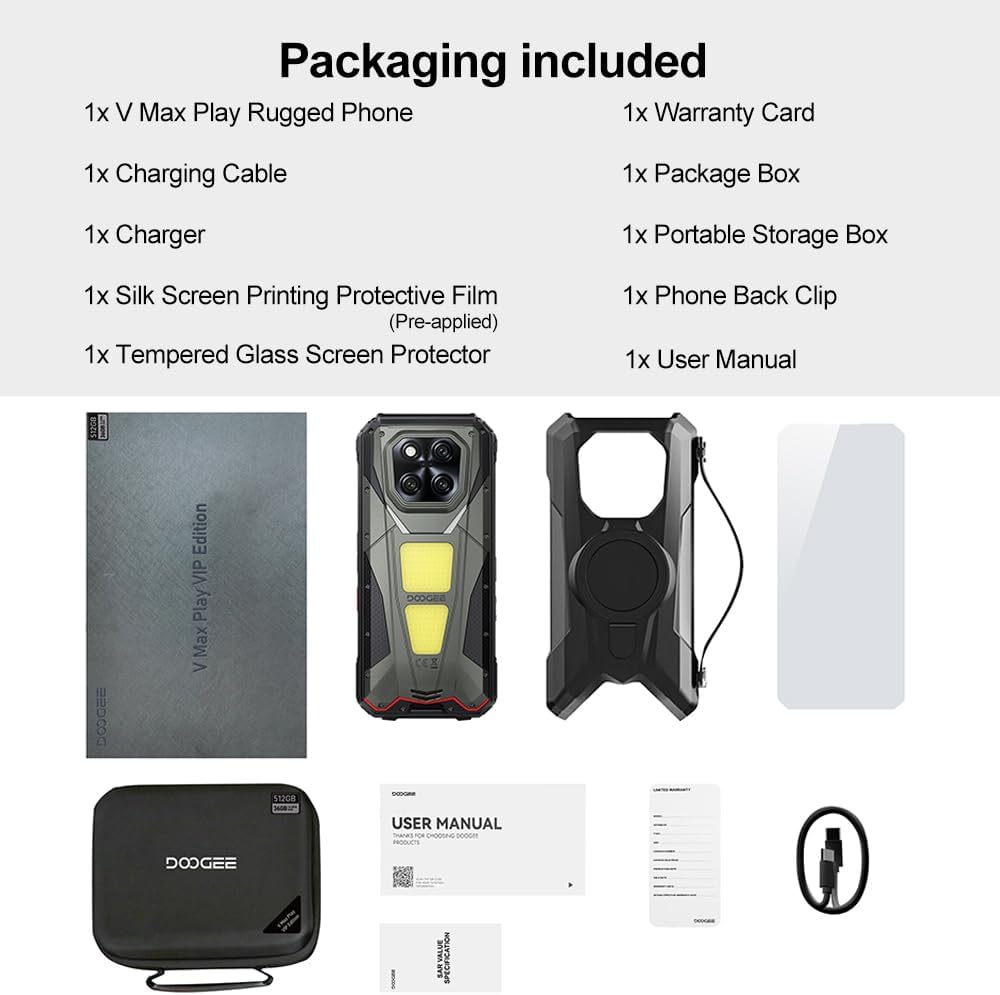
Image: Contents of the DOOGEE V Max Play retail box, including the phone, charger, cables, and documentation.
デバイスオーバーview
Familiarize yourself with the physical features and components of your DOOGEE V Max Play smartphone.

画像: 上view of the DOOGEE V Max Play highlighting the projector, mega battery, main camera, dual camping lights, loud speaker, and waterdrop display.
物理ボタンとポート
- 電源ボタン/指紋センサー: Located on the side, used to power on/off the device and for biometric authentication.
- 音量ボタン: メディアと通話の音量を調整します。
- カスタマイズ可能なアクションボタン: A programmable button for quick access to various functions (e.g., flashlight, camera, SOS).
- USB-Cポート: For charging and data transfer, protected by a waterproof cover.
- SIM/SDカードスロット: Supports dual 5G Nano-SIM cards and expandable storage up to 2TB.
セカンダリディスプレイ

Image: Close-up of the customizable secondary display on the rear of the DOOGEE V Max Play.
The DOOGEE V Max Play features a 1.32-inch customizable secondary display on its rear. This display can show time, battery status, music controls, notifications, and more. It offers various clock styles and widgets for personalized quick-glance information.
Built-in Projector
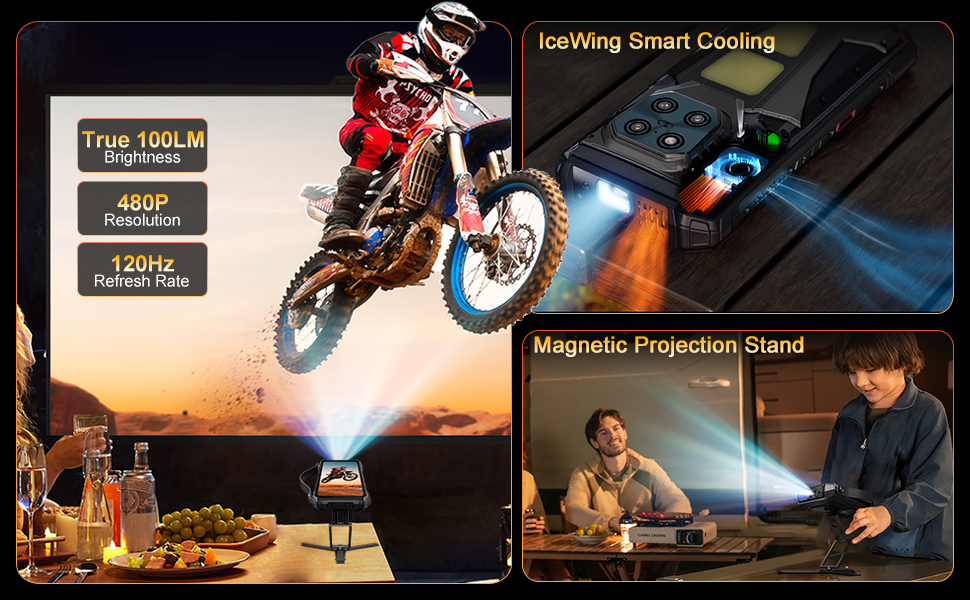
Image: The DOOGEE V Max Play's 100-lumen projector in action, showing projection features like autofocus and keystone correction.
Integrated into the device is a 100-lumen projector with a 60Hz refresh rate and 854x480 resolution. It supports autofocus and various projection adjustments for clear viewing。
デュアルCampライトを点灯

Image: The DOOGEE V Max Play's 1200LM dual camping lights illuminating a dark outdoor scene.
The phone features powerful 1200LM dual camping lights with multiple modes (Lighting, SOS, Flash) and brightness adjustments, capable of brightening up to 8 meters ahead.
設定
1. 初回電源投入
- Press and hold the Power Button on the side of the device until the DOOGEE logo appears.
- 画面上の指示に従って、言語の選択、Wi-Fi 接続、Google アカウントの設定などの初期設定を完了します。
2. SIM Card & MicroSD Card Installation
- 携帯電話の側面にある SIM/SD カード スロットを見つけます。
- 保護カバーを慎重に開けます。
- Insert your Nano-SIM card(s) and/or MicroSD card into the tray, ensuring correct orientation.
- Gently push the tray back into the slot and securely close the protective cover to maintain waterproof integrity.
3. Fingerprint & Face Unlock Setup
- 移動 設定 > セキュリティとプライバシー > デバイスのロック解除.
- 選択 指紋 or 顔認証 and follow the on-screen instructions to register your fingerprint(s) or face data.
操作手順
1. 基本操作
- 電源オン/オフ: Press and hold the Power Button. Select 'Power off' or 'Restart' from the menu.
- 画面のロック/ロック解除: 電源ボタンを短く押すと、画面がロックまたはロック解除されます。
- 音量調整: Use the Volume Up/Down buttons to control audio levels.
2. Secondary Display Usage
To interact with the secondary display, simply swipe across its surface. You can customize its functions via Settings > MiniScreen.
- Clock Plate: Choose from various clock styles.
- ウィジェット: Access music controls, camera shortcuts, calendar, and notifications.
- 通知: Incoming calls and messages will be displayed on the secondary screen.
3. プロジェクター機能
Video: Demonstration of the DOOGEE V Max Play's 100-lumen projector in various usage scenarios, including outdoor entertainment and professional presentations.
The built-in projector allows you to share content on a larger screen. Access projector settings from the quick settings panel or a dedicated app.
- アクティベーション: Open the projector app or toggle from the quick settings.
- オートフォーカス: プロジェクターは自動的に焦点を調整し、鮮明な画像を映します。
- 調整: Use on-screen controls for vertical flip, keystone correction, and aspect ratio.
- ゲーム: Connect a game controller for an enhanced gaming experience with projected content.
4.Campライトを点灯
ビデオ: ショーasing the DOOGEE V Max Play's camping lantern feature, demonstrating its brightness and utility in dark environments.
The 1200LM dual camping lights provide powerful illumination. Access controls from the quick settings panel or a dedicated app.
- モード: Switch between Lighting, SOS, and Flash modes.
- 輝度: 明るさのレベルを20%から100%に調整します。
5. カメラの使用

画像: 詳細 view of the DOOGEE V Max Play's camera setup, including the 200MP AI main camera, 20MP night vision, 8MP ultra-wide/macro, and 32MP front camera.
The DOOGEE V Max Play features a versatile camera system:
- 200MP AIメインカメラ: EIS 安定化による高解像度の写真用。
- 20MPナイトビジョンカメラ: Captures clear images in complete darkness.
- 8MP Ultra-Wide & Macro Camera: For expansive landscapes and detailed close-ups.
- 32MPフロントカメラ: For optimized selfies.
Open the Camera app and select your desired mode (Photo, Video, Night Vision, Macro, etc.).
6. Customizable Action Button
The customizable action button on the side of the device can be configured for various shortcuts. Go to 設定 > サイドキー機能 to assign single-click, double-click, and long-press actions to functions like flashlight, screenshots, or opening specific applications.
メンテナンス
Your DOOGEE V Max Play is built to be rugged, but proper maintenance ensures its longevity.
- 防水・防塵: Ensure all port covers (USB-C, SIM/SD card slot) are securely closed before exposing the device to water or dust.
- クリーニング: 柔らかくてamp 布で拭いてデバイスを清掃してください。刺激の強い化学薬品は使用しないでください。
- 落下耐性: While designed to be drop-proof (MIL-STD-810H), extreme impacts can still cause damage. Handle with care.
- バッテリーのケア: Avoid extreme temperatures. Do not fully discharge the battery regularly. Use the provided 45W fast charger for optimal charging.
トラブルシューティング
デバイスで問題が発生した場合は、次の解決策を試してください。
- デバイスの電源が入らない: バッテリーが充電されていることを確認してください。充電器に接続してもう一度お試しください。
- 画面が反応しない: Restart the device by holding the Power Button.
- ネットワークの問題: Check SIM card installation. Ensure mobile data is enabled and you have network coverage.
- プロジェクターが動作しない: Check projector settings. Ensure the lens is clean and there are no obstructions.
- バッテリーの消耗が早い: Close unused apps. Reduce screen brightness. Check for background app activity.
仕様
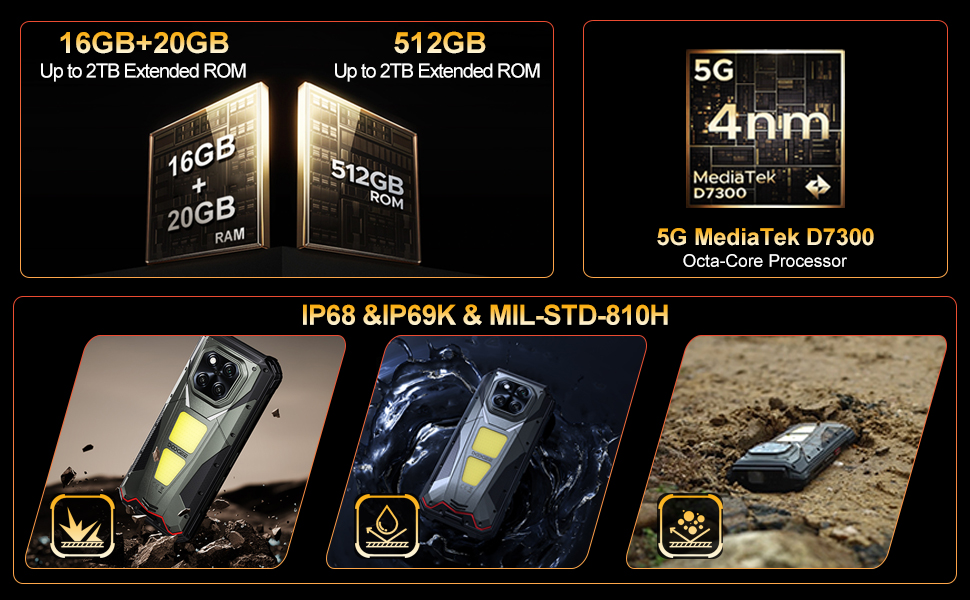
Image: The DOOGEE V Max Play running on Android 15 with Gemini AI integration.
| 特徴 | 仕様 |
|---|---|
| モデル名 | DOOGEE V マックスプレイ |
| オペレーティング·システム | アンドロイド15 |
| プロセッサ | MediaTek Dimensity 7300 5G(4nm オクタコア、2.5GHz) |
| ラム | 16GB Physical RAM + 20GB Virtual RAM (36GB Total) |
| ストレージ | 512GB ROM(最大2TBまで拡張可能) |
| 画面 | 6.78-inch FHD+ (1080x2460) 120Hz Refresh Rate, 500 nits brightness |
| プロジェクター | 100 Lumens, 854x480 Resolution, 60Hz Refresh Rate |
| リアカメラ | 200MP AI Main (EIS), 20MP Night Vision, 8MP Ultra-Wide/Macro |
| フロントカメラ | 32MP |
| バッテリー | 20500mAh, 45W Fast Charging, 10W Reverse OTG |
| 耐久性 | IP68/IP69K、MIL-STD-810H |
| 接続性 | Dual 5G SIM, Bluetooth 5.2, Wi-Fi 6, NFC (Google Pay), GPS/Beidou/GLONASS/Galileo |
| 寸法 | 7.07 x 3.25 x 0.75インチ |
| 重さ | 1.18ポンド(536グラム) |
保証とサポート
Your DOOGEE V Max Play 5G Rugged Smartphone comes with a 24-month warranty. For any hardware or software issues, please contact our technical support team. We are committed to resolving your concerns promptly.
さらに詳しい情報については、DOOGEEの公式ウェブサイトをご覧ください。 webサイトをご覧いただくか、購入プラットフォームを通じてカスタマー サービスにお問い合わせください。


