1. はじめに
This manual provides essential instructions for the safe and efficient operation, maintenance, and troubleshooting of your Cecotec Conga Y80 X-Treme Robot Vacuum and Mop. Please read this manual thoroughly before using the product and retain it for future reference.
1.1 安全上の注意
- 初めて使用する前にロボットが完全に充電されていることを確認してください。
- ロボットを濡れた環境や液体の近くで操作しないでください。
- 絡まりを防ぐため、緩んだケーブル、カーテン、小さな物体がロボットの進路に入らないようにしてください。
- ロボットの動作中は、子供やペットを監視してください。
- Use only original accessories and replacement parts.
- Do not attempt to repair the robot yourself. Contact authorized service personnel.
2. パッケージ内容
パッケージにすべてのアイテムが揃っていることを確認します。
- 1 x Cecotec Conga Y80 X-Treme Robot Vacuum and Mop
- 1 x Self-Emptying Base
- 電源アダプター x 1
- 1 x Side Brush Set
- 1 x Main Brush (Silicone)
- モップクロス1枚
- 1 xウォータータンク
- 1 xクリーニングツール
- 取扱説明書 x 1
3.製品オーバーview
3.1 ロボットコンポーネント
The Conga Y80 X-Treme robot vacuum features advanced components for efficient cleaning and navigation.
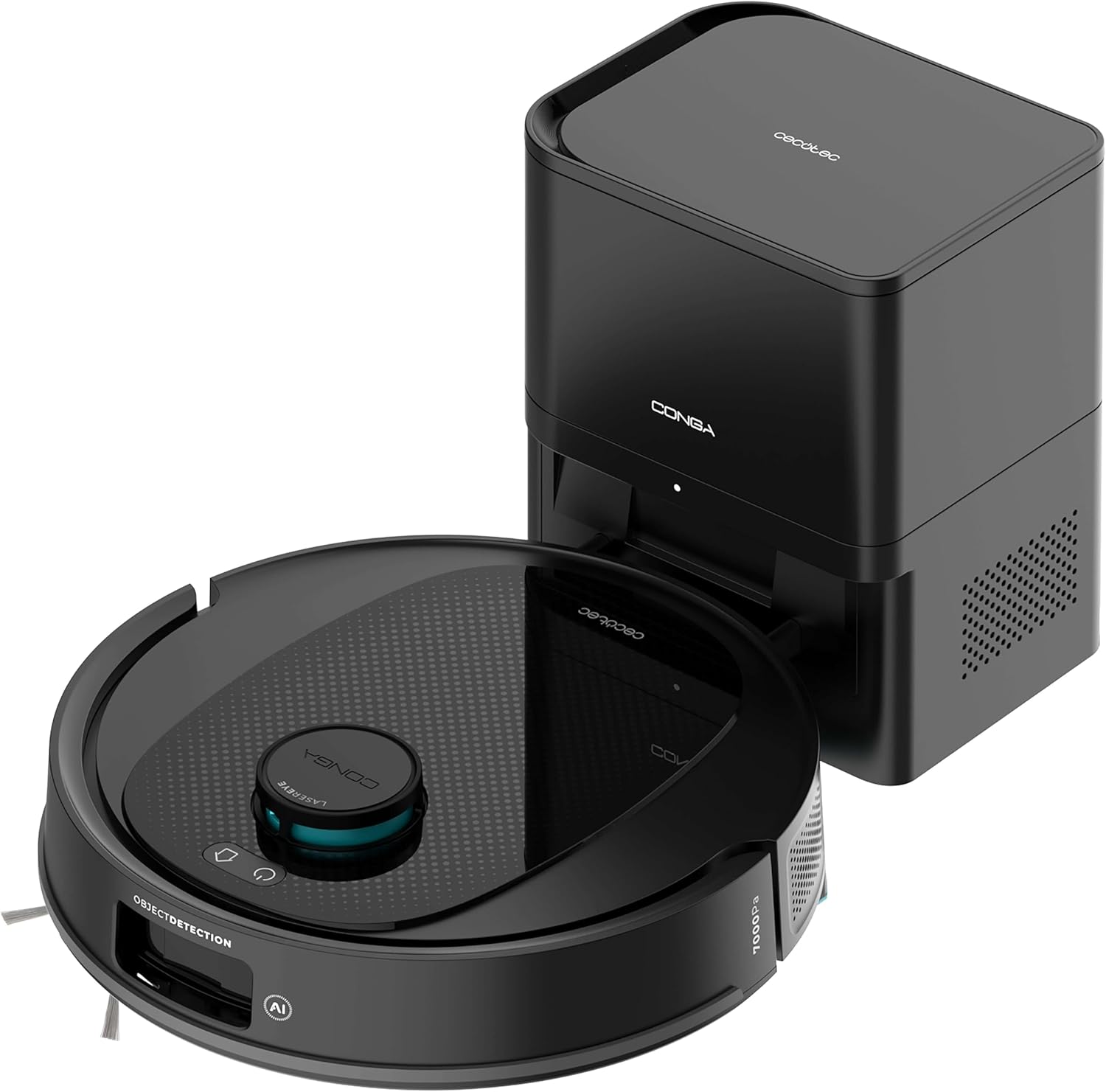
画像3.1: The Cecotec Conga Y80 X-Treme robot vacuum cleaner alongside its self-emptying base.
- AI Laser Eye Navigation: Located on top, this system enables precise mapping and object detection.
- コントロールボタン: Power and Home buttons for basic operation.
- サイドブラシ: Two rotating brushes to sweep debris from edges and corners.
- Main Brush (PetStyle): A silicone anti-tangle brush designed for effective pet hair collection.
- ホイール: さまざまな床タイプでの移動に。
- センサー: 安全な操作のための崖センサー、衝突防止センサー。
- ゴミ箱: Integrated within the robot, automatically emptied by the base.
- 水タンク: モップ機能用。

画像3.2: 下側 view of the robot, highlighting the main silicone brush and side brushes.
3.2 自動排出ベース
The self-emptying base automatically transfers collected dust and debris from the robot's internal bin into a larger 2.5L disposable bag, providing weeks of hands-free maintenance.

画像3.3: The self-emptying base, illustrating the dust transfer process.
4. セットアップ
4.1 充電ベースの設置
- Place the self-emptying base against a wall in an open area, ensuring at least 0.5 meters of clear space on both sides and 1.5 meters in front.
- Ensure the area is free from obstacles, direct sunlight, and heat sources.
- 電源アダプタをベースに接続し、電源コンセントに差し込みます。
4.2 初期充電
- Place the robot onto the charging contacts of the self-emptying base.
- Ensure the robot is properly aligned and the charging indicator light on the base illuminates.
- Allow the robot to charge completely before its first use (approximately 4-6 hours).
4.3 アプリのインストールと接続
- Download the "Cecotec Conga" App 3.0 from your smartphone's app store (iOS or Android).
- Register an account and follow the in-app instructions to add your Conga Y80 X-Treme robot.
- 接続を成功させるには、Wi-Fi ネットワークが 2.4GHz であることを確認してください。
5. 操作手順
5.1 クリーニングの開始と停止
- 始める: Press the Power button on the robot or use the App to initiate a cleaning cycle.
- 一時停止: Press the Power button during cleaning to pause.
- 再開する: Press the Power button again to resume cleaning.
- Stop/Return to Base: Press the Home button on the robot or use the App to send the robot back to its charging base.
5.2つのクリーニングモード
The robot supports various cleaning modes:
- 自動クリーニング: ロボットはマップされたエリア全体をインテリジェントに移動して清掃します。
- スポットクリーニング: ロボットに特定の小さな領域を集中的に掃除するように指示します。
- エッジクリーニング: 壁や家具の端に沿った掃除に重点を置いています。
- ゾーンクリーニング: Define specific areas on the map via the App for targeted cleaning.
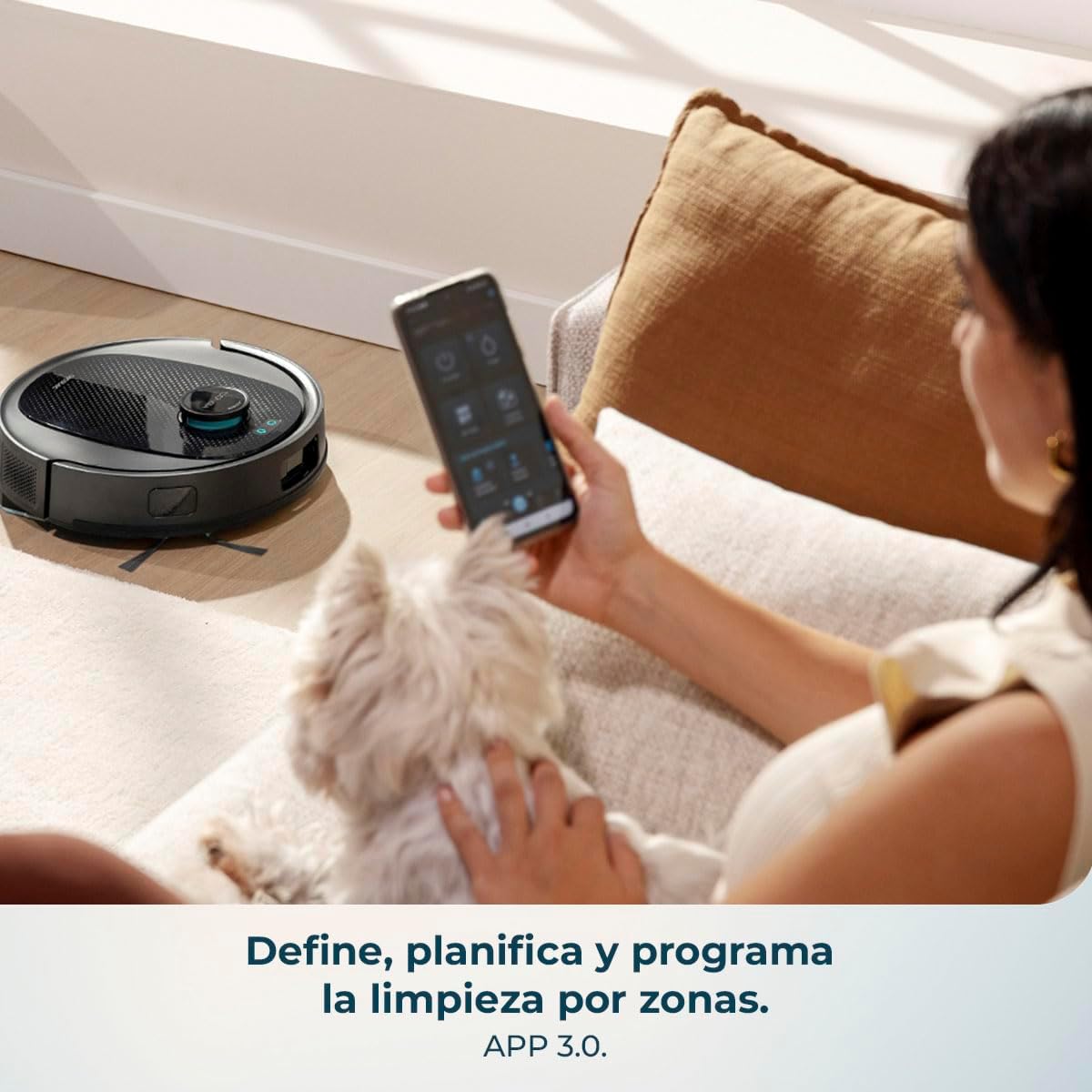
画像5.1: Using the mobile application to define and program cleaning by zones.
5.3 モップ機能
- 水タンクにきれいな水を入れてください。洗剤や刺激の強い化学薬品は使用しないでください。
- モップクロスを水タンクにしっかりと取り付けます。
- 水タンクをロボットに挿入します。
- Select the desired mopping mode and water flow level (low, medium, high) via the App.

画像5.2: The robot performing a combined vacuum and mop cleaning on various floor surfaces.
5.4 スマートナビゲーションとマッピング
The robot utilizes AI Laser Eye technology to create an interactive map of your home, allowing for efficient cleaning paths and object avoidance. You can view and manage this map through the App.

画像5.3: The robot's AI Laser Eye navigation system detecting and avoiding obstacles.

画像5.4: The mobile application displaying an interactive map for personalized cleaning.
6. メンテナンス
定期的なメンテナンスにより、最適なパフォーマンスが確保され、ロボット掃除機の寿命が延びます。
6.1 Self-Emptying Base Dust Bag Replacement
- The 2.5L dust bag in the self-emptying base should be replaced when full, typically every few weeks depending on usage.
- Open the top cover of the base, remove the full bag, and insert a new one.
6.2 Cleaning the Main Brush (PetStyle)
- ロボットを裏返し、メインブラシカバーを取り外します。
- Lift out the silicone brush.
- Use the provided cleaning tool to remove any tangled hair or debris.
- Reinsert the brush and secure the cover.

画像6.1: The silicone anti-tangle brush, ideal for homes with pets.
6.3 サイドブラシの清掃
- サイドブラシを軽く引いて取り外します。
- 髪の毛やゴミを取り除きます。
- ブラシを再度取り付け、カチッと音がして所定の位置に収まっていることを確認します。
6.4 フィルターの掃除
- Open the robot's dust bin and remove the filter assembly.
- フィルターを軽くたたいてほこりを取り除いてください。HEPAフィルターは水で洗わないでください。
- Replace filters regularly (every 3-6 months) for optimal performance.
6.5 センサーと充電接点のクリーニング
- Wipe all sensors (cliff sensors, anti-collision sensors) and charging contacts on both the robot and the base with a clean, dry cloth.
- This prevents navigation errors and ensures proper charging.
6.6 水タンクとモップクロスの清掃
- モップがけが終わるたびに、タンクに残っている水を捨ててください。
- Remove the mop cloth and wash it by hand or machine. Allow it to air dry completely before reattaching.
7。 トラブルシューティング
| 問題 | 考えられる原因 | 解決 |
|---|---|---|
| ロボットが起動しません。 | バッテリー残量が少ないか、充電されていません。 | ロボットを充電ベースに置き、完全に充電されていることを確認します。 |
| ロボットが充電ベースを見つけることができません。 | Base is obstructed or too far. | Ensure the base is in an open area and free from obstacles. Manually place the robot on the base if necessary. |
| 吸引性能が悪い。 | Full dust bin, clogged filters, or tangled brushes. | Empty the dust bin, clean or replace filters, and clean the main and side brushes. |
| ロボットが頻繁に動けなくなります。 | Loose cables, small objects, or uneven surfaces. | Clear the cleaning area of obstacles. Use virtual walls or no-go zones via the App if available. |
| モップ機能は無効です。 | Empty water tank or dirty mop cloth. | Refill the water tank and clean or replace the mop cloth. Ensure correct water flow setting in the App. |
| アプリの接続の問題。 | Incorrect Wi-Fi, router issues, or app glitch. | Ensure 2.4GHz Wi-Fi. Restart router, robot, and app. Re-pair the device if necessary. |
8. 仕様
| 特徴 | 詳細 |
|---|---|
| ブランド | セコテック |
| モデル名 | Conga Y80 X-Treme |
| モデル番号 | A01_EU01_119668 |
| 色 | 黒 |
| 製品寸法(ロボット) | 約37.2×42×42cm |
| 製品重量 | 5.3キロ |
| ダストバッグ容量(ベース) | 2.5リットル |
| 巻tage | 240ボルト |
| 電源 | バッテリー |
| バッテリー付属 | はい |
| 特集 | Self-emptying, AI Laser Eye Navigation, Mopping Function |
| 対応デバイス | Smartphones (via Cecotec Conga App 3.0) |
| 吸引力 | 13000パ |
| 最大清掃面積 | 最大220㎡ |
9. 保証とサポート
For warranty information, technical support, or service requests, please refer to the official Cecotec web購入サイトをご覧いただくか、カスタマーサービスに直接お問い合わせください。購入証明書としてレシートを保管してください。


