導入
This manual provides comprehensive instructions for setting up, operating, maintaining, and troubleshooting your HP OMEN Ultra Slim RTX 5070 Gaming Laptop. Please read this manual thoroughly to ensure optimal performance and longevity of your device. Keep this manual for future reference.
設定
Follow these steps for the initial setup of your HP OMEN gaming laptop:
- 開梱: ノートパソコンとすべての付属品をパッケージから慎重に取り出してください。「同梱物」セクションに記載されているすべてのコンポーネントが揃っていることを確認してください。
- 接続電源: Plug the AC adapter into the laptop's power port and then into a wall outlet. The laptop may have some charge, but it is recommended to fully charge it before first use.
- 最初のブート: Open the laptop lid and press the power button. Follow the on-screen instructions to complete the Windows 11 Home setup, including language selection, network connection, and user account creation.
- Cooler Setup: If bundled with a PCO Notebook Fold Radiator, Cooler, position it beneath the laptop to enhance airflow and cooling during use.

Image: HP OMEN Ultra Slim RTX 5070 Gaming Laptop with included PCO Notebook Fold Radiator, ready for initial setup.
ビデオ: オーバーview of the HP OMEN Slim laptop, demonstrating its design and features relevant to initial setup and daily use.
オペレーティング
This section details the primary operational aspects of your laptop.
画面
Your laptop features a 16-inch WQXGA (2560 x 1600) display with a 240 Hz refresh rate and 3ms response time. This IPS panel offers micro-edge design, anti-glare properties, Low Blue Light technology, 500 nits brightness, and 100% sRGB color accuracy for a clear and vibrant visual experience.

Image: Close-up of the 16-inch WQXGA display showcasing its 240Hz refresh rate.
キーボードとタッチパッド
The laptop is equipped with an RGB backlit keyboard and a numeric keypad for enhanced usability and customization. The touchpad provides precise navigation and multi-touch gesture support.
ポートと接続
The HP OMEN TPN-Q304 offers a variety of ports for connectivity:
- 3 x Superspeed USB Type-A
- 1 x Superspeed USB Type-C
- HDMI 1 x 2.1
- 1 x RJ-45 (イーサネット)
- ヘッドフォン/マイクコンボジャック x 1
- AC Smart Pin (Power Input)
Wireless connectivity includes Wi-Fi 6 and Bluetooth for high-speed internet and peripheral connections.

画像: サイド view of the HP OMEN laptop highlighting the available ports.
特徴
Key features of your HP OMEN laptop include:
- プロセッサ: Intel Core Ultra 9 285H (16 Cores, 16 Threads, 24MB L3 Cache, up to 5.4GHz Max Turbo Frequency). This processor is designed for demanding applications and multitasking.
- グラフィック: NVIDIA GeForce RTX 5070 (8GB GDDR7). This dedicated graphics card provides high-performance rendering for gaming and creative tasks.
- メモリ: 32GB DDR5 RAM for smooth multitasking and application performance.
- ストレージ: 1TB PCIe NVMe M.2 Solid State Drive for fast boot-up times and rapid data access.
- オペレーティング·システム: Windows 11 Home, offering a modern interface and enhanced features.

画像: 詳細 view of the Intel Core Ultra 9 285H processor specifications.
Image: Visual representation of the NVIDIA GeForce RTX 5070 graphics card.
メンテナンス
Proper maintenance ensures the longevity and performance of your laptop.
- クリーニング: 画面と外装の清掃には、柔らかく糸くずの出ない布をご使用ください。頑固な汚れには、amp布を水またはスクリーンに安全なクリーナーで拭いてください。刺激の強い化学薬品は避けてください。
- 換気: Keep the laptop's vents clear of obstructions to prevent overheating. Regularly clean dust from the vents using compressed air.
- 冷却パッド: Utilize the bundled PCO Notebook Fold Radiator, Cooler, especially during extended gaming or heavy workload sessions, to maintain optimal operating temperatures.
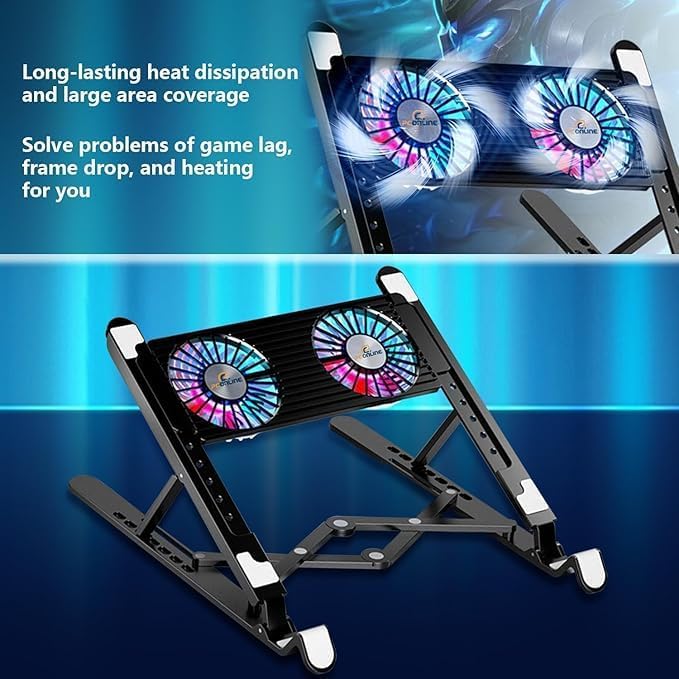
Image: The PCO Notebook Fold Radiator, Cooler, designed for long-lasting heat dissipation and large area coverage to prevent game lag, frame drop, and heating.
トラブルシューティング
発生する可能性のある一般的な問題に対する解決策は次のとおりです。
- 電源なし: ACアダプターがノートパソコンと電源コンセントの両方にしっかりと接続されていることを確認してください。必要に応じて別のコンセントを試してください。
- 表示の問題: 画面に何も表示されない場合は、外付けモニターを接続して、ノートパソコンのディスプレイに問題があるかどうかを確認してください。ノートパソコンを再起動してください。
- パフォーマンスの遅れ: Close unnecessary applications. Ensure the laptop is well-ventilated and consider using the cooling pad. Update graphics drivers.
- 接続の問題: Wi-Fiの問題の場合は、ルーターとノートパソコンを再起動してください。有線接続の場合は、イーサネットケーブルを確認してください。
仕様
| 特徴 | 仕様 |
|---|---|
| ブランド | HP |
| モデル名 | TPN-Q304 |
| 画面サイズ | 16インチ |
| 画面解像度 | WQXGA (2560 x 1600) |
| リフレッシュレート | 240Hz |
| 応答時間 | 3ミリ秒 |
| プロセッサ | Intel Core Ultra 9 285H (最大 5.4 GHz) |
| グラフィックスコプロセッサ | NVIDIA GeForce RTX 5070 (8GB GDDR7) |
| ラム | 32GB DDR5 |
| ハードドライブ | 1TB PCIe NVMe M.2 SSD |
| オペレーティング·システム | Windows 11 ホーム |
| ワイヤレスタイプ | 802.11ax (Wi-Fi 6) |
| ポート | 3x USB Type-A, 1x USB Type-C, 1x HDMI 2.1, 1x RJ-45, 1x Headphone/Mic Combo |
| 特集 | RGB Backlit Keyboard, Numeric Keypad |
| 色 | 黒 |
| アイテム重量 | 49.8 pounds (Note: This weight seems unusually high for a laptop and may include packaging or accessories. Please refer to product packaging for accurate device weight.) |
| 製品寸法 | 14.07 x 10.59 x 0.78インチ |
保証とサポート
Your HP OMEN Ultra Slim RTX 5070 Gaming Laptop comes with standard manufacturer's warranty. For specific warranty terms and conditions, please refer to the documentation included with your product or visit the official HP support webサイト。拡張保護プランは別途購入できる場合があります。
For technical support, driver downloads, or service inquiries, please visit the official HP support portal or contact HP customer service.