1. はじめに
Thank you for choosing the HTC N15 Wireless Clip-On Earbuds. These open-ear earphones are designed to provide audio while allowing you to remain aware of your surroundings. This manual provides detailed instructions for setup, operation, and maintenance to ensure optimal performance and longevity of your device.

Image 1.1: HTC N15 Wireless Clip-On Earbuds and Charging Case.
2. パッケージ内容
開梱後、パッケージの内容をご確認ください。不足品や破損品がございましたら、カスタマーサポートまでご連絡ください。
- 1 Pair HTC N15 Clip-On Earbuds
- 1充電ケース
- 1USB-C充電ケーブル
- 1 ユーザーマニュアル(本書)
Video 2.1: Unboxing the HTC N15 Wireless Clip-On Earbuds, showing the earbuds, charging case, and USB-C cable.
3.製品オーバーview
3.1 イヤホンの機能
- オープンイヤーデザイン: 周囲の状況を認識できるようになります。
- クリップオンフィット: Secure and comfortable for various activities.
- タッチコントロール: Intuitive control for audio and calls.
- 内蔵マイク: 明確なコミュニケーションのために。
- 軽量: 各イヤホンの重さは約4.7gです。
- 13mmドライバー: 音質の向上を実現します。
3.2 充電ケースの機能
- USB-C充電ポート: 便利な充電に。
- バッテリーインジケーター: LEDs show charging status and battery level.

画像3.1: 以上view of HTC N15 earbuds and charging case, highlighting battery life and Type-C charging port.
4. セットアップ
4.1 イヤホンとケースの充電
初めて使用する前に、イヤホンと充電ケースを完全に充電してください。
- イヤホンを充電ケースに入れます。
- USB-C 充電ケーブルをケースの充電ポートと電源に接続します。
- The LED indicators on the case will illuminate to show charging status. A full charge for the case takes approximately 1.5 hours.
- The earbuds provide up to 8 hours of playback on a single charge, and the charging case extends total playtime to 22 hours.

Image 4.1: Visual representation of charging times and battery life for the HTC N15 earbuds and case.
4.2 デバイスとのペアリング
The HTC N15 earbuds use Bluetooth 6.0 for fast and stable connections.
- イヤホンが充電されており、充電ケースに入っていることを確認します。
- 充電ケースを開けると、イヤホンは自動的にペアリングモードになり、LEDライトが点滅します。
- デバイス(スマートフォン、タブレット、ラップトップ)で Bluetooth 設定に移動し、Bluetooth をオンにします。
- 検索する 利用可能なデバイスを選択し、リストから「HTC NE15」を選択します。
- 接続されると、イヤホンの LED の点滅が停止し、確認音が聞こえます。
デバイスで Bluetooth が有効になっている場合、イヤホンはケースから取り出すと最後にペアリングしたデバイスに自動的に再接続されます。

Image 4.2: The HTC N15 earbuds offer flexible connectivity with various devices including notebooks, TVs, desktops, watches, phones, and iPads.
5. 着用方法
最適な音質と快適さを得るには、イヤホンが正しく装着されていることを確認してください。
- 左 (L) と右 (R) のイヤホンを識別します。
- Confirm the direction of the earbud, ensuring the clip is oriented to hook over the top of your ear.
- Gently clip the earbud onto the thinnest part of your ear, sliding it down until it feels secure.
- Adjust the earbud tip to align with your ear canal for the best sound experience and comfort.

Image 5.1: Step-by-step guide on how to properly wear the HTC N15 Clip-On Earbuds for a secure and comfortable fit.

Image 5.2: Illustration of the ergonomic open-ear clip design and wearing tips for optimal sound alignment.
6. 操作手順
The HTC N15 earbuds feature smart touch controls for easy management of audio and calls.

Image 6.1: Diagram illustrating the touch control functions for the HTC N15 earbuds.
6.1 音楽コントロール
- 再生/一時停止: どちらかのイヤホンをダブルクリックします。
- 次の曲: 右(R)のイヤホンをトリプルクリックします。
- 前の曲: 左(L)のイヤホンをトリプルクリックします。
- ボリュームアップ: Click the Right (R) earbud.
- ボリュームダウン: Click the Left (L) earbud.
6.2 通話制御
- 通話の応答/終了: Click either earbud.
- 通話を拒否: どちらかのイヤフォンを2秒間押し続けます。
6.3 音声アシスタントとゲームモード
- 音声アシスタントを有効にする: 左(L)のイヤホンを2秒間押し続けます。
- ゲームモード: Hold the Right (R) earbud for 2 seconds to activate low-latency mode.

Image 6.2: The HTC N15 earbuds feature a low-latency Game Mode, reducing audio delay to 40ms for an improved gaming experience.
7. メンテナンス
7.1 クリーニング
- イヤホンと充電ケースは、柔らかく乾いた糸くずの出ない布で定期的に清掃してください。
- 研磨剤入りの洗剤、アルコール、化学溶剤は使用しないでください。
- 両方のイヤホンとケースの充電接点が清潔で乾燥していることを確認してください。
7.2 ストレージ
- 使用していないときは、イヤホンを保護し、充電を保つために充電ケースに保管してください。
- 極端な温度や湿度の高い場所での保管は避けてください。
7.3 防水・防塵性能
The HTC N15 earbuds are rated IP45 for water and dust resistance. This means they are protected against dust ingress and low-pressure water jets from any direction. They are suitable for workouts and light rain but should not be submerged in water.
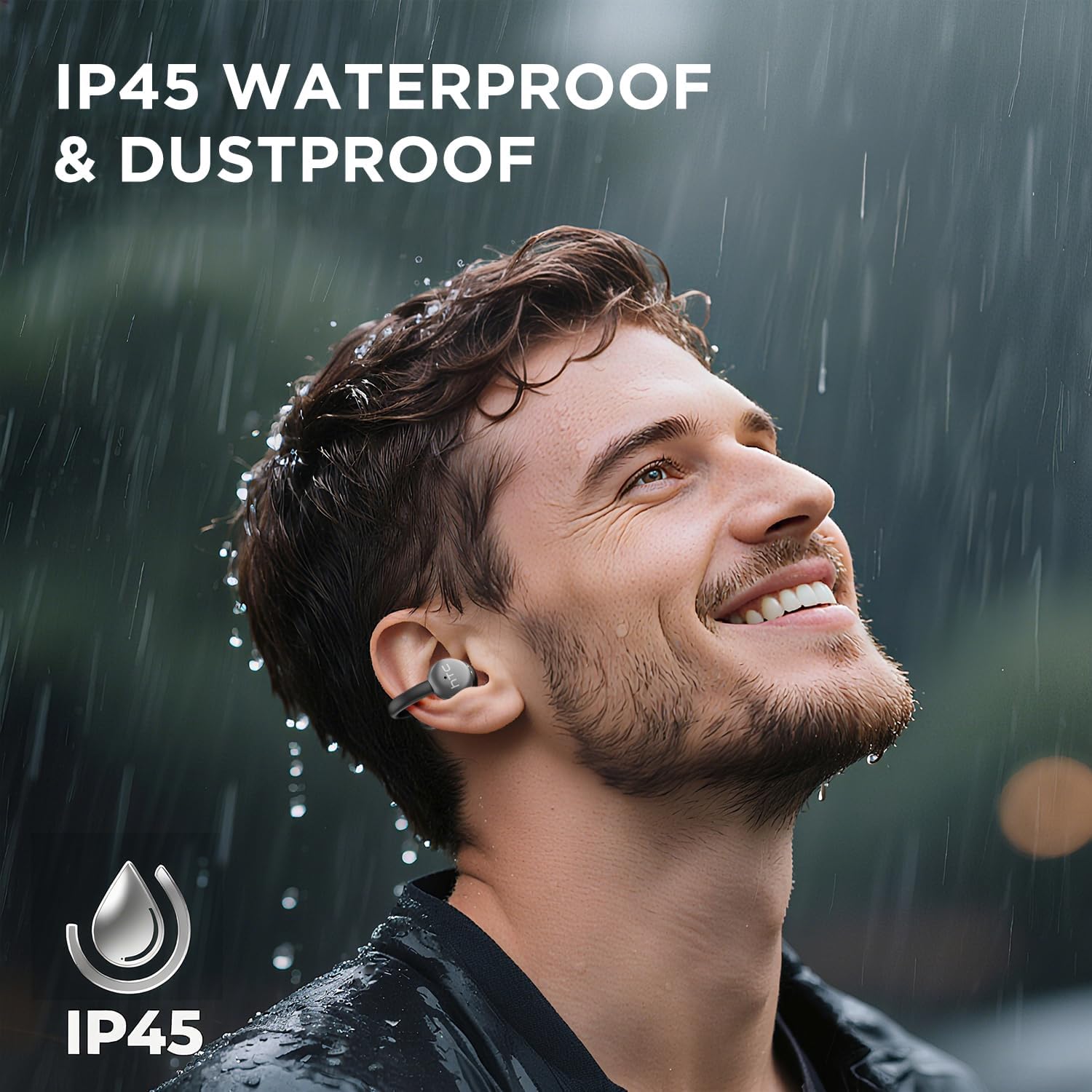
Image 7.1: The HTC N15 earbuds are IP45 rated, offering protection against dust and water splashes, making them suitable for outdoor activities.
8。 トラブルシューティング
| 問題 | 考えられる原因 | 解決 |
|---|---|---|
| イヤホンがペアリングされない | Low battery; Bluetooth off on device; Earbuds not in pairing mode; Interference. | Charge earbuds and case. Ensure Bluetooth is enabled on your device. Place earbuds in case, close, then open to re-enter pairing mode. Move closer to your device. |
| 音が出ない、または音質が悪い | Volume too low; Earbuds not properly seated; Device not connected; Dirty earbuds. | Increase device volume. Adjust earbuds for a proper fit. Reconnect earbuds to your device. Clean earbuds as per maintenance section. |
| イヤホンが充電されない | Charging cable not connected properly; Dirty charging contacts; Faulty cable/adapter. | Ensure USB-C cable is securely connected. Clean charging contacts. Try a different USB-C cable or power adapter. |
| タッチコントロールが反応しない | Earbuds not active; Moisture on touch surface; Software glitch. | Ensure earbuds are active and connected. Wipe touch surface dry. Place earbuds back in case, close, then reopen to reset. |
9. 仕様
| 特徴 | 仕様 |
|---|---|
| モデル名 | HTC NE15 |
| Bluetoothバージョン | 6.0 |
| 接続技術 | ワイヤレス(Bluetooth) |
| イヤホンタイプ | Clip-On, Open-Ear |
| ドライバーサイズ | 13mm |
| 制御方法 | 触る |
| マイクロフォン | 内蔵 |
| 1回の充電で再生できる時間 | 最大8時間 |
| 合計プレイ時間(ケース付き) | 最大22時間 |
| Case Fast Charging | 約1.5時間 |
| 充電ポート | USB-C |
| 耐水性 | IP45(防水・防塵) |
| イヤフォンの重量 | 約4.7g(1個あたり) |
| 対応デバイス | Smartphones, Tablets, Bluetooth-enabled Devices (iOS, Android) |
| 欧州連合 | 768649989642 |
10. 保証とサポート
HTC provides customer support for its products. If you encounter any issues or have questions not covered in this manual, please contact our support team.
- カスタマーサポート: 24時間年中無休のライブチャットサポートをご利用いただけます。製品パッケージまたはHTC公式ウェブサイトをご覧ください。 web連絡先の詳細についてはサイト。
- 保証情報: Please retain your proof of purchase for warranty claims. Specific warranty terms and conditions may vary by region. Refer to the warranty card included in your package or the official HTC web詳しい情報についてはサイトをご覧ください。


