1. はじめに
Thank you for choosing the PAPIFEED Automatic Cat Feeder. This device is designed to provide convenient and reliable feeding for your small and medium-sized pets, ensuring they receive meals on schedule. Featuring a 1080P HD wide-angle camera, 2.4/5G WiFi connectivity, and smart app control, you can monitor and manage your pet's feeding from anywhere. Please read this manual thoroughly before use to ensure proper operation and maintenance.

Image: The PAPIFEED Automatic Cat Feeder in a modern kitchen setting, with a cat eating from it, emphasizing smart feeding for pet happiness.
2. 安全情報
- 転倒を防止するために、フィーダーが安定した水平な面に設置されていることを確認してください。
- This device is intended for dry pet food only. Do not use wet food, canned food, or treats that may cause blockages.
- 噛んだり損傷したりしないように、電源アダプタとケーブルをペットの手の届かないところに保管してください。
- Do not immerse the main unit in water or any other liquid. Only detachable components are washable.
- お子様の手の届かない場所に保管してください。
- 付属の電源アダプターのみを使用してください。
3.製品オーバーview およびコンポーネント
The PAPIFEED Automatic Cat Feeder consists of several key components designed for ease of use and pet safety.
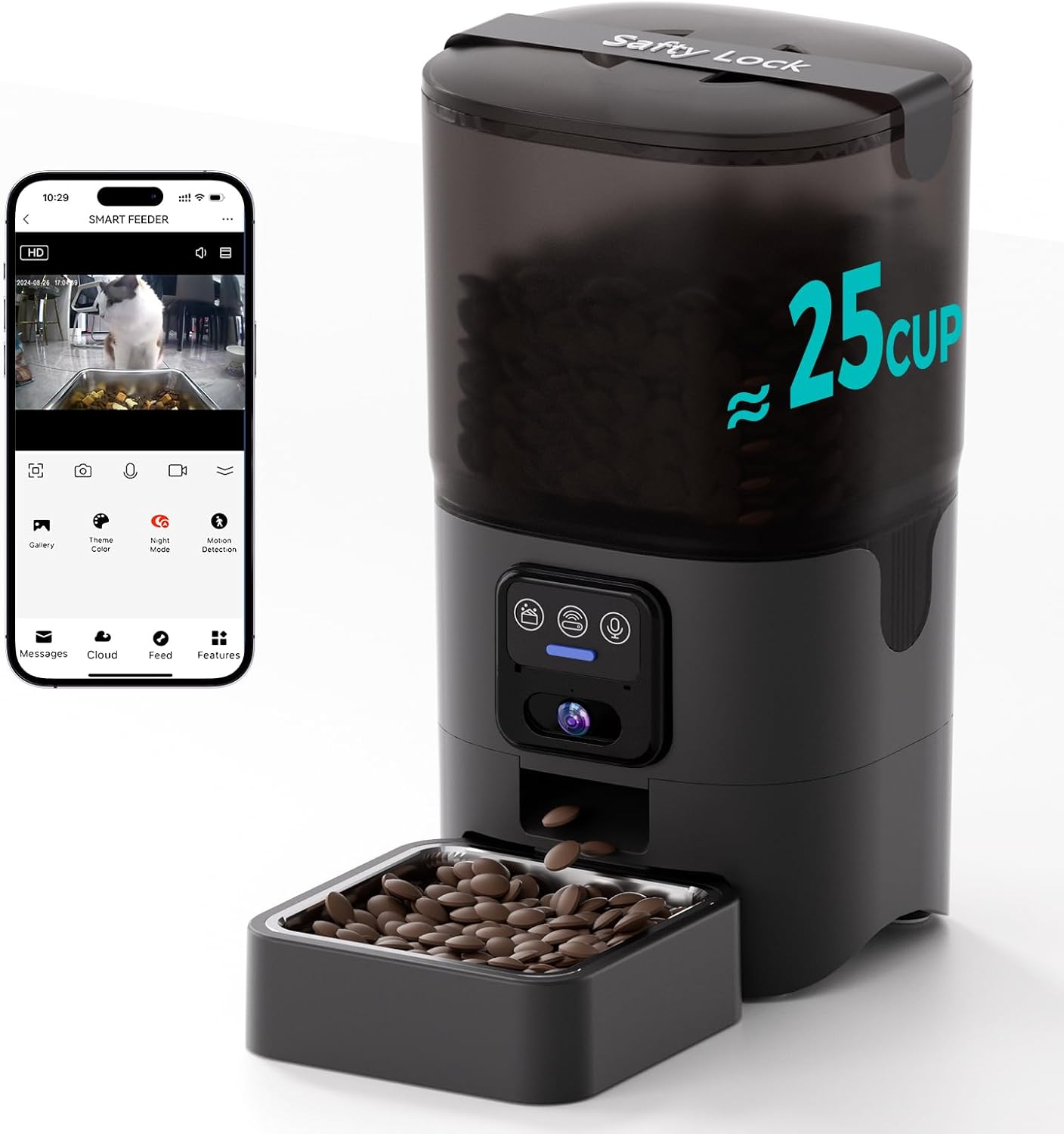
Image: This image shows the PAPIFEED Automatic Cat Feeder in black, with a transparent food reservoir filled with kibble. Food is being dispensed into a removable stainless steel bowl. A smartphone screen next to it displays the live camera feed from the feeder, showing a cat eating.
主要コンポーネント:
- 本体: Contains the dispensing mechanism, camera, control panel, and power ports.
- フードタンク: Transparent 6L (25 cup) capacity container for dry food.
- 安全ロック付き蓋: フードタンクを固定し、乾燥剤コンパートメントを備えています。
- 乾燥剤バッグ: Helps maintain food freshness.
- ステンレススチールボウル: Detachable and hygienic feeding bowl.
- Plastic Bowl Base: Holds the stainless steel bowl and prevents leakage.
- 電源アダプター: DC 5V for primary power.
- コントロールパネル: Buttons for manual feeding and other functions.
- 1080P HD Wide-Angle Camera: For live monitoring and interaction.

画像: 爆発した view of the feeder showing its secure lid, desiccant compartment, 6L/25 cup capacity food tank, detachable food tank, stainless steel bowl, and plastic bowl. It emphasizes freshness and capacity.
4. セットアップ
4.1開梱と組み立て
- パッケージからすべてのコンポーネントを慎重に取り出します。
- Assemble the food tank onto the main unit, ensuring it clicks securely into place.
- Place the stainless steel bowl into the plastic bowl base, then attach the base to the main unit.
- Insert a desiccant bag into the designated compartment under the lid and close the lid securely.
4.2 電源
フィーダーは連続動作のためにデュアル電源をサポートします。
- 主電源: DC 5V 電源アダプターをフィーダーに接続し、壁のコンセントに差し込みます。
- バックアップ電源: パワーouのためにtage protection, insert 4 AA batteries (not included) into the battery compartment at the bottom of the feeder. The battery serves as a backup power source; please connect the power cord during normal use.

Image: A collage of images detailing various features: a wide-angle camera view on a phone, the dual power supply (adapter and batteries), a detachable stainless steel bowl, and washable components (excluding the main unit).
4.3 アプリのインストールとネットワーク接続
- ダウンロード 「スマートライフ」 App Store (iOS) または Google Play ストア (Android) からアプリをダウンロードします。
- Smart Life アカウントを登録またはログインします。
- Add the device: Follow the in-app instructions to add your PAPIFEED Automatic Cat Feeder. Ensure your smartphone's Bluetooth is enabled for easier pairing.
- Connect to Wi-Fi: The feeder supports both 2.4GHz and 5GHz Wi-Fi networks. Select your home Wi-Fi network and enter the password when prompted in the app.

Image: The feeder is shown with a graphic indicating support for both 2.4GHz and 5GHz WiFi networks, highlighting its versatile connectivity options.
4.4 フードタンクへの給水
- フードタンクの蓋を開けます。
- Pour dry pet food into the tank. The 360° transparent design allows for easy monitoring of food levels.
- 食品の鮮度を保つために蓋をしっかり閉めてください。
5. 操作手順
5.1 給餌スケジュールの設定
Use the "Smart Life" app to program your pet's feeding schedule:
- 1日あたり最大10食まで設定できます。
- Each meal can be customized with 1-12 portions.
- The app allows you to monitor feeding records.
5.2 手動給餌
To dispense food immediately, use the "Feed" button within the app. This is useful for rewarding your pet or providing extra food if needed.
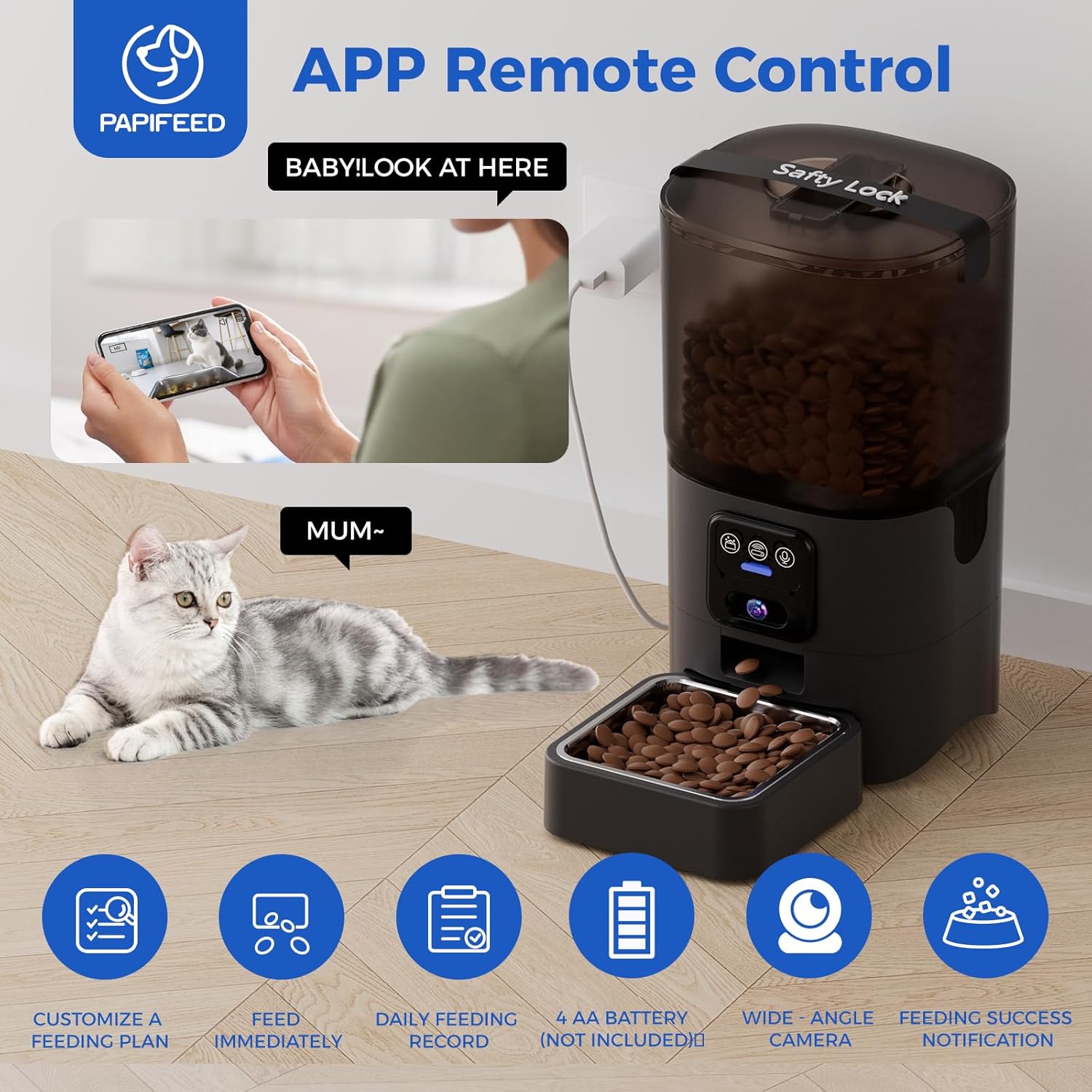
Image: This image illustrates the feeder's app remote control capabilities, showing a cat next to the feeder and a person interacting with the 'Smart Life' app on a smartphone. Icons below highlight features like customizable feeding plans, immediate feeding, daily feeding records, 4 AA battery support, wide-angle camera, and feeding success notifications.
5.3 カメラの機能
The integrated 1080P HD wide-angle camera allows for comprehensive monitoring:
- リアルタイム監視: Watch your pet eat and observe their habits anytime, anywhere.
- 広角レンズ: Provides an extra-large viewing angle, minimizing blind spots.
- 赤外線ナイトビジョン: Ensures clear visibility even in low-light conditions or complete darkness.
- 双方向オーディオ: Communicate with your pet remotely (feature implied by "Video AccessChat with your furry friend").
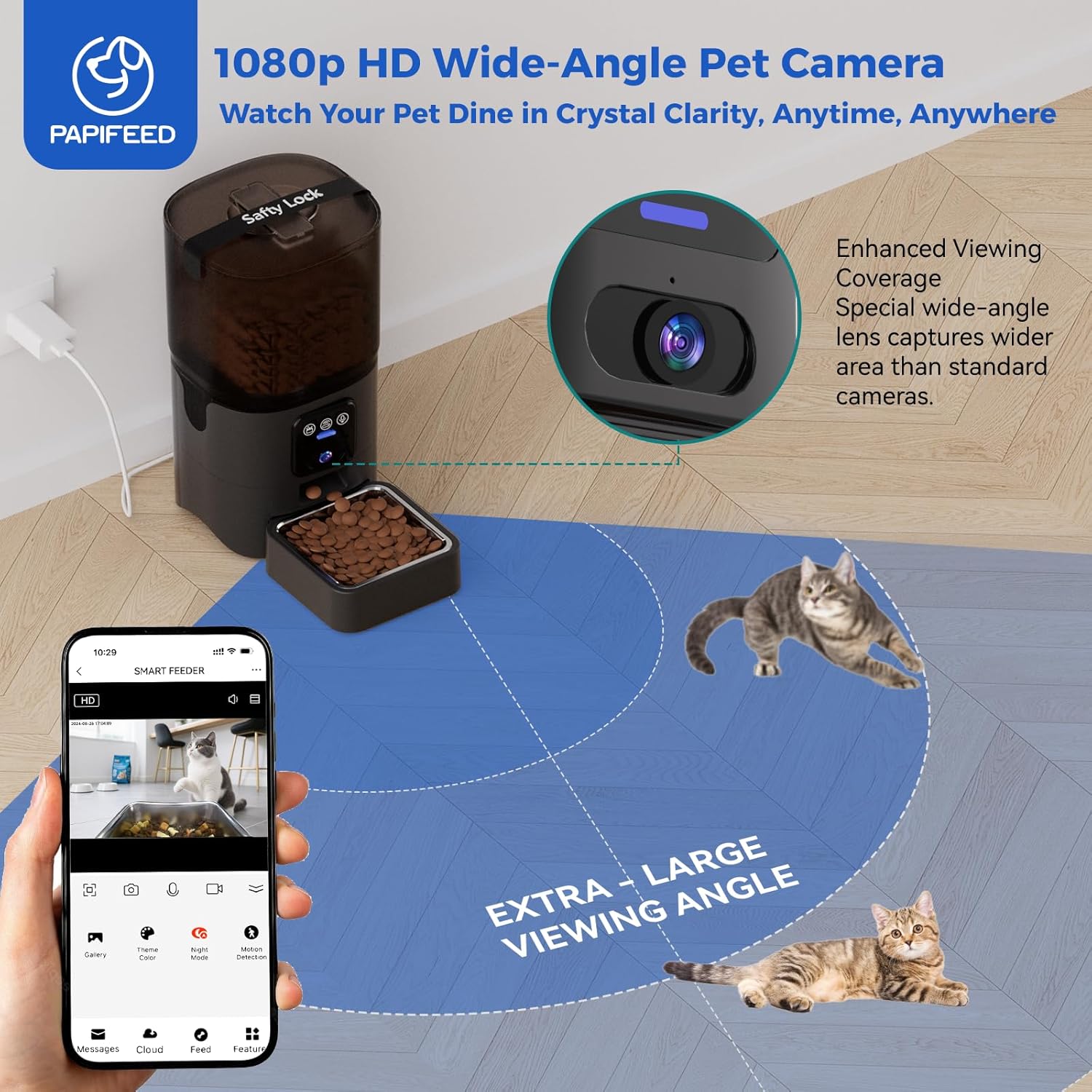
Image: This image highlights the 1080p HD wide-angle camera feature, showing the feeder in a room with a cat, and a smartphone displaying the camera's extra-large viewing angle, capturing the pet's dining area.
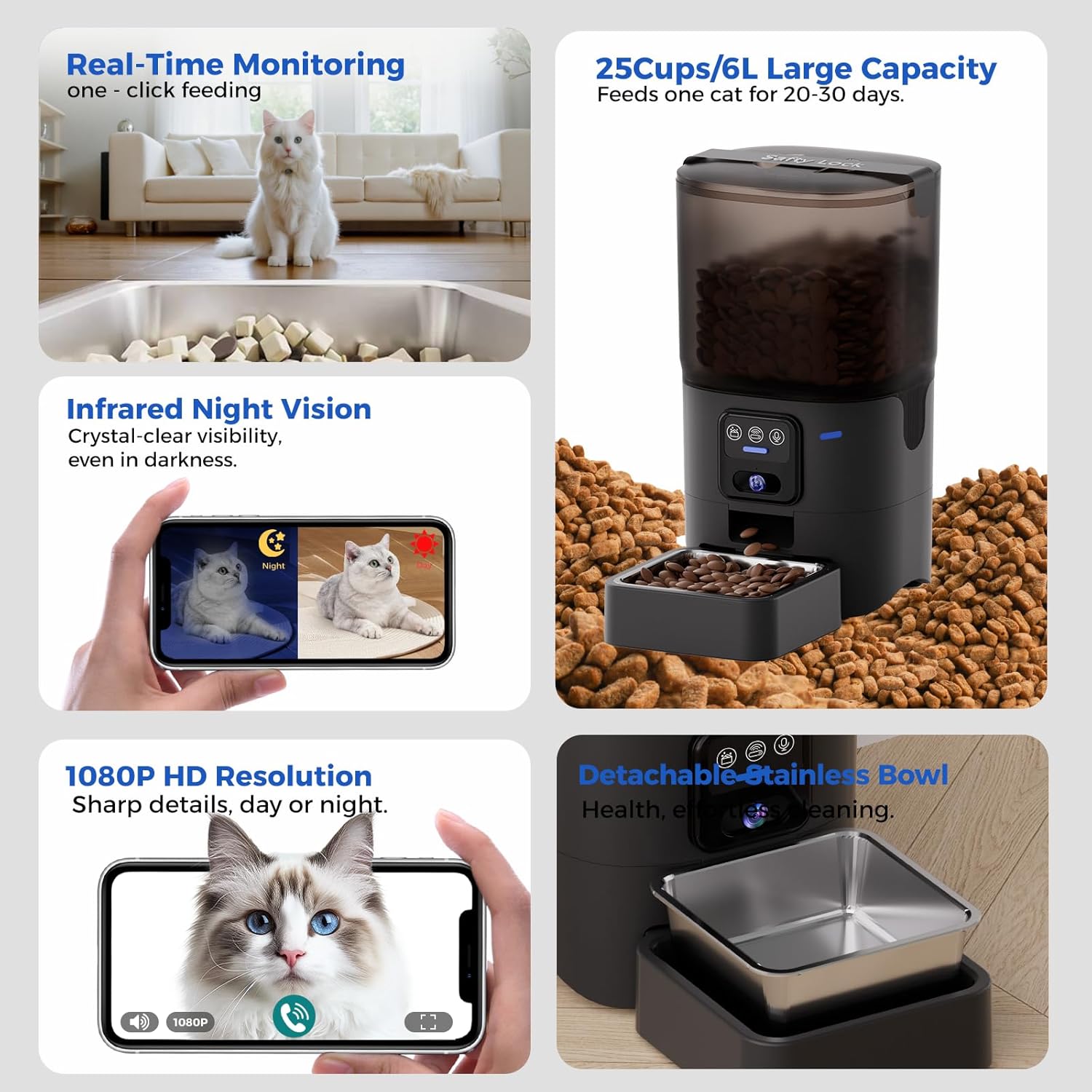
画像: 複数のパネルの画像を表示asing the feeder's monitoring capabilities: real-time feeding view, infrared night vision comparison (day vs. night), and 1080P HD resolution for clear video calls with pets.
5.4 Scenario Mission
The "Scenario Mission" feature allows the feeder to adapt its schedule based on environmental changes. For example, if the weather becomes colder and your pet's food intake increases, the feeder can automatically adjust to dispense more food. (Note: In battery-only standby mode, the app is inaccessible, but the pre-programmed feeding plan will still execute normally.)

Image: An illustration depicting a user interacting with their pet via the PAPIFEED smart feeder's camera and two-way audio feature, showing a cat in a kitchen setting and a person on a laptop. A note indicates that the app is inaccessible in battery-only standby mode, but the feeding schedule will execute.
5.5 Alexa統合
The PAPIFEED feeder supports Amazon Alexa. You can use voice commands to dispense food, such as "Alexa, feed my cat a snack."
6. メンテナンス
6.1 クリーニング
Regular cleaning ensures a hygienic feeding environment for your pet.
- The food tank and stainless steel bowl are removable and washable.
- Wash these components with mild soap and water, then rinse thoroughly and dry completely before reassembling.
- 本体は水洗いしないでください。 本体の外側を拭きますamp 布。

Image: An image showing the detachable components of the feeder (food tank, stainless steel bowl, plastic bowl) being washed, with a clear indication that the main electronic unit is not washable.
6.2 食品の保管
- Replace the desiccant bag regularly (e.g., monthly) to maintain food freshness.
- Monitor the food level through the transparent tank and refill as needed.
6.3 Recommended Kibble Size and Type
To prevent jamming and ensure smooth dispensing, use dry kibble with a size between 0.2 inches (5mm) and 0.47 inches (12mm). The feeder is suitable for single-shaped dry kibble, freeze-dried food, and mixed-shaped dry kibble.

Image: This image illustrates the recommended kibble sizes (0.2"/5mm, 0.32"/8mm, 0.47"/12mm) and food types (single-shaped dry kibble, freeze-dried food, mixed-shaped dry kibble) to prevent jamming in the feeder.
7。 トラブルシューティング
- フィーダーが Wi-Fi に接続できない: Ensure your router supports 2.4GHz or 5GHz networks and that your phone's Bluetooth is enabled during pairing. Move the feeder closer to the router if connection is unstable.
- 食べ物が出ない: Check if the food tank is empty. Ensure kibble size is within the recommended range (0.2"-0.47" / 5-12mm) to prevent blockages. The feeder has a compartmentalized design and stirring sheet to minimize jamming.
- Battery backup not lasting: The 4 AA batteries are for emergency backup during power outages. They are not designed for prolonged use as the primary power source. Always connect the DC adapter for normal operation.
- Pet manually dispensing food: The feeder has a manual dispense button. Some intelligent pets may learn to press this button. Consider placement or monitoring if this becomes an issue.
- App inaccessible in battery-only mode: This is normal behavior. The app requires network connectivity to function. However, pre-set feeding schedules will still execute.
8. 仕様
| モデル名 | FKWSQ-GJ |
| ブランド | パピフィード |
| 容量 | 6リットル(約25カップ) |
| カメラ解像度 | 1080P HD, Wide-Angle Lens, Infrared Night Vision |
| 接続性 | 2.4GHz/5GHz Wi-Fi, Bluetooth Assist Link |
| 電源 | DC 5V Adapter (Primary), 4 x AA Batteries (Backup) |
| 材料 | Polyester (main body), 304 Stainless Steel (bowl) |
| 寸法(長さx幅x高さ) | 8.07 x 7.59 x 12.2インチ |
| アイテム重量 | 3.65 ポンド (1.66 キログラム) |
| 推奨されるドッグフードのサイズ | 0.2 - 0.47インチ(5 - 12 mm) |
| 対象種 | Cat (suitable for small and medium-sized pets) |
9. 保証とサポート
9.1 保証情報
PAPIFEED自動猫用給餌器には、 1年間の保証 ご購入日から1年間有効です。本保証は、通常の使用における製造上の欠陥を対象としています。保証請求の際は、購入証明書を保管してください。
9.2 カスタマーサポート
For any questions, technical assistance, or warranty claims, please contact PAPIFEED customer support through the contact information provided with your product or via the "Smart Life" app. Our support team is available to assist you with any issues you may encounter.


