導入
This manual provides essential information for setting up, operating, maintaining, and troubleshooting your Nokia C300 TA-1515 smartphone. Please read this guide carefully to ensure optimal performance and longevity of your device.
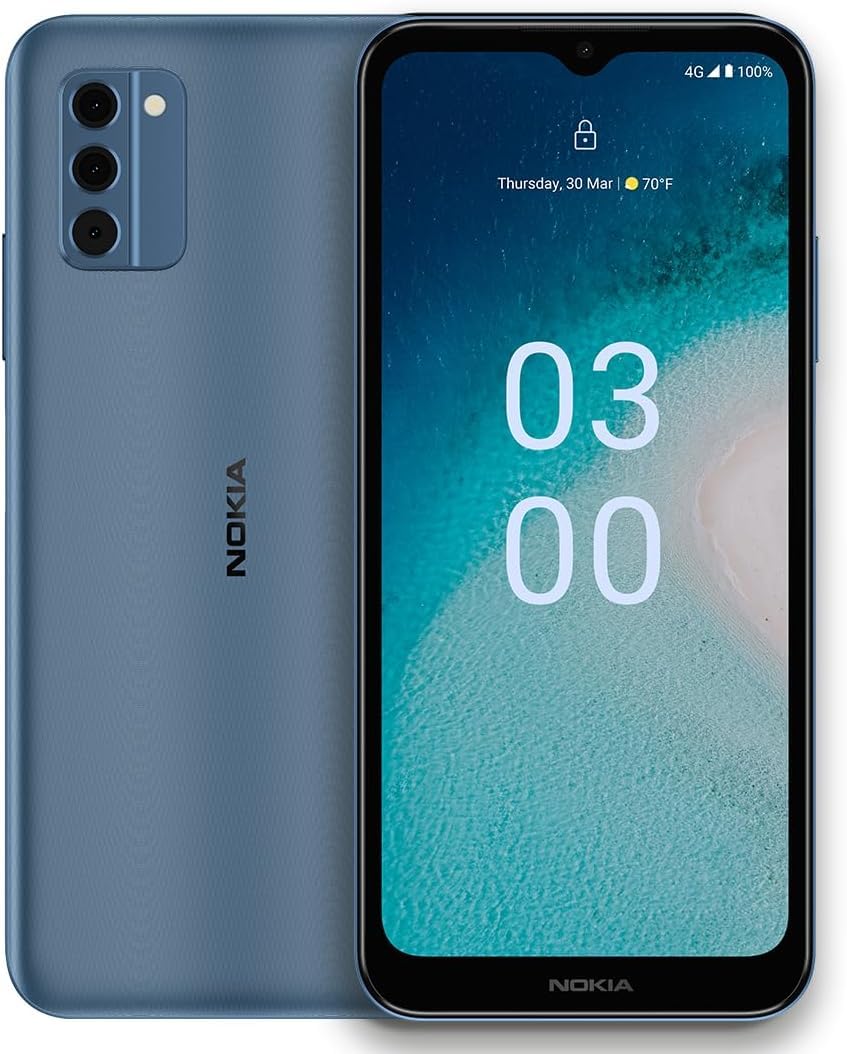
Image: Nokia C300 TA-1515 Smartphone, front view. This image displays the device's sleek design and screen.
設定
1. 開梱と初期検査
すべての部品をパッケージから慎重に取り出し、以下の部品が揃っていることを確認してください。
- Nokia C300 TA-1515 Smartphone
- USB-Cケーブル
- SIM取り出しツール
Inspect the device for any visible damage. If any components are missing or damaged, contact customer support.
2. Inserting the SIM Card and microSD Card (Optional)
- 携帯電話の側面にある SIM カード トレイを見つけます。
- SIM イジェクタ ツールをトレイの横にある小さな穴に挿入し、トレイが飛び出すまで軽く押します。
- Nano-SIMカードまたはmicroSDカード(該当する場合)をトレイの指定のスロットに挿入します。金色の接点が下を向いていることを確認してください。
- カチッと音がするまでトレイを慎重に電話機に戻します。
3. バッテリーの充電
Before first use, fully charge the phone's battery. The Nokia C300 TA-1515 is equipped with a 4000 mAh battery.
- USB-Cケーブルを携帯電話の充電ポートに接続します。
- USB-C ケーブルのもう一方の端を互換性のある USB 電源アダプター (別売) に接続し、壁のコンセントに差し込みます。
- 画面に充電インジケーターが表示されます。バッテリーアイコンが満充電になるまで充電してください。
4. 電源投入と初期設定
- Press and hold the Power button (usually on the right side) until the Nokia logo appears.
- 画面上の指示に従って、言語の選択、Wi-Fi 接続、Google アカウントの設定、セキュリティ設定などの初期設定を完了します。
デバイスの操作
1. 基本的なナビゲーション
- タッチスクリーンのジェスチャー: タップして選択、スワイプしてスクロール、ピンチしてズームします。
- ホーム画面: アプリ、ウィジェット、通知にアクセスします。
- 通知パネル: 画面の上部から下にスワイプして view 通知とクイック設定。
- アプリドロワー: 画面の下部から上にスワイプすると、インストールされているすべてのアプリケーションにアクセスできます。
2. 電話をかける、メッセージを送信する
- 通話: 開く 電話 アプリを開き、番号を入力して通話アイコンをタップします。
- メッセージ: 開く メッセージ app, tap "Start chat," enter recipient and message, then send.
3. Connecting to Wi-Fi and Mobile Data
- Wi-Fi: へ移動 設定 > ネットワークとインターネット > Wi-Fi. Turn Wi-Fi on, select your network, and enter the password.
- モバイルデータ: へ移動 設定>ネットワークとインターネット>モバイルネットワーク. Ensure "Mobile data" is enabled.
4. カメラの使用
開く カメラ app. Tap the shutter button to take photos or the video icon to record videos. Explore different modes and settings within the app.
メンテナンス
1. ソフトウェアの更新
最適なパフォーマンスとセキュリティを確保するため、デバイスのソフトウェアを最新の状態に保ってください。 設定 > システム > システムアップデート 更新プログラムを確認してインストールします。
2. デバイスのクリーニング
Use a soft, lint-free cloth to clean the screen and body of your phone. Avoid abrasive materials or harsh chemicals. Do not expose the device to excessive moisture.
3. バッテリーのお手入れ
- 極端な温度を避けてください。
- 定期的にバッテリーを完全に消耗させないでください。
- 承認された充電器とケーブルのみを使用してください。
4. ストレージ管理
定期的に再view 不要なものを削除する fileストレージ容量を解放するために、アプリやメディアを整理しましょう。ストレージの使用状況は、 設定 > ストレージ.
トラブルシューティング
| 問題 | 考えられる解決策 |
|---|---|
| デバイスの電源が入らない | バッテリーが充電されていることを確認してください。電源ボタンを10秒以上押し続けると、強制的に再起動します。 |
| アプリがクラッシュしたりフリーズしたりする | アプリを閉じて再度開きます。アプリのキャッシュをクリアします(設定 > アプリ > [アプリ名] > ストレージとキャッシュ > キャッシュを消去)。携帯電話を再起動します。 |
| バッテリー寿命が短い | Reduce screen brightness, disable unused features (Wi-Fi, Bluetooth, GPS), close background apps. Check battery usage in 設定>バッテリー. |
| Wi-Fiに接続できません | Wi-Fiが有効になっていることを確認してください。ルーターを再起動してください。ネットワークを削除して再接続してください。 |
| モバイルデータなし | Ensure mobile data is enabled in settings. Check your SIM card is correctly inserted. Contact your carrier to verify your plan. |
If issues persist, consider performing a factory reset (backup your data first) or contact Nokia support.
仕様
| 特徴 | 詳細 |
|---|---|
| モデル名 | ノキア C300 |
| モデル番号 | TA-1515 |
| オペレーティング·システム | アンドロイド12.0 |
| 表示サイズ | 6.5インチ HD+ |
| 解決 | 1520×720 |
| ラム | 3ギガバイト |
| 内部ストレージ | 32 GB(microSDで拡張可能) |
| バッテリー容量 | 4000mAh |
| 接続性 | 4G LTE, GSM, HSPA, Wi-Fi, Bluetooth, GPS |
| 箱の中身 | 携帯電話、USB-Cケーブル、SIM取り出しツール |
保証とサポート
Your Nokia C300 TA-1515 comes with a standard manufacturer's warranty. For detailed warranty terms and conditions, please refer to the warranty card included with your purchase or visit the official Nokia support webサイト。
For technical assistance, troubleshooting, or to find service centers, please visit the official Nokia support portal:
You can also contact your retailer or service provider (e.g., Consumer Cellular) for support related to your specific plan or device purchase.


