1. はじめに
This manual provides comprehensive instructions for the setup, operation, and maintenance of your ASprink A64M Bluetooth Shipping Label Printer. The A64M is designed for efficient thermal label printing, featuring a compact design and versatile connectivity options for various label sizes.
2. 箱の中身
- ASprink A64M Bluetooth Shipping Label Printer
- 100 Thermal Labels (4x6 inches)
- 電源アダプター
- USBケーブル
- ユーザーマニュアル(このドキュメント)
3. セットアップ
3.1. ラベルの読み込み
The A64M printer features an innovative built-in label bin that can accommodate up to 250 4x6 inch roll labels internally. Alternatively, folded labels can be loaded via the rear slot.
- プリンターのカバーを開きます。 Gently lift the top cover of the printer.
- ラベルロールを挿入: Place the label roll into the internal bin. Ensure the labels feed from the bottom of the roll and the print side is facing up.
- Adjust Guide Rails: Slide the adjustable guide rails to fit the width of your labels snugly, preventing misalignment during printing.
- Feed Labels: Pull the leading edge of the labels through the printer's output slot until it extends slightly past the cutter.
- カバーを閉じる: プリンターのカバーをしっかりと閉じてください。

Image: Internal label bin with adjustable components for label loading.
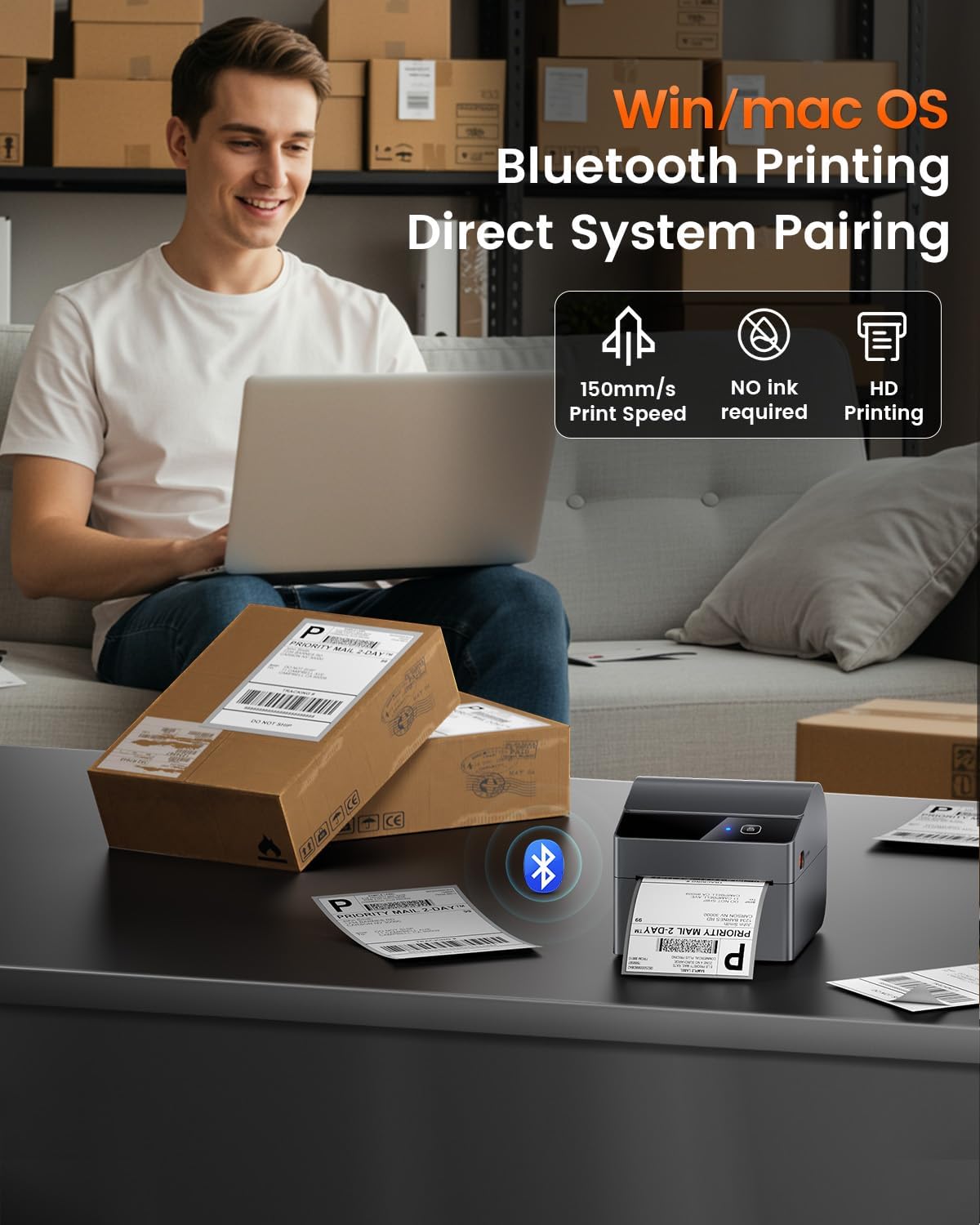
Image: Detail of label roll insertion and guide adjustment.
3.2. 接続性
The A64M printer offers both Bluetooth and USB connectivity.
- Bluetooth接続:
The printer supports Bluetooth 5.0 for wireless printing from Android, iOS, Windows, and macOS devices. Ensure Bluetooth is enabled on your device and pair with the A64M printer.

Image: Bluetooth connectivity with various devices.
- USB接続:
For a wired connection, use the provided USB cable to connect the printer to your computer. The printer is compatible with all major computer systems via USB.
3.3. 初期キャリブレーション
After loading labels and connecting the printer, it is recommended to perform an initial calibration to ensure accurate label detection and printing.
- 電源オン: プリンタの電源を入れます。
- 自動校正: The printer typically performs an automatic calibration when powered on with labels loaded. If not, refer to the printer's specific button sequence for manual calibration (usually involves holding a feed button).
4. 操作
4.1. 印刷工程
Once connected and calibrated, you can initiate printing from your device. Ensure your label design matches the physical label size for optimal results.

Image: ASprink A64M printer in operation.
4.2. Supported Label Sizes
The A64M printer supports a wide range of thermal label widths from 1 inch to 4 inches. This includes standard 4x6 inch shipping labels, as well as smaller labels for various applications.

画像: Examples of supported label sizes.
4.3. High-Definition Printing
The printer delivers clear and sharp prints with a maximum black and white print resolution of 300 dpi, ensuring barcodes and text are easily scannable and readable.
4.4. プラットフォームの互換性
The ASprink A64M is compatible with major shipping and e-commerce platforms, facilitating seamless integration into your workflow.

Image: Compatible platforms for the A64M printer.
5. メンテナンス
5.1. 一般的なケア
- Keep the printer clean and free from dust. Use a soft, dry cloth for external cleaning.
- プリンターを極端な温度や直射日光にさらさないでください。
- 操作中はプリンタの周囲に適切な換気を確保してください。
5.2. Label Care
The included thermal labels are designed for durability and clarity:
- フェード耐性: Labels are designed to resist fading over time.
- 傷に強い: The label surface is resistant to minor scratches.
- 耐油性: Labels maintain integrity when exposed to oils.
Store thermal labels in a cool, dry place away from direct light to preserve their quality.
6。 トラブルシューティング
This section addresses common issues you might encounter with your ASprink A64M printer. For more detailed troubleshooting, please refer to the official support resources.
- プリンターが応答しません:
- Check if the printer is powered on and properly connected via USB or Bluetooth.
- プリンターと接続されているデバイスを再起動します。
- Ensure printer drivers are correctly installed for USB connections.
- 印刷品質が悪い:
- Verify that you are using thermal labels designed for thermal printers.
- Clean the print head if smudges or lines appear (refer to manufacturer guidelines for cleaning).
- Ensure the label roll is loaded correctly and the guide rails are adjusted.
- ラベルが正しく送られない:
- ラベル パスに障害物がないか確認します。
- Ensure the label roll is not jammed and is properly seated in the internal bin or rear slot.
- Perform a label calibration.
- Bluetooth接続の問題:
- Ensure Bluetooth is enabled on both the printer and your device.
- Unpair and re-pair the printer with your device.
- Move the printer closer to your device to ensure a strong signal.
7. 仕様
| 特徴 | 詳細 |
|---|---|
| モデル名 | A64M |
| ブランド | Aスプリンク |
| 印刷技術 | サーマル |
| 接続技術 | USB、ブルートゥース |
| 最大入力シート容量 | 250 (for 4x6 inch rolls) |
| サポートされているメディアサイズ | 1" - 4" width, including 4x6 inches |
| 最大白黒印刷解像度 | 300dpi |
| プリンタ出力 | モノクロ |
| 特集 | Network Ready, Portable |
| 含まれるコンポーネント | 100 Thermal Labels |
| 色 | 黒 |
| 製品の具体的な用途 | Shipping labels, Barcode printing, Retail pricing, Inventory management, E-commerce logistics, Warehouse organization, Retail tagging, Home decluttering |
8.サポートと保証
For technical support, warranty information, or further assistance, please visit the official ASprink website or contact their customer service. Details can typically be found on the product packaging or the ASprink brand store.
ASprink Brand Store: Visit ASprink Store on Amazon
9. 製品ビデオ
ビデオ: 公式製品ビデオショーasing the ASprink A64M Label Printer for small businesses, highlighting its features and functionality.


