1. はじめに
Thank you for choosing Bluedee BD-SK900 Computer Speakers. This manual provides essential information for the proper setup, operation, and maintenance of your new speakers. Please read this guide thoroughly before use to ensure optimal performance and longevity of your device. These speakers are designed to deliver high-fidelity audio with versatile connectivity and dynamic RGB lighting for an enhanced audio-visual experience.
2. パッケージ内容
以下にリストされているすべてのアイテムがパッケージに含まれていることを確認してください。
- 1x Bluedee Computer Speaker (Pair)
- 1x USB/USB-C Cable
- 1xクイックスタートガイド
3 製品の特徴
The Bluedee BD-SK900 speakers are equipped with advanced features for a superior audio experience:
- 高忠実度ステレオサウンド: Features 2 tweeters, 2 full-range drivers, and 2 passive radiators for clear highs, rich mids, and powerful bass with a 20W output.
- All-in-One Control Knob: A single, intuitive knob allows for play/pause, volume adjustment, lighting control, and switching between connection modes.
- Bluetooth 5.4接続: Ensures a stable, low-latency wireless connection for seamless audio streaming. (Note: Requires USB power supply for operation).
- プラグアンドプレイ設計: Connects easily via the included USB/USB-C cable for both audio and power, requiring no additional drivers or software.
- ダイナミックRGB照明: Offers 5 distinct RGB lighting modes, including dynamic color-shifting and static single-color glows, controllable via the knob.
- Unique Egg-shaped Acoustic Design: A minimalist and space-saving design (5.1"D x 5"W x 7.2"H) that enhances sound projection.
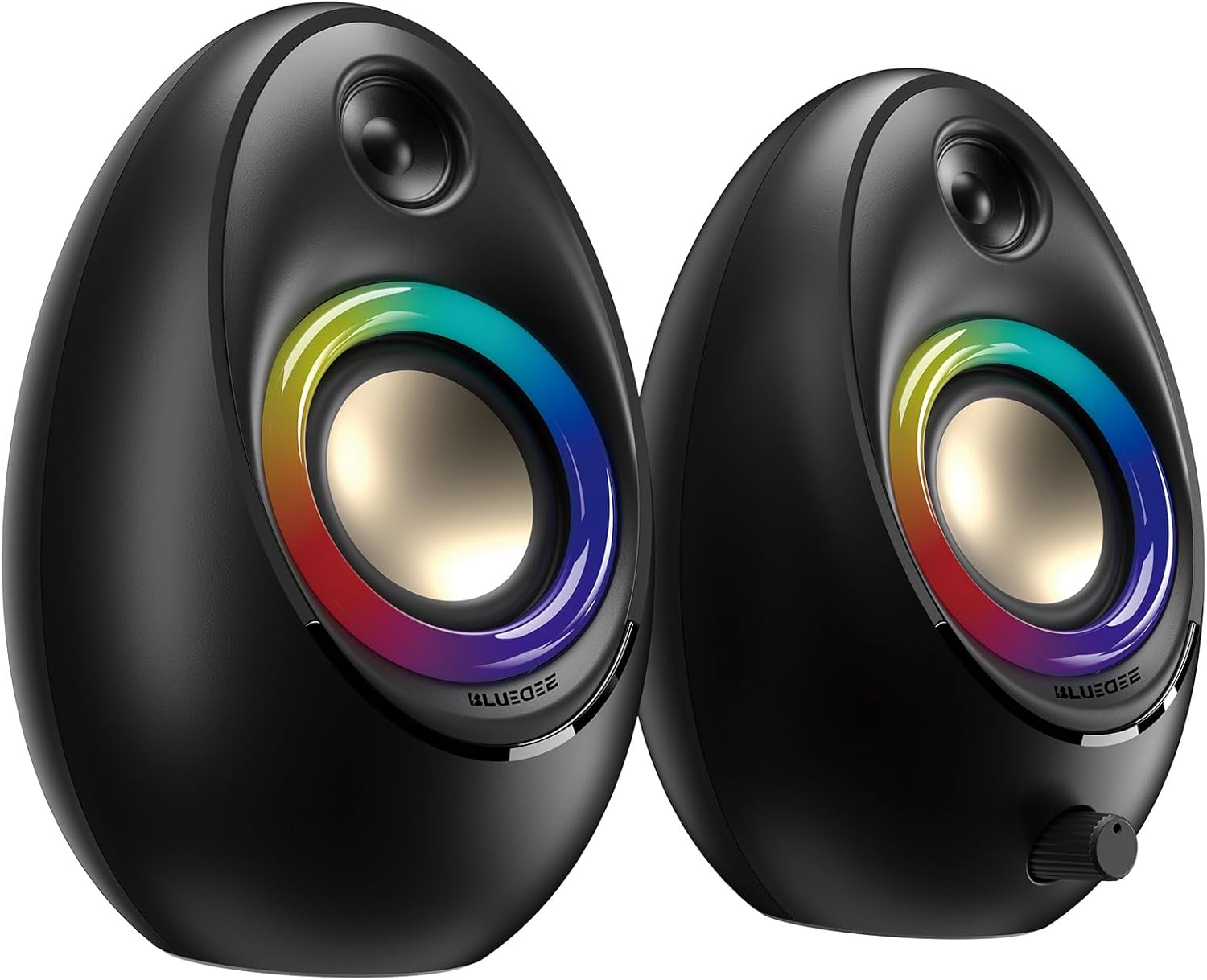
Figure 3.1: Bluedee BD-SK900 Computer Speakers, showcasing their design and RGB lighting.

Figure 3.2: Internal acoustic architecture of the Bluedee BD-SK900 speakers.

Figure 3.3: The multi-functional control knob for easy operation.
4. セットアップ手順
Follow these steps to set up your Bluedee BD-SK900 speakers:
- 配置: Position the two speakers on your desktop or desired surface, ensuring they are spaced appropriately for optimal stereo sound.
- 電源とオーディオを接続します。 Use the provided all-in-one USB/USB-C cable. Connect the USB-A or USB-C end to an available port on your computer (desktop, laptop) or a compatible USB power adapter (not included). The speakers will power on automatically.
- 初期接続: Upon connecting, the speakers will typically default to USB audio mode. If your computer recognizes the speakers, audio will play directly through them.
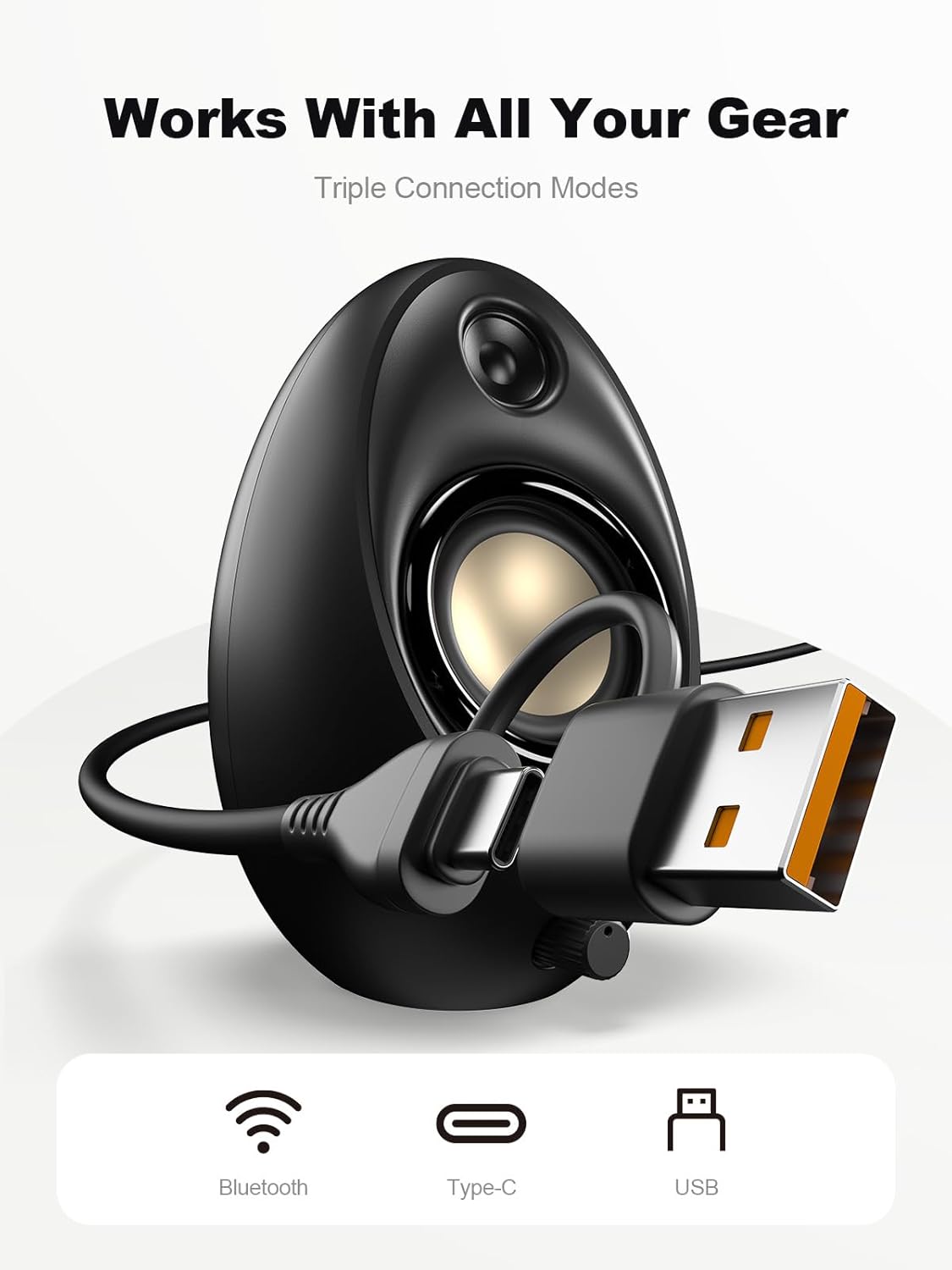
Figure 4.1: Connecting the speakers via USB/USB-C cable.
5. 操作手順
5.1 電源オン/オフ
The speakers power on automatically when connected to a USB power source. To power off, disconnect the USB cable.
5.2 ボリュームコントロール
Rotate the multi-functional knob clockwise to increase volume and counter-clockwise to decrease volume.
5.3Bluetoothペアリング
- Bluetoothモードに切り替える: Press and hold the multi-functional knob for approximately 2-3 seconds until the speaker indicates Bluetooth mode (e.g., a specific light pattern or audio prompt).
- デバイスで Bluetooth を有効にする: スマートフォン、タブレット、またはラップトップで Bluetooth を有効にし、利用可能なデバイスを検索します。
- ペア: Select "Bluedee BD-SK900" from the list of devices. Once paired, the speakers will confirm the connection.
5.4 USB/Type-C Connection
When connected via the USB/USB-C cable, the speakers will automatically function as an audio output device for your computer. To switch back to USB mode from Bluetooth, press and hold the multi-functional knob again.
5.5 RGB照明制御
The speakers feature 5 dynamic RGB lighting effects. Briefly press the multi-functional knob to cycle through the available lighting modes. This allows you to customize the ambiance to your preference.

Figure 5.1: Dynamic RGB lighting effects.
6。 トラブルシューティング
If you encounter issues with your Bluedee BD-SK900 speakers, please refer to the following common solutions:
- 音が出ない:
- Ensure the USB/USB-C cable is securely connected to both the speakers and your device/power source.
- Check the volume level on both the speakers (using the knob) and your connected device.
- コンピュータのサウンド設定で正しいオーディオ出力デバイスが選択されていることを確認します。
- If using Bluetooth, ensure the speakers are in Bluetooth mode and successfully paired.
- Bluetoothの切断/ペアリングの問題:
- Ensure the speakers are within the 10-meter Bluetooth range of your device.
- デバイスの Bluetooth をオフにしてからオンにして、もう一度ペアリングを試みてください。
- Forget the device from your Bluetooth list and re-pair.
- Ensure the speakers are not connected to another device.
- RGB ライトが機能しない:
- スピーカーの電源がオンになっていることを確認してください。
- Briefly press the multi-functional knob to cycle through lighting modes; the lights might be off or in a static mode.
- 歪んだオーディオ:
- スピーカーと接続されたデバイスの両方の音量を下げます。
- オーディオソースの品質が良好であることを確認します。
- Check for any interference if using Bluetooth.
7. 仕様
| モデル名 | BD-SK900 |
| スピーカータイプ | コンピュータスピーカー |
| 接続技術 | ブルートゥース、USB |
| Bluetoothバージョン | 5.4 |
| Bluetooth範囲 | 10メートル |
| 出力 | 20W |
| 信号対ノイズ比 | 70デシベル |
| 周波数応答 | 20 KHz(上限、フルレンジの標準) |
| RGB照明モード | 5 |
| 対応デバイス | デスクトップ、ラップトップ、スマートフォン、タブレット |
| 製品寸法(スピーカー1台あたり) | 奥行き5.1インチ x 幅5インチ x 高さ7.2インチ |
| アイテム重量 | 2.88ポンド |
| 電源 | Corded Electric (USB/Type-C) |

Figure 7.1: Speaker dimensions and design.
8. メンテナンス
スピーカーの寿命を延ばし、最適なパフォーマンスを確保するには、次のメンテナンス ガイドラインに従ってください。
- クリーニング: Use a soft, dry cloth to clean the speaker surfaces. Avoid using abrasive cleaners, solvents, or strong chemicals, as they may damage the finish.
- ストレージ: 長期間使用しない場合は、スピーカーを直射日光や極端な温度を避け、涼しく乾燥した場所に保管してください。
- 取り扱い: スピーカーは丁寧に取り扱ってください。落としたり、強い衝撃を与えたりしないでください。
- 換気: Ensure proper ventilation around the speakers to prevent overheating. Do not block any vents.
9. 安全情報
次の安全上の注意事項を守ってください。
- スピーカーを水、湿気、または極端な温度にさらさないでください。
- Do not attempt to disassemble or modify the speakers. This will void the warranty and may cause damage or injury.
- Keep the speakers away from heat sources, open flames, and direct sunlight.
- Use only the provided USB/USB-C cable for connection.
- 聴覚障害を防ぐため、長時間にわたって大音量で聴くことは避けてください。
10. 保証とサポート
Bluedee provides comprehensive support for your BD-SK900 Computer Speakers:
- 品質保証: Your speakers are covered by a 540-day quality warranty from the date of purchase.
- 生涯サポート: Bluedee offers lifetime customer support for this product.
- 接触: For any questions, technical assistance, or warranty claims, please contact us via Amazon Messages or refer to the contact details provided in your Quick Start Guide.