1. はじめに
This manual provides detailed instructions for the safe and effective use of your Godox V480F TTL Camera Flash. The V480F is a high-performance speedlite designed for Fujifilm cameras, featuring a 2.0-inch color touchscreen, 2.4GHz wireless system, and a powerful Li-ion battery. Please read this manual thoroughly before operation to ensure optimal performance and to prevent damage to the unit or injury to yourself.
2. 安全上の注意
- フラッシュユニットを分解したり改造したりしないでください。修理は認定されたサービス担当者のみが行う必要があります。
- ユニットを乾燥した状態に保ってください。雨、湿気、高湿度にさらさないでください。
- フラッシュの光を直接目に当てないでください。強い光により一時的な視力障害を引き起こす可能性があります。
- Handle the Li-ion battery with care. Do not short-circuit, incinerate, or expose to extreme temperatures. Use only the specified charger.
- お子様の手の届かない場所に保管してください。
- 誤って落下するのを防ぐため、フラッシュがカメラまたはスタンドにしっかりと取り付けられていることを確認してください。
3. パッケージ内容
パッケージにすべてのアイテムが含まれていることを確認します。
- フラッシュボディ×1
- 収納袋x1
- ディフューザー×1
- アダプターx1
- リチウム電池x1
- ミニスタンド×1
- USB-C充電ケーブルx1

Image: All components included in the Godox V480F package.
4 製品の特徴
4.1 Intuitive Touchscreen & Buttons
The V480 features a 2.0-inch color touchscreen and tactile buttons for precise adjustments. Users can tap, swipe, or press buttons to navigate menus and change settings efficiently.

Image: The V480F's touchscreen interface.
4.2 スマート距離表示
The V480's display provides a real-time effective flash range, allowing users to confirm if the subject is within optimal reach for various shooting conditions, including tight spaces or bounce applications.

Image: Flash mounted on camera showing distance readout.
4.3 Sender & Receiver Functionality
The integrated Godox 2.4GHz X wireless system enables the V480 to function as both a sender and a receiver. It supports 32 channels and a range of up to 100 meters, allowing control of multiple flashes without external triggers.

Image: Wireless flash setup with the V480F.
4.4 Pro-Level Flash Modes
The V480 supports TTL, Manual, Multi mode, and High-Speed Sync (HSS) up to 1/8000s. It also includes Flash Exposure Compensation and Front/Rear-Curtain Sync for various creative lighting effects.
4.5 Lightweight Portability
Weighing approximately 282g (361g with battery), the V480 is designed for portability, fitting comfortably in hand and most camera bags.

Image: The V480F held in hand, demonstrating its compact size.
4.6 650 Full-Power Flashes
The 7.2V/2200mAh rechargeable Li-ion battery provides up to 650 full-power flashes with a recycle time of approximately 1.7 seconds. USB-C charging allows for convenient recharging.

Image: The V480F battery connected for USB-C charging.
4.7 10-Level Modeling Lamp
内蔵LEDモデリングlamp 10段階の明るさレベルがあり、ユーザーはview how the flash will shape shadows and highlights before firing the main flash.

Image: The V480F's modeling lamp 使用中。
4.8 フレキシブルバウンスヘッド
The flash head can tilt from -7° to 120° and swivel a full 330°, providing flexibility for bouncing light off walls, ceilings, or floors to achieve soft, natural fill light or specific side lighting.
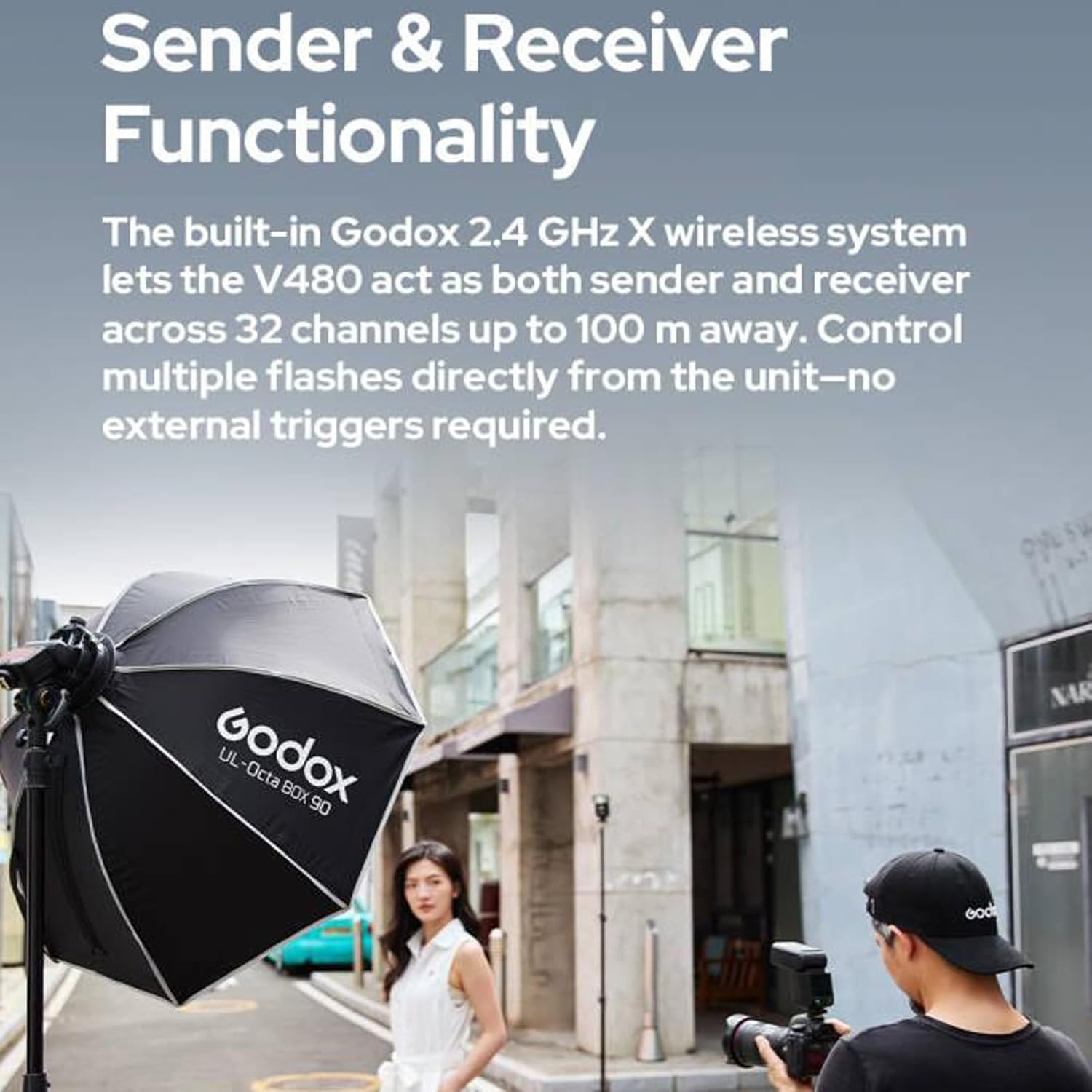
Image: Illustration of the flexible bounce head movement.
4.9 クリエイティブライトシェイパー
The flash includes a built-in catchlight panel and a wide-angle diffuser. The catchlight panel creates sparkling eye reflections, while the wide-angle diffuser softens and broadens light coverage.
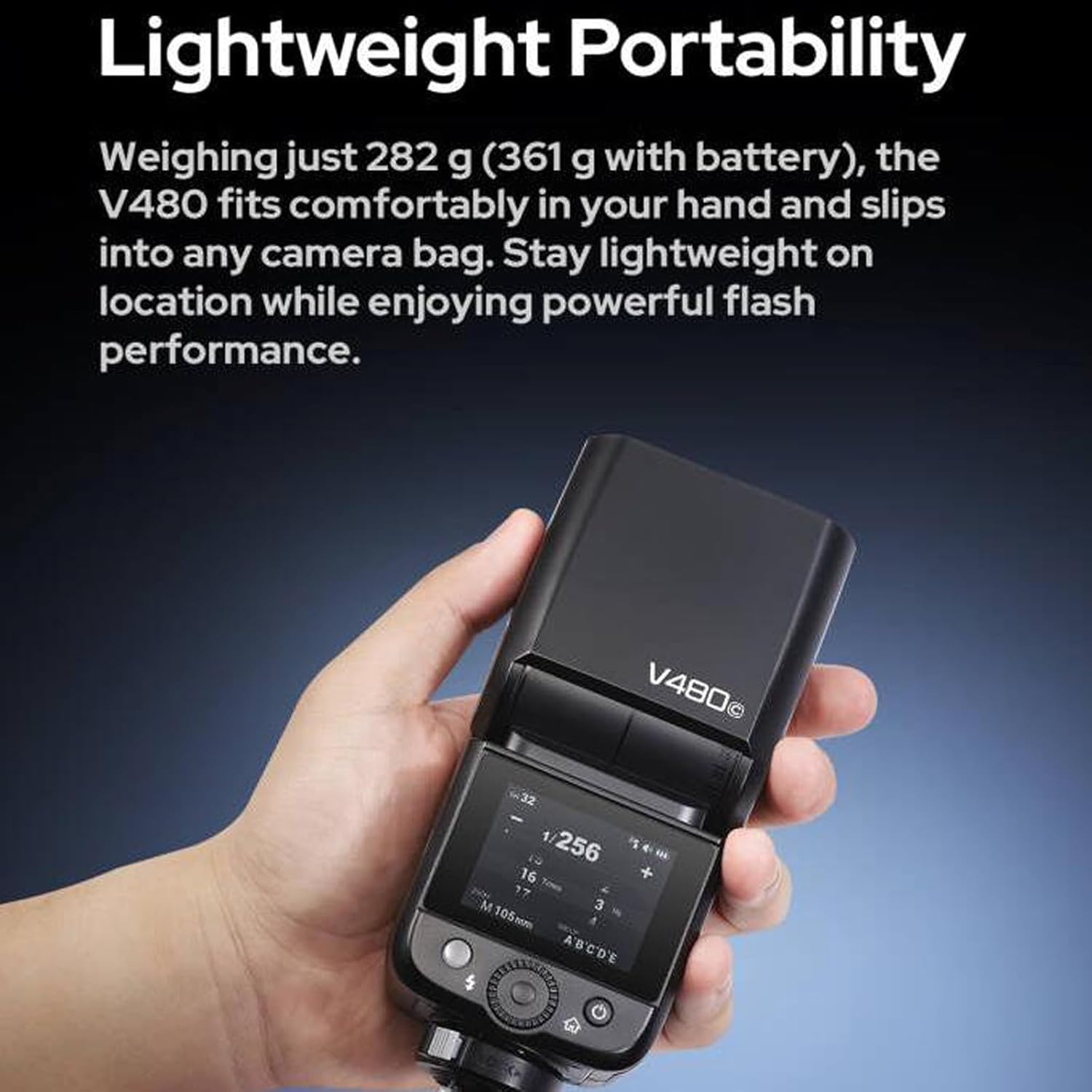
Image: The V480F with its integrated light shaping tools.
4.10 幅広いアクセサリの互換性
The V480 is compatible with various accessories, including the Godox AK-R1 Kit (via S-R2 adapter) and Bowens-mount softboxes or reflectors (using the S2 bracket).

Image: Accessory compatibility diagram for the V480F.
5. はじめに
5.1 バッテリーの取り付け
- フラッシュユニットの電源がオフになっていることを確認してください。
- フラッシュユニットの側面または背面に電池ボックスがあります。
- コンパートメントカバーを開きます。
- 付属の 7.2V/2200mAh リチウムイオン電池を正しい極性に注意しながら挿入します。
- 電池カバーをしっかりと閉じてください。
5.2 フラッシュの取り付け
- Slide the flash's hot shoe onto your Fujifilm camera's hot shoe mount.
- フラッシュユニットのロックリングまたはレバーを締めて、カメラに固定します。
5.3 電源のオン/オフ
Press and hold the power button (usually located on the side or rear) for a few seconds to turn the flash unit on or off. The touchscreen will illuminate upon power-on.
6. 操作手順
6.1 モード選択
Use the touchscreen or navigation buttons to select your desired flash mode:
- TTL(レンズを通して)モード: フラッシュは正しい露出になるように出力を自動的に調整します。
- マニュアル(M)モード: Manually set flash power output (e.g., 1/1 to 1/256).
- マルチ(ストロボ)モード: 1 回の露出中に連続して高速フラッシュを発射し、複数の動きを捉えます。
6.2 ハイスピードシンクロ(HSS)
Activate HSS mode to use flash at shutter speeds faster than your camera's native sync speed (up to 1/8000s). This is useful for overpowering ambient light or using wide apertures in bright conditions.
6.3 フラッシュ露出補正(FEC)
In TTL mode, FEC allows you to fine-tune the flash output by adjusting it up or down in increments (e.g., +/- 3 stops).
6.4 モデリングLの使用amp
専用のモデリングlを押すamp button or access it via the touchscreen. Adjust brightness levels from 1 to 10 to preview 照明効果。
6.5 Adjusting Bounce Head
Gently tilt and swivel the flash head to direct light. The head can tilt from -7° to 120° and swivel 330° horizontally. Ensure the head clicks into place at desired angles.
6.6 ワイヤレス操作(2.4GHz Xシステム)
To use the V480 as a wireless sender or receiver:
- Access the wireless settings menu on the touchscreen.
- Select 'Master' for sender mode or 'Slave' for receiver mode.
- Set the desired channel (1-32) and group (A, B, C, D, E) to match other Godox X system units.
- Ensure the ID setting is consistent across all units for reliable communication.
7. メンテナンス
7.1 クリーニング
フラッシュユニットは柔らかく乾いた布で拭いてください。頑固な汚れには、軽く湿らせた布を使用してください。amp cloth and then dry thoroughly. Do not use solvents or abrasive cleaners. Keep the hot shoe contacts clean and free of debris.
7.2バッテリーケア
- 最初に使用する前に、バッテリーを完全に充電してください。
- 電池残量低下インジケーターが表示されたら、バッテリーを充電してください。
- If storing the flash for an extended period, charge the battery to approximately 50% and remove it from the unit. Recharge every 3-6 months to maintain battery health.
7.3 ストレージ
Store the flash unit in a cool, dry place, away from direct sunlight and extreme temperatures. Use the provided storage bag for protection.
8。 トラブルシューティング
8.1 フラッシュが発光しない
- Check if the flash is powered on and the battery is charged.
- Ensure the flash is securely mounted to the camera's hot shoe.
- カメラとフラッシュの設定が互換性があることを確認します (例: フラッシュ モード、同期速度)。
- Clean the hot shoe contacts on both the flash and camera.
8.2 Exposure Issues (Too Bright/Dark)
- Adjust Flash Exposure Compensation (FEC) in TTL mode.
- 手動モードでは、フラッシュの出力を調整します。
- カメラの ISO、絞り、シャッタースピードの設定を確認します。
- Ensure the flash head is pointed correctly (if bouncing).
8.3 バッテリーが充電されない
- Verify the USB-C cable and adapter are properly connected and functional.
- バッテリーが充電器に正しく挿入されていることを確認してください。
- バッテリーが完全に消耗している場合は、充電インジケーターが表示されるまで数分かかることがあります。
8.4 Wireless Communication Problems
- Confirm all units (sender and receiver) are set to the same channel and group.
- Check that the wireless ID settings match.
- Ensure units are within the 100m operating range and there are no significant obstructions.
- 他の 2.4GHz デバイスからの潜在的な干渉がないか確認します。
9. 技術仕様
| 特徴 | 仕様 |
|---|---|
| モデル | V480F |
| ガイドナンバー | 約GN50(ISO 100、メートル) |
| フラッシュカバレッジ | Auto zoom (flash coverage is set automatically to match the lens focal length and image size); Manual zoom (24-105mm) |
| フラッシュヘッド角度 | スイング/チルトフラッシュヘッド(バウンスフラッシュ):水平方向に0~330°、垂直方向に-7~120° |
| フラッシュ持続時間 (t0.1) | 1 / 600s-1 / 20000s |
| 露出コントロール | TTLオートフラッシュとマニュアルフラッシュ |
| フラッシュ露出補正(FEC) | ±3 stops with 1/3 increment each step |
| 同期モード | High-speed sync (up to 1/8000 seconds), first-curtain sync and second-curtain sync |
| マルチフラッシュ | 提供(最大100回、100Hz) |
| ワイヤレスフラッシュ(2.4G伝送) | 送信者、受信者 |
| 送信者グループ | A, B, C, D, E (V480C); M, A, B, C, D, E (V480S/V480N/V480F/V480O) |
| 受信者グループ | A、B、C、D、E |
| 送信範囲(約) | 100メートル |
| チャンネル | 32 (01-32) |
| ID | オフ/ 01-99 |
| LEDモデリングLamp 力 | 2W |
| 色温度 | 5300K±300K |
| 電源 | 7.2V / 2200mAhリチウム電池 |
| リサイクル時間 | 約。 1.7秒 |
| 発光回数(約) | 650 |
| 省電力 | Standby and auto off functions provided |
| 同期トリガーモード | ホットシュー、2.5mmシンクロコード |
| 寸法(幅×高さ×奥行き) | 6.54インチ x 2.8インチ x 1.93インチ |
| 正味重量(バッテリーなし) | 約282g |
| バッテリーを含む正味重量 | 約361g |
| 互換性のある取り付け | Compatible with FUJIFILM Cameras (e.g., X-Pro2, X-T20, X-T2, X-T1, GFX50s, GFX50R, X-T30, X-T4, X-T3, X-H2, X-T50, X-S20, X-T5, X-Pro1, X-T10, X-E1, X-A3, X100F, X100T) |
10. 保証とサポート
10.1 保証情報
Godox製品には通常、メーカーによる限定保証が付いています。製品に付属の保証書、またはGodox公式ウェブサイトをご覧ください。 web地域と購入日に関する具体的な利用規約については、ウェブサイトをご覧ください。保証請求のために購入証明書を保管してください。
10.2 カスタマーサポート
For technical assistance, troubleshooting not covered in this manual, or service inquiries, please contact Godox customer support through their official website or your local distributor. You can find more information and resources on the AmazonのGODOXストア.


