1. はじめにview
The Acer Aspire 16 AI Copilot+ PC is designed for enhanced productivity and intuitive AI capabilities. Featuring a 16-inch WUXGA 120Hz 100% sRGB display and powered by the Snapdragon X processor with a 45 TOPS NPU, this laptop delivers efficient performance for various tasks. This manual provides essential information for setting up, operating, and maintaining your device.

Image: Acer Aspire 16 AI Copilot+ PC highlighting key features like Windows 11, Copilot+PC, Snapdragon X, WUXGA display, and Wi-Fi 7.
2. 箱の中身
Your Acer Aspire 16 AI Copilot+ PC package includes the following items:
- ラップトップ
- USB タイプ C 電源アダプター
- 電源コード

Image: Included accessories for the Acer Aspire 16 AI Copilot+ PC, showing the power adapter, power cord, and setup guides.
3.セットアップガイド
Follow these steps for the initial setup of your Acer Aspire 16 AI Copilot+ PC:
- 開梱: ノートパソコンとすべての付属品をパッケージから慎重に取り出します。
- 接続電源: Plug the USB Type-C power adapter into the laptop's USB4 port and connect it to a power outlet.
- 初期ブート: Open the laptop lid. The system may power on automatically or require you to press the power button.
- Windowsセットアップ 画面上の指示に従って、言語、地域、ネットワーク接続、ユーザー アカウントの作成などの Windows 11 Home のセットアップを完了します。
- アップデート: 最適なパフォーマンスとセキュリティを確保するために、システムが必要な更新プログラムをダウンロードしてインストールできるようにします。
Video: Official Acer America Corporation video titled "Copilot+PC A New Era of AI", providing an overview of the new AI capabilities and the NPU.
4. 製品の特徴とその他view
4.1. ポートと接続
The Acer Aspire 16 AI offers a comprehensive selection of ports for connectivity:
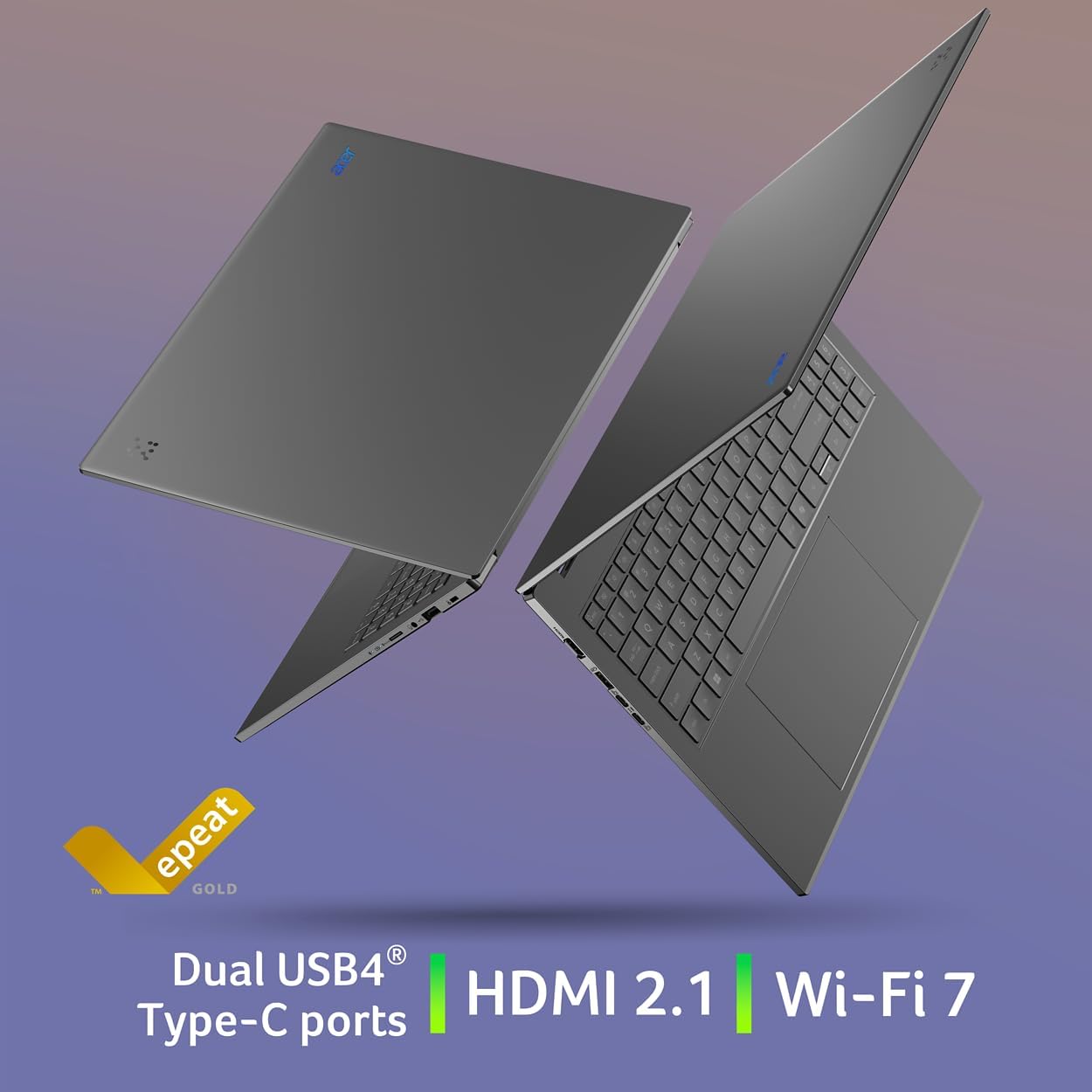
- 左側: 2 x USB Type-C (USB4, up to 40Gbps, USB Charging & Power Delivery up to 65W), 1 x USB 3.2 Gen 1 (with power-off charging), 1 x HDMI 2.1 with HDCP Support.
- 右側: 1 x USB 3.2 Gen 1, 1 x Headphone/Speaker/Line-out Jack, 1 x MicroSD Card Slot, 1 x Kensington Lock Slot.

Image: Left side of the laptop showing HDMI, USB 3.2, and two USB Type-C (USB4) ports.
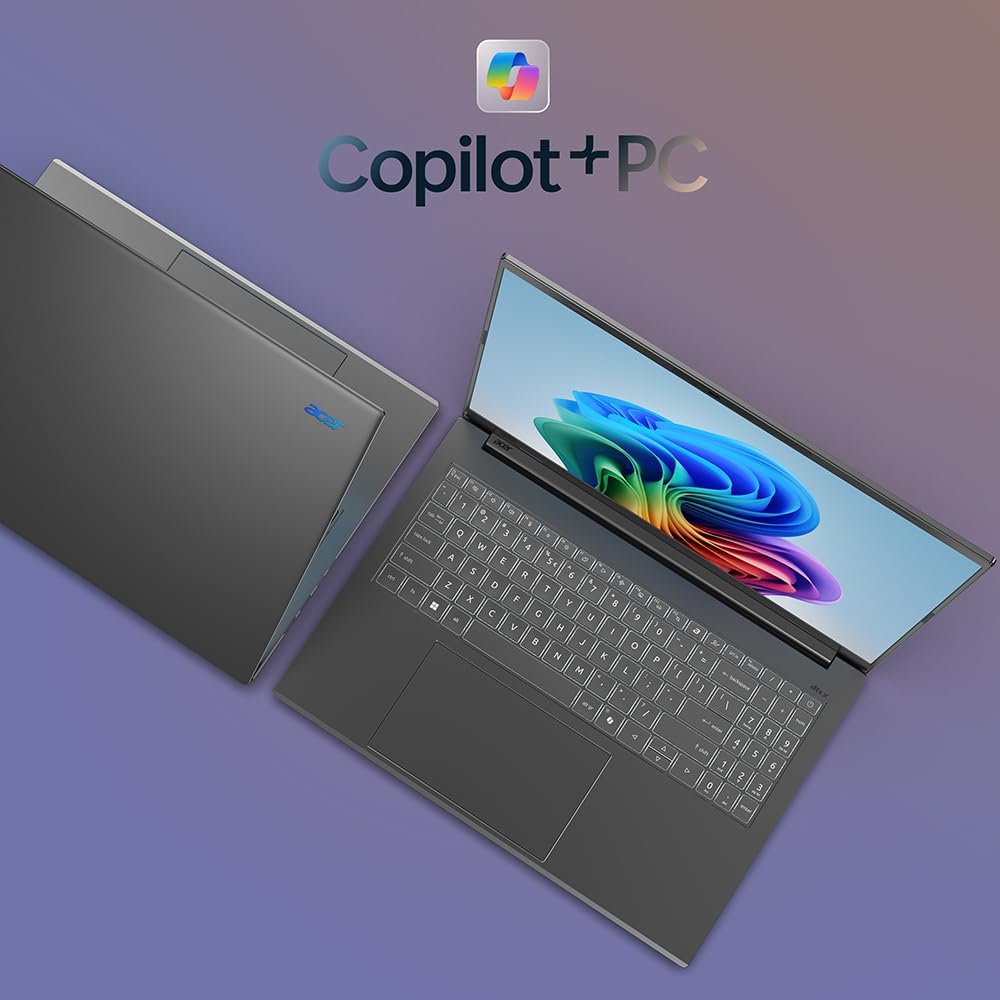
Image: Right side of the laptop showing MicroSD card slot, headphone jack, USB 3.2, and Kensington lock slot.
4.2. ディスプレイ
Experience stunning visuals on the 16-inch WUXGA (1920x1200) display with a 120Hz refresh rate and 100% sRGB color coverage. The anti-glare screen ensures comfortable viewさまざまな照明条件で撮影します。

画像: ノートパソコンのディスプレイショーasing its 120Hz refresh rate, WUXGA resolution, and 100% sRGB color coverage.
4.3. キーボードとタッチパッド
The full-size keyboard features a numeric keypad and backlighting for comfortable typing in any environment. The large, responsive touchpad supports multi-touch gestures for intuitive navigation.
画像: トップダウン view of the Acer Aspire 16 AI, highlighting the full-size backlit keyboard and large touchpad.
4.4. AI Features (Copilot+ PC)
The Acer Aspire 16 AI is a Copilot+ PC, integrating advanced AI capabilities directly into Windows 11 Home:
- Recall (Preview): Helps you remember and find content you've seen on your PC.
- Click to Do (Preview): Offers quick actions over images or text for enhanced productivity.
- Improved Windows Search: Efficiently locate documents and images in seconds.
- Super Resolution in Photos: Enhances image quality, turning fuzzy photos into crisp, high-definition memories.
- エイサーセンス: A versatile tool for managing device settings, optimizing video presence, and accessing AI features.
- エイサーピュリファイドView 2.0 & PurifiedVoice 2.0: Enhances video calls with 1440p QHD webcam, automatic framing, background blur, gaze correction, and AI noise cancellation.

画像: 上view of Copilot+PC AI features such as Recall, Click to Do, Improved Windows Search, and Super Resolution in Photos.

Image: The AcerSense interface, showing options for streamlining settings and optimizing video presence.
Video: Official Acer America Corporation video demonstrating Copilot+PC Recall (preview) features for timeline and search.
5. 操作手順
Your Acer Aspire 16 AI runs on Windows 11 Home, offering a familiar and intuitive user experience. Utilize the Snapdragon X processor for efficient multitasking and AI-accelerated applications. The long battery life (up to 27 hours for video playback, 18 hours for web browsing) ensures extended usage without frequent charging.
The 180-degree lie-flat hinge allows for versatile positioning, making it suitable for various work or viewシナリオを進めています。

Image: The Acer Aspire 16 AI showcasing its durable aluminum chassis and 180-degree lie-flat hinge for versatile use.
6. メンテナンス
ノートパソコンの寿命を延ばし、最適なパフォーマンスを確保するには:
- クリーニング: 画面と筐体の清掃には、柔らかく糸くずの出ない布をご使用ください。刺激の強い化学薬品は使用しないでください。
- ソフトウェアアップデート: Regularly check for and install Windows updates and Acer driver updates.
- バッテリーのケア: Avoid fully discharging the battery frequently. For prolonged storage, charge the battery to around 50-60%.
- 換気: Ensure proper airflow around the laptop to prevent overheating.
7。 トラブルシューティング
If you encounter issues with your laptop, consider the following:
- 電力の問題: Ensure the power adapter is securely connected and the outlet is functional. Try a different outlet if necessary.
- 表示の問題: 画面が空白の場合は、外部モニターを接続して、問題がラップトップのディスプレイにあるかどうかを確認してください。
- パフォーマンスの低下: 不要なアプリケーションを閉じ、バックグラウンド プロセスをチェックし、十分な空きストレージ容量を確保します。
- ソフトウェアの不具合: Restart the laptop. If the problem persists, check for system updates or consider restoring to a previous system point.
より複雑な問題については、Acerサポートを参照してください。 webサイトをご覧いただくか、カスタマーサービスにお問い合わせください。
8. 仕様
| 特徴 | 詳細 |
|---|---|
| モデル番号 | A16-11M-X0LW |
| オペレーティング·システム | Windows 11 ホーム |
| プロセッサ | Qualcomm Snapdragon X X1-26-100 (8-Core, 3.0GHz Qualcomm Oryon CPU, 45 TOPS Qualcomm Hexagon NPU, up to 1.7 TFLOPs Qualcomm Adreno GPU) |
| 画面 | 16-inch WUXGA (1920x1200) 120Hz, 100% sRGB |
| ラム | 16GB LPDDR5Xオンボードメモリ |
| ストレージ | 512GB PCIe Gen 4 SSD |
| ワイヤレス接続 | Wi-Fi 7(802.11.be)、Bluetooth 5.3 |
| ポート | 2x USB4 Type-C, 2x USB 3.2 Gen 1 (1 with power-off charging), 1x HDMI 2.1, 1x Headphone/Speaker/Line-out, 1x MicroSD Card Slot, 1x Kensington Lock Slot |
| Webカム | 1440p QHD、Acer Purified搭載View 2.0 |
| バッテリー寿命 | 最大27時間(ビデオ再生)、最大18時間(web ブラウジング) |
| 寸法 | 幅14インチ x 奥行き9.85インチ x 高さ0.63インチ |
| 重さ | 3.42ポンド |
9. 保証とサポート
Your Acer Aspire 16 AI Copilot+ PC comes with standard manufacturer warranty. For detailed warranty information, please refer to the documentation included in your product packaging or visit the official Acer support webサイト。
拡張された補償にはオプションの保護プランをご利用いただけます。
- 4年間の保護プラン
- 2年間の保護プラン
- 完全保護: 1つのプランで、対象となる過去および将来のすべての購入をカバーします
技術サポート、ドライバーのダウンロード、またはサービスリクエストについては、 Acer サポート Webサイト.


