1. はじめに
This manual provides detailed instructions for the installation, operation, and maintenance of your Blaupunkt Orlando 750 Car Stereo System. This package includes the Orlando 750 Double DIN Receiver, 6.5" 3-Way Speakers, speaker harnesses, speaker adapters, speaker wire, and a radio installation kit designed for select GM vehicles.
2. セットアップとインストール
最適なパフォーマンスを得るには、適切な設置が不可欠です。設置は資格を持った専門家に依頼することをお勧めします。
2.1. Blaupunkt Orlando 750 Receiver Installation
The Orlando 750 is a Double DIN receiver. Ensure your vehicle's dashboard opening is compatible with a Double DIN unit. The included radio install kit is designed for select GM models from 1994-2012.

画像: 正面 view of the Blaupunkt Orlando 750 Double DIN Receiver, showing the 6.9-inch touchscreen display and control buttons.

Image: Components of the radio installation kit, including the mounting frame and brackets for securing the receiver in the dashboard.
2.2. スピーカーの取り付け
The package includes four 6.5" 3-Way speakers. Use the provided speaker harnesses (GM 88-Up) and speaker adapters (GM Full Size P/U, SUV 1995-2015) for proper fitment in your vehicle's door locations.

Image: A pair of Blaupunkt 6.5-inch 3-Way Car Speakers with black grilles.

Image: Black plastic speaker adapters designed for GM Full Size P/U and SUV models, facilitating the installation of 5 1/4 or 6 1/2 inch speakers.
2.3. 配線接続
Utilize the included radio wiring harness and 50 feet of 16-gauge speaker wire for all electrical connections. Ensure all connections are secure and correctly matched to avoid damage to the unit or vehicle's electrical system.
- Connect the radio wiring harness to the vehicle's factory harness.
- Connect the speaker harnesses to the speakers and then to the vehicle's factory speaker wiring.
- Connect the 16-gauge speaker wire from the receiver to the speakers, ensuring correct polarity.
- リアを接続view camera input, steering wheel control input, and external microphone (if applicable).
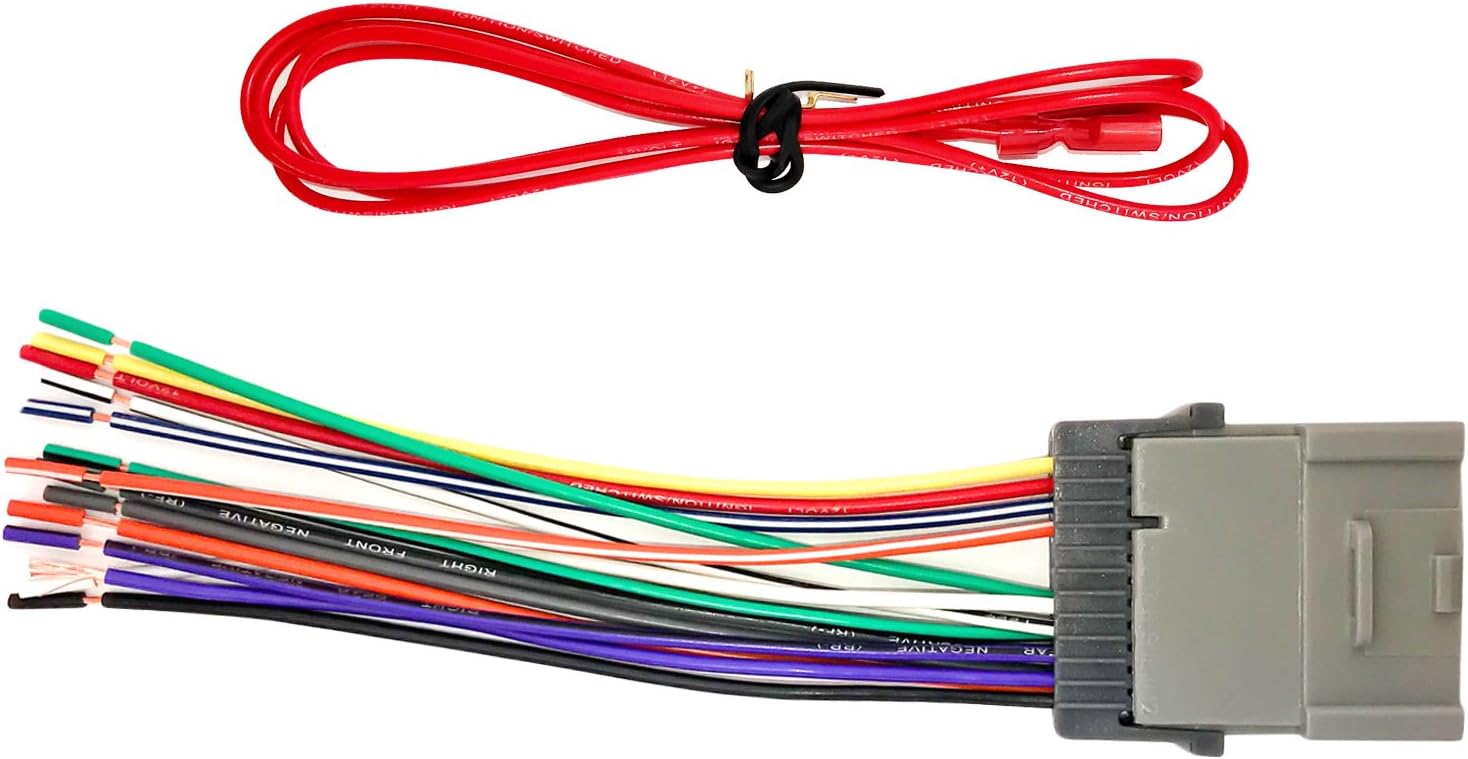
Image: A multi-colored radio wiring harness with a gray connector, used to integrate the aftermarket receiver with the vehicle's electrical system.

Image: Two speaker harnesses with black connectors and red/white wires, designed for GM vehicles from 1988 onwards.
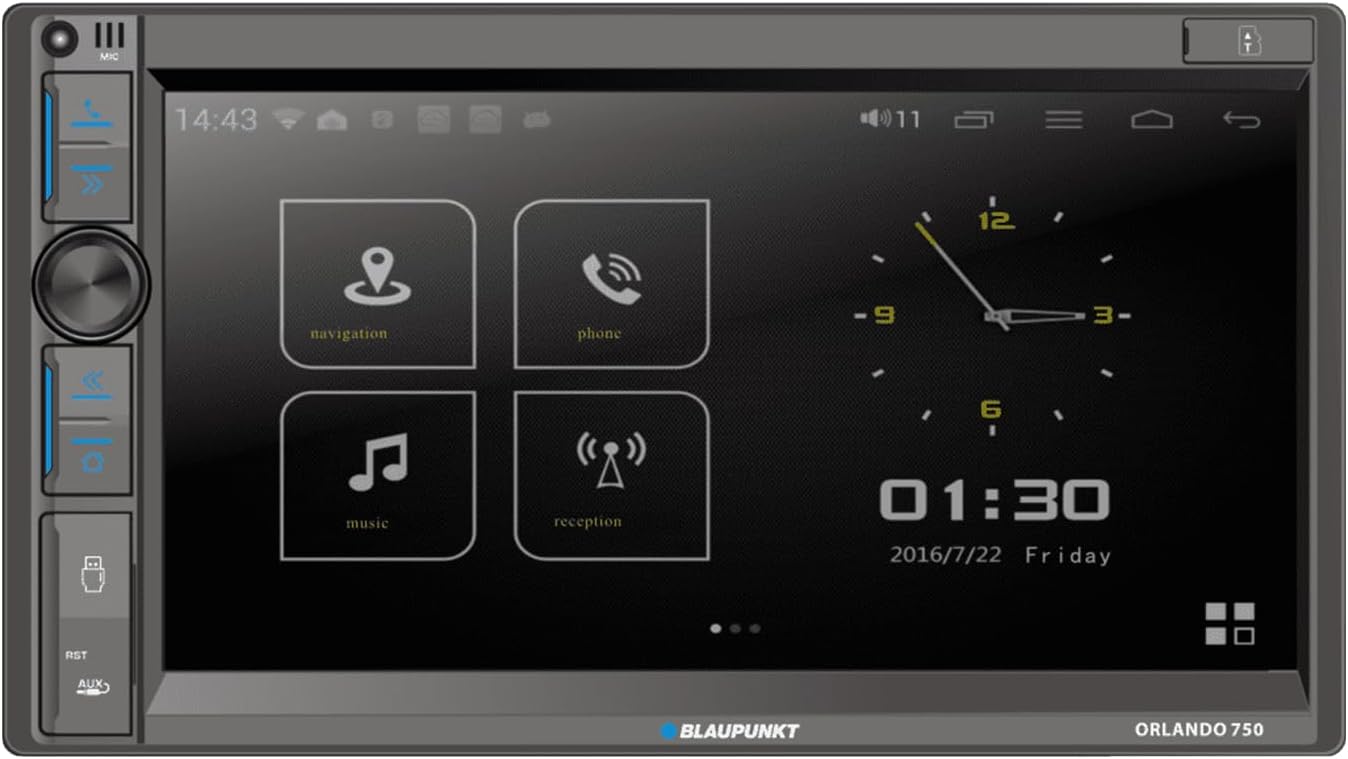
Image: A spool of 50 feet of 16-gauge copper clad aluminum (CCA) speaker wire.
3. 操作手順
3.1. 受信機の機能
- タッチスクリーンディスプレイ: Navigate menus and control functions using the 6.9" touchscreen.
- AM/FMラジオ: お気に入りのラジオ局を聴いてみましょう。
- ワイヤレス Apple CarPlay と Android Auto: Connect your smartphone wirelessly for navigation, music, and communication.
- ブルートゥース: Pair your device for hands-free calling and audio streaming.
- USB再生: Insert a USB drive to play audio or video files.
- Aux-in & SD Card: Connect external audio devices or play media from an SD card.
- 後方view カメラ: リアを接続しますview camera for enhanced safety during parking.
- ステアリングホイールコントロール: Integrate with your vehicle's steering wheel controls for convenient operation.
- DVD/CDプレーヤー: Play your favorite DVDs and CDs.
- リモートコントロール: Use the included remote for convenient control of the receiver.
3.2.オーディオ設定
Adjust equalizer settings, balance, and fader to optimize sound output from the 6.5" 3-Way speakers. The speakers are designed for clear audio with 40W peak and 20W RMS power handling per pair.
4. メンテナンス
- ディスプレイの掃除: Use a soft, dry cloth to clean the touchscreen. Avoid abrasive cleaners.
- 一般的な清掃: Keep the receiver and speakers free from dust and debris.
- 接続チェック: すべての配線接続が安全に保たれているかどうかを定期的に確認してください。
- 温度: ユニットを長時間、極端な温度や直射日光にさらさないでください。
5。 トラブルシューティング
- 電源なし: Check the vehicle's fuse box and the receiver's power connections. Ensure the ignition is on.
- 音が出ない: Verify speaker connections and settings. Check the volume level and mute function.
- Bluetooth 接続の問題: Ensure Bluetooth is enabled on both the receiver and your device. Try unpairing and re-pairing the device.
- CarPlay/Android Autoが接続されない: Ensure your phone's operating system is up to date. Check USB cable connection if using wired mode (though this unit supports wireless). Restart both the receiver and your phone.
- ディスプレイが応答しません: Try resetting the unit (refer to the specific reset procedure in the full product manual if available).
6. 仕様
6.1. Blaupunkt Orlando 750 Receiver
- 画面: 6.9インチタッチスクリーン
- 出力: 60 watts x 4 (Maximum), 4 Ohms Load Impedance
- 接続性: Bluetooth, Wireless Apple CarPlay, Wireless Android Auto, USB, Aux-in, SD Card
- 入力: 後方view カメラ、ステアリングホイールコントロール
- メディア: AM/FM Radio, DVD/CD Player
6.2. Blaupunkt BPS-E653 6.5" 3-Way Speakers
- タイプ: 6.5インチ 3ウェイ
- 電力処理: 40W Peak, 20W RMS (per pair)
- ウーファー素材: ポリプロピレン
- ツイータータイプ: PET dome with Neodymium magnet
6.3. 一般事項
- ブランド: ブラック
- モデル: オーランド 750
- Item Weight (Receiver): 3.39ポンド
- 国際コード: 840440917496
7. 保証情報
メーカーの公式 website or the product packaging for detailed warranty information regarding the Blaupunkt Orlando 750 Car Stereo System and its components.
8. サポート
For technical support, troubleshooting assistance, or further inquiries, please visit the official Blaupunkt website or contact their customer service department. Keep your product model number (Orlando 750) and UPC (840440917496) available when seeking support.


