1. はじめに
This manual provides detailed instructions for the setup, operation, and maintenance of your HOTUT WiFi 1080P Mini Camera. Please read this manual thoroughly before using the product to ensure correct usage and optimal performance.

画像: The HOTUT HD Remote WiFi Security Camera, emphasizing its lightweight and portable design, with icons representing key features: Infrared night vision, Two-way intercom, Motion Detection, Wireless connectivity, and High-definition quality.
主な特徴:
- 1080p HD解像度: Provides clear and fluid video quality.
- 強化されたナイトビジョン: Equipped with 6 advanced infrared LEDs for clear images in low light conditions, with a range of 5-10 meters.
- 2.4 GHz Wi-Fi接続: Easy connection to your home network. (Note: 5 GHz Wi-Fi is not supported.)
- 内蔵Wi-Fiホットスポット: Allows recording even when disconnected from the internet.
- デュアルストレージオプション: Supports local storage via Micro SD card (up to 128GB, not included) and cloud storage.
- 双方向オーディオ: リアルタイム通信用のマイクとスピーカーが内蔵されています。
- モーション検出: Smart motion detection system with adjustable sensitivity and instant notifications to your smartphone.
- 充電式バッテリー: Integrated 960 mAh battery providing 5-7 hours of autonomy.
- コンパクトなデザイン: Small and discreet for various monitoring applications.

画像: Examples of multi-scenario applications for the camera, including use in a warehouse, houses, shops, and bedrooms, highlighting its versatility, easy installation, high-definition quality, and long standby time.
パッケージ内容:
- HOTUT WiFi 1080P Mini Camera x 1
- 取り付けブラケットx1
- Type-Cデータケーブル×1
- ユーザーマニュアル x 1
2.製品オーバーview
Familiarize yourself with the components of your HOTUT Mini Camera.

画像: Detailed diagram showing the camera's components. Labels include: (1) SD card slot, (2) Mode key, (3) On/off button, (4) Speaker holes, (5) Charging port, (6) Night vision lights, (7) Lens, (8) Bracket. The image also shows the camera's dimensions: 3.8cm/1.4in height, 4cm/1.6in width, 3.6cm/1.4in depth.
- SDカードスロット: ローカルビデオストレージ用の Micro SD カードを挿入します。
- モードキー: Used for switching modes or resetting the device.
- オン/オフボタン: カメラの電源をオンまたはオフにします。
- Speaker Holes: 双方向通信時の音声出力用。
- 充電ポート: Type-C port for charging the camera.
- 暗視ライト: Infrared LEDs for low-light visibility.
- レンズ: The camera's optical lens for capturing video.
- ブラケット: Adjustable mount for positioning the camera.
3. セットアップ
3.1 カメラの充電
Before first use, fully charge the camera. Connect the provided Type-C data cable to the camera's charging port (5) and the other end to a USB power adapter (not included).
- フル充電には通常数時間かかります。
- The indicator light will show charging status (refer to app or specific LED behavior in quick start guide if available).
3.2 Micro SDカードの挿入(オプション)
For local video storage, insert a Micro SD card (up to 128GB, Class 10 or higher recommended) into the SD card slot (1). Ensure the camera is powered off before inserting or removing the card.
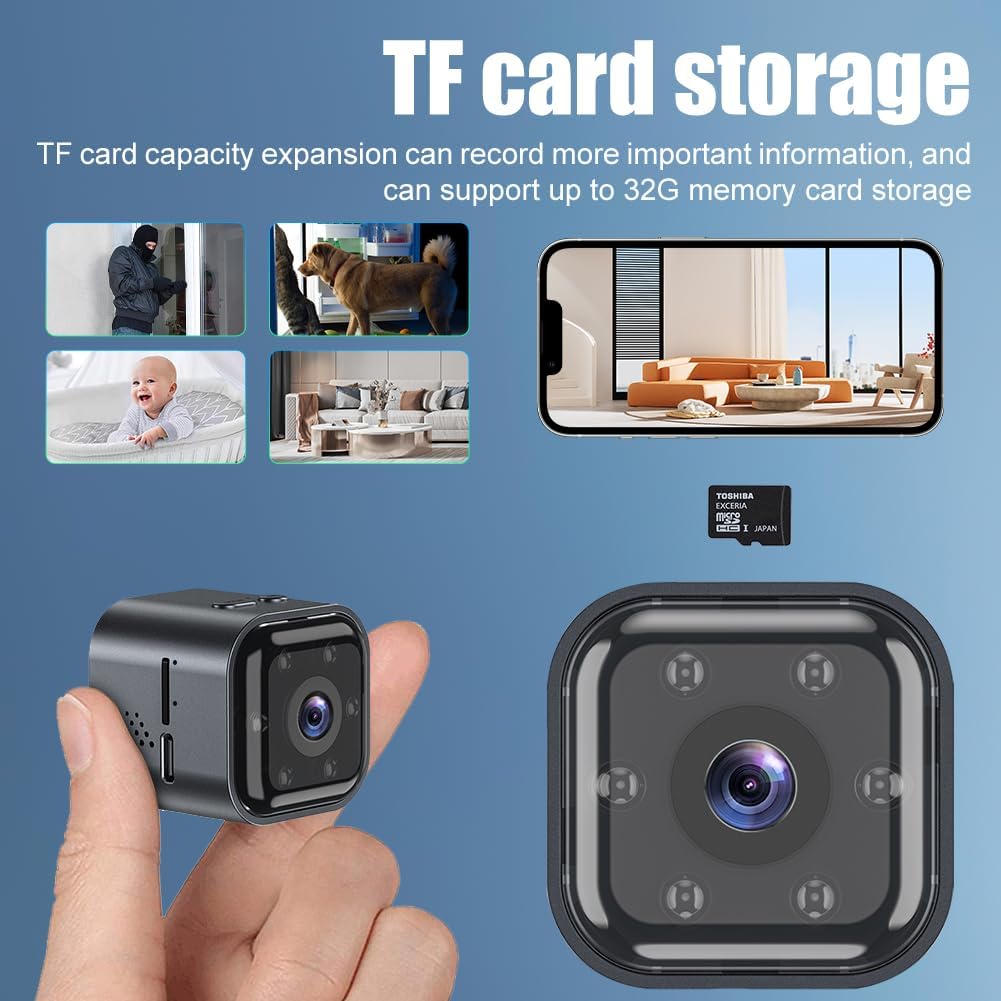
画像: Illustration of the camera with a Micro SD card, indicating the TF card storage feature. The image also shows various monitoring scenarios like home security, pet monitoring, and baby monitoring.
- The camera supports continuous recording or motion-activated recording to the SD card.
- Format the SD card via the mobile application after insertion for optimal compatibility.
3.3 Downloading the Mobile Application
制御し、 view your camera, download the "iWFCam" application on your smartphone. Scan the QR code provided in the quick start guide (if applicable) or search for "iWFCam" in your device's app store.
- アカウントを作成してログインします。
3.4 Wi-Fiへの接続
The camera connects to your home Wi-Fi network for remote access. Ensure your Wi-Fi network is 2.4 GHz. 5 GHz networks are not supported.
- Power on the camera using the On/Off button (3).
- Open the iWFCam app and follow the on-screen instructions to add a new device.
- 2.4 GHz Wi-Fi ネットワークを選択し、パスワードを入力します。
- The app will guide you through the pairing process, which may involve scanning a QR code displayed on your phone with the camera's lens.
- Once connected, the camera's status indicator light will change (refer to app or quick start guide for specific light patterns).

画像: オーバーヘッド view of a house showing the camera mounted on a wall and Wi-Fi signals reaching different rooms, illustrating the wireless connectivity and built-in AP hotspot feature.
3.5 APホットスポットモード
The camera features a built-in AP (Access Point) hotspot, allowing it to record even when disconnected from your home internet. This mode creates a direct Wi-Fi connection between your smartphone and the camera within a limited range.
- To activate AP mode, press and hold the Mode key (2) until the indicator light changes (refer to quick start guide for specific instructions).
- Connect your smartphone directly to the camera's Wi-Fi hotspot (usually named with the camera's ID) from your phone's Wi-Fi settings.
- Open the iWFCam app to view the live feed and manage recordings.
4. カメラの操作
4.1 リアルタイム Viewing
Once connected to Wi-Fi, open the iWFCam app on your smartphone to access the live video feed from your camera. You can monitor your home, office, or other areas in real-time from anywhere.
4.2 動きの検出と通知
The camera's intelligent motion detection system can alert you to activity in its field of view.

画像: A person entering a room, with the camera detecting motion and sending push notifications to a smartphone displaying "Motion detection is triggered!" from the iWFCam app.
- アクティベーション: Enable motion detection in the iWFCam app settings.
- 感度調整: Adjust the sensitivity of the motion sensor manually within the app to minimize false alerts.
- 通知: When motion is detected, the camera will send instant push notifications to your smartphone.
4.3 双方向オーディオ
The built-in microphone and speaker allow for two-way voice communication through the camera.

画像: A woman speaking into her smartphone and a delivery person at a door, with speech bubbles indicating two-way communication ("Please put it at the door for me." and "Hello, there is a package"). This illustrates the camera's two-way intercom functionality.
- アプリのライブチャットでマイクアイコンをタップします view カメラを通して話す。
- スマートフォンを通じてカメラの周囲の音声を聞くことができます。
4.4 ナイトビジョン
The camera automatically switches to infrared night vision mode in low-light conditions, providing clear black and white images.
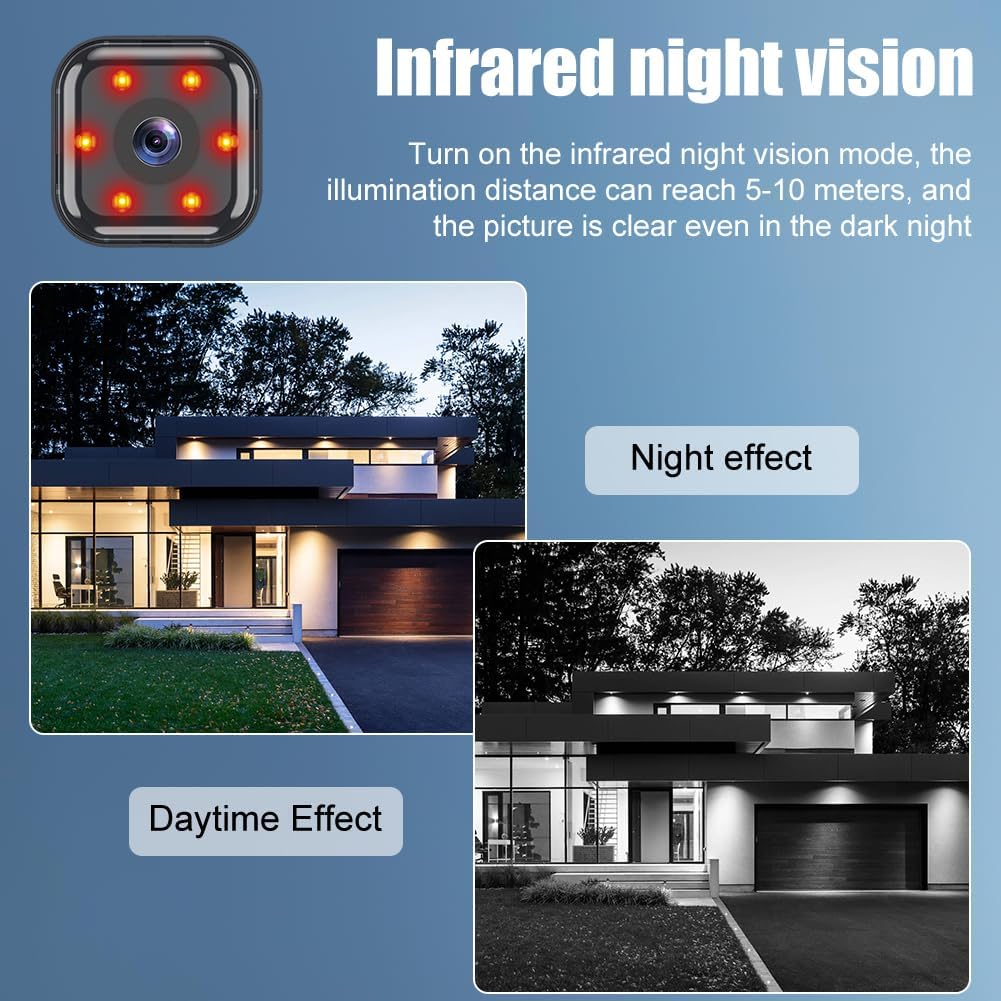
画像: A split image showing a house scene in "Daytime Effect" (color) and "Night effect" (black and white infrared), demonstrating the camera's infrared night vision capability with visible red IR LEDs.
- The illumination distance can reach 5-10 meters.
- Night vision activates automatically but can often be manually controlled in the app settings.
4.5 記録と保存
The camera supports both local Micro SD card storage and cloud storage for recorded footage.
- マイクロSDカード: Recordings are saved directly to the inserted Micro SD card. Manage recordings and playback through the iWFCam app.
- クラウドストレージ: Cloud storage options may be available through the iWFCam app (subscription may be required). This provides secure backup of your recordings.
5. メンテナンス
5.1 カメラのクリーニング
- 清掃する前に、カメラの電源がオフになっており、プラグが抜かれていることを確認してください。
- カメラ本体を拭くときは、柔らかく乾いた布を使用してください。
- For the lens, use a lens cleaning cloth or a soft, lint-free cloth specifically designed for optics. Do not use abrasive cleaners or solvents.
5.2ファームウェアアップデート
Periodically check the iWFCam app for available firmware updates. Updates can improve performance, add new features, and enhance security. Follow the in-app instructions carefully when performing updates.
5.3 ストレージ管理
- マイクロSDカード: 定期的に再view and back up important recordings. Format the SD card periodically through the app to maintain optimal performance and free up space.
- クラウドストレージ: Manage your cloud storage subscription and stored footage directly within the iWFCam app.
6。 トラブルシューティング
| 問題 | 考えられる原因 | 解決 |
|---|---|---|
| カメラがWi-Fiに接続できません。 | Incorrect Wi-Fi password; 5 GHz Wi-Fi network; camera too far from router; network interference. |
|
| SDカードに録画できません。 | SD card not inserted correctly; card full or corrupted; incorrect recording settings. |
|
| 夜間視力の質が悪い。 | Obstruction in front of the lens; IR lights blocked; insufficient ambient light for IR. |
|
| バッテリー寿命が短い。 | Frequent motion detection; continuous recording; extreme temperatures. |
|
| プッシュ通知はありません。 | Notifications disabled in app or phone settings; app not running in background; network issues. |
|
For further assistance, refer to the help section within the iWFCam application or contact customer support.
7. 仕様
| モデル番号 | 4980082 |
| 解決 | 1080p HD |
| 接続性 | 2.4GHz Wi-Fi(IEEE 802.11b/g/n) |
| 暗視範囲 | 5-10 meters (Infrared) |
| ストレージオプション | Micro SDカード(最大128GB、別売)、クラウドストレージ |
| バッテリー容量 | 960 mAh(充電式) |
| バッテリー寿命 | 約5~7時間(使用状況により異なります) |
| オーディオ | 双方向オーディオ(内蔵マイクとスピーカー) |
| モーション検出 | Yes, with adjustable sensitivity and push notifications |
| 動作温度 | Information not provided in source |
| 寸法(約) | 3.8cm x 4cm x 3.6cm (Height x Width x Depth) |
| 重量(約) | 40g(カメラのみ) |
8. 保証とサポート
8.1 保証情報
HOTUT products are designed and manufactured to the highest quality standards. For specific warranty details, please refer to the warranty card included with your purchase or visit the official HOTUT webサイトでご確認ください。保証請求に備えて購入証明書を保管してください。
8.2 カスタマーサポート
If you encounter any issues or have questions regarding your HOTUT WiFi 1080P Mini Camera that are not covered in this manual, please contact HOTUT customer support. Contact information can typically be found on the product packaging, the official HOTUT website, or within the iWFCam application.
- Before contacting support, please have your model number (4980082) and purchase information ready.