1. はじめに
This manual provides essential information for the safe and efficient use of your HP 140W USB-C AC Adapter (Model TPN-LA29). Please read this manual thoroughly before using the product and retain it for future reference.
The HP 140W USB-C AC Adapter is designed to provide reliable power to compatible HP laptops, including the HP Spectre 2-in-1 Laptop 16-aa0023dx, HP OMEN Transcend Laptop 14-fb0000 RTX 4050 4060, and HP Spectre x360 16-aa0000 Ultra 7 RTX 4050 models. It features a USB-C connector for versatile compatibility and fast charging capabilities.
2. 安全情報
怪我やデバイスの損傷を防ぐために、次の安全上の注意事項を守ってください。
- このマニュアルに指定されている互換性のあるデバイスのみを使用してください。
- アダプタを水、湿気、または極端な温度にさらさないでください。
- アダプタを落としたり、強い衝撃を与えたりしないでください。
- Do not attempt to disassemble or modify the adapter. This will void the warranty and may cause electric shock or fire.
- Ensure the power outlet is easily accessible and properly grounded.
- Disconnect the adapter from the power outlet during lightning storms or when unused for extended periods.
- アダプターはお子様の手の届かない場所に保管してください。
- If the adapter or cable is damaged, discontinue use immediately and seek professional assistance.
3. パッケージ内容
パッケージにすべてのアイテムが含まれていることを確認します。
- HP 140W USB-C AC Adapter (Model TPN-LA29)
- 電源コード
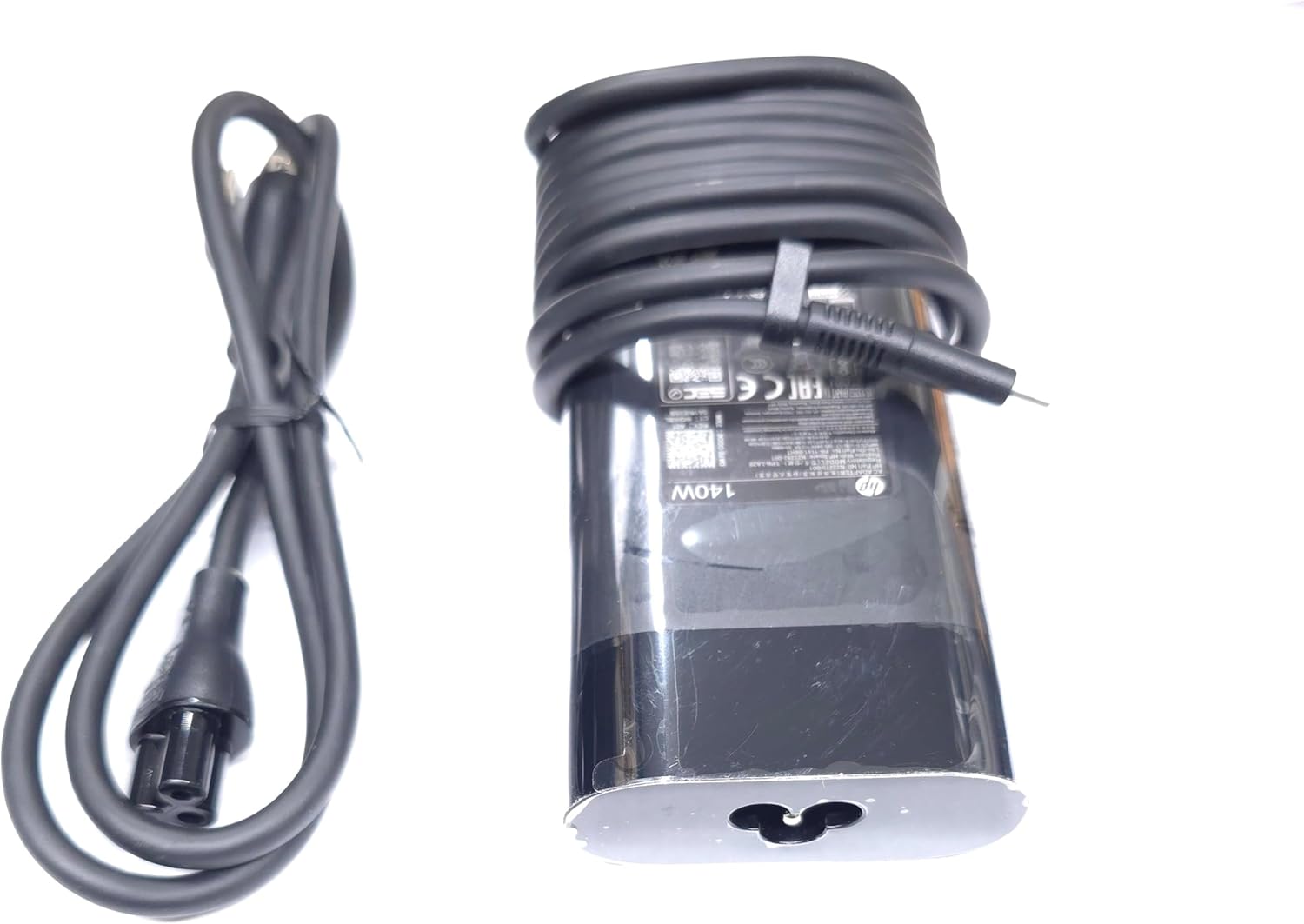
Image: The HP 140W USB-C AC Adapter and its accompanying power cord, as typically found in the product packaging.
4. セットアップ手順
Follow these steps to set up your HP 140W USB-C AC Adapter:
- 電源コードを接続します。 Insert the power cord into the AC input port on the HP 140W USB-C AC Adapter. Ensure a firm connection.
- 電源コンセントに接続します。 電源コードのもう一方の端を標準の AC 壁コンセントに差し込みます。
- ラップトップに接続: Insert the USB-C connector of the adapter into the USB-C charging port on your compatible HP laptop.
- 接続を確認します: Confirm that your laptop indicates it is receiving power or charging.

Image: The USB-C end of the adapter cable, ready to be connected to a compatible laptop's charging port.
5. 操作手順
The HP 140W USB-C AC Adapter is designed for automatic operation. Once connected, it will provide power to your laptop and charge its battery.
- 充電インジケーター: Your laptop's operating system or physical indicator light will show the charging status.
- 最適なパフォーマンス: For best performance, ensure the adapter is placed in a well-ventilated area to prevent overheating.
- 切断: To disconnect, first unplug the USB-C connector from your laptop, then unplug the power cord from the wall outlet.
6. メンテナンスとケア
Proper care ensures the longevity and optimal performance of your adapter:
- クリーニング: アダプターの清掃には、柔らかく乾いた布をご使用ください。液体クリーナーや溶剤は使用しないでください。
- ストレージ: When not in use, store the adapter in a cool, dry place. Avoid tightly wrapping the cables to prevent damage.
- 検査: Periodically inspect the adapter and cables for any signs of wear, cuts, or damage. If damage is found, replace the adapter.
7。 トラブルシューティング
If you encounter issues with your HP 140W USB-C AC Adapter, refer to the following common problems and solutions:
| 問題 | 考えられる原因 | 解決 |
|---|---|---|
| ノートパソコンが充電されません。 | Loose connection, faulty outlet, incompatible device. |
|
| アダプタは触ると熱いです。 | 通常の動作、換気不良、過負荷。 |
|
| Sparking at outlet when plugging in. | 突入電流は正常ですが、コンセントに障害があります。 |
|
8. 仕様
Detailed technical specifications for the HP 140W USB-C AC Adapter:
- モデル番号: TPN-LA29
- 入力: AC 100V - 240V, 2.5A, 50-60Hz (Worldwide Use)
- 出力:
- 5.0V / 3.0A(15.0W)
- 9.0V / 3.0A
- 12.0V / 5.0A
- 15.0V / 5.0A
- 20.0V / 5.0A
- 28.0V / 5.0A
- 総出力: 140W
- コネクタタイプ: USB-C(Type-C)
- 色: 黒
- 商品の重量: 約1ポンド(0.45 kg)
- パッケージ寸法: 7.83 x 6.93 x 1.26 インチ (19.89 x 17.60 x 3.20 cm)
- Compatible P/N: TPN-LA29, N22270-001, N22282-001, PA-1141-08HT
- メーカー: Lite-On Technology Corp.
- 特集: 急速充電
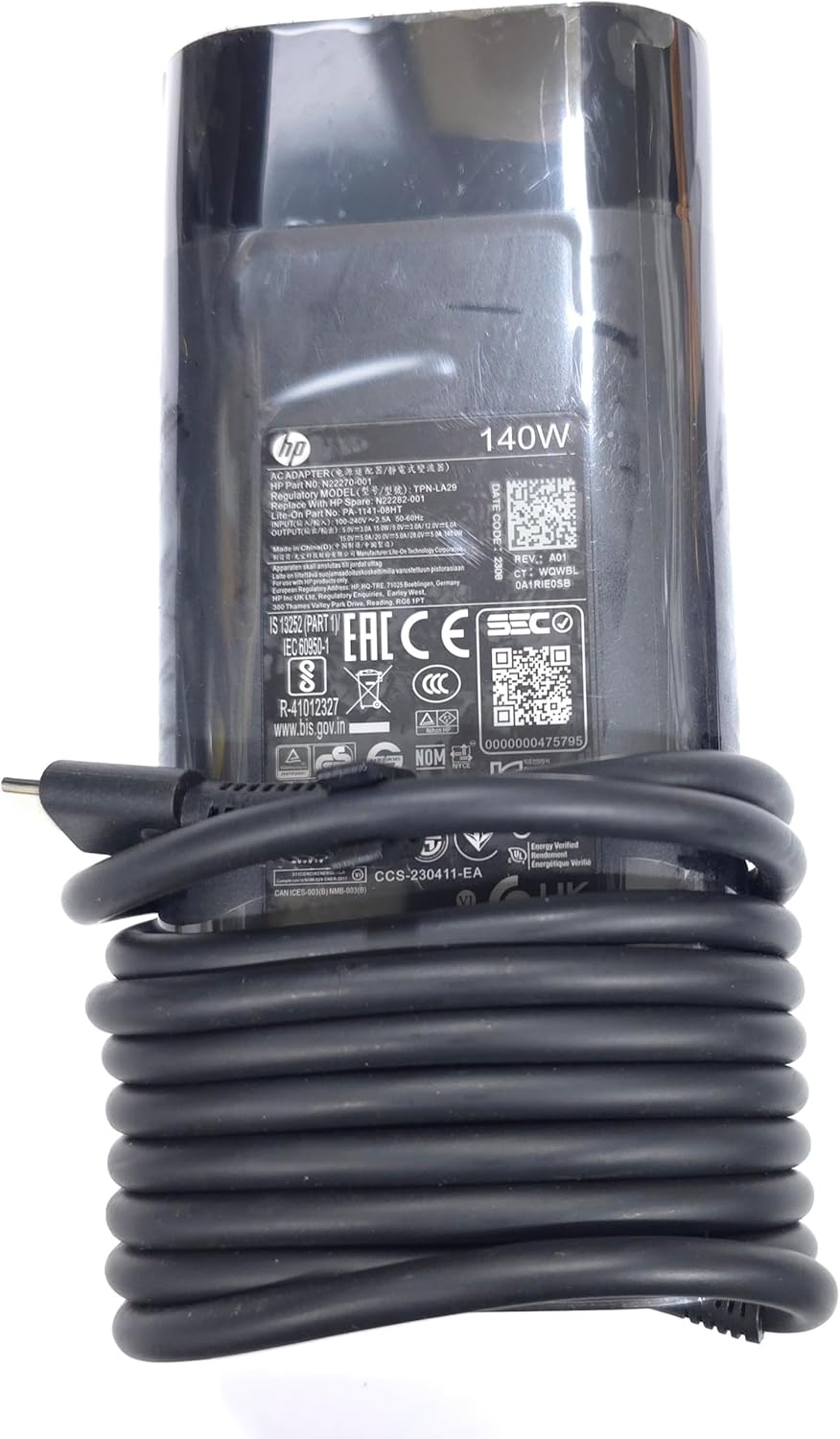
画像: クローズアップ view of the adapter's label, displaying detailed electrical specifications and model information.
9. 保証とサポート
For warranty information and technical support, please refer to the documentation provided with your original HP laptop or visit the official HP support website. The manufacturer, Lite-On Technology Corp., provides the adapter under HP's quality standards.
オンラインサポート: For the latest drivers, troubleshooting guides, and product information, visit www.hp.com/support.
サポートへのお問い合わせ: Refer to your region-specific HP support contact details for phone or chat assistance.