1. はじめに
This manual provides instructions for the VETEK 4K 64MP Camcorder, model NPX108-2. This device is designed for high-quality video recording and photography, featuring 4K Ultra HD video resolution at 60 frames per second (FPS) and 64-megapixel image resolution. It includes an 18X digital zoom, a 4.0-inch 270-degree rotating touchscreen, and WiFi connectivity. The camcorder is equipped with an external microphone, a handheld stabilizer, and a 2.4G wireless remote control to enhance your recording experience.
パッケージ内容:
- VETEK 4K 64MP Camcorder
- DV-108 Battery (4500mAh)
- 64GB SDカード
- USBケーブル
- 2.4Gワイヤレスリモートコントロール
- ハンドヘルドスタビライザー
- レンズフード
- 外部マイク
- LED補助光
- ユーザーマニュアル
- カメラバッグ

2.コンポーネントオーバーview
ビデオカメラのさまざまな部品とコントロールについて理解しておきましょう。

ポートとインターフェース:

コントロール:

3. 初期設定
3.1 バッテリーの充電
Insert the provided DV-108 battery into the camcorder. Connect the camcorder to a power source using the USB cable. The battery takes approximately 4-5 hours to fully charge and provides about 3 hours of continuous use.

3.2 SDカードの挿入
Locate the SD card slot on the camcorder. Insert the provided 64GB SD card into the slot until it clicks into place. Ensure the card is inserted correctly to avoid damage.
3.3 付属品の取り付け
- 外部マイク: Attach the external microphone to the hot shoe mount on top of the camcorder and connect its cable to the MIC port.
- ハンドヘルドスタビライザー: Secure the handheld stabilizer to the bottom tripod mount of the camcorder for improved stability during recording.
- レンズフード: Attach the lens hood to the front of the lens to protect it and reduce glare.
4. 操作手順
4.1 電源オン/オフ
Press and hold the Power button to turn the camcorder on or off.
4.2 ビデオ録画と写真撮影
Use the Mode button to switch between video recording and photo capture modes. Press the Quick Video button to start/stop video recording or the Quick Photo button to take a picture.


4.3デジタルズーム
The camcorder features an 18X digital zoom. Use the zoom controls (W/T buttons) on the camcorder or the handheld stabilizer to adjust the zoom level.

4.4 タッチスクリーン操作
The 4.0-inch 270-degree rotating touchscreen allows for easy navigation of menus, settings, and playback of recordings.
4.5 WiFi接続
Connect the camcorder to your smartphone via WiFi using the XDV PRO app. This allows you to view recordings, control the camera remotely, and transfer files.


4.6 Webカムの機能
Connect the camcorder to a computer using the USB cable and select "PC CAM" mode to use it as a webビデオ通話とストリーミング用のカメラ。


4.7 2.4Gリモコン
The included 2.4G wireless remote control allows you to operate the camcorder from up to 65 feet away in any direction.

4.8 外部マイク
The external microphone utilizes X-Y Stereo Pickup Technology to effectively reduce background noise and improve audio quality. Adjust the sound sensitivity from -10dB to +20dB for optimal audio capture.

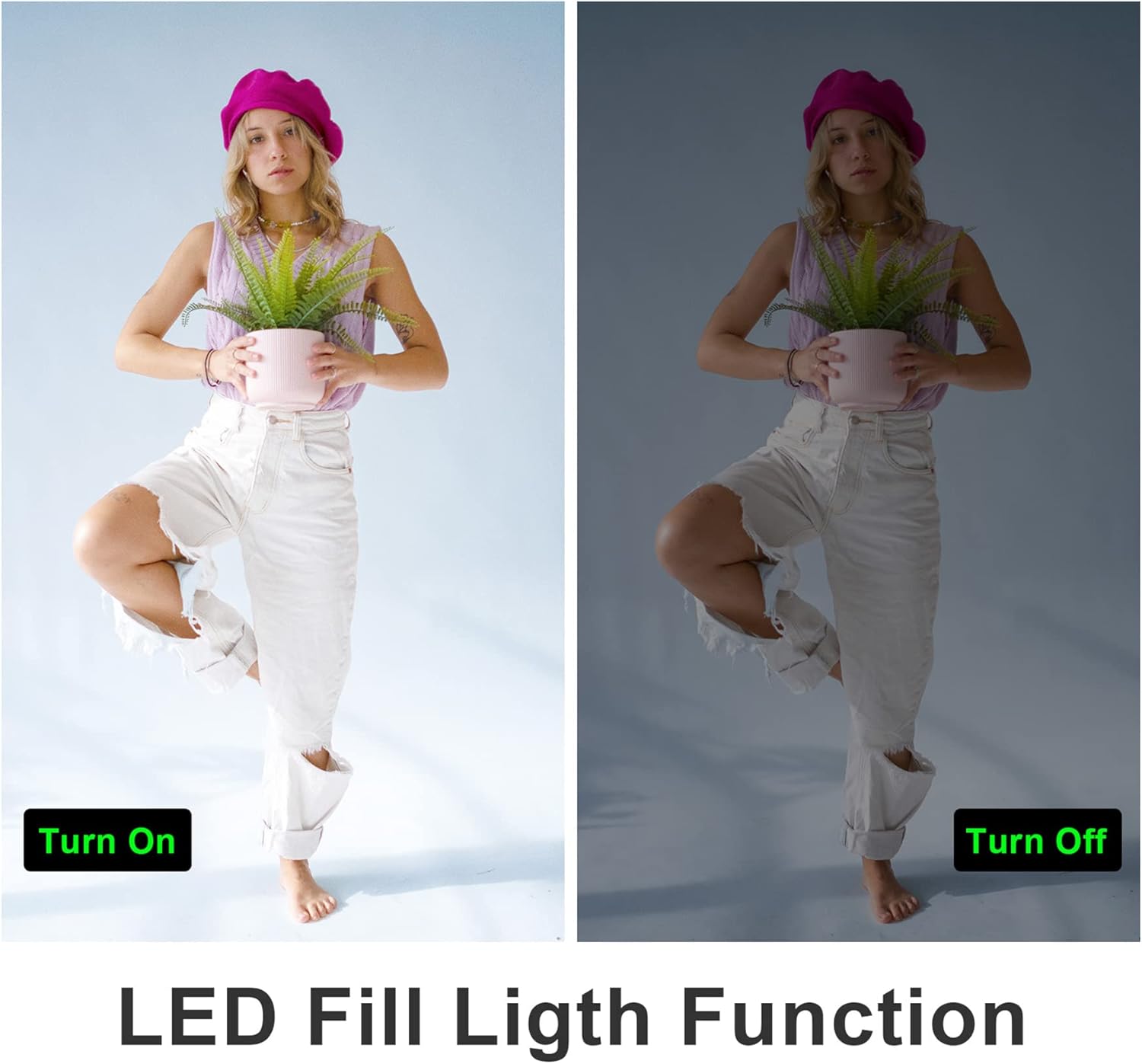
4.9 LEDフィルライト
内蔵の LED フィルライトをアクティブにして、暗い場所での照明を改善します。
4.10 Slow Motion and Time-Lapse
The camcorder supports slow-motion recording for capturing fast-moving objects and time-lapse recording for condensing long events into short videos.

4.11 HDMI出力
Connect the camcorder to a TV or monitor using an HDMI cable (not included) to view 録画した内容を大きな画面で表示します。

5. メンテナンス
5.1バッテリーケア
- 初めて使用する前にバッテリーを完全に充電してください。
- バッテリーを極端な温度にさらさないでください。
- If not using the camcorder for an extended period, remove the battery.
5.2 クリーニング
- ビデオカメラ本体を清掃するときは、柔らかく乾いた布を使用してください。
- For the lens and touchscreen, use a specialized lens cleaning cloth and solution.
- 研磨剤や溶剤は使用しないでください。
5.3 ストレージ
Store the camcorder in a cool, dry place away from direct sunlight and dust. Use the provided camera bag for protection during transport.
6。 トラブルシューティング
一般的な問題については、次のヒントを参照してください。
- Fixed Focal Length: This camera has a fixed focal length and does not support optical zoom. Zooming is digital.
- Autofocus Delay: Autofocus may require a 2-3 second delay buffer time to adjust.
- ビデオ品質: The quality of recorded video may not be as high as still photos, especially in challenging lighting conditions.
- マイク範囲: The built-in microphone has a pickup distance of approximately 6.5 feet. The external microphone can extend this range to about 16.4 feet.
- カメラの電源が入らない: バッテリーが完全に充電され、正しく挿入されていることを確認してください。
- SDカードエラー: SDカードが正しく挿入されていること、また容量がいっぱいまたは破損していないことを確認してください。カードを再フォーマットしてみてください(これによりすべてのデータが消去されます)。
- WiFi接続の問題: Ensure the XDV PRO app is installed and the camcorder's WiFi is enabled. Check your smartphone's WiFi settings.

7. 仕様
| 特徴 | 仕様 |
|---|---|
| モデル番号 | NPX108-2 |
| ビデオ解像度 | 4KウルトラHD(3840x2160)@60FPS |
| 画像解像度 | 64メガピクセル |
| デジタルズーム | 18X |
| 画面サイズ | 4.0-inch Touch Screen (270-degree rotation) |
| 接続性 | WiFi, USB, HDMI |
| バッテリー容量 | 4500mAhリチウムポリマー |
| バッテリー寿命 | Approx. 3 hours recording |
| ストレージ | SDカード(最大64GBまで付属) |
| 特集 | Anti-shake, Face Detection, Night Vision, Webcam Mode, Slow Motion, Time-Lapse, External MIC Support, LED Fill Light |
| 寸法 | 6.8 x 3.2 x 3.8インチ |
| 重さ | 3.61ポンド |
8. 保証情報
VETEK products typically come with a standard manufacturer's warranty. Please refer to the warranty card included in your package or contact customer support for specific details regarding warranty coverage and duration.
9. カスタマーサポート
For further assistance, technical support, or inquiries regarding your VETEK 4K 64MP Camcorder, please visit the official VETEK web公式サイトをご覧いただくか、カスタマーサービス部門にお問い合わせください。連絡先は通常、製品のパッケージまたはブランドのオンラインストアに記載されています。