1. はじめに
Welcome to the user manual for your new Samsung Crystal UHD U8079F 4K LED TV. This guide provides essential information for setting up, operating, maintaining, and troubleshooting your television. Please read this manual thoroughly to ensure safe and optimal performance of your device.
The Samsung U8079F series offers a stunning 4K resolution, powered by the Crystal Processor 4K for enhanced picture quality. Enjoy smart features with Tizen OS, seamless connectivity with SmartThings, and an immersive gaming experience through the Gaming Hub. Advanced security is provided by Knox Security, ensuring your privacy and data are protected.
2. 安全情報
テレビをご使用になる前に、すべての安全に関する注意事項をよくお読みください。これを怠ると、感電、火災、または製品の損傷につながる可能性があります。
- テレビを雨や湿気にさらさないでください。
- 通気口を塞がないでください。テレビの周囲に十分なスペースを確保し、空気の流れを確保してください。
- 不安定なカート、スタンド、三脚、ブラケット、またはテーブルの上にテレビを置かないでください。
- 電源コードが踏まれたり挟まれたりしないように保護してください。
- 雷雨のときや長期間使用しない場合は、テレビの電源プラグを抜いてください。
- すべてのメンテナンスは資格のあるサービス担当者に依頼してください。
3. パッケージ内容
Please check that the following items are included with your TV. If any items are missing or damaged, contact your dealer.
- Samsung Crystal UHD U8079F 4K LED TV (43-inch)
- リモートコントロール
- 電源ケーブル
- スタンドコンポーネント(ベースとネック)
- ユーザーマニュアル(このドキュメント)
- Batteries for Remote Control (2 AAA)
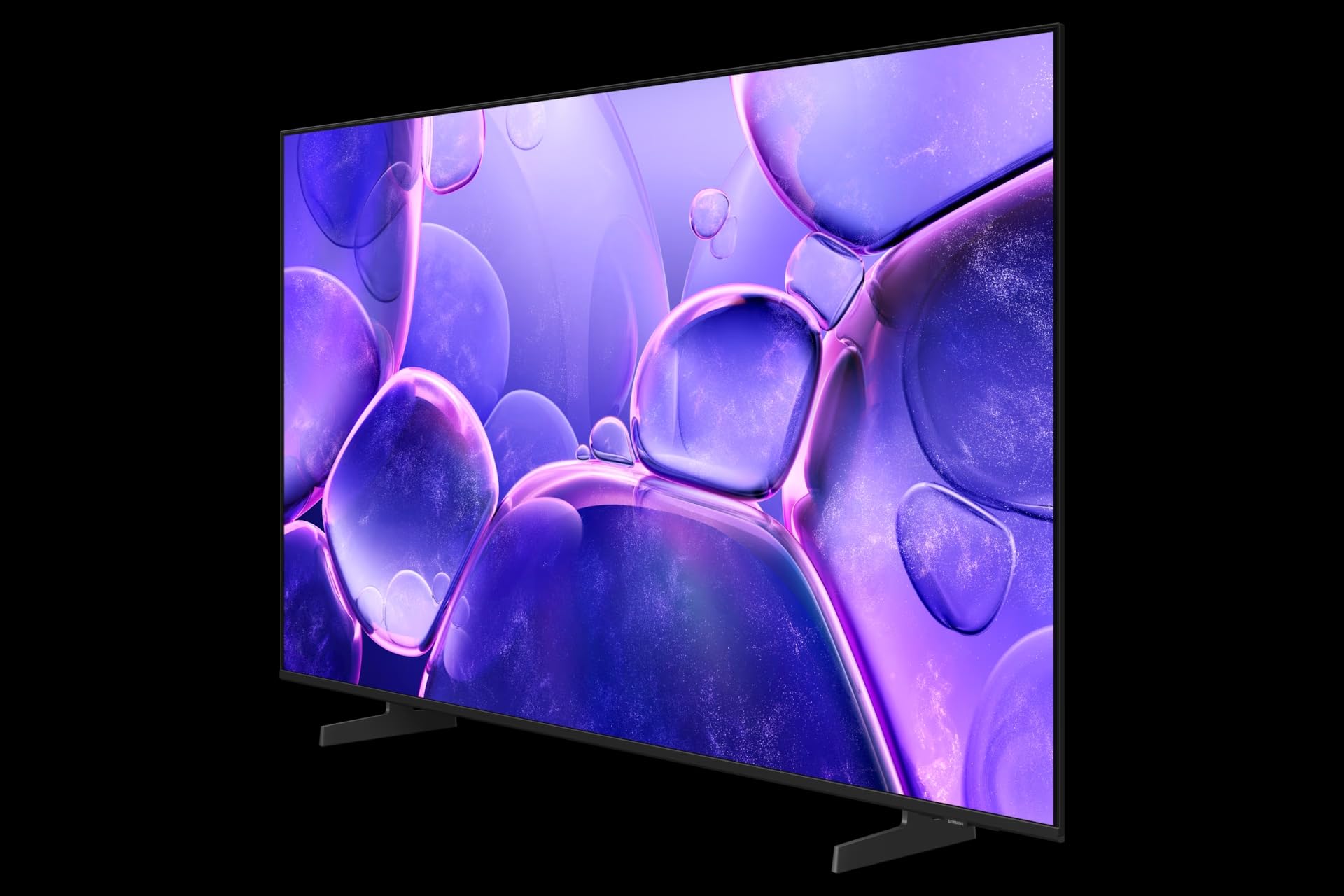
Image: The Samsung Crystal UHD U8079F 4K LED TV shown with its included stand. The screen displays a vibrant image, highlighting its 4K capabilities. The slim bezel and modern design are visible.
4. セットアップ
4.1 スタンドの取り付け
- 損傷を防ぐため、テレビ画面を下にして、柔らかく平らな面に慎重に置いてください。
- Assemble the stand neck to the stand base using the provided screws.
- Attach the assembled stand to the back of the TV, aligning the screw holes and securing with the provided screws.
- テレビを立てる前に、スタンドがしっかりと取り付けられていることを確認してください。
4.2 壁掛け(オプション)
If you choose to wall-mount your TV, use a VESA-compliant wall mount kit (sold separately). Follow the instructions provided with your wall mount kit and ensure professional installation for safety.
4.3 外部機器の接続
4.3.1電源接続
Connect the power cable to the TV's power input port, then plug the other end into a wall outlet.
4.3.2 HDMI接続
Connect external devices such as Blu-ray players, game consoles, or set-top boxes to the HDMI ports on the back of the TV using HDMI cables.
4.3.3つのUSB接続
The TV features 2 USB ports. You can connect USB storage devices (e.g., USB flash drives, external hard drives) to play media fileまたはソフトウェアの更新用です。
4.3.4 ネットワーク接続(イーサネットとWi-Fi)
For internet access, connect an Ethernet cable from your router to the TV's LAN port, or connect wirelessly via Wi-Fi through the TV's network settings.
4.4 初期設定
After connecting power and turning on the TV for the first time, an on-screen setup wizard will guide you through initial configurations, including language selection, network connection, channel scanning, and Smart Hub setup.
5. テレビの操作
5.1リモコン
The included remote control allows you to navigate the TV's menus and control various functions. Insert the two AAA batteries into the remote control, ensuring correct polarity.
5.2 テレビの基本機能
- 電源オン/オフ: リモコンまたはテレビの電源ボタンを押します。
- 音量コントロール: 音量アップ/ダウンボタンを使用します。
- チャンネル選択: Use the Channel Up/Down buttons or enter channel numbers directly (if available on remote).
- ソースの選択: ソースボタンを押して、接続されているデバイス (HDMI、TV、USB) を切り替えます。
5.3 Smart Hub and Smart Features
Your Samsung TV runs on the Tizen operating system, providing access to a wide range of smart features:
- スマートハブ: ストリーミングアプリにアクセスし、 web browser, and other smart services.
- SmartThings: Connect and control compatible smart home devices directly from your TV.
- ゲームハブ: コンソールなしでクラウド ゲームを見つけてプレイします。
- AIアップスケーリング: The Crystal Processor 4K enhances lower-resolution content to near 4K quality.
- ノックスセキュリティ: Built-in multi-layered security protects your personal information and connected devices.
5.4 画像とサウンドの設定
Navigate to the TV's settings menu to customize picture and sound options. Adjust brightness, contrast, color, and sharpness for optimal viewing. Select sound modes, adjust equalizer settings, or connect external audio systems.
5.5スリープタイマー
The TV includes a Sleep Timer feature, allowing you to set a specific time after which the TV will automatically turn off. This can be configured in the TV's system settings.
6. メンテナンス
6.1 テレビの掃除
- 掃除する前に必ずテレビの電源プラグを抜いてください。
- For the screen, gently wipe with a soft, dry microfiber cloth. Do not use alcohol, solvents, or abrasive cleaners.
- For the frame and back panel, use a soft, damp 布。
6.2ソフトウェアアップデート
Regularly check for and install software updates to ensure your TV has the latest features and security enhancements. Updates can typically be performed via the TV's settings menu when connected to the internet.
7。 トラブルシューティング
テレビで問題が発生した場合は、次の一般的な解決策を参照してください。
- 電源なし: 電源ケーブルがテレビと壁のコンセントの両方にしっかりと接続されていることを確認してください。別の機器でコンセントをテストしてください。
- 画像/音声なし: 入力ソースを確認してください。外部デバイスの電源がオンになっており、正しく接続されていることを確認してください。
- リモコンが動作しない: 電池を交換してください。リモコンとテレビの間に障害物がないことを確認してください。
- 画質が悪い: Check cable connections. Adjust picture settings. If using an antenna, check its position.
- インターネット接続なし: Wi-Fiパスワードまたはイーサネットケーブルの接続を確認してください。ルーターとモデムを再起動してください。
For more detailed troubleshooting, consult the online support resources available on the Samsung webサイト。
8. 仕様
| 特徴 | 仕様 |
|---|---|
| モデル番号 | GU43U8079FU |
| ブランド | サムスン |
| 画面サイズ | 43インチ(108 cm) |
| ディスプレイ技術 | 導かれた |
| 解決 | 4K (3840 x 2160) |
| リフレッシュレート | 60Hz |
| オペレーティング·システム | ティゼン |
| 特集 | Crystal Processor 4K, AI Upscaling, SmartThings, Gaming Hub, Knox Security, Sleep Timer |
| 接続性 | イーサネット、Wi-Fi、HDMI、USB(2ポート) |
| 色 | 黒 |
| 寸法(D x W x H) | 15.7 x 95.8 x 55.9 cm |
| 含まれるコンポーネント | 電源ケーブル、スタンド、リモコン |
9. 保証とサポート
Your Samsung TV comes with a standard manufacturer's warranty. For specific warranty terms and conditions, please refer to the warranty card included with your product or visit the official Samsung support webサイト。
For technical assistance, product registration, or to download the latest software and manuals, please visit www.samsung.com/support or contact Samsung customer service in your region.