1.製品オーバーview
The PGST Home Security Alarm System is a comprehensive, DIY-friendly solution designed to protect your home or business without monthly fees. It features a 4.3-inch color IPS capacitive touchscreen for intuitive operation, real-time status display, and supports multilingual menus, voice operation, and SMS alerts.
This system is highly customizable, allowing you to easily expand your security setup with additional PGST accessories, such as door sensors, motion detectors, SOS buttons, remote controls, doorbells, and outdoor sirens. It supports multi-channel alarm modes and can be configured manually to suit your specific needs.

図1:以上view of the PGST Home Security Alarm System and its included components.
2. 含まれるもの
The 12-piece PGST Home Security Alarm Kit typically includes:
- 1 x Alarm Host (Main Control Panel with 4.3-inch color IPS display)
- リモコン x 2
- 2 x Motion Detection Sensors (Infrared)
- 4 x Door/Window Contact Sensors
- 2 xRFID Tags
- 1 x Wireless Siren
- Power Adapter for Alarm Host
- 取り付け金具

Figure 2: The alarm host provides complete control over all connected accessories.
3. Setup and Accessory Pairing
The system is designed for easy DIY installation. Follow the steps below to pair your accessories with the main alarm host. For a visual guide, please refer to the official accessory connection video.
Official Accessory Connection Video
Video 1: Detailed guide on connecting and pairing accessories with the PGST Home Security System.
3.1. Pairing Remote Controls
- メインメニューから、 部品.
- 選択 リモート.
- タップして 追加 (+) アイコン。
- Press any button on your remote control. The system will confirm successful learning.
- Repeat for all remote controls.
3.2. Pairing Infrared (Motion) Detectors

Figure 3: Motion detection sensor with its effective range and field of view.
- メインメニューから、 部品.
- 選択 検出器.
- タップして 追加 (+) アイコン。
- Choose the desired alarm type (e.g., パニックアラーム) and arming mode (e.g., アウトアームアクティブ).
- Wave your hand in front of the infrared detector to trigger it. The system will confirm successful learning.
3.3. Pairing Magnetic Door/Window Sensors

Figure 4: Door and window sensors provide real-time monitoring and trigger alarms upon unauthorized entry.
- メインメニューから、 部品.
- 選択 検出器.
- タップして 追加 (+) アイコン。
- Choose the desired alarm type (e.g., システムアラーム) and arming mode (e.g., アウトアームアクティブ).
- Separate the two parts of the magnetic door sensor to trigger it. The system will confirm successful learning.
3.4. Pairing RFID Tags
- メインメニューから、 部品.
- 選択 RFID.
- タップして 追加 (+) アイコン。
- RFIDを配置します tag on the designated RFID sensing area of the alarm host. The system will confirm successful learning.
3.5. Pairing SOS Buttons (Panic Alarm)
- メインメニューから、 部品.
- 選択 検出器.
- タップして 追加 (+) アイコン。
- Choose the desired alarm type (e.g., パニックアラーム) and arming mode (e.g., アウトアームアクティブ).
- Press the SOS button. The system will confirm successful learning.
3.6. Pairing Doorbells
- メインメニューから、 部品.
- 選択 検出器.
- タップして 追加 (+) アイコン。
- Choose the desired alarm type (e.g., Living Room Alarm) and arming mode (e.g., ドアベル).
- Press the doorbell button. The system will confirm successful learning.
3.7. Pairing Wireless Siren
- メインメニューから、 部品.
- 選択 サイレン学ぶ.
- Turn on the siren switch.
- Long-press the button on the siren until you hear three beeps. The system will confirm successful learning.
3.8. Pairing Smoke/Gas Alarm
- メインメニューから、 部品.
- 選択 検出器.
- タップして 追加 (+) アイコン。
- Choose the desired alarm type (e.g., ガス警報) and arming mode (e.g., アウトアームアクティブ).
- Press and hold the button on the smoke/gas alarm. The system will confirm successful learning.
4. 操作手順
4.1. システムの武装と解除
- リモートコントロール: Use the arm/disarm buttons on the remote control.
- RFID Tag: RFIDをタップします tag on the designated area of the alarm host to arm or disarm.
- タッチスクリーン: Use the intuitive touchscreen interface to arm, stay arm, or disarm the system.
- 電話アプリ: Control all systems in your home from your cell phone using the dedicated app.
- 音声コントロール: The system is compatible with Alexa, allowing for convenient voice control.

Figure 5: Control your security system remotely via the mobile application.
4.2. Sensor Functionality
- モーション検出: When armed, motion detectors will trigger an immediate alarm upon sensing movement.
- ドア/窓センサー: Monitor door/window status in real-time. When opened while armed, they trigger a 120dB siren and send instant push alerts to your smartphone.
- SOS機能: In an emergency, pressing the SOS button will trigger an alarm and notify pre-set contacts.

Figure 6: Versatile door/window sensors for various entry points.
4.3. Power Failure Backup
The alarm system is designed to continue functioning for up to 5-8 hours during a sudden loss of power or internet connection at home, ensuring continuous protection.
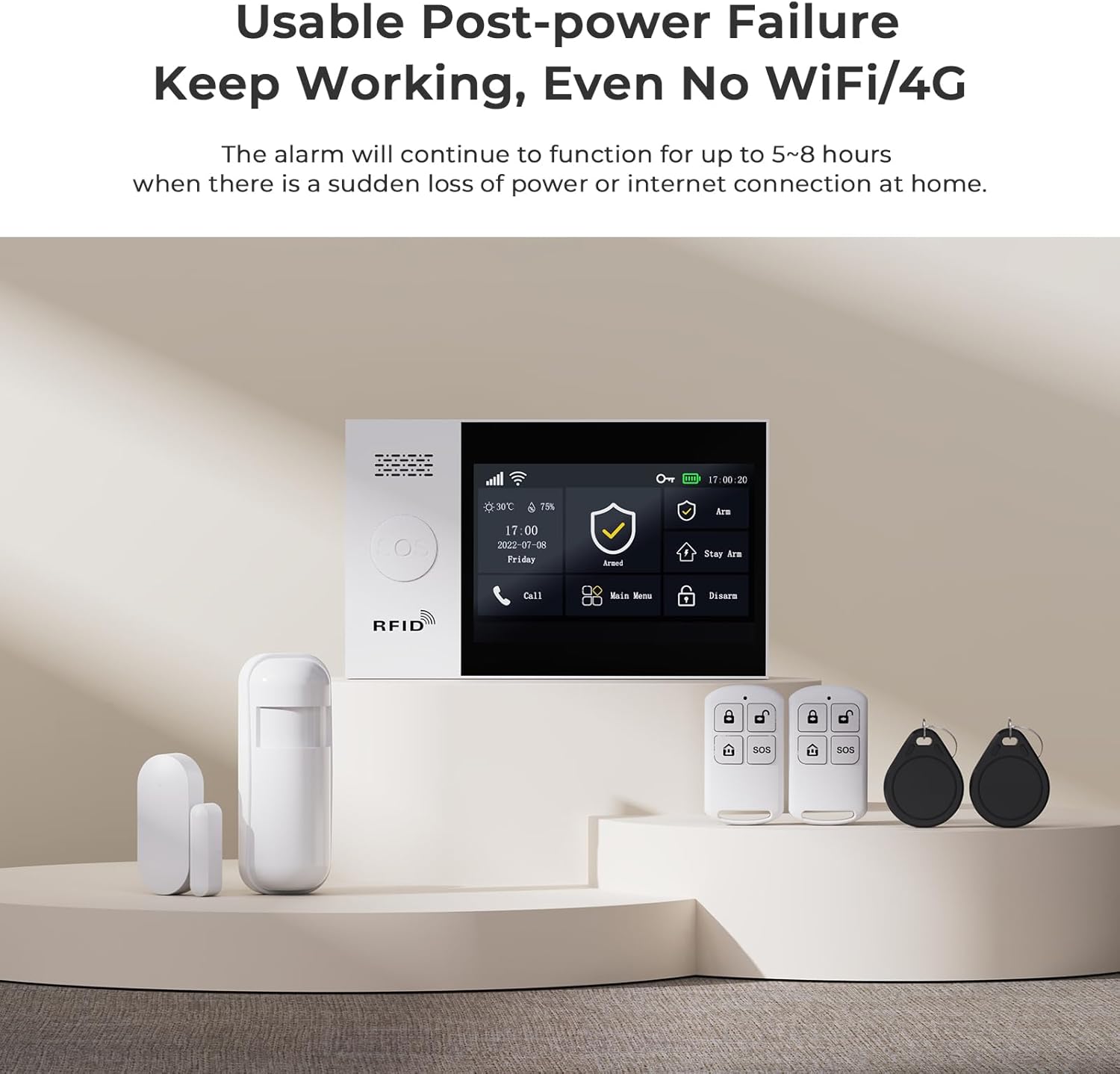
Figure 7: The system maintains functionality even during power outages or loss of internet connection.
5. メンテナンス
Regular maintenance is crucial for optimal performance. Keep sensors clean and free from obstructions. Check battery levels periodically for wireless components and replace them as needed. Ensure the main unit's power supply is secure.
6。 トラブルシューティング
問題が発生した場合は、次の一般的なトラブルシューティングのヒントを参照してください。
- Accessory Not Pairing: Ensure the accessory is powered on and within range of the main unit. Re-attempt the pairing process carefully following the steps in Section 3.
- 誤報: Check motion sensor placement to avoid triggering by pets or environmental factors. Ensure door/window sensors are securely mounted and not misaligned.
- No Alerts on Phone: Verify your phone's internet connection and app notification settings. Ensure the alarm host has a stable internet connection (Wi-Fi or 4G/2G/3G if applicable).
- システムが応答しません: Try restarting the main alarm host by disconnecting and reconnecting its power.
For persistent issues, please contact customer support as detailed in Section 8.
7. 仕様
| 特徴 | 詳細 |
|---|---|
| ブランド | PGST |
| モデル番号 | PG107 |
| 電源 | Battery Powered (Lithium Ion battery included) |
| 接続技術 | Wired (for main unit power), Wireless (for sensors) |
| 商品の寸法 (長さ x 幅 x 高さ) | 1 x 0.98 x 1インチ(本体) |
| アイテム重量 | 1.68 ポンド (0.76 キログラム) |
| 画面 | 4.3 inch color IPS display, capacitive touch screen |
| 含まれるコンポーネント | Alarm Host, Remote Control, Motion Detection, Door Sensor (as part of 12-piece kit) |
8. 保証とサポート
PGST is committed to providing reliable security solutions. This product comes with:
- 生涯テクニカルサポート: Access to professional assistance for any technical queries or issues.
- クイックレスポンス: Dedicated support available within 365 days for prompt resolution of concerns.
For support, please refer to the contact information provided with your product packaging or visit the official PGST webサイト。


