1. はじめに
This manual provides detailed instructions for the installation, operation, and maintenance of your PGST Home Security System 108E. This system is designed to provide comprehensive security for your home, offering features such as app alerts, Wi-Fi connectivity, and compatibility with smart home assistants.
The PGST Home Security System 108E is a 21-piece kit that includes a control panel (host), 4 motion sensors, 8 door/window sensors, 3 RFID cards, 3 remote controls, 1 siren, and 1 SOS alarm button. It offers 24/7 protection without monthly subscription fees.
2.製品コンポーネント
The PGST Home Security System 108E kit includes the following items:
- 1 x Control Panel (Host)
- 4 x Motion Sensors
- ドア/窓センサー x 8
- 3×RFIDカード
- リモコン x 3
- サイレン×1
- 1 x SOS Alarm Button

3. セットアップとインストール
3.1. Alarm Host Installation
The alarm host should be securely mounted on a wall. First, fix the mounting bracket to the wall using appropriate screws. Then, slide the alarm host onto the bracket until it clicks into place.

For a visual guide on setting up the system, refer to the video below:
Video: This video demonstrates the initial setup process for the PGST Home Security System 108E, guiding users through the basic steps to get the system operational.
3.2. Motion Sensor Installation
Motion sensors should be installed at an optimal height of 1.8 to 2.2 meters to ensure effective coverage. Avoid placing them near windows or areas with strong light and heat flow vents to prevent false alarms. The detection angle is 110 degrees.

3.3. Door/Window Sensor Installation
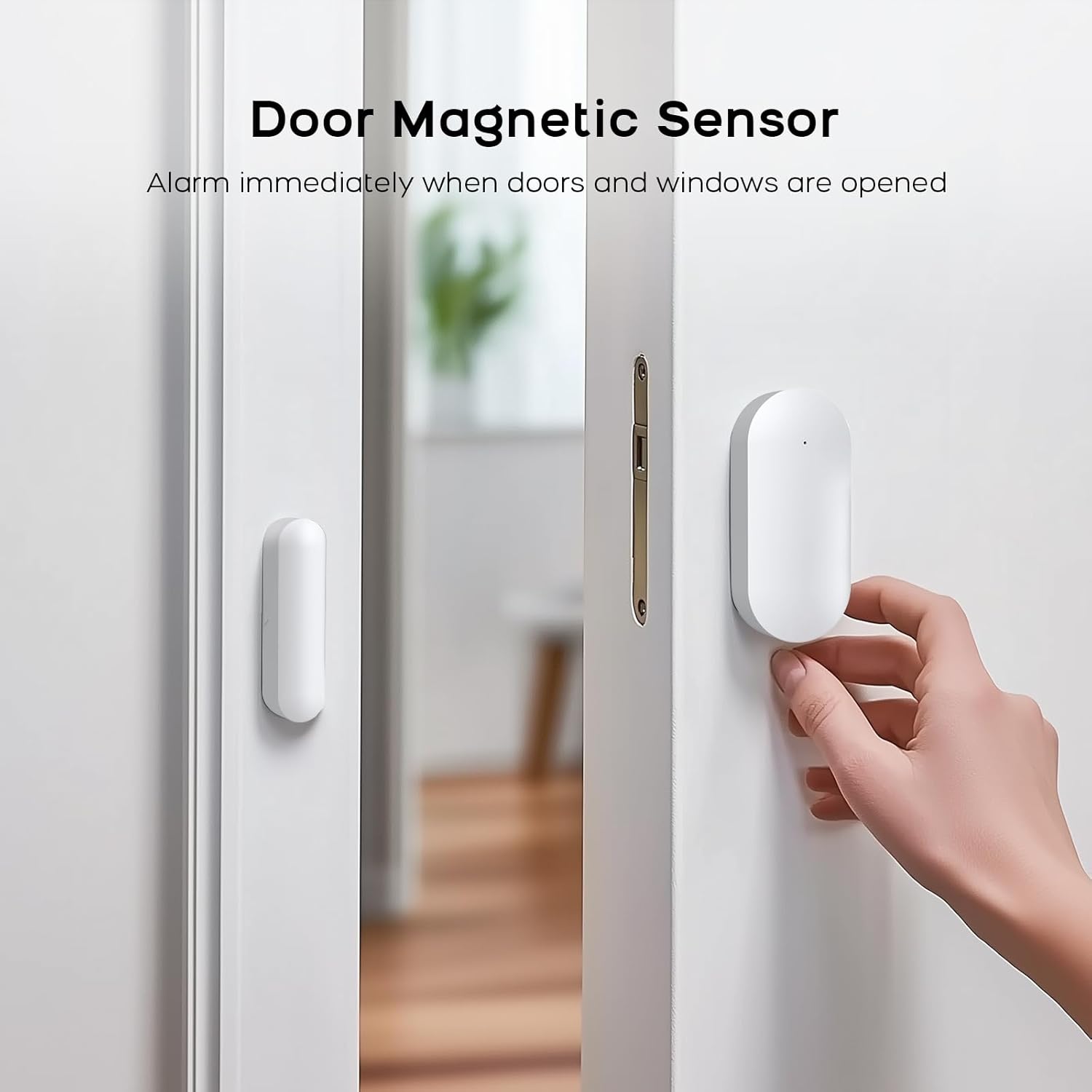
Install the door/window sensors on doors, windows, or cupboards. Ensure the two parts of the sensor are aligned and close to each other when the door/window is closed. When the door or window is opened, the sensor will trigger an alarm.
3.4. SOS Alarm Button Installation
The SOS alarm button can be placed in easily accessible locations for emergency use. Pressing this button will immediately trigger an SOS alarm.
3.5. Accessory Pairing
To ensure all components communicate with the main control panel, they must be paired. Follow the instructions below for pairing various accessories.
Video: This video provides a comprehensive guide on connecting and pairing various accessories, such as remote controls, RFID cards, motion sensors, and door/window sensors, with the PGST Home Security System 108E control panel.
4. 操作手順
4.1. Setting Keypad Lock Password
To set or change the keypad lock password on your control panel, navigate through the menu options. This password is essential for disarming the system and accessing settings.
Video: This video demonstrates how to set and manage the keypad lock password on the PGST Home Security System 108E control panel, including how to enable or disable the keypad lock feature.
4.2. システムの武装と解除
The system can be armed or disarmed using the remote controls, RFID cards, or through the mobile application.
- リモートコントロール: Press the arm button to arm the system (away mode) or the disarm button to disarm. The home mode button can be used for partial arming.
- RFIDカード: Tap the RFID card on the designated area of the control panel to arm or disarm the system.
- モバイルアプリ: Use the Smart Life or Tuya app to remotely arm, disarm, or set the system to home mode.


5. Features & Functionality
5.1. App Control (Smart Life/Tuya)
The system supports the Smart Life and Tuya applications, allowing you to control and monitor your security system remotely from your smartphone. Receive real-time notifications and manage settings from anywhere.

5.2. Dual Connectivity (Wi-Fi + 4G/GSM)
The system offers dual connectivity options: Wi-Fi (2.4GHz) and 4G/GSM. By inserting a GSM SIM card (not included), you can receive remote alerts via smartphone notifications, text messages, and phone calls (call charges may apply). This ensures continuous protection even if Wi-Fi is unavailable.

5.3. 音声コントロール
The PGST Home Security System 108E is compatible with Amazon Alexa and Google Assistant, allowing for convenient voice control of your system. You can arm or disarm the alarm using simple voice commands.

5.4. ファミリー共有
The system allows concurrent linking of up to 5 phone numbers to share alerts and control with family members, ensuring everyone is informed and can manage the system.
5.5. Elderly Care
The dedicated SOS button provides an important safety feature for elderly individuals. In an unexpected situation, pressing the SOS button will send a reminder to pre-set phone numbers, ensuring prompt assistance.
5.6. Loud Alarm
When an intruder is detected, the system triggers a 120dB siren to deter them and sends an alert message to the owner's phone.
5.7. Entry Sensors
Door and window sensors are installed to detect unauthorized entry. They not only prevent burglaries but can also be used to monitor if children leave the house.
5.8. Pet Security
The system is designed to keep pets safe indoors while preventing escapes, offering peace of mind for pet owners and home security.
6. 仕様
| 特徴 | 詳細 |
|---|---|
| ブランド | PGST |
| 電源 | 電池駆動 |
| 対応デバイス | Smartphone, Alexa, Google Assistant, Smart Life, TUYA |
| 商品の寸法 (長さ x 幅 x 高さ) | 1 x 1 x 1インチ |
| 接続技術 | Wired (for power), Wireless (for sensors), Wi-Fi, 4G/GSM |
| インストールタイプ | 粘着式 |
| アラートの種類 | Motion, Door/Window Open, SOS, Fire (with smoke detector) |
| アイテム重量 | 1.76 ポンド (0.8 キログラム) |
| 制御方法 | App, Push Button, Remote, Voice |
| バッテリーセルの構成 | リチウムポリマー(1個付属) |
| 含まれるコンポーネント | Alarm Host, Door Magnetic Sensor (8), Remote control (3), Infrared sensor (4), RFID cards (3), Siren (1), SOS button (1) |
| ユニット数 | 21.0 カウント |
| 商品型番 | 21-Kits (Style: 108E) |
7。 トラブルシューティング
If you encounter issues with your PGST Home Security System 108E, consider the following common troubleshooting steps:
- 電源なし: Ensure the control panel is properly connected to a power source and that the internal battery is charged. Check for any tripped circuit breakers.
- センサーが作動しない: Verify that the sensor is correctly paired with the control panel. Check battery levels in the sensor. Ensure proper installation and alignment (for door/window sensors) or clear line of sight (for motion sensors).
- 誤報: Review sensor placement to avoid areas with drafts, direct sunlight, or moving objects (for motion sensors). Adjust sensitivity settings if available.
- アプリの接続の問題: Confirm your Wi-Fi network is active and the control panel is connected. Check your smartphone's internet connection. Restart the app and the control panel if necessary.
- Remote Control/RFID Not Working: Check the battery in the remote control. Ensure the RFID card is being tapped correctly on the panel. Re-pair the accessory if necessary.
- アラートなし: Verify that notification settings are enabled in the mobile app. If using a SIM card, ensure it is active, has credit, and is correctly inserted. Check signal strength.
問題が解決しない場合は、サポート セクションで連絡先情報を参照してください。
8. メンテナンス
定期的なメンテナンスは、セキュリティ システムの寿命を延ばし、最適なパフォーマンスを確保するのに役立ちます。
- バッテリー交換: Replace batteries in sensors, remote controls, and the SOS button as needed. The system may provide low battery alerts.
- クリーニング: コントロールパネルとセンサーは、柔らかく乾いた布で優しく拭いてください。研磨剤入りの洗剤や液体の使用は避けてください。
- ファームウェアの更新: Check the mobile application periodically for any available firmware updates for the control panel to ensure you have the latest features and security enhancements.
- システムテスト: Periodically test all sensors and alarm functions to confirm they are working correctly.
9. 保証とサポート
PGST is a brand specializing in intelligent security solutions. The PGST Home Security System 108E is sold by "PGST store" on Amazon.
For technical assistance or warranty inquiries, please contact the seller directly through your Amazon order details. PGST offers professional team support, lifetime technical support, and quick response within 365 days.
詳細については、 PGST Store on Amazon.


