導入
The Intelbras SS 3532 MF is an advanced facial access controller from the Bio-T line, designed for secure and efficient access management. It supports multiple authentication methods including facial recognition, RFID MF 13.56 MHz cards, QR Codes, and passwords. This device is suitable for both indoor and outdoor environments and can be integrated with various door locking systems such as electric locks, electromagnets, or solenoids. This manual provides essential information for the proper installation, operation, and maintenance of your SS 3532 MF controller.
製品終了view
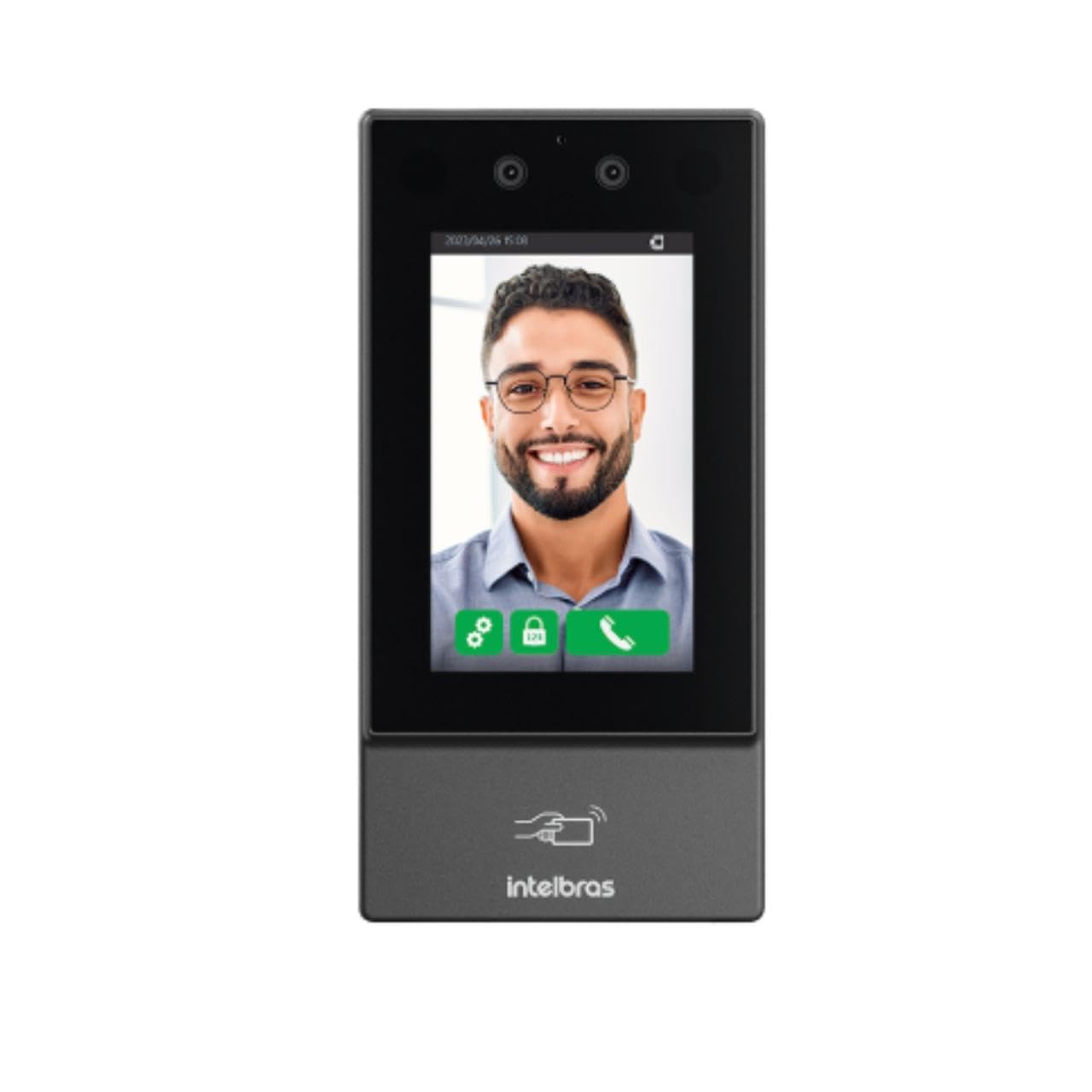
画像: 正面 view of the Intelbras SS 3532 MF Facial Access Controller. The device features a large screen displaying a smiling man's face, indicating successful facial recognition. Below the screen, the Intelbras logo and an RFID card icon are visible. The device is sleek and dark gray, designed for modern security applications.
主な特徴:
- 顔認識: Advanced anti-fake system prevents access via photos or videos.
- Multi-Authentication: Supports facial recognition, RFID MF 13.56 MHz cards, QR Codes, and passwords.
- Mask Detection: Alerts and/or blocks access if a mask is detected.
- タッチスクリーンLCD: Capacitive touch-sensitive LCD screen for intuitive operation.
- 屋内/屋外での使用: IP55 protection rating suitable for various environments.
- 大容量: Stores up to 10,000 users, 20,000 cards/QR Codes (up to 5 per user), 10,000 passwords (1 per user), and 10,000 facial templates (up to 2 per user).
- 高速認識: Facial recognition time of 0.2 seconds with over 99.5% verification accuracy.
- データストレージ: User data saved directly on the controller.
- 接続性: Ethernet connection (no Wi-Fi).
- ソフトウェア統合: Compatible with InControl Web, Defense IA, and third-party software via SDK, API/CGI.
パッケージ内容
パッケージにすべてのアイテムが揃っていることを確認します。
- 1 × SS 3532 MF Access Controller (without Wi-Fi connection)
- 1 × Set of wall plugs and screws
- 1 × Wall mounting bracket
- 1×ユーザーガイド
Note: The XR 2201 relay module and power supply are not included.
仕様
| 特徴 | 詳細 |
|---|---|
| 電源Vol。tage | 12 Vdc 2A (power supply not included) |
| 最大消費量 | 24ワット |
| 寸法(幅×高さ×奥行き) | 90.1 × 180.1 × 27 mm |
| 動作温度 | -30℃~60℃ |
| 動作相対湿度 | 0% ~ 90% RH (結露なし) |
| 保護等級 | IP55(屋内および屋外での使用) |
| 総重量 | 0.70キロ |
| エンクロージャ材質 | PC+ABS |
| 設置環境 | 屋内と屋外 |
| 統合 | SDK, API/CGI |
| Facial Verification Accuracy | > 99.5% |
| Facial Recognition Time | 0.2秒 |
| ファームウェアアップデート | Via DEFENSE IA |
セットアップとインストール
1. Site Preparation:
- Ensure the installation environment is suitable for an IP55 rated device, whether indoor or outdoor.
- Prepare a stable surface for mounting the device.
2. デバイスの取り付け:
- Use the provided wall mounting bracket as a template to mark drilling points on the wall.
- 穴を開けて壁プラグを挿入します。
- 付属のネジを使用して取り付けブラケットを壁に固定します。
- Attach the SS 3532 MF controller to the mounted bracket.
3. 電源接続:
- Connect a 12 Vdc 2A power supply (not included) to the device's power input.
- 電源が指定された電圧を満たしていることを確認するtag損害を防ぐための最新の要件を確認してください。
4. ネットワーク接続:
- Connect an Ethernet cable to the device's network port for online operation and software integration.
- The device does not support Wi-Fi connectivity.
5. Lock Integration:
- Connect the device to your electric lock, electromagnet, or solenoid system as per the wiring diagram in the full user manual (not provided here).
- Note that the XR 2201 relay module is not included and may be required for certain lock types.
操作手順
1. 初期パワーアップ:
- Once powered, the device will boot up and display the main interface on its LCD touchscreen.
2. ユーザー管理:
- Access the device's menu via the touchscreen to add, edit, or delete users.
- Each user can be assigned facial templates, RFID cards, QR Codes, and passwords.
- The device supports up to 10,000 users and 10,000 facial templates (2 per user).
3. Authentication Methods:
- 顔認識: Stand in front of the device's camera. The system will automatically detect and verify your face. The anti-fake system prevents unauthorized access using photos or videos.
- RFIDカード: Present your RFID MF 13.56 MHz card to the designated reader area on the device.
- QRコード: Present a valid QR Code to the device's camera for scanning.
- パスワード: Enter your assigned password using the touchscreen keypad.
4. Mask Detection:
- The device can be configured to alert or block access if a user is detected wearing a mask, depending on security policies.
5. Software Integration:
- For advanced management, connect the device to InControl Web, Defense IA, or other compatible third-party software via Ethernet.
- Refer to the respective software manuals for detailed configuration and operation instructions.
メンテナンス
- クリーニング: Regularly clean the touchscreen and camera lenses with a soft, dry, lint-free cloth. Avoid abrasive cleaners or solvents.
- ファームウェアの更新: Keep the device's firmware updated via DEFENSE IA software to ensure optimal performance and security.
- 環境チェック: Periodically inspect the device for any signs of wear or damage, especially if installed outdoors. Ensure connections are secure.
トラブルシューティング
- デバイスの電源が入っていない:
- Check if the 12 Vdc 2A power supply is correctly connected and functioning.
- Verify the power outlet.
- Facial Recognition Failure:
- Ensure adequate lighting in front of the device.
- カメラのレンズを清掃します。
- Confirm the user's facial template is properly enrolled and up-to-date.
- Adjust the user's distance and angle to the device.
- RFID Card Not Detected:
- Ensure the card is an RFID MF 13.56 MHz type.
- Present the card correctly to the reader area.
- Verify the card is enrolled for the user.
- ネットワーク接続なし:
- イーサネットケーブルの接続を確認してください。
- Verify network settings on the device and your network infrastructure.
- ドアが開かない:
- Confirm successful authentication on the device.
- Check wiring to the electric lock/electromagnet/solenoid.
- Ensure the lock mechanism is functioning correctly.


