1. はじめに
Thank you for choosing the LEFFOT M1 Plus Android 14.0 TV Box. This device is designed to transform your television into a smart entertainment hub, offering stunning 4K UHD visuals, powerful performance, and a wide range of connectivity options. This manual provides detailed instructions for setting up, operating, and maintaining your TV box to ensure an optimal user experience.
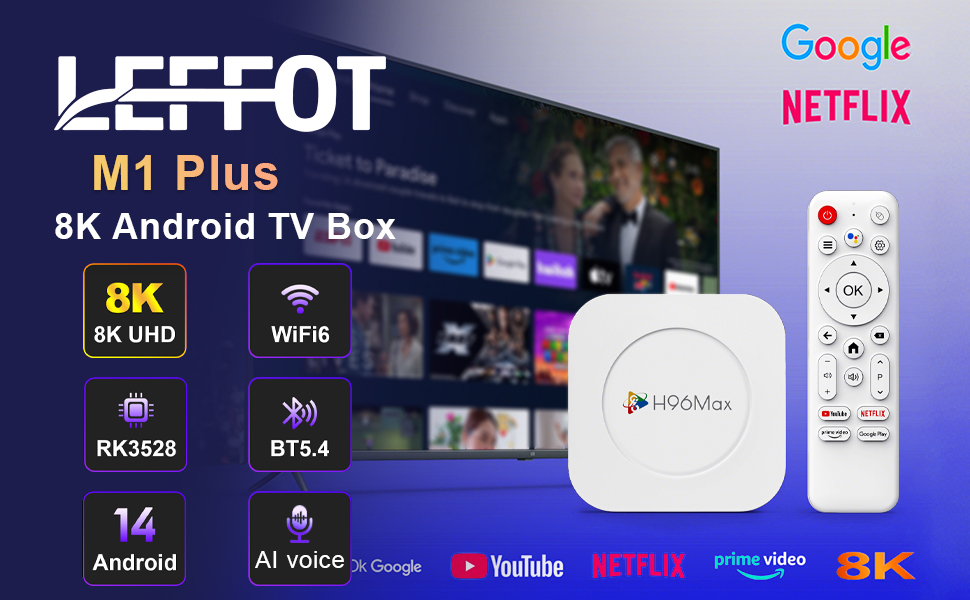
画像1.1: 以上view of the LEFFOT M1 Plus Android TV Box highlighting its core features like 8K UHD, WiFi 6, BT 5.4, Android 14, and AI voice control.
2. 安全情報
デバイスを使用する前に、すべての安全に関する指示をよくお読みください。指示に従わない場合、感電、火災、またはデバイスの損傷につながる可能性があります。
- 付属の電源アダプターのみを使用してください。
- デバイスを水、湿気、または極端な温度にさらさないでください。
- 過熱を防ぐために、デバイスの周囲に適切な換気を確保してください。
- ご自身でデバイスの分解や修理を試みないでください。資格のあるサービス担当者にご連絡ください。
- デバイスを直射日光や熱源から遠ざけてください。
3. パッケージ内容
パッケージにすべてのアイテムが揃っていることを確認します。
- LEFFOT M1 Plus Android TV Box
- リモートコントロール
- HDMIケーブル
- 電源アダプター
- ユーザーマニュアル(このドキュメント)
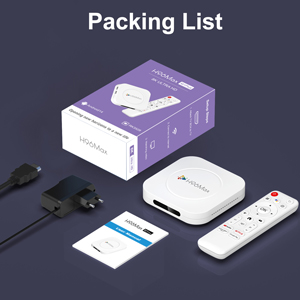
Image 3.1: The package contents including the TV box, remote control, power adapter, and HDMI cable.
4.製品オーバーview
Familiarize yourself with the components and ports of your LEFFOT M1 Plus TV Box.
4.1. Device and Remote

Image 4.1: The LEFFOT M1 Plus TV Box (left) and its accompanying remote control (right).
4.2. ポートとインターフェース
The TV box features various ports for connectivity:
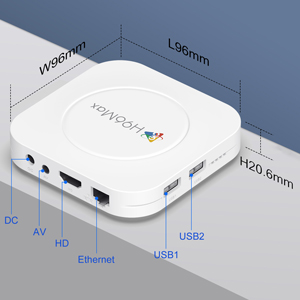
画像4.2: 詳細 view of the TV box's ports: DC (power), AV (audio/video out), HD (HDMI), Ethernet, USB1, and USB2.
- DC: 電源入力ポート。
- AV: Analog audio/video output (for older TVs).
- 高解像度: HDMI output for connecting to your TV.
- イーサネット: 有線ネットワーク接続用の RJ-45 ポート。
- USB1とUSB2: USB ports for connecting external devices like USB drives, keyboards, or mice.
5. セットアップ
Follow these steps to set up your LEFFOT M1 Plus TV Box:
- テレビに接続する: Connect one end of the provided HDMI cable to the "HD" port on the TV box and the other end to an HDMI input port on your television. Note the HDMI input number (e.g., HDMI 1, HDMI 2) on your TV.
- 接続電源: Plug the power adapter into the "DC" port on the TV box, then plug the adapter into a wall outlet.
- 電源オン: The TV box should automatically power on. If not, press the power button on the remote control.
- テレビ入力を選択: On your TV, use the remote control to select the corresponding HDMI input source you connected the TV box to.
- 初期セットアップウィザード: 画面上の指示に従って、言語の選択、タイムゾーン、ネットワーク接続などの初期設定を完了します。
6. 操作手順
Navigate and use your TV box effectively.
6.1. 基本的なナビゲーション
- Use the directional (上、下、左、右) buttons on the remote to move between menu items and applications.
- を押す OK 項目を選択したりアクションを確認したりするためのボタン。
- を押す 戻る ボタンを押すと前の画面に戻ります。
- を押す 家 メインのホーム画面に戻るボタン。
6.2. アプリケーションへのアクセス
From the home screen, you can access pre-installed applications or download new ones from the Google Play Store. Navigate to the desired app icon and press OK それを起動します。

Image 6.1: The Android 14.0 TV Box home screen displaying popular streaming applications.
6.3. 音声コントロール
The LEFFOT M1 Plus supports voice control via Google Assistant. To use this feature:
- Ensure your remote control is paired and has working batteries.
- を押す 音声アシスタント button (often a microphone icon) on your remote.
- Speak clearly into the remote's microphone. You can ask to open apps, search for content, or control playback.

Image 6.2: Demonstrating the convenient voice control feature using the remote and Google Assistant.
6.4. Media Playback and Display Features
Enjoy high-quality media with advanced features:
- 8K UHD: The device supports up to 8K*4K@23fps and 4Kx2K@60fps resolution with HDR10 for vibrant and detailed visuals.
- Airplay, DLNA, WiFidisplay: Easily cast content from your mobile devices to your TV screen.

Image 6.3: Experience crystal-clear 8K resolution with the LEFFOT M1 Plus.

Image 6.4: The TV box supports various connectivity options and display technologies like Airplay, DLNA, and WiFidisplay.
6.5. 使用シナリオ
The LEFFOT M1 Plus TV Box is versatile for various uses:
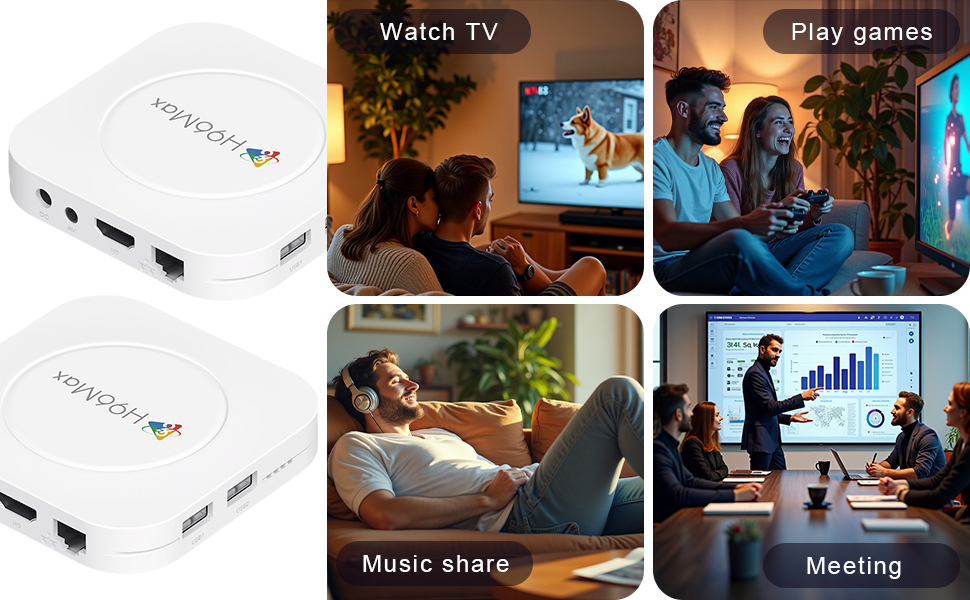
Image 6.5: The TV box can be used for watching TV, playing games, sharing music, and even for business presentations.
7. 接続性
7.1。 Wi-Fi接続
The device supports 2.4G & 5G dual-band Wi-Fi 6 for fast and stable wireless internet.
- へ移動 設定 > ネットワークとインターネット.
- オンにする Wi-Fi.
- リストからWi-Fiネットワークを選択します。
- パスワードを求められた場合は入力し、 接続する.

Image 7.1: The TV box features advanced Wi-Fi 6 technology for faster and more reliable connections.
7.2. イーサネット接続
For a wired connection, plug an Ethernet cable into the "Ethernet" port on the TV box and the other end into your router/modem.
7.3.Bluetooth接続
The device supports Bluetooth 5.4 for connecting peripherals like headphones, game controllers, or speakers.
- へ移動 設定 > 接続されたデバイス > 新しいデバイスをペアリングする.
- Bluetoothデバイスをペアリングモードにします。
- リストからデバイスを選択し、画面の指示に従ってペアリングします。
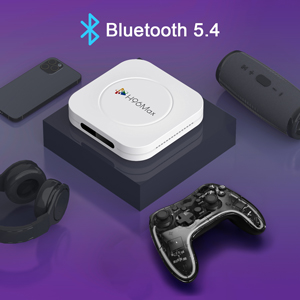
Image 7.2: The TV box supports Bluetooth 5.4 for seamless connection with various external devices.
8。 トラブルシューティング
一般的な問題とその解決策については、このセクションを参照してください。
| 問題 | 考えられる原因 | 解決 |
|---|---|---|
| 電源なし | 電源アダプターが接続されていないか故障しています。 | 電源アダプターがデバイスにしっかりと接続され、電源コンセントが機能していることを確認してください。別のコンセントをお試しください。 |
| テレビに信号がない | テレビで間違った HDMI 入力が選択されています。HDMI ケーブルが緩んでいるか故障しています。 | Verify TV input matches the HDMI port used. Check HDMI cable connections. Try a different HDMI cable or port. |
| Wi-Fi接続の問題 | パスワードが間違っている、ルーターが遠すぎる、干渉がある。 | Re-enter Wi-Fi password. Move device closer to router. Restart router and TV box. |
| リモコンが反応しない | 電池残量が少なく、リモコンがペアリングされていません。 | Replace batteries. Re-pair the remote control if it's a Bluetooth remote (refer to device settings). |
| アプリがクラッシュしたり、パフォーマンスが低下したりする | 実行中のアプリが多すぎる、ストレージ容量が不足している、ソフトウェアに不具合がある。 | Close background apps. Clear app caches. Restart the TV box. Consider a factory reset if issues persist (data will be lost). |
9. 仕様
Key technical specifications of the LEFFOT M1 Plus Android TV Box:
- オペレーティング·システム: アンドロイド14.0
- CPU: RK3528 Quad Core ARM Cortex-A53
- グラフィック: Mali-450 MP2
- ラム: 4GB
- ロム: 32GB
- ビデオ出力: Supports 4Kx2K@60fps, 8K*4K@23fps, HDR10
- Wi-Fi: 2.4G & 5G Dual-band Wi-Fi 6
- イーサネット: 100メートル
- ブルートゥース: BT5.4
- ポート: HDMI, USB (x2), DC, AV, Ethernet
- 特別な機能: Airplay, DLNA, WiFidisplay, Voice Control
- 寸法: 3.78 x 3.78 x 0.81 インチ (96 x 96 x 20.6 mm)
- 重さ: 4.3オンス(約122g)
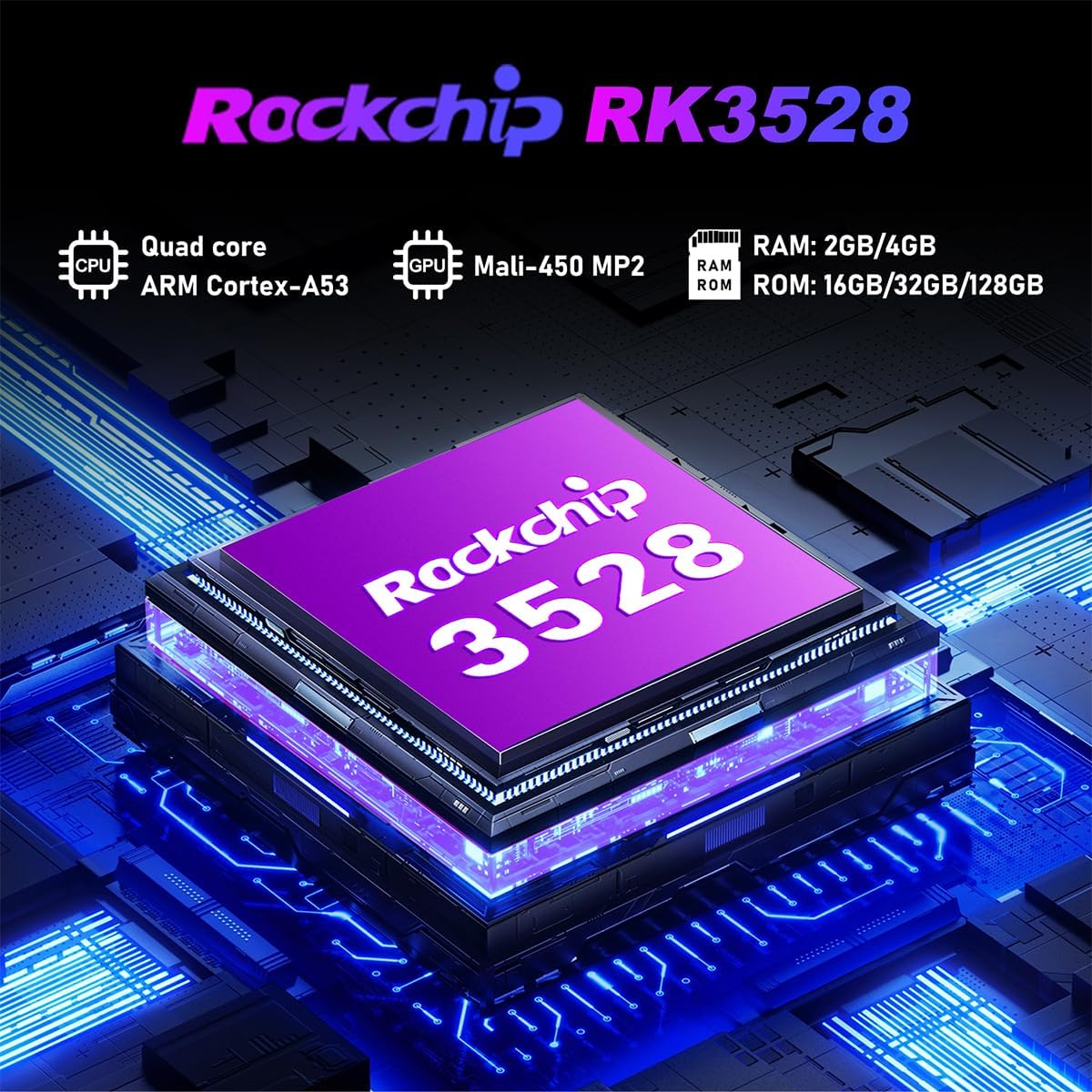
画像9.1: 詳細 view of the Rockchip RK3528 processor, highlighting its quad-core CPU, Mali-450 MP2 GPU, and memory configurations.
10. メンテナンス
To ensure the longevity and optimal performance of your TV box:
- クリーニング: デバイスの外側を清掃する際は、柔らかく乾いた布をご使用ください。液体クリーナーやエアゾールは使用しないでください。
- 換気: Ensure the ventilation holes are not blocked. Do not place the device on soft surfaces that may obstruct airflow.
- ストレージ: 長期間使用しない場合は、電源アダプターを外し、デバイスを涼しく乾燥した場所に保管してください。
11. 保証とサポート
LEFFOT products are designed for reliability and performance. This product comes with a standard manufacturer's warranty. Please refer to the warranty card included in your package for specific terms and conditions.
For technical support, troubleshooting assistance, or warranty claims, please contact LEFFOT customer service through the retailer where you purchased the product or visit the official LEFFOT web連絡先情報のサイト。
保証のために購入証明書を保管してください。