1.製品オーバーview
The WVX Gaming Laptop R9-6900HX (Model A02) is a high-performance portable computer designed for demanding tasks such as gaming, content creation, and multitasking. It features an AMD Ryzen 9 6900HX processor, AMD Radeon 680M integrated graphics, and fast DDR5 memory.
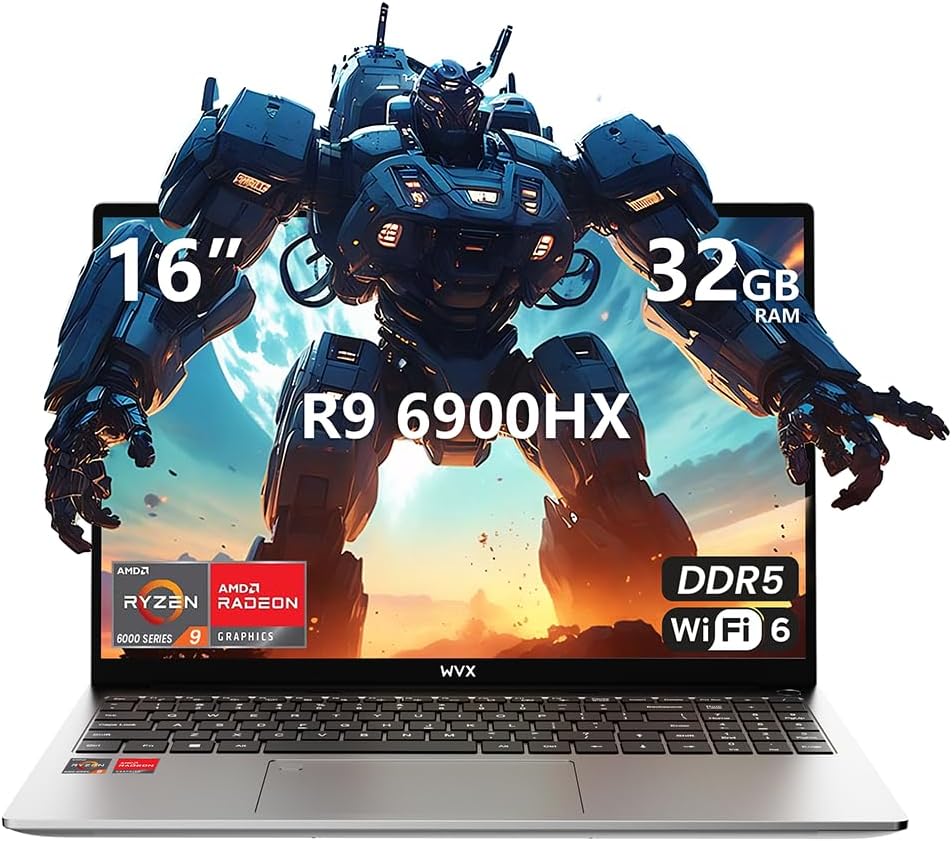
Image 1.1: WVX Gaming Laptop R9-6900HX
主な特徴:
- 高性能CPU: AMD Ryzen 9 6900HX with 8 cores and 16 threads, up to 4.9 GHz.
- 統合グラフィックス: AMD Radeon 680M, delivering strong visual performance.
- Fast Memory: 32GB DDR5 RAM、最大 64GB まで拡張可能。
- Ampファイルストレージ: 512GB SSD、最大2TBまで拡張可能。
- 鮮やかなディスプレイ: 16インチ フルHD(1920x1200)画面。
- 高度な接続性: Wi-Fi 6 と Bluetooth 5.2。
- オペレーティング·システム: Windows 11 Proがプリインストールされています。
2. セットアップ
2.1 開梱と初期検査
Carefully remove the laptop and its accessories from the packaging. Ensure all components listed in the 'What's in the Box' section are present and undamaged.
- R9-6900HX laptop
- PD100W adapter (charger)
2.2 電源アダプタの接続
Connect the PD100W adapter to the laptop's power input port and then plug it into a power outlet. It is recommended to fully charge the laptop before its first use.
2.3 初期起動とWindowsのセットアップ
Press the power button located on the laptop. The system will guide you through the initial Windows 11 Pro setup process. Follow the on-screen instructions to configure your language, region, network, and user account.
3. 操作手順
3.1 キーボードとタッチパッド
The laptop features a full-size keyboard with a numeric keypad and a responsive touchpad. The keyboard is backlit for comfortable use in low-light conditions. The touchpad supports multi-touch gestures for enhanced navigation.

Image 3.1: Laptop keyboard and touchpad layout.
3.2 ディスプレイとグラフィックス
The 16-inch FHD display offers a resolution of 1920x1200 pixels, providing clear and vibrant visuals. The AMD Radeon 680M graphics processor handles demanding visual tasks efficiently.

Image 3.2: Display features including 300 nits brightness, IPS, and low blue light.
3.3 ポートと接続
The laptop is equipped with various ports for external devices and connectivity:
- USB 4 ポート x 3.0
- HDMIポート
- Full-function Type-C Port (supports charging, data transfer, external 4K monitor)
- 3.5mmイヤホンジャック
- SDカードリーダー
For wireless connectivity, the laptop supports Wi-Fi 6 for high-speed internet and Bluetooth 5.2 for connecting peripherals.
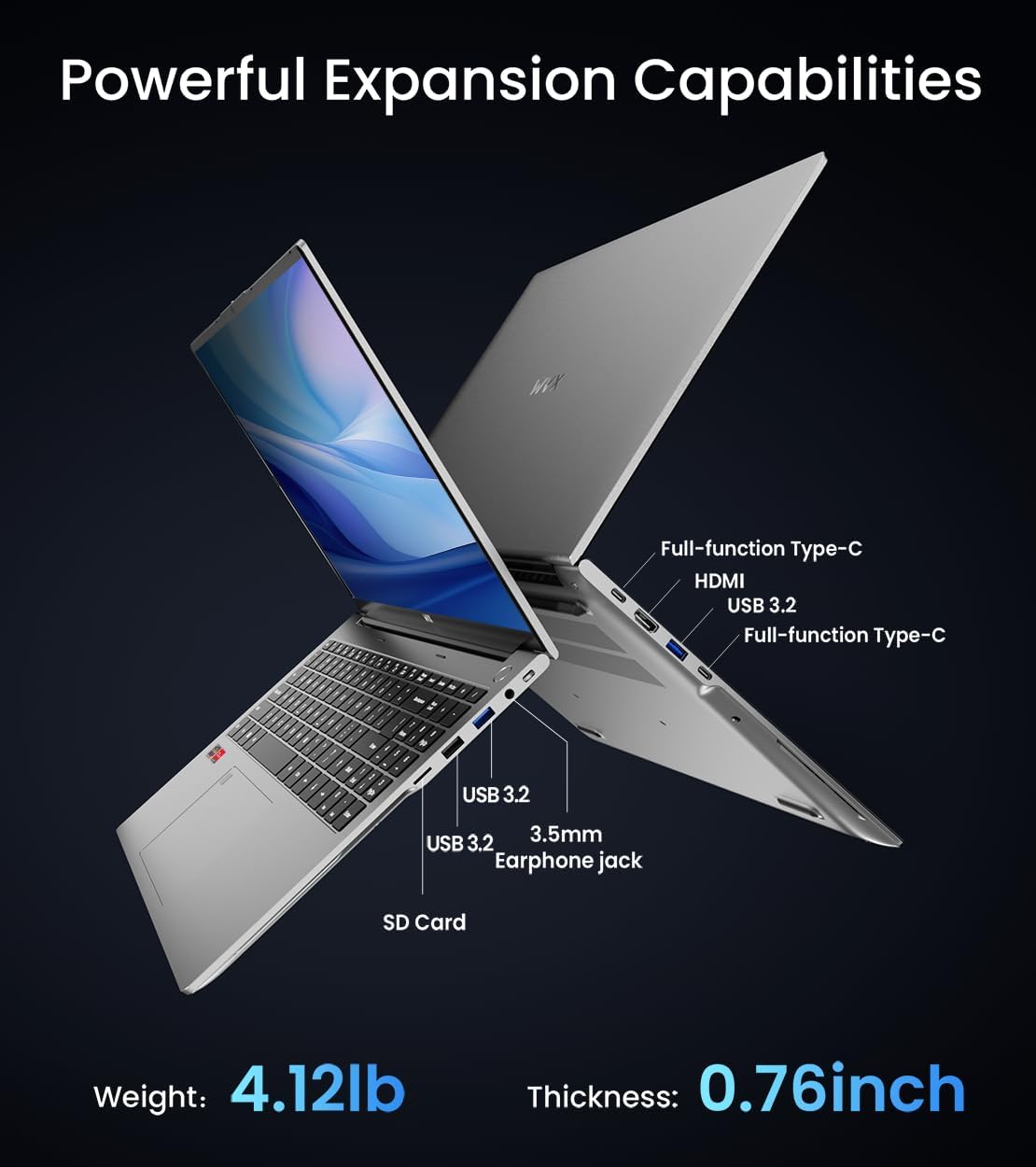
画像3.3: 以上view of available ports and physical dimensions.
4. メンテナンス
4.1 クリーニング
To maintain optimal performance and appearance, regularly clean your laptop. Use a soft, lint-free cloth for the screen and exterior. For stubborn smudges, a slightly damp水で湿らせた布、または専用のスクリーンクリーナーをご使用ください。刺激の強い化学薬品は使用しないでください。
4.2ソフトウェアアップデート
Regularly update your Windows operating system and drivers to ensure system stability, security, and optimal performance. Windows Update can be accessed through the Settings menu.
4.3 ストレージとメモリのアップグレード
The laptop's RAM can be upgraded to a maximum of 64GB, and the SSD storage can be expanded up to 2TB. Consult a qualified technician for hardware upgrades to avoid voiding your warranty.

Image 4.1: Illustration of memory and storage upgrade capabilities.
5。 トラブルシューティング
5.1 電源の問題
- ノートパソコンが起動しない: 電源アダプターがしっかりと接続され、バッテリーが十分に充電されていることを確認してください。別のコンセントをお試しください。
- バッテリーが充電されない: Verify the power adapter is functioning correctly. Check the charging port for any obstructions.
5.2 表示の問題
- 空白の画面: 外付けモニターを接続して、問題がノートパソコンのディスプレイにあるのか確認してください。ノートパソコンを再起動してください。
- 画面のちらつき: グラフィックドライバーを更新します。Windowsの設定でディスプレイのリフレッシュレートを調整します。
5.3 パフォーマンスの問題
- パフォーマンスが遅い: 不要なアプリケーションを閉じてください。マルウェアがないか確認してください。十分な空きストレージ容量を確保してください。
- 過熱: Ensure ventilation vents are clear. Consider using a cooling pad.

Image 5.1: Illustration of the laptop's cooling system with pure copper heat pipes and fan speed.
6. 仕様
| 特徴 | 仕様 |
|---|---|
| ブランド | WVX |
| モデル名 | R9-6900HX (A02) |
| プロセッサ | AMD Ryzen 9 6900HX (4.9 GHz, 8 Cores, 16 Threads) |
| グラフィックスコプロセッサ | AMD Radeon 680M |
| ラム | 32 GB DDR5 (最大 64 GB) |
| ハードドライブ | 512 GB SSD (Max 2TB) |
| 画面サイズ | 16インチ |
| 最大画面解像度 | 1920x1200ピクセル |
| オペレーティング·システム | ウィンドウズ11プロ |
| ワイヤレスタイプ | 802.11ax (Wi-Fi 6) |
| ブルートゥース | 5.2 |
| USB 3.0 ポートの数 | 4 |
| 製品寸法 | 14 x 9.7 x 0.78インチ |
| アイテム重量 | 5.89ポンド |
| バッテリー | 58Wh |
| 特集 | Backlit Keyboard, Fingerprint Reader, HD Audio |
7. 保証とサポート
WVX offers comprehensive support for your laptop:
- テクニカルサポート: 無制限のテクニカルサポートをお楽しみください。
- 修理サービス: 12 months of repair service for all customers.
- 応答時間: Online connection within 24 hours for inquiries.
For any questions or concerns, please reach out to the WVX support team.

画像7.1: 以上view of WVX customer support services.
8. 公式製品ビデオ
ビデオ8.1: 公式ビデオショーasing the WVX R9 6900HX Laptop, highlighting its features and design.


