1. はじめに
Thank you for choosing the Hama Ultimate Pro Portable Bluetooth Speaker. This manual provides essential information for the safe and efficient use of your device. Please read it carefully before use and keep it for future reference.
パッケージ内容:
- 1x Hama Ultimate Pro Portable Bluetooth Speaker
- 1xUSB-C充電ケーブル
- キャリーストラップ1本
- ユーザーマニュアル x 1
2. 安全に関する注意事項
- Do not open the device. Incorrect assembly can lead to electric shock, fire, or damage.
- Keep the device away from extreme temperatures, direct sunlight, and humidity.
- This speaker is rated IPX6, meaning it is protected against strong continuous rain and splashing water. Do not submerge the speaker in water.
- 充電には付属の USB-C ケーブルのみを使用してください。
- 目に見える損傷がある場合は、デバイスを使用しないでください。
- Protect the battery from overheating.
3.製品オーバーview
Familiarize yourself with the speaker's features and connections.

The Hama Ultimate Pro speaker highlights its key features: 24-hour battery life, IPX6 waterproof rating, Bluetooth connectivity, and 120W sound output.
コントロールパネル:

詳細 view of the speaker's top control panel, showing buttons for power, volume adjustment, play/pause, mode selection, and equalizer settings.
- 電源ボタン: 長押しすると電源のオン/オフ、短く押すとバッテリーの状態を確認できます。
- ボリュームダウン (-): 音量を下げます。
- 再生/一時停止ボタン: オーディオを再生または一時停止します。
- ボリュームアップ(+): 音量を上げます。
- モードボタン(M): 入力モード(Bluetooth、AUX、USB)を切り替えます。
- Equalizer Button (EQ): Cycle through equalizer presets (Bass Sound, Power Sound, Balanced Sound).
ポートと接続:

The speaker's rear port panel includes a USB-C charging port, a USB-A port for external devices, a reset button, and a 6.3mm jack input.
- USB-Cポート: For charging the speaker and for Power Bank output.
- USB-A ポート: For playing music from USB storage devices or for Power Bank output.
- AUX入力(3.5mmジャック): 3.5mmオーディオケーブルを介して外部オーディオデバイスを接続します。
- Microphone/Guitar Input (6.3mm Jack): マイクやギターを接続します。
- リセットボタン: Use a thin object to press and reset the speaker if needed.
4. セットアップ
4.1 スピーカーの充電
- 付属のUSB-C充電ケーブルをスピーカーのUSB-Cポートに接続します。
- Connect the other end of the USB-C cable to a suitable USB power adapter (not included). A 30W charger is recommended for fast charging.
- The charging indicator will show the charging status. The speaker is fully charged in approximately 2.5 hours.
4.2 電源のオン/オフ
- To turn on: Press and hold the Power button for a few seconds until you hear an audible prompt.
- To turn off: Press and hold the Power button for a few seconds until you hear an audible prompt.
4.3Bluetoothペアリング
- スピーカーの電源がオンになっていて、Bluetoothモードになっていることを確認してください(青色のLEDが点滅しています)。そうでない場合は、モードボタン(M)を押してBluetoothモードに切り替えてください。
- デバイス(スマートフォン、タブレット、ラップトップ)で Bluetooth を有効にし、利用可能なデバイスを検索します。
- Select "Hama Ultimate Pro" from the list of devices.
- ペアリングされると、LED インジケーターが青色に点灯し、確認音が聞こえます。
4.4 AUX入力経由での接続
- 3.5mm オーディオ ケーブル (付属していません) の一方の端をスピーカーの AUX 入力ポートに接続します。
- もう一方の端を外部デバイスのオーディオ出力に接続します。
- Press the Mode button (M) on the speaker to switch to AUX mode.
4.5 Connecting USB Storage
- オーディオを含む USB フラッシュ ドライブを挿入します fileスピーカーの USB-A ポートに差し込みます。
- Press the Mode button (M) to switch to USB mode. The speaker will automatically begin playing audio from the USB drive.
4.6 Connecting Microphone or Guitar
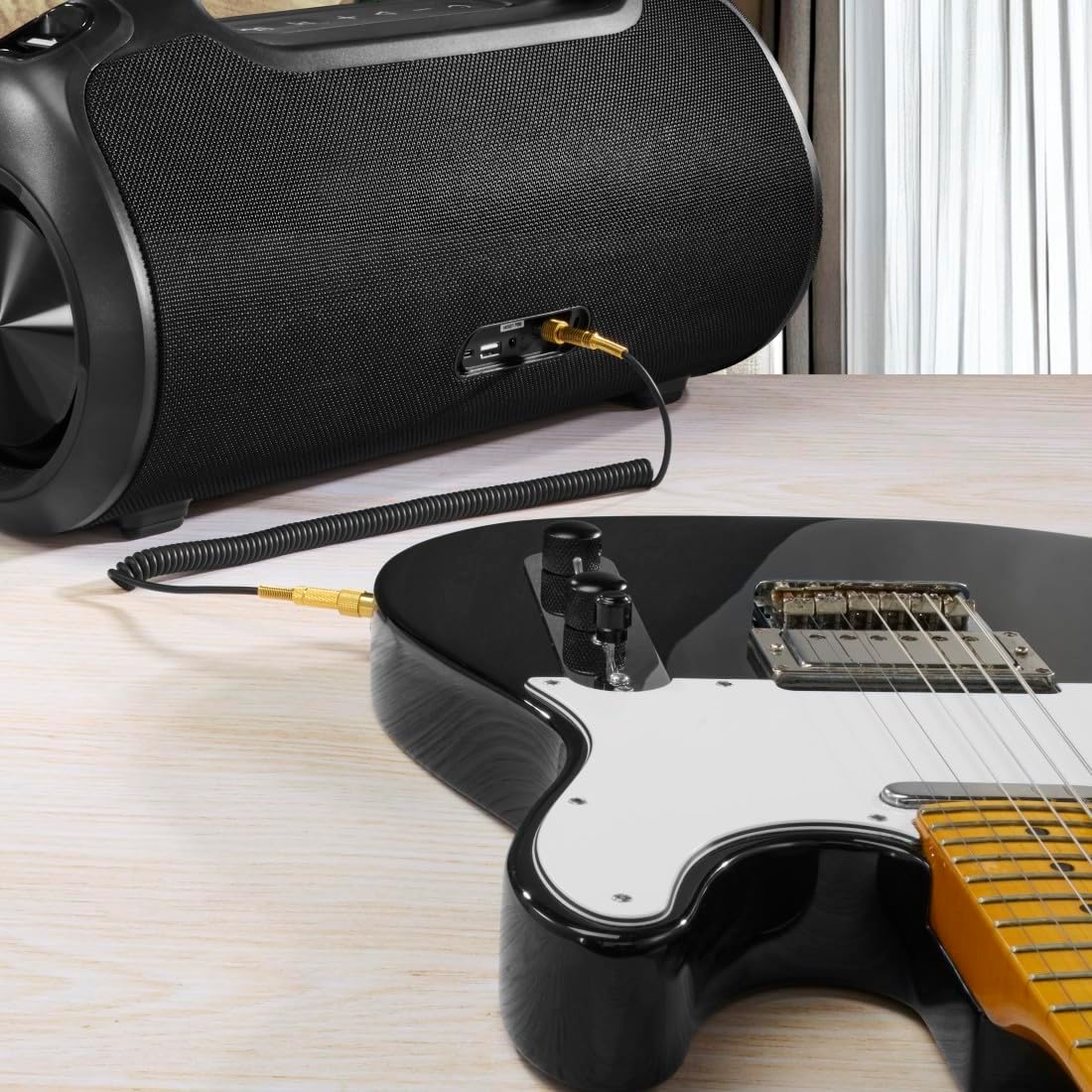
The speaker can be used as an amplifier by connecting an electric guitar via its 6.3mm jack input.
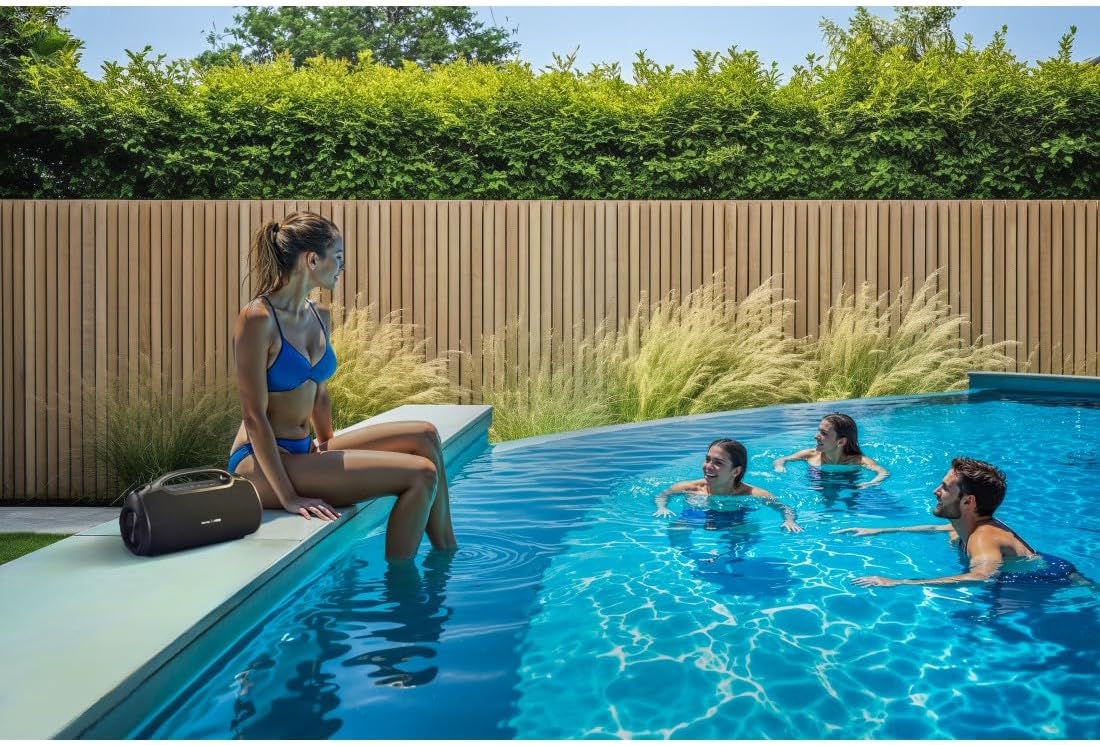
A microphone can be connected to the speaker's 6.3mm jack input for karaoke or public speaking.
- Connect your microphone or guitar to the 6.3mm jack input on the speaker.
- Adjust the volume on your connected device and the speaker as needed.
4.7 トゥルーワイヤレスステレオ(TWS)ペアリング
The Hama Ultimate Pro supports TWS for connecting two speakers for a stereo sound experience. Refer to the specific TWS pairing instructions in the full manual if available, as this feature typically involves pressing a dedicated TWS button on both speakers simultaneously.
5. スピーカーの操作
5.1 基本的な再生コントロール
- 再生/一時停止: 再生/一時停止ボタンを短く押します。
- ボリュームアップ: 音量アップ(+)ボタンを短く押します。
- ボリュームダウン: 音量ダウン (-) ボタンを短く押します。
- 次のトラック: 音量アップ(+)ボタンを長押しします。
- 前のトラック: 音量ダウン(-)ボタンを長押しします。
5.2 イコライザーモード
The speaker offers three distinct equalizer modes to optimize your listening experience:
- ベースサウンド: Enhances low frequencies for a deeper bass response.
- Power Sound: Provides a balanced, powerful sound profile.
- バランスの取れたサウンド: Offers a neutral and clear audio output.
To switch between modes, short press the EQ button on the control panel.
5.3 Hama Smart Home App Control

The Hama Smart Home app allows for convenient control and customization of the speaker, including battery status and sound settings.
Download the "Hama Smart Home" app from your device's app store to access additional features:
- Custom equalizer settings.
- Change the speaker's name.
- View precise battery status in percentage.
- Remote control of playback and settings.
5.4 パワーバンク機能

The speaker's integrated power bank allows you to charge external devices like smartphones via its USB-C or USB-A ports.
The Hama Ultimate Pro speaker features an integrated power bank function, allowing you to charge other devices:
- Connect your smartphone, tablet, or other USB-powered device to the USB-C or USB-A port on the speaker using a compatible charging cable.
- スピーカーの内蔵バッテリーが接続されたデバイスの充電を開始します。
6. メンテナンス
6.1 クリーニング
The speaker has a resistant and washable surface. To clean:
- Ensure the speaker is turned off and all cables are disconnected.
- 柔らかくてamp cloth to wipe the surface. Do not use harsh cleaning agents or solvents.
- 頑固な汚れには、中性洗剤溶液を使用し、その後、清潔な布で拭いてください。amp 布。
- Allow the speaker to dry completely before use.
6.2 ストレージ
- スピーカーは直射日光や極端な温度を避け、涼しく乾燥した場所に保管してください。
- 長期間保管する場合は、バッテリーの状態を維持するために、数か月ごとにバッテリーを約 50% まで充電してください。
6.3バッテリーケア
- バッテリーを頻繁に完全に放電することは避けてください。
- バッテリーを熱源や直火にさらさないでください。
- 地域の規制に従ってバッテリーを廃棄してください。
7。 トラブルシューティング
スピーカーに問題が発生した場合は、次の一般的な解決策を参照してください。
- 電源なし: スピーカーが充電されていることを確認してください。USB-Cケーブルを使って電源に接続してください。
- Bluetooth経由でペアリングできない:
- スピーカーが Bluetooth ペアリング モード (青色の LED が点滅) になっていることを確認します。
- デバイスで Bluetooth が有効になっており、スピーカーから 10 メートル以内にあることを確認してください。
- デバイスの Bluetooth リストからスピーカーを削除し、再度ペアリングを試みてください。
- スピーカーとデバイスの両方を再起動します。
- 音が出ない:
- スピーカーと接続されたデバイスの両方の音量レベルを確認してください。
- Ensure the correct input mode (Bluetooth, AUX, USB) is selected on the speaker.
- AUX を使用する場合は、ケーブルが完全に挿入され、機能していることを確認してください。
- 充電の問題:
- Verify the USB-C cable is not damaged and is properly connected.
- 別の USB 電源アダプターを試してください。
- スピーカーが応答しません: If the speaker becomes unresponsive, use a thin object (like a paperclip) to press the Reset button located on the port panel.
8. 仕様

Physical dimensions of the Hama Ultimate Pro speaker for reference.
| モデル番号 | 00188232 |
| ブランド | ハマ |
| 色 | 黒 |
| 接続技術 | ブルートゥース5.3 |
| 最大範囲 | 10メートル |
| オーディオシステム | ステレオ |
| マックスミュージックパワー | 120ワット |
| 電池のタイプ | 統合リチウムイオン |
| バッテリー容量 | 4500mAh |
| バッテリー巻tage | 11.4ボルト |
| バッテリー電源 | 51.3ワット |
| 最大バッテリー寿命 | 24時間 |
| 充電時間 | 約2.5時間 |
| USBPDサポート | はい |
| IP 定格 | IPX6 (Protection against strong continuous rain) |
| 寸法(長さ×幅×高さ) | 46.5 x 19.2 x 25.4 cm |
| 重さ | 5200グラム(5.2キログラム) |
| 対応デバイス | MP3 Player, Personal Computer, Smartphone, Tablet, Television |
9. 保証
Hama GmbH & Co KG provides a warranty for this product. Please refer to the warranty card included in your package or visit the official Hama webお住まいの地域に固有の詳細な保証条件については、こちらのサイトをご覧ください。
10. サポート
For technical support, troubleshooting assistance, or further inquiries, please contact Hama customer service. Contact details can typically be found on the official Hama webサイトまたは製品パッケージに記載されています。
You can also visit the Hama webFAQ および追加の製品情報については、次のサイトをご覧ください。 www.hama.com


