1. はじめに
The RADIOMASTER XR4 Gemini Xrossband Dual-Band Receiver is designed for remote control applications, offering reliable signal reception through its dual-band capabilities. It supports ExpressLRS Gemini Xrossband (Gem-X) protocol, operating on both 2.4GHz and Sub-G 900MHz frequencies. This manual provides essential information for the proper setup, operation, and maintenance of your XR4 receiver.
2. パッケージ内容
以下にリストされているすべてのアイテムがパッケージに含まれていることを確認してください。
- 1 x XR4 Gemini Xrossband Dual-Band Receiver
- 2 x Dual-Band T-Antenna
- CRSFワイヤー1本
- 熱収縮チューブ3本

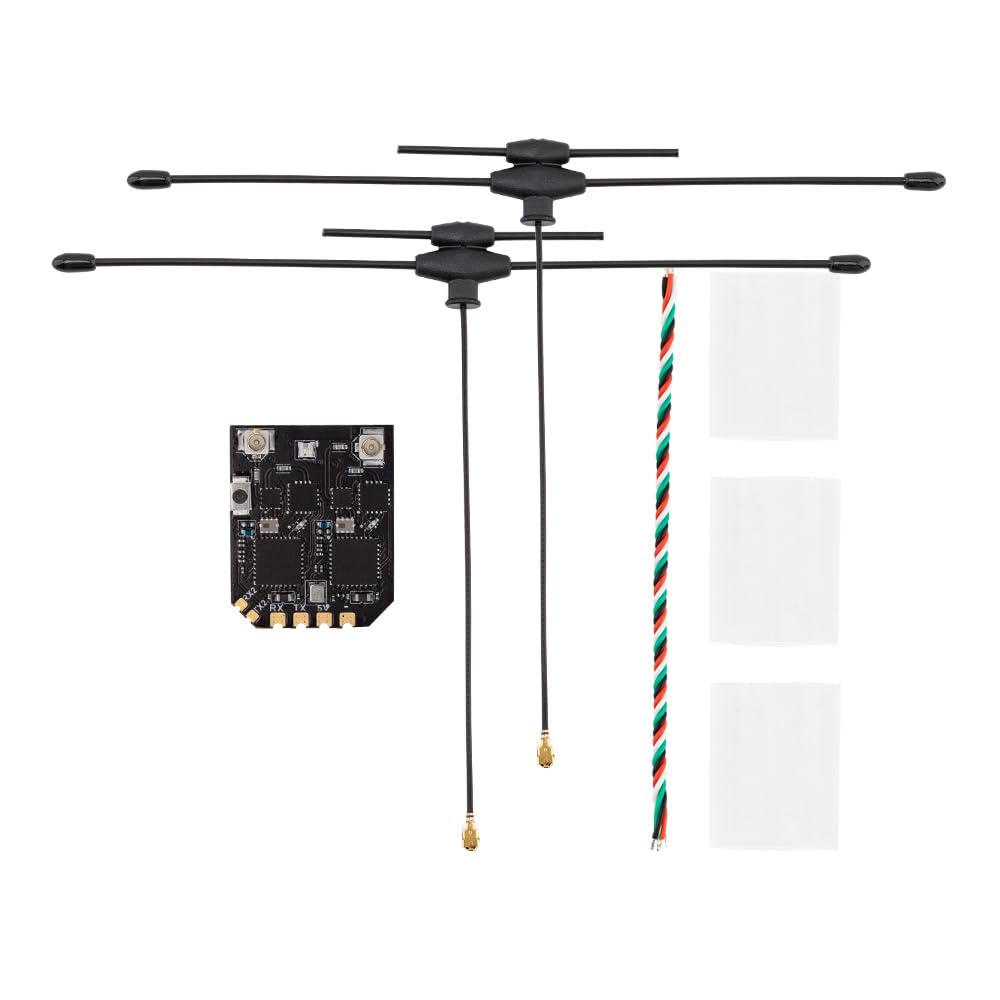
This image displays the Radiomaster XR4 receiver board with its two dual-band T-antennas attached, illustrating the complete receiver assembly.
3. 特徴
- True Diversity & Dual-Band: Utilizes dual LR1121 RF transceivers for enhanced reliability.
- ExpressLRS Gemini Xrossband (Gem-X) Compatible: Supports 2.4GHz and Sub-G 900MHz bands.
- 高性能MCU: Equipped with ESP32D4.
- Dual Semtech LR1121 Transceivers: Provides robust signal processing.
- Secondary UART Port: For advanced functionality and future expansion.
- Castled Pads: Facilitates easy soldering.
- 統合Wi-Fiモジュール: Simplifies firmware updates and configuration via WebUI。
- Ultra-Low Latency & High Refresh Rate: Ensures stable RF link.
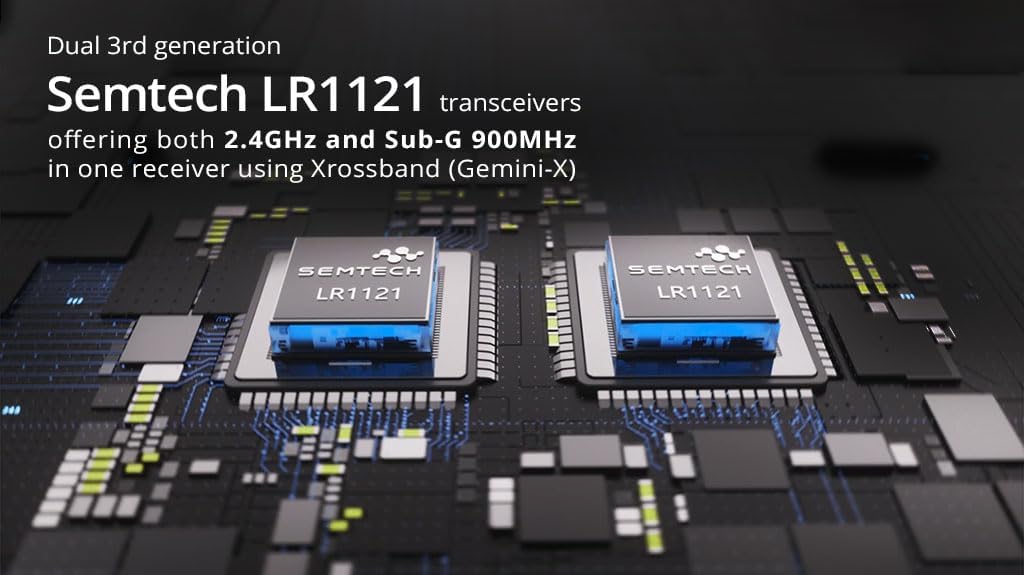
This image highlights the two Semtech LR1121 transceivers, which are central to the receiver's dual-band and true diversity capabilities.

この画像は詳細な view of the XR4 receiver board, specifically pointing out the additional UART port available for future expansion and advanced functionality.
4. 仕様
| パラメータ | 価値 |
|---|---|
| マイレージ | ESP32D4 |
| RFチップ | LR1121 x 2 |
| RFコネクタ | IPEX-1 x 2 |
| アンテナ | Dual-Band T Antenna x 2 (Included) |
| 周波数範囲 | 2.4GHz / Sub-G 900MHz |
| テレメトリパワー | 100mW |
| 最大受信リフレッシュレート | DK500Hz / K1000Hz |
| 最小受信機リフレッシュレート | 50Hz |
| ワーキングVoltage | DC 4.5-8.4V |
| 重量(アンテナを除く) | 1.7グラム |
| 寸法 | 22mm x 18mm x 4mm |
| Firmware Version (pre-installed) | エクスプレスLRS v3.5.1 |
| FWターゲット | ラジオマスター XR4 2.4/900 ジェミニ RX |
| バスインターフェース1 | CRSF |
| バスインターフェース2 | シリアル |
この画像は明確なトップダウンの view of the XR4 receiver's circuit board, showing component layout and connection points.
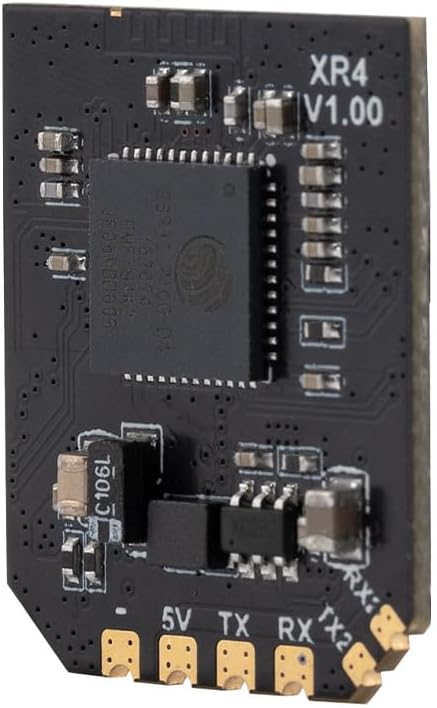
この画像は副業を示していますfile of the XR4 receiver board, with "XR4 V1.00" clearly visible, indicating the model and version.
5. セットアップとインストール
5.1配線接続
The XR4 receiver uses standard CRSF protocol for communication. Connect the receiver to your flight controller or other compatible device using the provided CRSF wire. Ensure correct polarity for power connections (DC 4.5-8.4V).
- 5V: Power input (4.5-8.4V DC)
- GND: 地面
- TX: CRSF Transmit (connect to RX on flight controller)
- 処方箋: CRSF Receive (connect to TX on flight controller)
- TX2 / RX2: Secondary UART port for advanced functionality.
5.2 アンテナの設置
Connect the two dual-band T-antennas to the IPEX-1 connectors on the receiver board. Position the antennas at a 90-degree angle to each other for optimal signal diversity. Use the provided heat-shrinkable tubes to secure and protect the antenna connections.
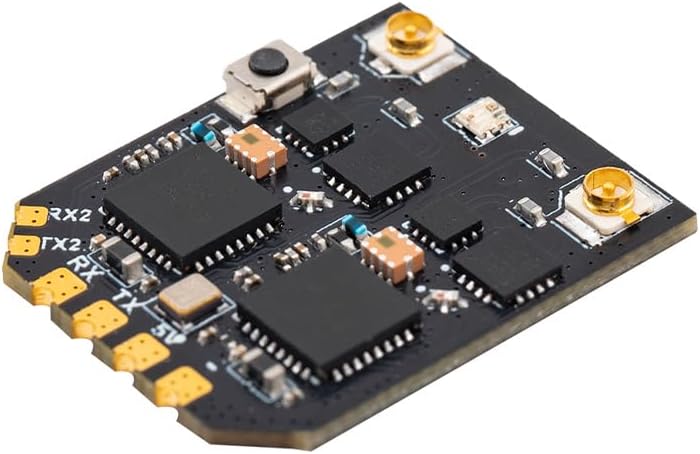
この画像は角度をつけた view of the XR4 receiver board, highlighting the IPEX-1 antenna connectors and the soldering pads for power and CRSF communication.
6. 操作手順
6.1 Binding Procedure (ExpressLRS)
The XR4 receiver comes pre-installed with ExpressLRS v3.5.1 firmware. To bind the receiver to your ExpressLRS transmitter module, follow these general steps:
- 送信モジュールが互換性のある ExpressLRS ファームウェア バージョンを実行していることを確認します。
- Power on the receiver. It will enter binding mode if it does not find a valid link. The LED on the receiver will typically flash rapidly.
- On your ExpressLRS transmitter, initiate the binding process. This is usually done via the Lua script or a dedicated bind button/menu option.
- バインドされると、受信機の LED が点灯し、接続が成功したことを示します。
- If binding fails, ensure your transmitter and receiver have matching ExpressLRS firmware versions and binding phrases (if configured).
6.2 Operating Modes: Gemini and Xrossband (Gem-X)
The XR4 receiver supports various operating modes, leveraging its dual RF circuits:
- Gemini 2.4GHz: Uses two 2.4GHz antennas for dual-frequency operation within the 2.4GHz band.
- Gemini Sub-G 900MHz: Uses two 900MHz antennas for dual-frequency operation within the Sub-G 900MHz band.
- Xrossband (Gem-X): Utilizes one Sub-G 900MHz antenna and one 2.4GHz antenna for dual-band operation, providing enhanced reliability across different frequency ranges.
The specific mode is typically configured via the ExpressLRS Lua script on your transmitter or through the receiver's WebUI。

This diagram visually explains the different antenna configurations and packet transmission methods for Gemini 2.4GHz, Gemini Sub-G 900MHz, and Xrossband (Gem-X) dual-band modes.
7. ファームウェアのアップデート
The XR4 receiver features an integrated Wi-Fi module for convenient firmware updates and configuration. To update the firmware:
- 受信機の電源を入れます。
- Connect to the receiver's Wi-Fi hotspot from your computer or mobile device. The network name will typically be "ExpressLRS RX" followed by a unique identifier.
- 開く web ブラウザを開いて http://10.0.0.1.
- 使用 WebUI to flash new firmware or adjust settings. Refer to the official ExpressLRS documentation for detailed instructions on firmware flashing.
8. メンテナンス
The XR4 receiver requires minimal maintenance. Keep the device clean and free from dust and moisture. Regularly inspect antenna connections for damage. Ensure proper heat dissipation if operating in enclosed spaces.
9。 トラブルシューティング
- リンクなし/LED点滅:
- 受信機の電源が正しく供給されていることを確認します(4.5~8.4V)。
- Verify the transmitter module is powered on and transmitting.
- Check if the receiver is in binding mode (rapid LED flash). If not, re-initiate binding.
- Confirm that the transmitter and receiver are running compatible ExpressLRS firmware versions.
- Check for correct binding phrase if one is set.
- 範囲/信号品質が悪い:
- Inspect antennas for damage or improper connection.
- Ensure antennas are positioned optimally (e.g., 90 degrees to each other).
- Check for sources of interference near the receiver or antennas.
- Verify the selected operating mode (Gemini/Xrossband) is appropriate for your setup.
- 受信機が応答しません:
- Check all wiring connections (power, ground, CRSF TX/RX).
- Ensure the flight controller or connected device is configured correctly for CRSF protocol.
- Attempt a firmware re-flash if the receiver is unresponsive.
10. 安全情報
- Always ensure correct power polarity before connecting the receiver. Incorrect wiring can cause permanent damage.
- Operate RC equipment responsibly and within legal limits.
- Keep the receiver away from water, moisture, and extreme temperatures.
- Do not attempt to modify the receiver's hardware beyond specified connection points.
- 過熱を防ぐために適切な換気を確保してください。
11. 保証とサポート
保証情報および技術サポートについては、公式RADIOMASTERをご覧ください。 webご購入の際は、サイトをご覧いただくか、正規販売店にお問い合わせください。保証請求の際に必要となりますので、購入証明書を保管してください。