導入
This manual provides detailed instructions for the safe and effective use of your Monster Open Ear AC326 Headphones. Please read this guide thoroughly before operating the device and retain it for future reference.
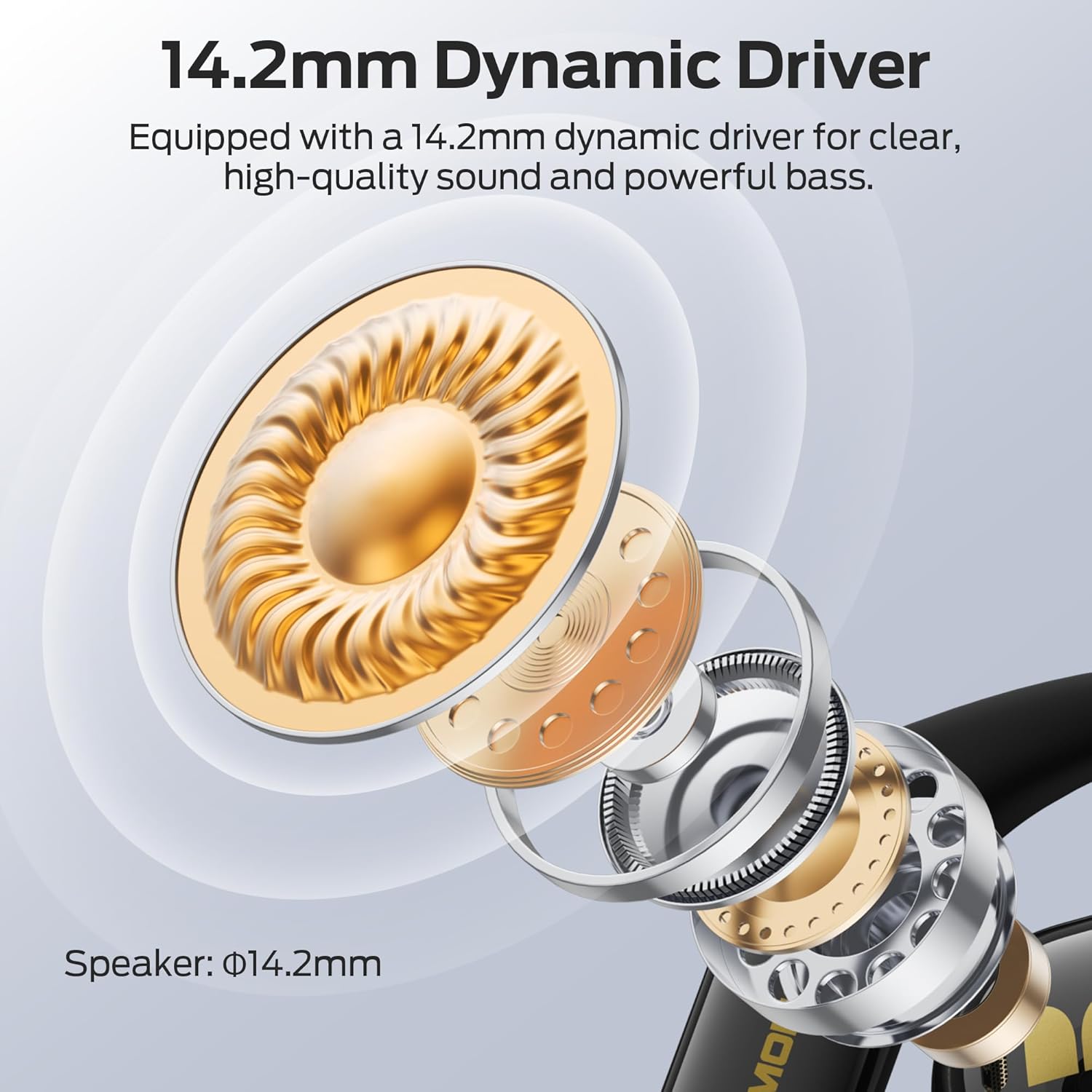
Image: Monster Open Ear AC326 Headphones shown in their charging case.
主な特徴
- オープンイヤーデザイン: Maintains situational awareness by allowing you to hear your surroundings while enjoying audio.
- プレミアム音質: Equipped with a 14.2mm dynamic driver for clear audio, deep bass, and crisp highs. Features dual noise-reducing microphones for clear calls.
- 高度なBluetooth 6.0: Ensures fast, stable connections with ultra-low latency for seamless audio streaming and calls.
- 快適で安全なフィット感: Ergonomic ear hooks and soft silicone material provide a stable, pressure-free fit suitable for extended wear and sports.
- 長いバッテリー寿命: Up to 10 hours of playtime per charge, extended to 35 hours with the charging case.
- IPX5防水: 汗や小雨に耐えられるよう設計されており、ワークアウトや屋外でのアクティビティに適しています。
- 空間オーディオ: Experience immersive sound with 3D six-axis head tracking and spatial audio output.

Image: Diagram highlighting the open-ear design, allowing users to remain aware of their surroundings.
箱の中身
開梱したら、すべてのアイテムが揃っていることを確認してください。
- Wireless Earbuds x2 (Left and Right)
- 充電ケースx1
- 充電ケーブルx1
- Product Manual x1 (This document)
- Spare Silicone Tips x1 (Note: The product description mentions ear tips, but the AC326 is an open-ear design. This might refer to ear hook adjustments or a general inclusion for other models. Please verify if physical ear tips are included.)

画像: 製品パッケージに含まれるアイテムの視覚的表現。
セットアップ手順
1. 初期費用
Before first use, fully charge the headphones and charging case. Connect the provided USB-C cable to the charging port on the case and a power source. The indicator lights on the case will show charging status.

Image: The charging case and earbuds, illustrating battery life and Bluetooth version.
2. ヘッドホンの装着
- 充電ケースからイヤフォンを取り出します。
- 耳かけフックを耳の上に置きます。
- Rotate the earbuds backward until they fit snugly and comfortably. Adjust the ear hooks for optimal fit and sound direction.

Image: Step-by-step guide on correctly placing the earbuds over the ear for a secure fit.

Image: The flexible ear hook design ensures a secure and stable fit, ideal for sports and active use.
3.Bluetoothペアリング
- 充電ケースを開けると、イヤホンは自動的にペアリングモードになります(インジケーターライトが点滅します)。
- デバイス(スマートフォン、タブレットなど)で、Bluetooth 設定に移動します。
- 利用可能なデバイスのリストから「Monster AC326」を選択します。
- 接続されると確認音が鳴り、インジケーター ライトの点滅が停止します。
操作手順
The Monster AC326 Headphones feature touch controls on each earbud. The functions can be customized via the companion app.
タッチコントロールオーバーview:
- Long press for 2s (L/R): 通話を拒否します。
- Long press for 3s (R): VoiceAssistantを有効にします。
- Long press for 3s (L): Toggle Spatial Audio.
- Short press (L): 音量 -。
- Short press (R): ボリューム+。
- ダブルクリック(L/R): 音楽の再生/一時停止、通話の応答/終了。
- Triple click (L): 前の歌。
- Triple click (R): 次の歌。

Image: Visual guide to the various touch controls available on the earbuds.
音楽再生:
- To play or pause music, double-click either earbud.
- To skip to the next track, triple-click the right earbud.
- To go to the previous track, triple-click the left earbud.
- Adjust volume with a short press on the left (down) or right (up) earbud.
通話管理:
- To answer or end a call, double-click either earbud.
- 着信を拒否するには、どちらかのイヤホンを 2 秒間長押しします。

Image: The dual-mic ENC technology ensures clear calls by reducing ambient noise.
メンテナンス
クリーニング:
- イヤホンと充電ケースは、柔らかく乾いた糸くずの出ない布で定期的に清掃してください。
- 研磨材、溶剤、化学洗剤の使用は避けてください。
- 適切に充電するには、イヤホンとケースの両方の充電接点が清潔で乾燥していることを確認してください。
耐水性(IPX5):
The headphones are IPX5 water-resistant, meaning they can withstand splashes of water and sweat. They are not designed for submersion in water. Ensure the earbuds are completely dry before placing them back in the charging case to prevent damage.

Image: The earbuds are shown with water droplets, indicating their IPX5 water-resistant rating.
トラブルシューティング
音が出ない、または接続が断続的:
- 両方のイヤホンが充電されていることを確認します。
- デバイスで Bluetooth が有効になっており、ヘッドフォンが接続されていることを確認します。
- 干渉を避けるため、デバイスに近づいてください。
- ヘッドフォンとデバイスのペアリングを解除し、再度ペアリングしてみてください。
イヤホンが充電されていない:
- 充電ケーブルがケースと電源の両方にしっかりと接続されているかどうかを確認します。
- イヤホンとケース内部の充電用接点が清潔でゴミがないことを確認してください。
- イヤホンが充電ケースに正しく装着されていることを確認します。
通話品質が悪い:
- マイクが遮られていないことを確認してください。
- 過度のバックグラウンドノイズが発生している場合は、静かな環境に移動してください。
- デバイスの通話音量設定を確認してください。
仕様
| ブランド | モンスター |
| モデル名 | E69(AC326) |
| フォームファクター | 耳を開ける |
| 接続技術 | ワイヤレス(Bluetooth 6.0) |
| 無線通信技術 | ブルートゥース |
| 耐水性レベル | IPX5防水 |
| アイテム重量 | 6.4オンス |
| パッケージ寸法 | 5.08 x 4.57 x 1.54インチ |
| バッテリー | 1 A 電池が必要です (付属) |
| 初回利用可能日 | 19年2025月XNUMX日 |
保証とサポート
保証情報とカスタマーサポートについては、モンスターの公式ウェブサイトをご覧ください。 webメーカーのウェブサイトをご覧いただくか、カスタマーサービスに直接お問い合わせください。詳細は通常、製品のパッケージまたはメーカーの公式オンラインリソースに記載されています。


