導入
Thank you for choosing the hOmeLabs 25 Pint Wi-Fi Dehumidifier. This manual provides essential information for the safe operation, maintenance, and troubleshooting of your new appliance. Designed for efficient moisture removal in spaces up to 3,500 sq ft, this dehumidifier features Wi-Fi smart control, quiet operation, and flexible drainage options to enhance your indoor environment.
重要な安全上の注意事項
Please read all instructions carefully before using the dehumidifier. Failure to follow these instructions may result in electric shock, fire, or serious injury.
- 除湿機は必ずアース付きの電源コンセントに接続してください。
- 電源コードまたはプラグが損傷している場合は、ユニットを操作しないでください。
- 転倒を防止するために、ユニットが水平で安定した面に設置されていることを確認してください。
- 吸気口や排気口を塞がないでください。ユニットの周囲には少なくとも8インチ(約50cm)のスペースを確保してください。
- 清掃、移動、メンテナンスを行う前に、除湿機のプラグを抜いてください。
- Do not use the unit in areas where flammable liquids or gases are stored.
- この機器は住宅用途にのみ使用できます。
- 動作中は子供やペットを装置から遠ざけてください。
製品終了view
Familiarize yourself with the components of your hOmeLabs dehumidifier.

The hOmeLabs 25 Pint Wi-Fi Dehumidifier shown alongside its blue and white product packaging, highlighting its compact design and brand.

An illustration showing the dimensions of the dehumidifier: 19.6 inches high, 12.2 inches wide, and 8.2 inches deep, emphasizing its compact form factor.

A close-up of the dehumidifier's control panel, displaying buttons for Wi-Fi, fan speed, timer, comfort mode, and indicators for tank full and filter status.

The dehumidifier positioned in a gym setting next to a yoga mat, illustrating its compact design and emphasizing its ultra-quiet operation at 47 dB.
主要コンポーネント:
- コントロールパネル: デジタルディスプレイと設定用のボタン。
- 空気入口/出口: ユニットに空気が出入りする場所。
- 水タンク: Removable bucket for collected moisture.
- 連続排水口: 連続運転時に排水ホースを接続するポートです。
- Caster Wheels & Handle: 持ち運びに便利です。
- 洗えるフィルター: 空気清浄のため背面に設置されています。
セットアップ手順
- 開梱: 除湿機を梱包から慎重に取り出してください。梱包材は保管や輸送の際に必要となりますので、保管しておいてください。
- 配置: Place the unit upright on a firm, level surface in the area where dehumidification is desired. Ensure there is at least 8 inches (20 cm) of space around all sides of the unit for proper airflow. Avoid placing it near heat sources or in direct sunlight.
- 電源接続: Plug the power cord into a grounded 110-120V/60Hz electrical outlet. The unit will beep once, and the display will light up.
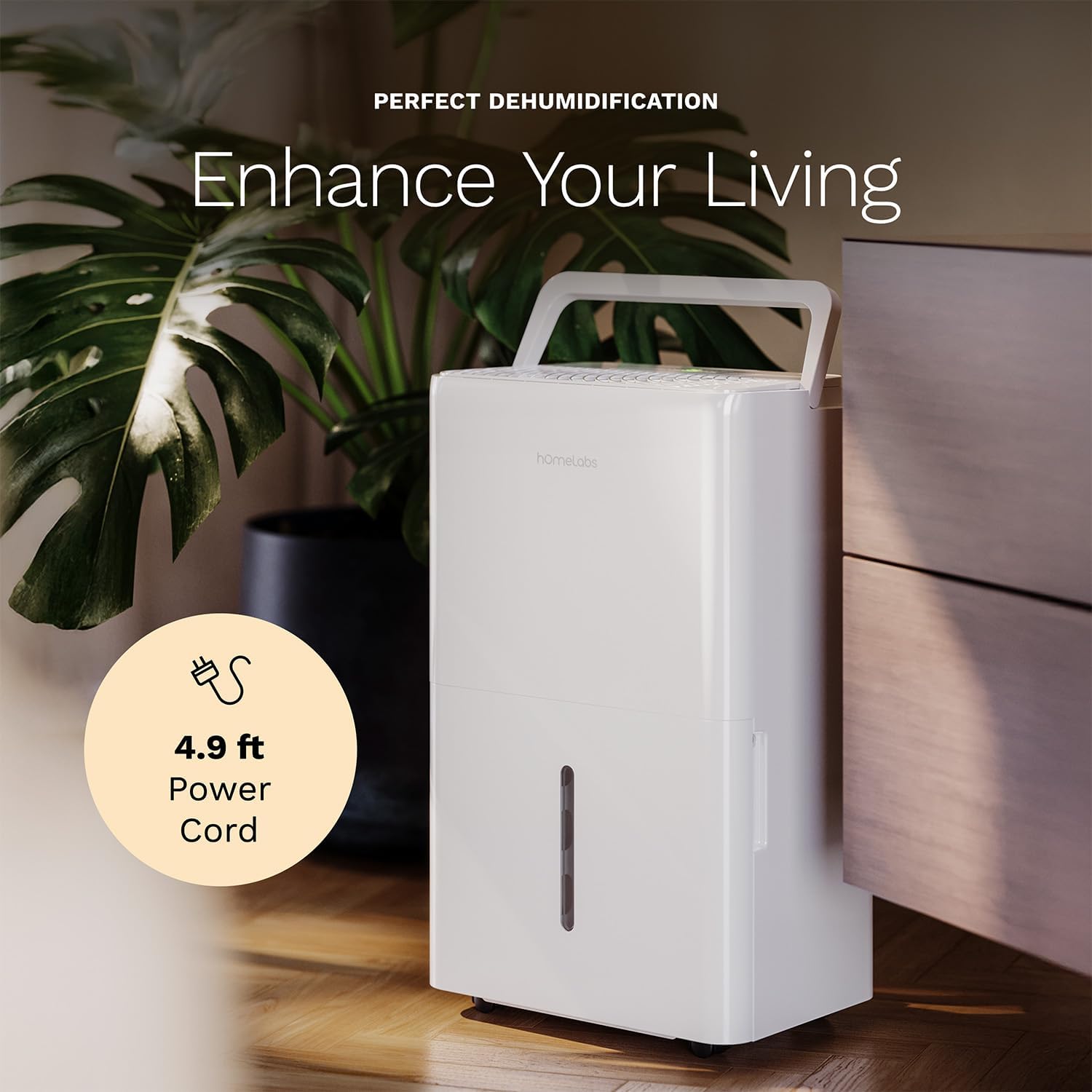
The dehumidifier positioned in a room, highlighting its 4.9 ft power cord for flexible placement.
- Drainage Option (Optional):

An image illustrating the two drainage options: using the built-in tank (manual emptying) or connecting a gravity drain hose for continuous drainage.
- 手動排水: The unit will collect water in the internal tank. When the tank is full, the unit will automatically shut off and indicate "Tank Full". Empty the tank as described in the Maintenance section.
- 連続排水: For continuous operation without emptying the tank, attach the included drain hose to the continuous drain outlet. Ensure the hose is sloped downwards to a suitable drain (e.g., floor drain, large bucket) to allow gravity drainage.
操作手順
コントロールパネルの機能:
- 電源ボタン: を押して、ユニットの電源をオンまたはオフにします。
- 湿度設定ボタン(+/-): Adjust the desired humidity level from 35% to 85% relative humidity (RH) in 5% increments.
- ファン速度ボタン: Cycle through High, Medium, and Low fan speeds.
- タイマーボタン: Set a timer for automatic ON/OFF operation (1-24 hours).
- 快適モードボタン: Activates a preset humidity level for optimal comfort.
- Wi-Fiボタン: Activates Wi-Fi pairing mode.
Wi-Fi Smart Control:
Your dehumidifier can be controlled remotely via Wi-Fi using a smartphone app, Google Assistant, or Alexa.

The dehumidifier shown with icons indicating compatibility with Google Home and Alexa, along with a smartphone icon representing app control for remote operation.
- アプリをダウンロードする: Download the hOmeLabs app from your smartphone's app store (iOS or Android).
- ペアリング: Follow the in-app instructions to pair your dehumidifier with your home Wi-Fi network. This typically involves pressing and holding the Wi-Fi button on the control panel until the indicator light flashes.
- リモートコントロール: Once paired, you can adjust settings, monitor humidity levels, and set schedules from anywhere using your smartphone.
メンテナンス
定期的なメンテナンスにより、最適なパフォーマンスが確保され、除湿機の寿命が延びます。
水タンクを空にする:
- When the water tank is full, the "Tank Full" indicator will illuminate, and the unit will stop operating.
- 水タンクを本体前面から慎重に引き出します。
- 集めた水をシンクまたは排水口に流します。
- 空のタンクをカチッと音がするまでユニットに戻します。ユニットは動作を再開します。
エアフィルターのクリーニング:
The "Filter" indicator light will illuminate after 250 hours of operation, reminding you to clean the filter. Clean the filter every two weeks or more frequently depending on usage and air quality.
- 除湿機の電源を切り、電源プラグをコンセントから抜きます。
- ユニットの背面からエアフィルターを取り外します。
- フィルターを温かい石鹸水で洗い、よくすすいでください。
- フィルターを再び取り付ける前に、完全に自然乾燥させてください。乾燥機や直火は使用しないでください。
- Once the filter is reinstalled, press and hold the "Filter" button for 3 seconds to reset the filter timer.
一般的な清掃:
- 本体の外側を柔らかい布で拭いてください。amp 布。
- 強力な化学薬品、研磨剤、溶剤は使用しないでください。
- カビや腐敗の発生を防ぐために、定期的に水タンクを清掃してください。
トラブルシューティング
一般的な問題とその解決策については、このセクションを参照してください。
| 問題 | 考えられる原因 | 解決 |
|---|---|---|
| 除湿機が作動しません。 | No power; Power cord not plugged in; Tank full. | Check power supply; Plug in power cord securely; Empty water tank. |
| ユニットは動作していますが、水は収集されません。 | Humidity setting too high; Room temperature too low; Air filter clogged. | Lower desired humidity setting; Ensure room temperature is above 41°F (5°C); Clean air filter. |
| ユニットがうるさいです。 | ユニットが水平ではありません。エアフィルターが詰まっています。ファンが妨害されています。 | 水平な面に置き、エアフィルターを清掃し、ファンエリアに障害物がないか確認します。 |
| Wi-Fi接続の問題。 | Wi-Fi パスワードが正しくありません。ルーターが遠すぎます。アプリに問題があります。 | Verify Wi-Fi password; Move unit closer to router; Restart app/unit. |
仕様
| 特徴 | 詳細 |
|---|---|
| ブランド | ホームラボ |
| モデル名 | hOmelabs - Dehumidifier - 25 Pint - WIFI (HME0088) |
| 除湿能力 | 25 Pints per Day (at 80°F, 60%RH) / MAX 64 Pints (at 95°F, 90%RH) |
| カバーエリア | 最大 3,500 平方フィート |
| タンク容量 | 1ガロン |
| 製品寸法(奥行き×幅×高さ) | 奥行き8.2インチ x 幅12.2インチ x 高さ19.6インチ |
| アイテム重量 | 27.1 ポンド |
| 操作モード | 自動 |
| 特集 | 湿度調節機能、自動霜取り機能、自動除湿機能、自動停止機能、バケツ収納機能、デジタルディスプレイ、ポータブル、静音動作、取り外し可能なタンク、タイマー、洗えるフィルター、Wi-Fi対応 |
| エネルギー効率 | Energy Star Most Efficient 2024 Certified |
保証とサポート
Your hOmeLabs 25 Pint Wi-Fi Dehumidifier comes with a standard manufacturer's warranty. For detailed warranty information, please refer to the official warranty document provided with your purchase or visit the hOmeLabs webサイト。
保証書: 保証書(PDF)をダウンロード
For technical support, troubleshooting assistance, or to inquire about replacement parts, please contact hOmeLabs customer service. Contact information can typically be found on the hOmeLabs webサイトまたは製品パッケージに記載されています。


