導入
Thank you for choosing the LIORQUE SM-01 White Noise Machine with Alarm Clock. This device is designed to enhance your sleep, relaxation, and wake-up experience with a variety of soothing sounds, an adjustable night light, and a customizable alarm clock. Please read this manual carefully to ensure proper use and to fully enjoy all its features.
安全情報
- 注意: Use only with the provided power cable.
- 湿気の多い環境では使用しないでください。
- 過度の熱にさらさないでください。
- このデバイスはおもちゃではありません。
- Risk of sunburn or electric shock if mishandled.
- Avoid prolonged exposure to high sound levels.
- お子様の手の届かない場所に保管してください。
パッケージ内容

The image displays the LIORQUE SM-01 White Noise Machine, a charging cable, a power adapter, and the user manual, all neatly arranged with the product packaging.
開梱したら、以下の品目がすべて揃っていることを確認してください。
- LIORQUE SM-01 White Noise Machine with Alarm Clock (x1)
- 充電ケーブル(x1)
- 電源アダプター(x1)
- ユーザーマニュアル (x1)
製品終了view およびコントロール

This image illustrates the top panel of the device, highlighting the various buttons and their corresponding functions for easy identification and operation.
Familiarize yourself with the control buttons located on the top of the device:
- アラームスイッチ: アラームを有効または無効にします。
- Time Set / Dimmer: Long press to set the time; short press to adjust display brightness.
- ボリューム-: 音量を下げます。
- スヌーズ/ライトボタン: Activates snooze during an alarm; short press to turn on/off or adjust the night light.
- ボリューム+: 音量を上げます。
- サウンドボタン: Selects soothing sounds.
- タイマーボタン: スリープ タイマーの継続時間を設定します。
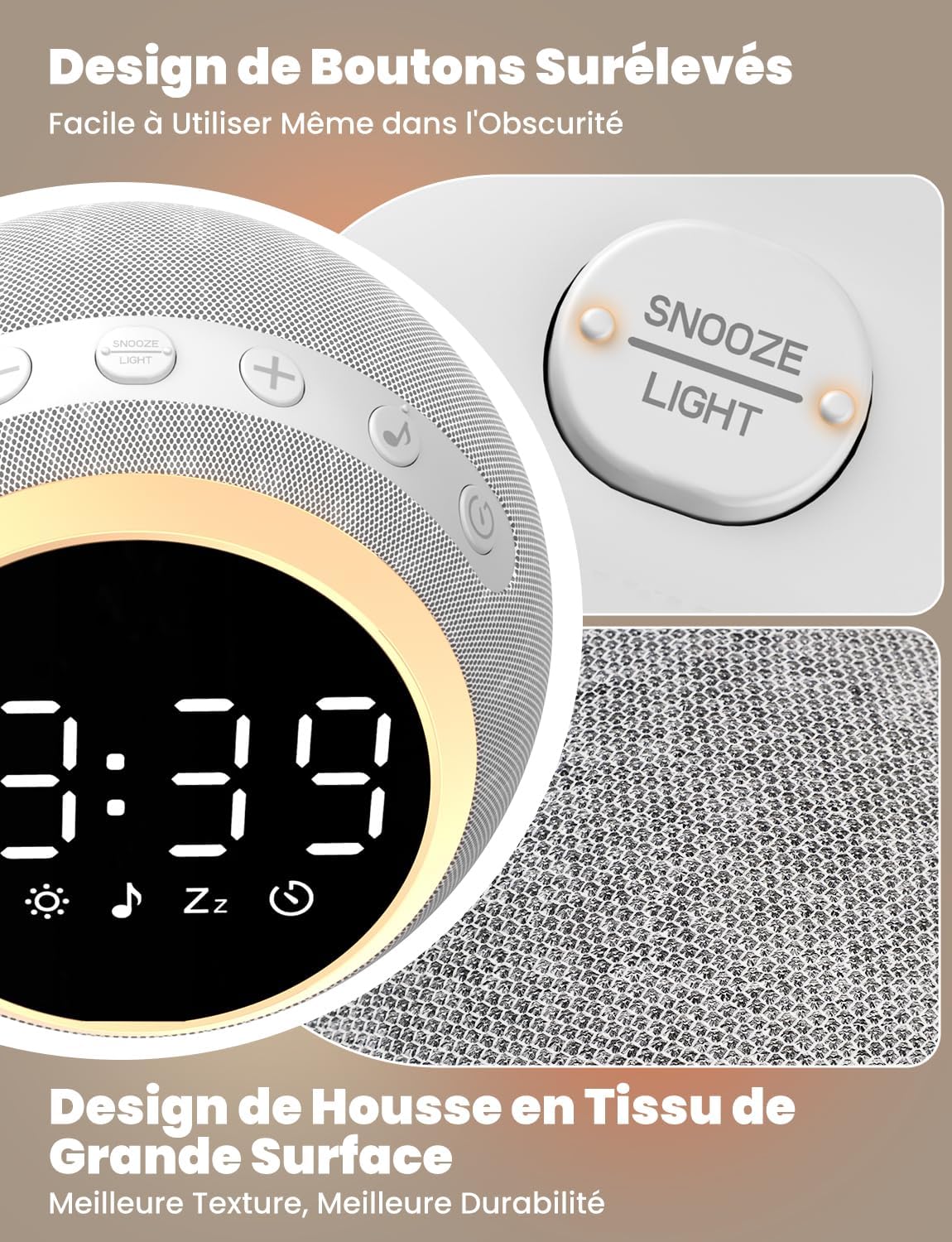
The device features raised buttons for intuitive operation, even in low light conditions, and a durable fabric-wrapped casing.
設定
- 電源接続: Connect the provided power cable to the device and plug the adapter into a standard electrical outlet. The device will power on automatically.
- 初期時間設定: 長押し 時間設定 button. Use the Volume +/- buttons to adjust the hour and minute. Press the Time Set button again to confirm each setting.
操作手順
1. White Noise and Soothing Sounds

The device offers 25 natural sounds, including various nature sounds and lullabies, to promote relaxation and sleep.
- サウンドの選択: を押す サウンドボタン to cycle through the 25 available natural sounds (e.g., thunderstorms, rain, lullabies).
- 音量の調整: 使用 ボリューム+ そして ボリューム- buttons to set your desired sound level. The device offers 16 levels of volume adjustment.
2. 目覚まし時計機能
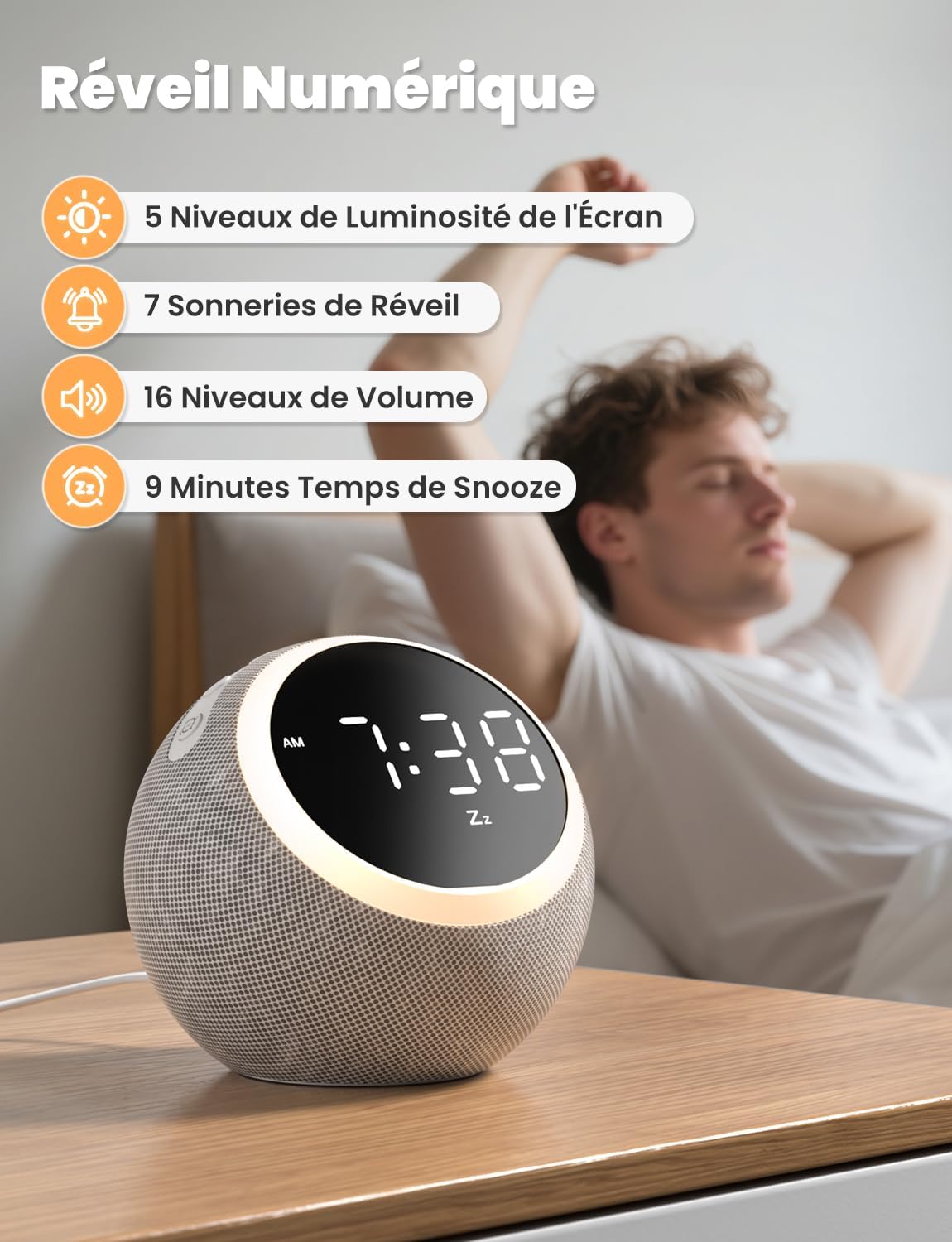
The digital alarm clock features 5 display brightness levels, 7 alarm tones, 16 volume levels, and a 9-minute snooze function.
- アラーム設定: 長押し アラームスイッチ button. Use the Volume +/- buttons to set the alarm time. Press the Alarm Switch again to confirm.
- Choosing Alarm Tone: While setting the alarm, you can select from 7 pleasant alarm tones.
- スヌーズ機能: アラームが鳴ったら、を押します Snooze / Light Button to get an additional 9 minutes of sleep.
- アラームを無効にする: を押す アラームスイッチ その日のアラームをオフにするボタン。
3. ナイトライト

The night light offers 10 adjustable levels of brightness and color temperature from 1500K to 6500K, allowing for personalized ambiance.
- Activating/Adjusting Light: を短く押す Snooze / Light Button to turn on the night light. Continue pressing to cycle through 10 levels of brightness and color temperature (1500K to 6500K).
- Turning Off Light: を押す Snooze / Light Button ライトが消えるまで。
4.ディスプレイの明るさ

The display brightness can be adjusted across 5 levels, including a completely dark mode, suitable for light-sensitive sleepers.
- ディスプレイの調整: を短く押す Time Set / Dimmer button to cycle through 5 levels of display brightness, including a complete blackout mode.
5。 目覚まし時計

The sleep timer allows you to set the device to automatically turn off sounds and lights after a duration between 5 and 480 minutes.
- タイマーの設定: を押す タイマーボタン to select a desired sleep timer duration (e.g., 5, 15, 30, 60, 90, 120, 180, 240, 300, 360, 420, 480 minutes). The sound and light will automatically turn off after the set time.
- Disabling Timer: Continue pressing the Timer Button until the timer indicator disappears from the display.
メンテナンス
- クリーニング: Disconnect the power before cleaning. Wipe the device with a soft, dry cloth. Do not use liquid cleaners or abrasive materials.
- ストレージ: 長期間使用しない場合は、デバイスを涼しく乾燥した場所に保管してください。
トラブルシューティング
- デバイスの電源が入らない: 電源ケーブルがデバイスと電源コンセントの両方にしっかりと接続されていることを確認してください。コンセントが正常に機能していることを確認してください。
- 音が出ない: 音量+/-ボタンを使って音量レベルを確認してください。サウンドが選択されていることを確認してください。
- アラームが鳴らない: Verify the alarm is set and activated (check the alarm icon on the display). Ensure the alarm volume is not set to zero.
- Display too bright/dark: Adjust the display brightness using the Time Set / Dimmer button.
仕様
| 特徴 | 仕様 |
|---|---|
| モデル番号 | SM-01 |
| ブランド | リオルク |
| 寸法 | 14.7 x 13.6 x 13.5 cm |
| 重さ | 480グラム |
| 電源 | 電気ケーブル |
| Number of Soothing Sounds | 25 |
| ディスプレイの明るさレベル | 5(オフを含む) |
| 夜間照明レベル | 10 |
| Night Light Color Temperature | 1500K - 6500K |
| アラーム音 | 7 |
| スヌーズ時間 | 9 minutes |
| Sleep Timer Duration | 5~480分 |
保証とサポート
LIORQUE products are designed and manufactured to the highest quality standards. For any questions, technical support, or warranty claims, please refer to the contact information provided on the product packaging or visit the official LIORQUE webサイト。
保証のために購入証明書を保管してください。


