導入
This manual provides comprehensive instructions for the installation, operation, and maintenance of your HEATIT ET-72W Programmable Thermostat. Designed for electric radiant floor heating systems, this thermostat features dual voltage compatibility, dual sensing capabilities, and an interactive color touch screen interface. Please read this manual thoroughly before installation and use to ensure proper function and safety.
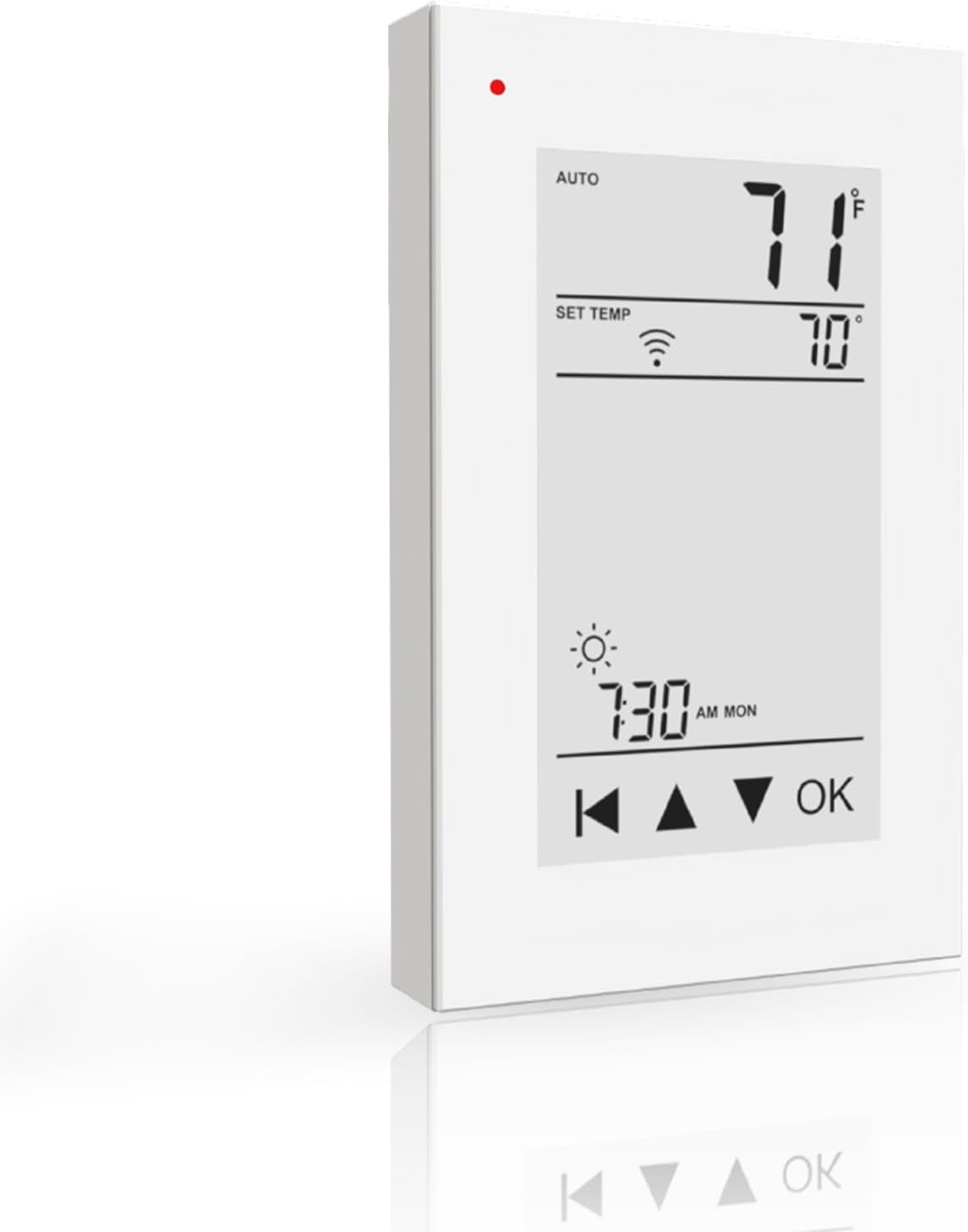
画像: 正面 view of the HEATIT ET-72W Programmable Thermostat, displaying its interactive color touch screen interface with current temperature, set temperature, time, and control buttons.
主な特徴
- 7日間プログラム可能なスケジュール: Customize heating with 4 or 2 stages per day for a full week.
- ETL Approved & Advanced GFCI Protection: ETL-certified for safety, dual voltage (120/240V), and built-in Class A GFCI protection.
- 簡単なインストール: Designed for easy control of floor heating systems up to 15A.
- Triple Sensor Options: Choose from Room, Floor, or Room.Limit sensor modes for precise temperature management.
- Remote Control via WiFi: Manage settings from anywhere using the Warmme app on Android or iOS devices with 5G+2.4G WiFi connectivity.
安全情報
The HEATIT ET-72W thermostat is ETL-certified, ensuring compliance with North American safety standards. It features built-in Class A Ground Fault Circuit Interrupter (GFCI) protection to prevent electric shock. Always ensure power is disconnected before installation or maintenance. Installation should be performed by a qualified electrician in accordance with local electrical codes.
インストール
The ET-72W thermostat is designed for easy installation with electric floor heating systems up to 15A. It supports dual voltage (120V/240V). Ensure the power supply matches the thermostat's requirements. The thermostat includes a 10ft sensor wire for floor temperature monitoring.
配線図

Image: Detailed wiring diagram showing connections for Line (L, N), Load (L, N), and Sensor (IN/SNR) terminals on the back of the thermostat, with representations of a heating mat and sensor wire.
- 取り付けを始める前に、回路ブレーカーで電源をオフにしてください。
- Connect the Line (L, N) wires from your power supply to the corresponding terminals on the thermostat.
- Connect the Load (L, N) wires from your electric floor heating system to the designated terminals.
- Connect the floor sensor wire to the IN/SNR terminals. Ensure the sensor is properly placed within the floor heating area.
- Mount the thermostat securely in a standard electrical box.
- 電源を復旧し、初期設定を続行します。
互換性
This thermostat is exclusively designed for use with electric underfloor heating systems, including HEATIT Floor Heating Mats and HEATIT Heating Cables.

Image: Illustration showing the HEATIT ET-72W thermostat alongside a HEATIT floor heating mat and a spool of HEATIT heating cable, indicating compatibility.
設定
Upon initial power-up, the thermostat will guide you through basic setup steps, including language selection, time and date settings, and initial temperature preferences. Follow the on-screen prompts.
操作手順
The ET-72W features an interactive color touch screen. Navigate menus and adjust settings by tapping the screen. The main display shows current room temperature, set temperature, time, and operating mode.
温度調節
- メイン画面で、 Up そして 下 arrows to manually adjust the desired temperature.
- プレス OK 新しい設定を確認します。
Sensor Options for Precise Control
The thermostat offers three sensor modes:
- ルームモード: Relies on the built-in ambient air sensor to control the room temperature.
- フロアモード: Uses the external floor sensor to maintain a specific floor temperature.
- Room.Limit Mode: Balances room temperature control using the built-in sensor while monitoring the floor temperature via the external sensor to prevent overheating.
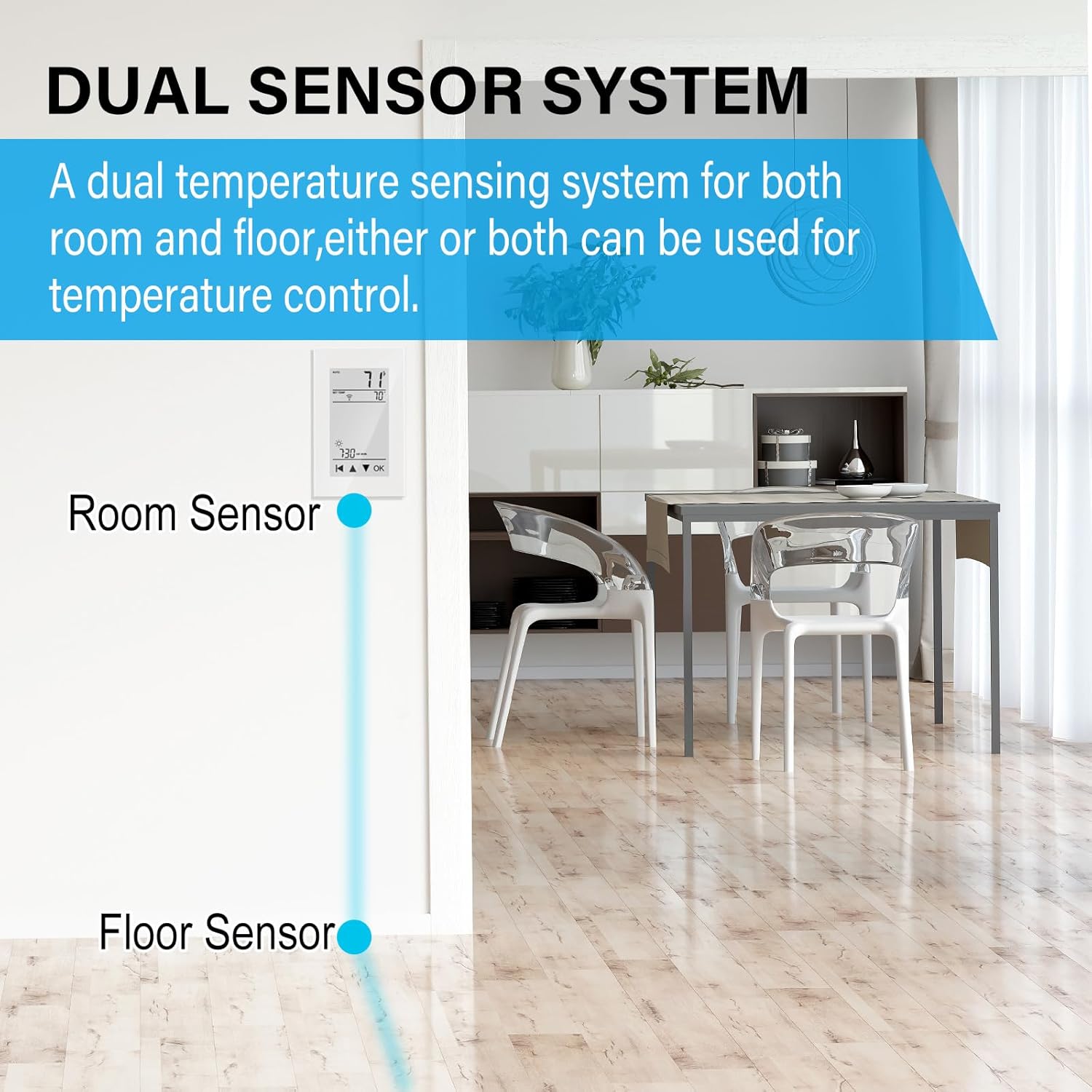
Image: Diagram illustrating the dual sensor system, showing the thermostat with an internal room sensor and an external floor sensor connected, allowing for flexible temperature control options.
番組スケジュール
The ET-72W allows for a 7-day programmable schedule with up to 4 or 2 stages per day. This feature enables you to set different temperatures for various times of the day and days of the week, optimizing comfort and energy efficiency.
- Access the programming menu through the thermostat's touch screen interface.
- プログラムする日を選択します。
- Set the desired time and temperature for each stage (e.g., Wake, Away, Home, Sleep).
- 設定を保存します。
リモートコントロールとWiFi接続
The thermostat can be controlled remotely via the Warmme app, available for download on the App Store (iOS) and Google Play (Android). It supports 5G+2.4G WiFi connectivity, allowing you to monitor and adjust your thermostat settings from anywhere with an internet connection.
WiFiへの接続
- Ensure your thermostat is powered on and within range of your WiFi network.
- Download and install the "Warmme" app on your smartphone or tablet.
- Follow the in-app instructions to create an account and add your ET-72W thermostat. This typically involves putting the thermostat into pairing mode and connecting it to your home WiFi network.
- Once connected, you can control your thermostat remotely.


Image: Left: A person using the Warmme app on a smartphone to control the thermostat remotely. Right: The HEATIT ET-72W thermostat displayed next to a smartphone showing the Warmme app interface, demonstrating remote control capabilities.
メンテナンス
The HEATIT ET-72W thermostat requires minimal maintenance. To ensure optimal performance and longevity:
- 画面と外装を柔らかくて清潔な布で拭いてください。amp 布で拭いてください。研磨剤入りの洗剤や溶剤は使用しないでください。
- Ensure the thermostat's vents are free from dust and obstructions to allow for accurate temperature sensing.
- Periodically check wiring connections for tightness, especially during annual system checks (performed by a qualified professional).
トラブルシューティング
HEATIT ET-72W サーモスタットで問題が発生した場合は、次の一般的な解決策を検討してください。
- 電源なし/画面が真っ白: 暖房システムの回路ブレーカーを確認してください。すべての配線接続が確実に行われていることを確認してください。
- 暖房システムが応答しない: Verify the thermostat is in the correct operating mode (e.g., Heat). Check the set temperature is above the current room temperature. Inspect wiring connections to the heating system.
- 不正確な温度測定: Ensure the thermostat's internal sensor is not obstructed and the external floor sensor is correctly installed and connected.
- WiFi接続の問題: Confirm your home WiFi network is operational and the thermostat is within range. Restart your router and the thermostat. Re-attempt the WiFi setup process via the Warmme app. Ensure you are connecting to a 2.4GHz network if your router supports both 2.4GHz and 5GHz, as some devices prefer 2.4GHz for initial setup.
- GFCIトリップ: If the GFCI trips, indicating a ground fault, immediately turn off power to the heating system. This requires professional inspection to identify and resolve the electrical fault. Do not bypass GFCI protection.
For persistent issues, contact HEATIT customer support or consult a qualified electrician.
仕様
| モデル番号 | ET-72W |
| 巻tage | 120V/240V(デュアルボリュームtage) |
| 最大荷重 | 15A |
| センサータイプ | Room (built-in), Floor (external 10ft wire) |
| 接続性 | 5G+2.4G Wi-Fi |
| プログラミング | 7-Day, 4 or 2 stag1 日あたり |
| 認定資格 | ETL Approved, Class A GFCI |
| アイテム重量 | 14.4オンス |
| パッケージ寸法 | 6.1 x 3.46 x 2.83インチ |
| メーカー | 朱克市 |
保証とサポート
The HEATIT ET-72W Programmable Thermostat comes with a 4-year limited warranty. For warranty claims, technical assistance, or further support, please contact HEATIT customer service through their official channels or the Warmme app support section.
For the latest information and support resources, visit the official HEATIT webサイト: HEATIT Store on Amazon


