導入
The XTOOL D6 OBD2 Scanner is a powerful and portable full system diagnostic tool designed for comprehensive vehicle maintenance and troubleshooting. This manual provides detailed instructions on setting up, operating, maintaining, and troubleshooting your D6 scanner to ensure optimal performance and longevity.

Figure 1: The XTOOL D6 OBD2 Scanner, showcasing its compact design and key features like All Systems, 15 Resets, FCA AutoAuth, CAN FD, and Voltageディスプレイ。
1.セットアップガイド
1.1 開梱と初期検査
Upon receiving your XTOOL D6, carefully open the packaging and inspect the contents. The box should include the D6 scanner unit, the OBD2 main cable, and a charging cable. Ensure all components are present and undamaged.
1.2 電源投入と初期設定
The D6 scanner is powered by a 3150mAh 3.6V Lithium Ion battery. To power on, press and hold the power button located on the device. Upon first use, you may be prompted to configure initial settings such as language. The device supports 15 languages including English, Spanish, French, German, and Russian.
1.3 Connecting to Wi-Fi and Software Updates
For optimal performance and access to the latest vehicle data and functions, connect your D6 scanner to a Wi-Fi network. Navigate to the 'Updates' section on the main menu. The XTOOL D6 offers free lifetime software updates, ensuring compatibility with new vehicle models and continuous feature enhancements.
Video 1: Demonstrates the ease of use and portability of the XTOOL D6, highlighting its suitability for DIYers and initial setup processes.
2. 操作手順
2.1車両への接続
Locate your vehicle's OBD2 port (typically under the dashboard). Connect the OBD2 main cable from the D6 scanner to the vehicle's OBD2 port. The scanner will draw power directly from the vehicle.
2.2 Full System Diagnostics with AutoVIN
The XTOOL D6 features AutoVIN technology, which automatically identifies your vehicle upon connection. It can then perform a comprehensive scan of all available systems and modules, including Engine (AT/ENG), Anti-lock Braking System (ABS), Supplemental Restraint System (SRS), Heating, Ventilation, and Air Conditioning (HVAC), Powertrain Control Module (PCM), Body Control Module (BCM), airbags, lighting, and audio control systems.

Figure 2: Illustration of the XTOOL D6's OE-Level All Systems Diagnostic capability, showing various vehicle modules it can scan.
2.3 診断トラブルコード(DTC)の読み取りとクリア
After a full system scan, the D6 will display any detected DTCs. You can read the detailed description of each code from the built-in DTC Library to understand the fault. Once repairs are made, you can clear the codes to turn off warning lights.
2.4 Live Data Stream and Graphing
Monitor real-time live data streams from various sensors and components. The D6 allows viewing up to 4 PIDs (Parameter IDs) in one graph, which is crucial for pinpointing intermittent faults or verifying repairs, such as tracing ABS failure or coolant temperature sensor issues.

Figure 3: Depicts the smart functions of the XTOOL D6, including the ability to graph up to 4 PIDs simultaneously for detailed diagnostics.
2.5 OBD2 Functions and I/M Readiness
The D6 supports all 10 OBD2 modes, allowing you to check I/M readiness status to ensure your vehicle is ready for emissions testing and to keep the engine light off.
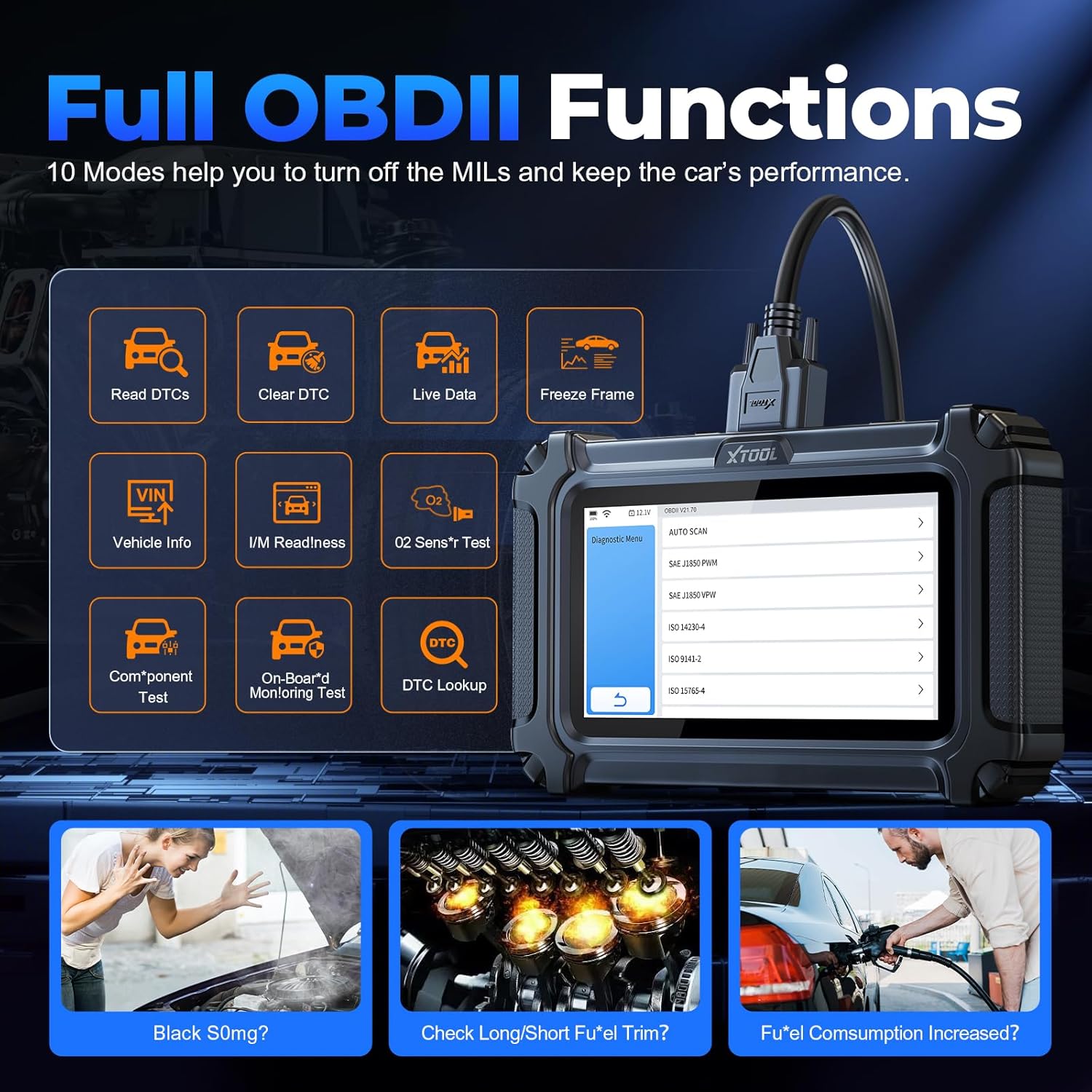
図4:以上view of the 10 Full OBDII Functions supported by the XTOOL D6, aiding in comprehensive vehicle performance checks.
2.6 Special Functions (15 Resets)
The D6 offers 15 critical reset and relearn functions for common maintenance tasks:
- Oil Light Maintenance: オイル交換後はオイルライフシステムをリセットします。
- Electronic Parking Brake Reset (EPB Service): Reset calipers, brake discs, or pads after brake system repair.
- TPMSリセット: タイヤ空気圧監視システムをリセットします。
- ABSブリーディング: Perform ABS brake bleed function to cycle the ABS pump and bleed air.
- Steering Angle Sensor Reset (SAS Reset): Clear fault steering angle sensor memories and turn off warning light.
- Throttle Body Relearn (Throttle Position Relearn): Reset throttle actuators for accurate idle and smooth acceleration.
- インジェクターコーディング: Code new injectors after replacement for accurate fuel injection control.
- Gearbox Adaptation: Complete self-learning and calibrate the gearbox.
- サスペンション調整: Adjust vehicle suspension settings.
- ヘッドライト調整: Initialize adaptive headlight system (after lifting car chassis).
- バッテリーリセット: Reset monitoring unit after battery replacement or sensor change.
- Window Calibration: Perform window initialization (during post-battery death).
- Crank Sensor Relearn (CPK Relearn): Perform relearn procedure when replacing crank sensor or flywheel.
- BMSリセット: Reset battery management system.
- DPF/GPF Regeneration: Perform regeneration for diesel/gasoline particulate filters.

Figure 5: Visual representation of the 15 Maintenance Functions available on the XTOOL D6, covering various vehicle systems.
Video 2: Showcases the XTOOL D6 OBD2 Scanner's 15 Reset functions, demonstrating their application for everyday vehicle repairs.
3. メンテナンス
3.1ソフトウェアアップデート
Regularly check for and install software updates via Wi-Fi to ensure your D6 scanner has the latest vehicle coverage and diagnostic capabilities. Updates are free for life.
3.2デバイスケア
The D6 features a rugged, drop-resistant design, tested from 4ft, with textured silicone grips for durability. Keep the device clean and store it in a safe environment when not in use. Avoid exposing it to extreme temperatures or moisture.
Video 3: Illustrates the drop-tested durability of the XTOOL D6, emphasizing its robust construction for reliable diagnostics.
3.3 Diagnostic Report Management
The D6 can save over 1000 repair reports on its 32GB internal storage, which is expandable via microSD. You can generate and share these diagnostic reports in PDF format with mechanics or for your records.
4。 トラブルシューティング
4.1 一般的な問題と解決策
- スキャナーの電源が入らない: Ensure the device is charged or properly connected to the vehicle's OBD2 port. Check the OBD2 cable for damage.
- 車両との通信エラー: Verify the OBD2 cable connection is secure. Ensure the vehicle's ignition is on (engine off or running as required by the specific diagnostic function). Confirm vehicle compatibility with the D6 scanner.
- 不正確な読み取りや機能が動作しない: Ensure the software is up-to-date. Functions may vary across different vehicle models; check compatibility before performing specific relearns or diagnostics.
- Device freezing or slow performance: Restart the device. Ensure sufficient storage space is available.
4.2 サポートへの連絡
For any issues not resolved by the troubleshooting steps, XTOOL provides responsive professional support. You can contact them via email at Xtooldirect@outlook.com. When contacting support, provide your car's VIN for compatibility checks and detailed issue descriptions.
5. 製品仕様
| モデル | D6 |
| メーカー | Xツール |
| オペレーティング·システム | リナックス |
| 画面 | 5.45-inch HD Touchscreen (720x1440 resolution) |
| ストレージ | 32GB(microSDで拡張可能) |
| バッテリー | 3150mAh 3.6V Lithium Ion (included) |
| アイテム重量 | 1.74ポンド |
| パッケージ寸法 | 9.69 x 6.1 x 3.5インチ |
| 耐久性 | Drop-tested from 4ft, rugged design with silicone grips |
| 車両補償範囲 | 1996+ US, 2003+ European, 2008+ Asian, Australia 12V OBD2 vehicles; supports CAN FD (GM 2020+), FCA AutoAuth (Chrysler, Jeep, Dodge 2018+, Fiat 2017+) |
| 言語 | 15 languages including English, Spanish, French, German, Russian |
6. 保証とサポート
6.1 保証情報
The XTOOL D6 OBD2 Scanner comes with a 2-year warranty, providing peace of mind for your investment.
6.2 生涯無料アップデート
Benefit from lifetime free software updates, ensuring your scanner remains current with the latest vehicle technologies and diagnostic functions without additional subscription fees.
6.3 カスタマーサポート
XTOOL is a 13-year reliable brand committed to customer satisfaction. They offer 24/7 after-sale assistance and responsive technical support. For any inquiries or assistance, please reach out to Xtooldirect@outlook.com.
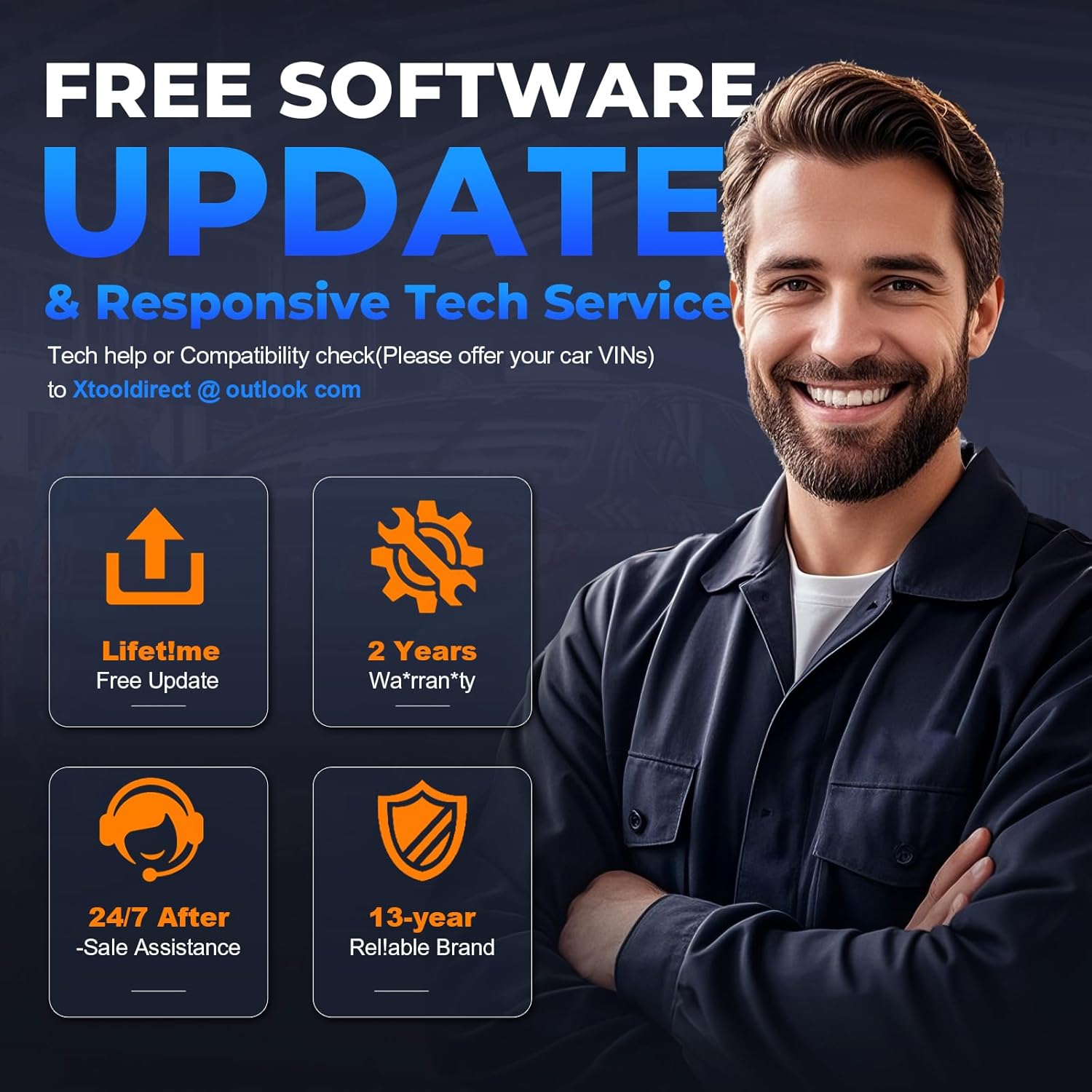
Figure 6: Highlights the benefits of owning the XTOOL D6, including lifetime free updates, 2-year warranty, and dedicated 24/7 after-sale assistance.


