1. はじめに
The Evelame Smart Ring (Model R11) is a sophisticated health and fitness tracker designed to provide real-time insights into your well-being. This compact, wearable device monitors various essential health metrics and supports multiple sports activities, all while offering convenient gesture control. This manual provides detailed instructions to help you get the most out of your smart ring.
2.製品オーバーview
The Evelame Smart Ring is engineered with advanced sensors to accurately track your health data. Its sleek design ensures comfort for continuous wear, and its robust construction makes it suitable for various environments.
主な特徴:
- 包括的な健康モニタリング: Tracks heart rate, blood pressure, and SpO2 levels.
- 高度な睡眠追跡: Monitors deep sleep, light sleep, REM sleep, and wake times.
- Multi-Sport Activity Tracking: Supports various activities including running, walking, cycling, hiking, yoga, golf, jump rope, and dancing.
- ジェスチャーコントロール: Allows for seamless interaction, such as remote photo capture.
- IP68防水: Designed for durability and resistance to water and dust, suitable for swimming and daily wear.
- 簡単なBluetooth接続: Pairs easily with Android (5.0+) and iOS (10.0+) devices via a free accompanying app.
- 長いバッテリー寿命: Provides 3-5 days of usage on a single charge.
- プレミアム素材: Constructed with a stainless steel outer layer and an epoxy resin inner layer for comfort and durability.
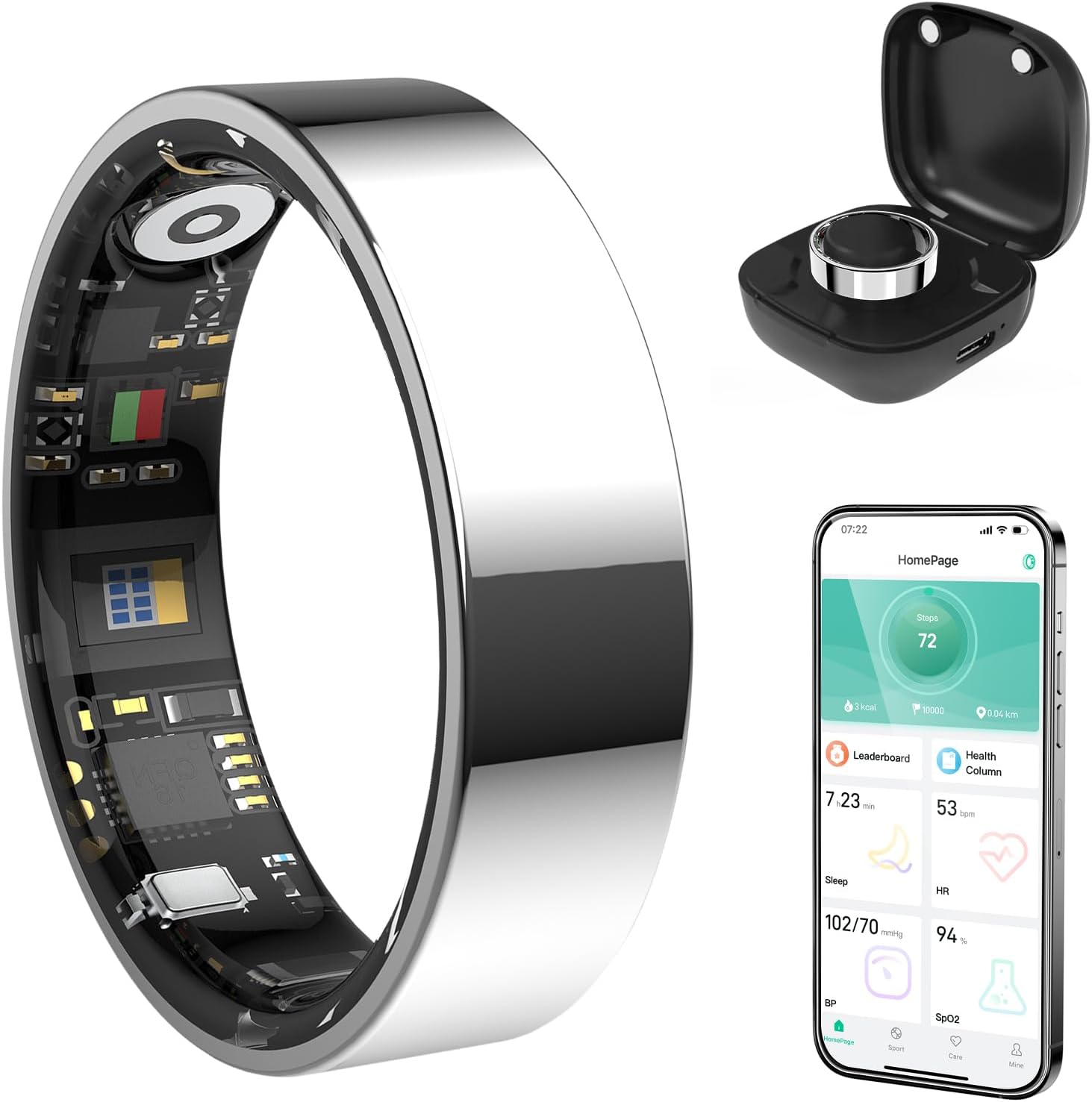
図1: Evelame Smart Ring, showing the ring itself, its charging case, and a smartphone displaying the companion app's interface with health data.
3.セットアップガイド
3.1 開梱と初期充電
Upon receiving your Evelame Smart Ring, carefully unbox the device. The package includes the smart ring, a charging cable, and a user guide.
- Remove the smart ring from its packaging.
- Connect the provided charging cable to a USB power source.
- Attach the magnetic end of the charging cable to the charging contacts inside the ring. Ensure the ring is securely connected and the charging indicator light illuminates.
- Allow the ring to fully charge before first use. This typically takes approximately 2 hours.
ビデオ1: Unboxing and initial charging process of the Evelame Smart Ring. This video demonstrates how to connect the charging cable to the ring and initiate the charging process.
3.2 アプリのダウンロードとペアリング
To access your health data and customize settings, download the companion app:
- Scan the QR code provided in the user guide or search for "Smart Health" in your device's app store (compatible with Android 5.0+ and iOS 10.0+).
- アプリをインストールしてアカウントを作成します。
- スマートフォンでBluetoothを有効にします。
- Open the "Smart Health" app, navigate to the device section, and select "Add Device."
- Follow the on-screen prompts to pair your Evelame Smart Ring with your smartphone.

図2: Visual guide for downloading the companion app and connecting the smart ring via Bluetooth, including screenshots of the app interface.
3.3 Proper Wearing Style
For optimal accuracy of health measurements (blood pressure, SpO2, heart rate), ensure the sensor inside the ring is facing your fingerpad while wearing it. The ring should fit comfortably, not too tight or too loose.

図3: Illustration demonstrating the correct way to wear the Evelame Smart Ring for accurate sensor readings, with the sensor positioned against the fingerpad.

図4: Guide for measuring finger size to ensure a perfect fit for the Evelame Smart Ring, showing different ring sizes and measurement steps.
4. 操作手順
4.1 健康状態のモニタリング
The Evelame Smart Ring continuously monitors your health metrics. View real-time and historical data through the "Smart Health" app.
- 心拍: Access the Heart Rate section in the app to see your current heart rate and historical trends.
- 血圧: Navigate to the Blood Pressure section for readings. Some measurements may require manual initiation within the app for accuracy.
- SpO2 (血中酸素): Check your blood oxygen levels in the dedicated SpO2 section.
- 睡眠追跡: The ring automatically tracks your sleep patterns. Review detailed sleep analysis, including deep sleep, light sleep, and REM duration, in the Sleep section of the app.

図5: Visual representation of the Evelame Smart Ring's health tracking capabilities, including sleep, heart rate, blood pressure, and blood oxygen monitoring.
ビデオ2: Demonstrates the health monitoring and fitness tracking features of the Smart Ring, showcasing how data is displayed in the companion app.
ビデオ3: This video focuses on the sleep tracking capabilities of the Smart Ring, showing how it monitors sleep patterns and provides insights.
4.2 アクティビティの追跡
The ring automatically detects and tracks various sports activities. View your activity data, including steps, distance, and calorie consumption, in the app's Sports section.
- 手順: The ring counts your daily steps and calculates distance covered.
- スポーツモード: Select specific sports modes within the app (e.g., running, walking, cycling) to get more tailored tracking data for your workouts.

図6: The Evelame Smart Ring's ability to track various sports activities, including running, cycling, ropeskipping, walking, yoga, golf, jump rope, and dancing, with app interface exampレ。
4.3 ジェスチャーコントロール
Utilize the gesture control feature for convenient actions, such as remote photo capture:
- Ensure your phone's camera app is open and connected to the smart ring via Bluetooth.
- Perform the designated gesture (e.g., a simple swipe of your finger) to remotely trigger the camera shutter.

図7: A family using the smart ring's gesture control feature to capture a remote photo with their smartphone, highlighting convenience.
5. メンテナンス
5.1 クリーニング
To maintain optimal performance and hygiene, clean your smart ring regularly:
- リングを柔らかくてdで拭きますamp 布。
- リングの仕上げやセンサーを損傷する可能性があるため、刺激の強い化学薬品や研磨材の使用は避けてください。
- 充電する前に、充電接点が清潔で乾燥していることを確認してください。
5.2 耐水性(IP68)
The Evelame Smart Ring is IP68 waterproof, meaning it can withstand immersion in water up to 1.5 meters for 30 minutes. It is suitable for:
- シャワー
- 手を洗う
- 水泳(浅瀬)
- 雨天時
Avoid prolonged exposure to hot water, steam, or high-pressure water jets, as this may compromise the water resistance over time.

図8: The Evelame Smart Ring demonstrating its IP68 waterproof capability, shown being worn by a person underwater.
6。 トラブルシューティング
6.1 接続の問題
- リングがペアリングされない: Ensure Bluetooth is enabled on your phone and the ring is charged. Restart both the ring (by placing it on the charger) and your phone.
- データが同期されていません: Check your phone's internet connection and ensure the app is running in the background. Try manually syncing data within the app.
6.2 不正確な読み取り
- Heart Rate/SpO2/Blood Pressure: Verify the ring is worn correctly with the sensor facing your fingerpad. Ensure the ring is clean and free from obstructions. Avoid taking measurements during intense physical activity.
- 睡眠追跡: Ensure the ring is worn throughout the entire sleep period.
6.3 バッテリーの問題
- リングが充電されない: Check the charging cable and adapter for damage. Ensure the magnetic connection is secure and the charging contacts on the ring are clean.
- 短いバッテリー寿命: Reduce the frequency of continuous monitoring for certain metrics if possible. Ensure the ring is fully charged before use.

図9: The Evelame Smart Ring in its charging case, illustrating the charging mechanism and highlighting its 3-5 day battery life.
7. 仕様
| 特徴 | 詳細 |
|---|---|
| モデル番号 | R11 |
| ブランド | Evelame |
| 接続性 | ブルートゥース |
| オペレーティングシステムの互換性 | iOS 10.0 以降または Android 5.0 以降 |
| 耐水性 | IP68 (最大50メートル) |
| バッテリー容量 | 4 Amp Hours (1 CR5 battery included) |
| バッテリー寿命 | 3~5日 |
| メモリストレージ容量 | 4ギガバイト |
| アイテム重量 | 3.2 オンス (0.09 キログラム) |
| 特集 | Activity Tracker, Gesture Control, Lightweight, Multisport Tracker |
8. 保証とサポート
For warranty information and customer support, please refer to the documentation included with your product or visit the official Evelame webサイトをご覧ください。このマニュアルに記載されていない問題が発生した場合は、カスタマーサービスチームにお問い合わせください。


