導入
The Samsers KF06X Foldable Bluetooth Keyboard is a full-size wireless keyboard designed for portability and multi-device compatibility. It features a numeric keypad, adjustable 7-color backlight, and supports connection to up to three devices simultaneously. This manual provides essential information for setting up, operating, maintaining, and troubleshooting your keyboard.
パッケージ内容
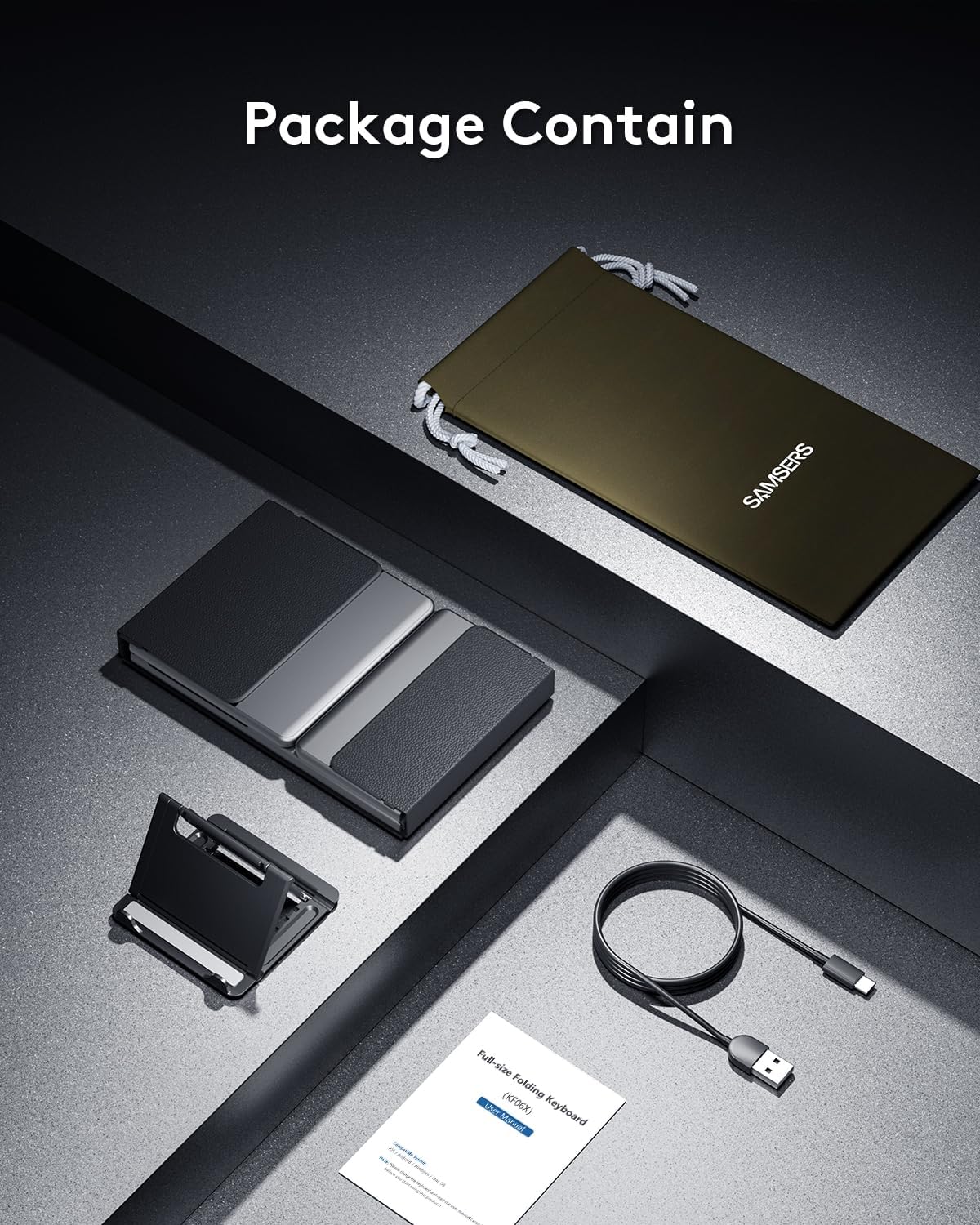
パッケージにすべてのアイテムが揃っていることを確認してください:
- 1 x Foldable Keyboard with backlight
- タイプC充電ケーブル x 1
- 1 x電話ホルダー
- ベルベット収納バッグ1個。
- 取扱説明書 x 1
設定
1. 初期充電
Before first use, fully charge the keyboard for 2-3 hours using the provided Type-C cable. A low battery may affect keyboard functionality.

2. 電源のオン/オフ
To power on the keyboard, unfold it completely. The keyboard will automatically power on. To power off, fold the keyboard. It will automatically power off to conserve battery.
3.Bluetoothペアリング
The Samsers KF06X keyboard supports pairing with up to three devices. Follow these steps to pair your device:
- キーボードを広げて電源を入れます。
- を押す BT1, BT2、 または BT3 key once to select the desired Bluetooth channel.
- 選択したものを長押しします BT key (e.g., BT1) for 5 seconds until its indicator light starts flashing blue. This indicates the keyboard is in pairing mode.
- デバイス(スマートフォン、タブレット、ラップトップ)で Bluetooth 設定に移動し、Bluetooth を有効にします。
- 検索する available devices. The keyboard will appear as Samsers KF06X.
- 選択 Samsers KF06X to connect. The indicator light will stop flashing and remain solid blue once connected.
- Repeat these steps for other devices using BT2 and BT3 channels.
操作手順
1. タイピングとレイアウト
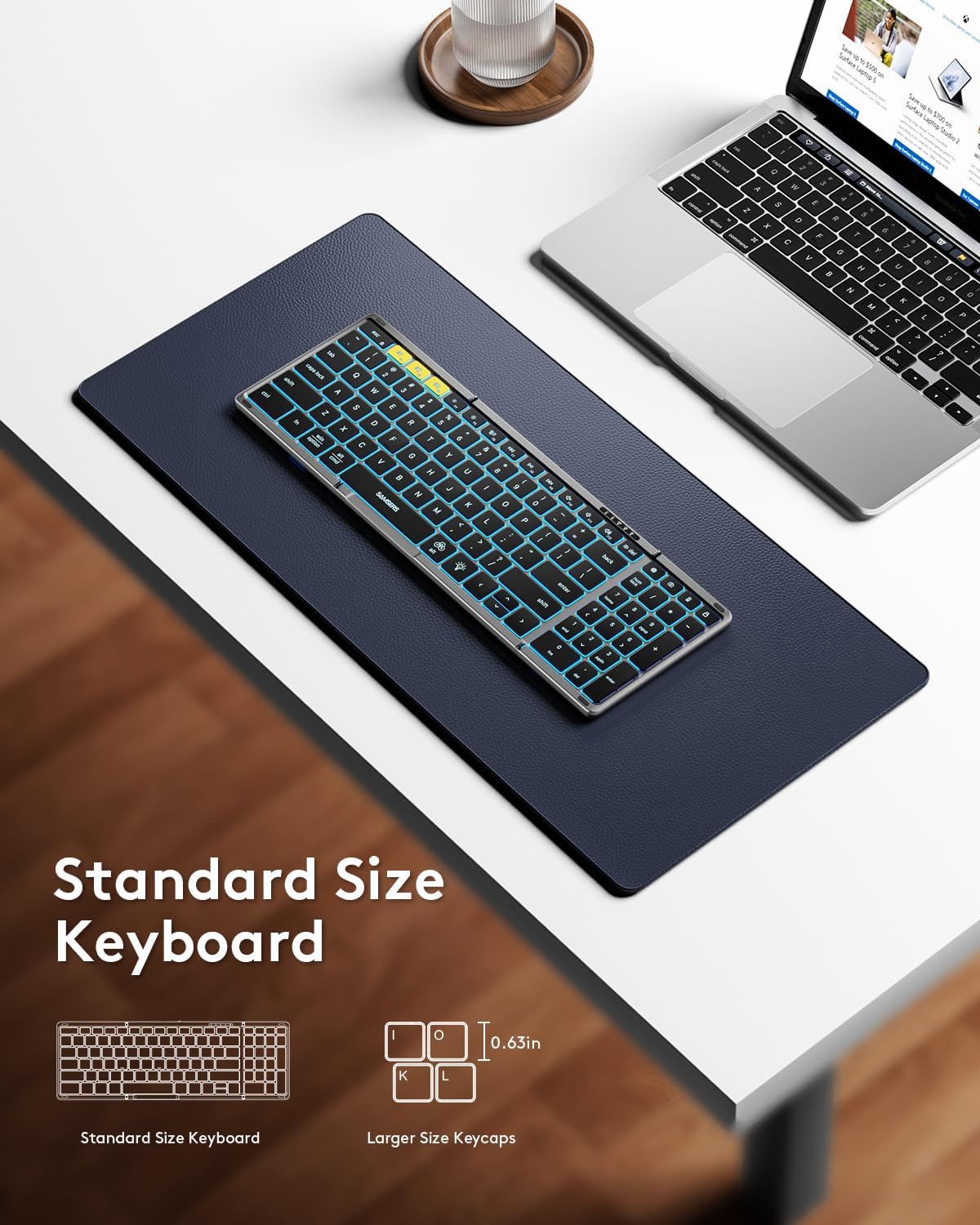
The keyboard features a full-size layout with standard 0.63-inch keys and a dedicated numeric keypad for efficient data entry. The scissor-switch keys provide a quiet and comfortable typing experience.

2.バックライト制御
The keyboard features an adjustable backlight with 7 colors and 4 brightness levels:
- 明るさを調整: を押す 電球アイコンキー (usually F4 or a dedicated key) to cycle through 4 brightness levels (High-Medium-Low-Off).
- 色の変更: プレス Fn + Alt to cycle through 7 available backlight colors (Green, Purple, Blue, Yellow, White, Cyan, Red).

3. マルチメディア機能
Access multimedia shortcuts and other functions by pressing the Fn key in combination with the corresponding F-keys (F1-F12) or other designated keys. Refer to the key legends for specific functions.
4. Device Switching
ペアリングしたデバイスを切り替えるには、対応する BT1, BT2、 または BT3 key once. The keyboard will seamlessly switch its connection to the selected device.
メンテナンス
To ensure the longevity and optimal performance of your Samsers KF06X keyboard, follow these maintenance guidelines:
- キーボードは、柔らかく乾いた布で拭いて清潔に保ってください。研磨剤入りの洗剤や溶剤は使用しないでください。
- キーボードを極端な温度、直射日光、湿気から保護してください。
- Store the keyboard in its velvet storage bag when not in use to prevent scratches and dust accumulation.
- Handle the folding mechanism gently to avoid damage to the seamless metal hinge.
トラブルシューティング
If you encounter issues with your Samsers KF06X keyboard, refer to the following common solutions:
- キーボードが接続/ペアリングされない: Ensure the keyboard is fully charged. On your device, delete/remove/forget any previous pairing records for the keyboard before attempting to re-pair. Make sure Bluetooth is enabled on your device and the keyboard is in pairing mode (flashing blue indicator).
- Typing lag or unresponsiveness: Check the keyboard's battery level and recharge if necessary. Ensure there are no other strong wireless signals or devices interfering with the Bluetooth connection. Try disconnecting and reconnecting the keyboard.
- バックライトが機能しない: Press the Light Bulb icon key to cycle through brightness levels. Ensure the keyboard is powered on.
- Numeric keypad not functioning: Ensure the 'Num Lock' function is activated if required by your operating system.
仕様
| モデル番号 | KF06X |
| 製品寸法(展開) | 13.5 x 4.5 x 0.35インチ |
| アイテム重量 | 11オンス |
| 接続技術 | ブルートゥース5.1 |
| 対応デバイス | Laptop, PC, Smartphone, Tablet (iOS, Android, Windows, Mac OS) |
| 特集 | Backlit (7 colors, 4 brightness levels), Foldable, Lightweight, Numeric Keypad, Rechargeable |
| バッテリー | 500 mAh リチウムイオン(付属) |
| Battery Life (no backlight) | 最大150時間 |
| 待機時間 | 最長300日間 |
保証とサポート
Samsers provides the following for your product:
- 1年間保証: Your keyboard is covered by a 1-year guarantee for quality and guidance.
- 30-Day Free Return or Replacement Policy: If you are not satisfied with your purchase, you may return or replace it within 30 days.
- 生涯サービス: Samsers offers technical service and support for the lifetime of the product.
For further assistance, please contact Samsers customer support.