1. はじめに
This manual provides essential instructions for the safe and efficient operation, maintenance, and troubleshooting of your Vexilar T6T7T8 Robot Vacuum. Please read this manual thoroughly before using the product and retain it for future reference.
2. 重要な安全上の注意事項
- この機器を使用する前にすべての説明書をお読みください。
- ロボット掃除機を湿気の多い環境や水の近くで操作しないでください。
- 電源アダプターが地域の電圧と互換性があることを確認してくださいtage.
- 髪の毛、ゆったりとした衣服、指、および体のすべての部分を開口部や可動部分から遠ざけてください。
- 大きな物体や鋭利な物体、液体、燃えている物質や煙の出ている物質を拾わないでください。
- ロボット掃除機が作動しているときは、子供やペットを監視してください。
- 製造元指定のアタッチメントとアクセサリのみを使用してください。
- Unplug the charging dock when not in use for extended periods.
3. パッケージ内容
すべてのアイテムが揃っていて良好な状態であることを確認します。
- 1 x Vexilar T6T7T8 Robot Vacuum
- 充電ドック x 1
- 1 x AC電源アダプタ
- リモコン x 1
- HEPAフィルター2個
- 1 xクリーニングツール
- 4 xサイドブラシ
- ユーザーマニュアル (本書) x 1

図3.1: Vexilar T6T7T8 Robot Vacuum with its charging dock, remote control, and other accessories.
4.製品オーバーview
4.1 Robot Vacuum Components (Top View)
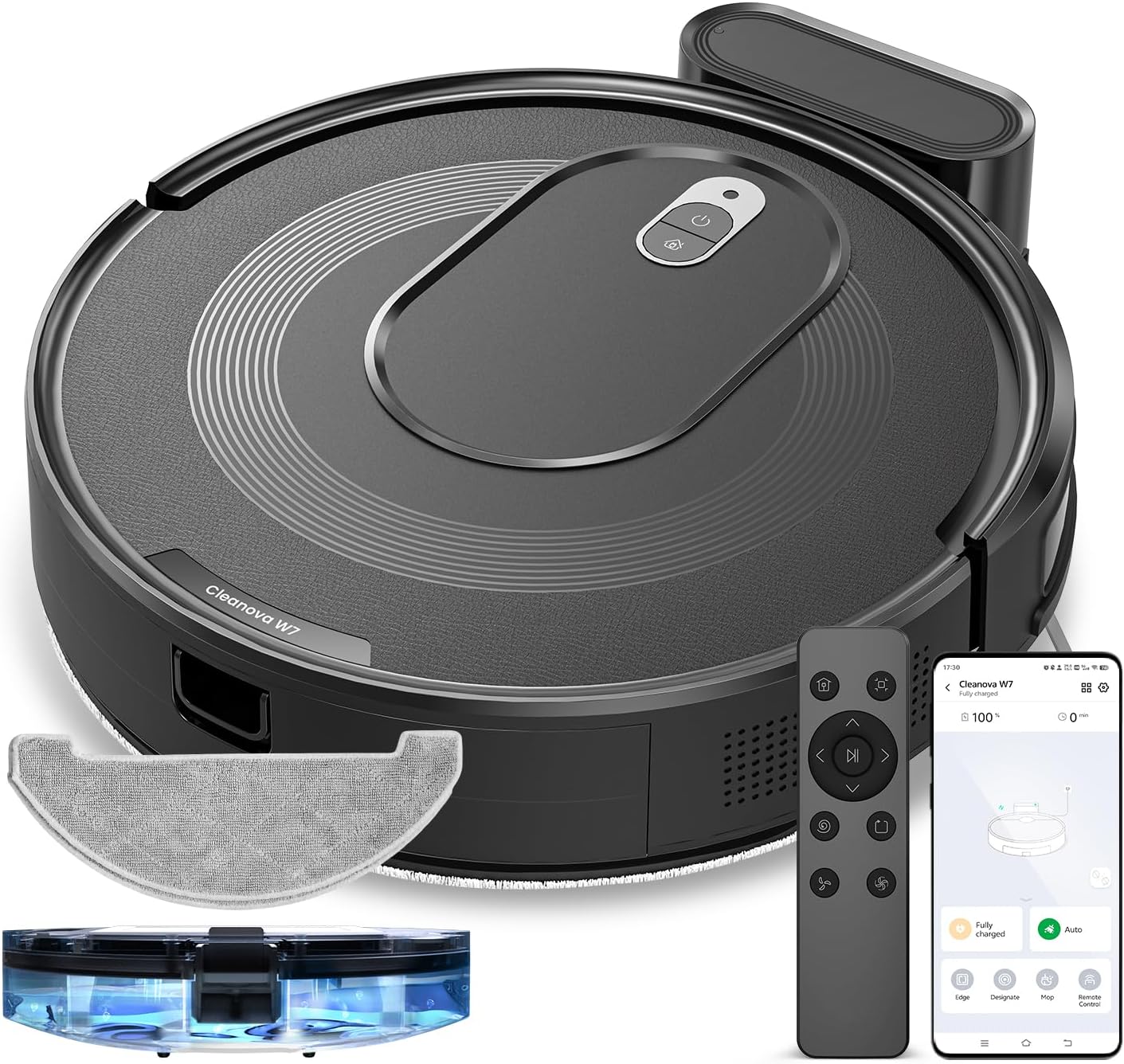
図4.1: トップ view of the Vexilar T6T7T8 Robot Vacuum, showing the power button and dustbin cover.
4.2 Robot Vacuum Components (Bottom View)
図4.2: 底 view of the Vexilar T6T7T8 Robot Vacuum, illustrating the side brushes, main brush, and wheels.
4.3 Slim Design and Navigation
The robot's ultra-thin design (2.89 inches height) allows it to easily navigate under furniture and in tight spaces, ensuring comprehensive cleaning.

図4.3: The Vexilar T6T7T8 Robot Vacuum demonstrating its ability to clean under low-clearance furniture.
5.セットアップガイド
5.1 充電ドックの配置
- 充電ドックを、開いた乱雑でない場所の壁に沿って置きます。
- ドックの両側に少なくとも 0.5 メートル (1.6 フィート)、前面に 1.5 メートル (4.9 フィート) の空きスペースがあることを確認してください。
- 電源アダプターを充電ドックに接続し、壁のコンセントに差し込みます。
5.2 初期充電
Before first use, fully charge the robot vacuum. Place the robot onto the charging dock, ensuring the charging contacts align. The indicator light will show charging status. A full charge typically takes 4-5 hours.
5.3 App Connection and Smart Control
For enhanced control and scheduling features, download the Vexilar app from your smartphone's app store. The app supports 2.4GHz WiFi networks only (5G WiFi is not supported).
- Download and install the Vexilar app.
- アカウントを登録してログインします。
- Follow the in-app instructions to connect your robot vacuum to your home Wi-Fi network.
- Once connected, you can control the robot via the app, or integrate with voice assistants like Siri, Google Home, or Alexa.
- Alternatively, use the included remote control or Bluetooth for basic operations without Wi-Fi.

図5.1: Example of the Vexilar app interface for controlling the robot vacuum.
6. 操作
6.1 クリーニングの開始と一時停止
- Press the power button on the robot or the "Clean" button on the remote/app to start cleaning.
- Press the button again to pause cleaning.
- To send the robot back to the charging dock, press the home button on the remote/app.
6.2つのクリーニングモード
The Vexilar T6T7T8 offers four cleaning modes:
- 自動クリーニング: The robot intelligently navigates using gyroscope technology to cover the entire floor area in an efficient zig-zag pattern.
- スポットクリーニング: 特定の汚れた場所を集中的にらせん状に掃除します。
- エッジクリーン: 壁や家具の端に沿って掃除します。
- モップモード: Engages the mopping function for hard floors.
6.3 2-in-1 Sweeping and Mopping
The robot can simultaneously vacuum and mop. To use the mopping function:
- Fill the water tank (200ml capacity) with clean water.
- モップクロスを水タンクに取り付けます。
- Insert the water tank assembly into the robot.
- Select Mop Mode via the app or remote control. The electronically controlled water pump allows for adjustable four-level water output.
- 注記: For carpeted areas, remove the mop holder before cleaning to prevent wetting the carpet. The robot automatically recognizes carpets and switches to max suction mode when the mop holder is removed.

図6.1: The Vexilar T6T7T8 Robot Vacuum simultaneously vacuuming and mopping a hard floor.
7. メンテナンス
定期的なメンテナンスにより、最適なパフォーマンスが確保され、ロボット掃除機の寿命が延びます。
7.1 ゴミ箱とフィルターの清掃
- ごみ箱のリリースボタンを押して、ごみ箱を取り外します。
- ゴミ箱の中身をゴミ箱に空けます。
- Remove the HEPA filter and sponge filter. Tap them gently to remove dust. Do not wash HEPA filters with water.
- 必要に応じてゴミ箱を水で洗い流し、再設置する前に完全に乾いていることを確認してください。
- フィルターとダストビンを再度取り付けます。
7.2 サイドブラシとメインブラシのクリーニング
- Periodically check side brushes for tangled hair or debris. Remove and clean them using the provided cleaning tool.
- メインブラシカバーを取り外し、メインブラシを持ち上げます。クリーニングツールを使用して、髪の毛やゴミを取り除きます。
7.3 センサーのクリーニング
Wipe the cliff sensors, wall sensors, and charging contacts on the robot and charging dock with a clean, dry cloth to ensure proper function.
7.4 水タンクとモップクロスのメンテナンス
- モップがけが終わるたびに、タンクに残っている水を捨ててください。
- Remove and wash the mop cloth. Allow it to air dry completely before reuse.
8。 トラブルシューティング
| 問題 | 考えられる原因 | 解決 |
|---|---|---|
| ロボットが起動しない | 電池残量が少ない。電源スイッチをオフにしてください。 | ロボットを充電し、電源スイッチをオンにします |
| ロボットが頻繁に動けなくなる | Obstacles; Dirty sensors | Clear obstacles; Clean sensors |
| 洗浄性能が悪い | ゴミ箱がいっぱい、フィルターやブラシが詰まっている | Empty dustbin; Clean/replace filters and brushes |
| ロボットが充電ドックを見つけられない | Dock obstructed; Dock unplugged | Ensure clear path to dock; Plug in dock |
| アプリの接続の問題 | Incorrect Wi-Fi band; Network issues | Ensure 2.4GHz Wi-Fi; Restart router/robot |
9. 仕様
| 特徴 | 詳細 |
|---|---|
| モデル名 | T6T7T8 |
| ブランド | ベクシラー |
| 製品寸法 | 長さ16インチ x 幅13インチ x 高さ4.5インチ |
| アイテム重量 | 7ポンド(3.17kg) |
| 吸引力 | Up to 3000Pa (Max Mode) |
| バッテリー寿命 | 最大120分(静音モード) |
| ゴミ箱容量 | 0.5リットル(500ml) |
| 水タンク容量 | 200ml |
| フィルタータイプ | Sponge, HEPA (H10 Grade with 95% filtration above 3 microns) |
| 制御方法 | App, Siri, Google Home, Alexa, Remote Control, Bluetooth |
| ナビゲーションタイプ | Gyroscope Smart Navigation |
| 充電時間 | 約4~5時間 |
| 騒音レベル | 60dB以下 |
| 電源 | 電池駆動(10.8ボルト) |
10. 保証とサポート
The Vexilar T6T7T8 Robot Vacuum comes with a 12ヶ月保証 ご購入日から製造上の欠陥が保証対象となります。保証請求の際は、購入証明書を保管してください。
For technical support, troubleshooting assistance, or warranty inquiries, please visit our support page or contact customer service:
- オンラインサポート: http://www.utenic.com/qr/support/vactidy/
- メールサポート: support@gracevacuum.com


