導入
This manual provides detailed instructions for setting up, operating, and maintaining your PXN P5 Wireless Gaming Controller. The PXN P5 is a versatile controller designed for a wide range of gaming platforms, including PC, Nintendo Switch, Android, and iOS devices, offering multiple connection modes and advanced features for an enhanced gaming experience.
製品終了view
The PXN P5 controller incorporates several advanced technologies to deliver precision and responsiveness. Key features include:
- ホール効果ジョイスティック: Provides precise, drift-free control with enhanced durability.
- ホール効果トリガー: Offers smooth and accurate linear input for racing and precise actions.
- POM Rings: Ensures smooth joystick movement and reduces wear.
- 2-Stage Trigger Travel Control: Allows switching between short travel for quick response (FPS) and long travel for linear precision (racing).
- 4 プログラム可能な戻るボタン: Customizable M1, M2, M3, M4 buttons for macro functions.
- Dual Vibrators: 没入型の触覚フィードバックを提供します。
- トリプルモード接続: Supports 2.4G wireless, Bluetooth, and wired connections.
- PXN Nexus App: For advanced customization of button mapping, macros, vibration, and more.
- 長いバッテリー寿命: Built-in 1000mAh battery for extended gaming sessions.

画像: 詳細 view of the PXN P5 controller's internal components, highlighting the Hall Effect Joystick, Hall Effect Trigger, POM Ring, 2-Stage トリガートラベルコントロール、4 つのプログラミングボタン、およびディスクスタイルのクロスキー。
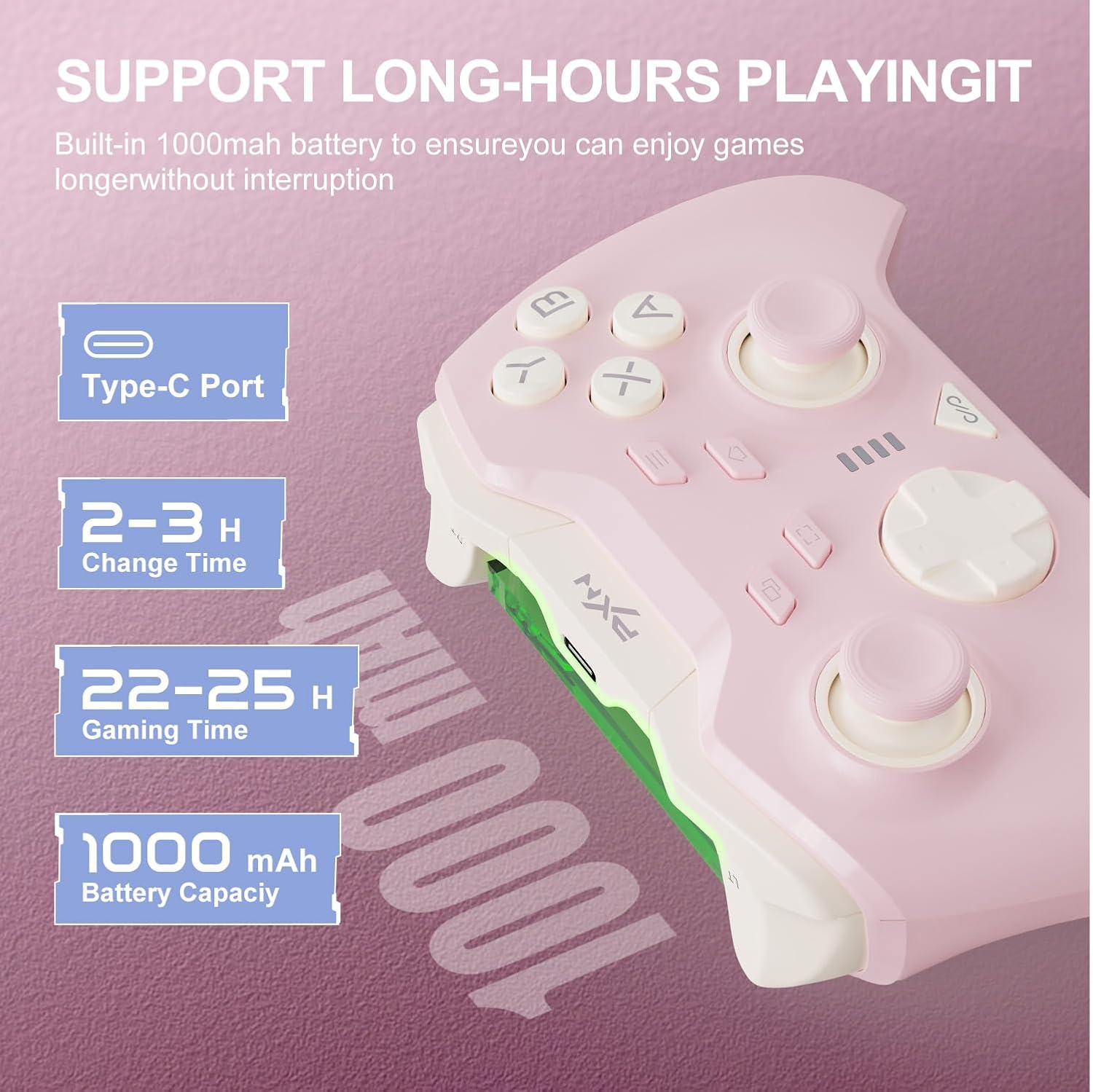
画像: Information regarding the PXN P5 controller's 1000mAh built-in battery, showing Type-C port, 2-3 hours charging time, and 22-25 hours gaming time.
セットアップと接続
The PXN P5 controller supports three primary connection modes: 2.4G Wireless, Bluetooth, and Wired. Ensure the controller is charged before initial use.
1. 2.4G Wireless Connection (for PC/Laptop, Android TV, Android TV Box)
- 2.4G USB レシーバーをデバイスの使用可能な USB ポートに挿入します。
- Turn on the controller. The controller will automatically attempt to connect to the receiver.
- Once connected, the indicator light on the controller will stabilize.
2. Bluetooth Connection (for MAC OS, Phone/Android/Tablet, Steam Deck, Tesla, Switch/Switch OLED/Switch Lite)
- デバイスで Bluetooth が有効になっていることを確認してください。
- On the controller, switch to the Bluetooth mode (refer to the mode switch on the back of the controller).
- On your device, search for available Bluetooth devices and select "PXN P5" to pair.
- For Nintendo Switch, navigate to "Controllers" -> "Change Grip/Order" and then follow the pairing steps.
- Once paired, the indicator light on the controller will stabilize.
3. Wired Connection (for PC/Laptop, Android TV, Android TV Box)
- Connect the controller to your device using the provided USB-C cable.
- コントローラーはデバイスによって自動的に認識されます。
- This mode is plug-and-play and does not require additional pairing.

画像: Visual representation of the three connection modes (2.4G, Bluetooth, Wired) and compatible devices for the PXN P5 controller.
操作手順
マクロプログラミング機能
The PXN P5 controller features four programmable back buttons (M1, M2, M3, M4) that can be customized with up to 32 macro combinations. This function can be configured directly on the controller or through the PXN Nexus App.
- On-Controller Programming: Refer to the detailed instructions in the included quick start guide for specific button combinations to record and assign macros.
- PXN Nexus App: For more advanced customization, download the PXN Nexus App. The app allows you to easily map buttons, create complex macro sequences, and adjust timing.

画像: Illustration of the macro programming function, showing the location of the M1, M2, M3, M4 buttons and examples of programmable button combinations.
Adjustable Trigger Travel Settings
The controller offers two distinct trigger travel settings to optimize performance for different game genres:
- モード 1 (ショート トラベル クイック トリガー レスポンス): Ideal for rapid-fire actions in FPS games. This mode provides a shorter trigger press for faster input.
- モード 2 (256 レベルの線形精度による長い移動): Suitable for racing games and other genres requiring fine-tuned acceleration or braking. This mode captures subtle finger pressure changes for precise control.
Use the physical switch located on the back of the controller to toggle between these two modes.

画像: Visual explanation of the two adjustable trigger travel settings, showing the short travel mode for quick response and the long travel mode with 256 levels of linear precision.
PXN Nexus Application
The PXN Nexus App provides comprehensive customization options for your controller. It is available for download on Google Play and the App Store.
- マクロ設定: Create and manage complex macros for the back buttons.
- Button Testing: Verify button functionality and calibration.
- 振動設定: Adjust the intensity of the dual vibrators.
- ファームウェアの更新: 最適なパフォーマンスと新機能を得るには、コントローラーのファームウェアを最新の状態に保ってください。
- チュートリアル: Access product tutorials and support.

画像: Screenshots of the PXN Nexus App interface, demonstrating macro settings, device information, function settings, and vibration adjustments.
公式製品ビデオ
ビデオ: 公式製品ビデオショーasing the PXN P5 PC Gaming Controller's features, including Hall Effect joysticks, 2-stage trigger lock, adjustable dead zones, asymmetric dual motors, and triple mode connection. This video provides a dynamic overview of the controller's capabilities.
メンテナンス
Proper maintenance ensures the longevity and optimal performance of your PXN P5 controller.
- クリーニング: コントローラーは柔らかく乾いた布で拭いてください。頑固な汚れには、軽くamp布に水を含ませてください。刺激の強い化学薬品や研磨剤の使用は避けてください。
- ストレージ: コントローラーは、直射日光や極端な温度を避け、涼しく乾燥した場所に保管してください。
- 充電: Use the provided USB-C cable for charging. Avoid overcharging or completely draining the battery frequently to prolong its lifespan.
- 取り扱い: コントローラーを落としたり、過度の力を加えたりしないでください。内部コンポーネントが損傷する可能性があります。
トラブルシューティング
If you encounter issues with your PXN P5 controller, refer to the following common solutions:
| 問題 | 解決 |
|---|---|
| Controller does not connect via 2.4G/Bluetooth. |
|
| ボタンやジョイスティックが反応しません。 |
|
| コントローラーの接続が頻繁に切断されます。 |
|
| Vibration is too weak or too strong. | Adjust vibration intensity through the PXN Nexus App settings. |
仕様
- モデル: PXN-P5
- 接続モード: 2.4Gワイヤレス、Bluetooth、有線(USB-C)
- 互換性: PC, Nintendo Switch, Android, iOS, MAC OS, Steam Deck, Tesla
- ジョイスティックタイプ: ホール効果
- トリガータイプ: Hall Effect with 2-Stage Travel Control
- プログラム可能なボタン: 4(M1、M2、M3、M4)
- 振動: デュアルモーター
- バッテリー容量: 1000mAh
- 充電時間: 約2~3時間
- Gaming Time: 約22~25時間
- 商品の重量: 0.48オンス(約13.6グラム)
保証とサポート
For warranty information and technical support, please refer to the warranty card included with your product or visit the official PXN website. You can also contact PXN customer service for assistance with any product-related inquiries.
公式PXN Webサイト: PXN Gaming Store