導入
Welcome to the user manual for your Noise Buds X2 Truly Wireless Earbuds. This guide provides detailed instructions on how to set up, operate, maintain, and troubleshoot your earbuds to ensure optimal performance and a seamless audio experience.
箱の中身
Upon unboxing your Noise Buds X2, you should find the following items:
- 1N Bluetoothヘッドフォン(イヤホン)
- 1N充電ケース
- 1N充電ケーブル(タイプC)
- 1N ユーザーマニュアル
- 1N保証登録カード

Image: Noise Buds X2 earbuds and charging case, highlighting the 140-hour playtime capability.
製品終了view
主な特徴
- Massive 140-Hour Playtime: 充電ケースを使用するとバッテリー寿命が延長されます。
- Hybrid ANC (up to 32dB): 臨場感あふれるオーディオ体験を実現するアクティブ ノイズ キャンセレーション。
- 10mmダイナミックドライバー: 強化された低音でクリアなオーディオを実現します。
- デュアルEQモード: Switch between deep bass and balanced audio profiles.
- Instacharge™: 10 minutes of charging provides 150 minutes of playtime.
- Quad Mic with ENC: クリアな通話を実現する環境ノイズキャンセル。
- デュアルデバイスペアリング: 接続された 2 つのデバイス間をシームレスに切り替えます。
- 低遅延モード: Optimized audio-visual sync for gaming.
- Bluetooth v5.3: 安定した効率的なワイヤレス接続。
- IPX5防水: 汗や軽い水しぶきから保護します。
- Rubberised Finish: Durable and comfortable design.

Image: An infographic detailing the main features of the Noise Buds X2 earbuds.
コントロール
The Noise Buds X2 feature intuitive touch controls on each earbud. Specific functions typically include:
- 再生/一時停止: どちらかのイヤホンを 1 回タップします。
- 次のトラック: 右のイヤホンをダブルタップします。
- 前のトラック: 左のイヤホンをダブルタップします。
- 通話の応答/終了: どちらかのイヤホンを 1 回タップします。
- 通話を拒否: どちらかのイヤホンを長押しします。
- ANC/透明モード: Triple tap on either earbud to cycle through modes.
- 音声アシスタント(Google アシスタント/Siri)を有効にする: どちらかのイヤホンを2秒間押し続けます。
- Dual EQ Mode Switch: Specific gesture (refer to the quick start guide for exact gesture, typically a long press or specific tap sequence).
Note: Exact touch control gestures may vary slightly. Refer to the quick start guide included in your package for precise instructions.
設定
1. 初期充電
初めて使用する前に、イヤホンと充電ケースを完全に充電してください。
- 両方のイヤフォンを充電ケースに入れます。
- Type-C 充電ケーブルをケースの充電ポートと電源に接続します。
- The LED indicator on the case will show charging status. Allow approximately 1.5-2 hours for a full charge.

Image: The Noise Buds X2 charging case with earbuds, illustrating the Instacharge feature for quick power-ups.
2. Pairing with a Device (First Time)
The earbuds use HyperSync™ technology for quick pairing.
- 充電ケースを開けると、イヤホンは自動的にペアリングモードになります。
- デバイス(スマートフォン、タブレット、ラップトップ)で Bluetooth を有効にします。
- 検索する "Noise Buds X2" in the list of available Bluetooth devices and select it to connect.
- Once connected, you will hear an audio prompt, and the LED indicator on the case will change.

Image: Visual representation of HyperSync™ technology for seamless device connection.
3. デュアルデバイスのペアリング
The Buds X2 support connecting to two devices simultaneously.
- 上記の説明に従って、イヤホンを最初のデバイスに接続します。
- 最初のデバイスのBluetoothを無効にします。イヤホンは再びペアリングモードになります。
- イヤホンを2台目のデバイスに接続します。
- 最初のデバイスでBluetoothを再度有効にします。イヤホンは両方のデバイスに自動的に接続されます。
- To switch between devices, simply play audio on the desired device. The earbuds will automatically switch.

Image: The Noise Buds X2 connected to both a smartphone and a tablet, showcasing the dual device pairing feature.
4. イヤホンの装着
最適な音質と快適さを得るには、適切なフィット感を確保してください。
- 左 (L) と右 (R) のイヤホンを識別します。
- 各イヤホンを耳の穴にゆっくりと挿入します。
- Rotate the earbud slightly until it feels secure and forms a comfortable seal.
操作手順
電源オン/オフ
- 電源オン: 充電ケースを開けるか、イヤホンをケースから取り出すと、自動的に電源がオンになります。
- 電源を切る: イヤホンを充電ケースに戻し、蓋を閉めてください。自動的に電源が切れます。
音楽再生に
- 再生/一時停止: どちらかのイヤホンを 1 回タップします。
- 次のトラック: 右のイヤホンをダブルタップします。
- 前のトラック: 左のイヤホンをダブルタップします。
通話管理
- 通話の応答/終了: どちらかのイヤホンを 1 回タップします。
- 通話を拒否: どちらかのイヤフォンを2秒間押し続けます。

Image: The Noise Buds X2 earbuds and case, emphasizing the Quad mic with Environmental Noise Cancellation for clear communication.
Active Noise Cancellation (ANC) / Transparency Mode
Cycle through ANC On, Transparency Mode, and ANC Off by triple tapping on either earbud.
- ANCオン: 周囲のノイズを遮断し、臨場感あふれるリスニング体験を実現します。
- 透明モード: 音声を聞きながら周囲の音も聞くことができます。
- ANC オフ: Standard listening mode without noise cancellation.
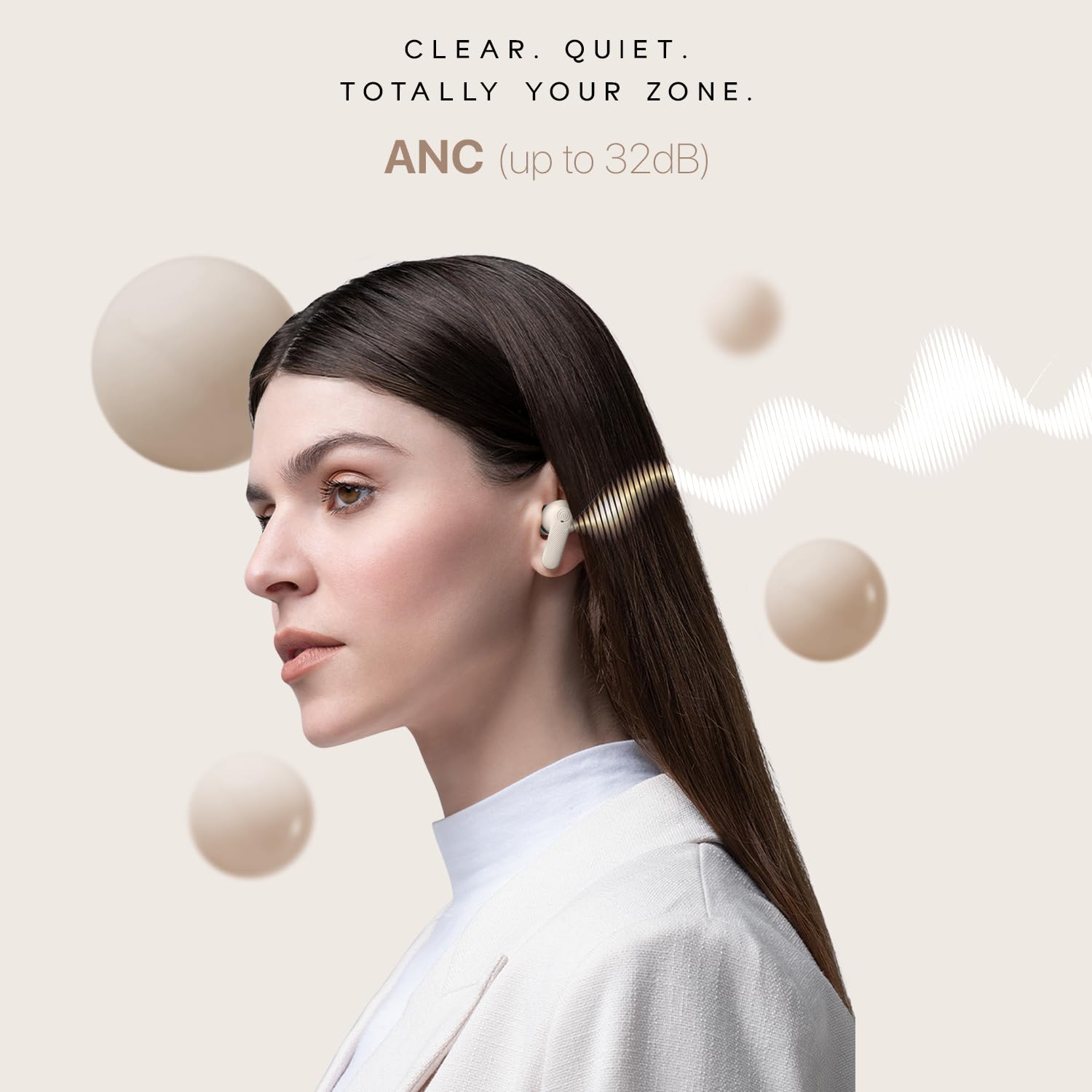
Image: A user wearing Noise Buds X2, illustrating the effectiveness of Active Noise Cancellation (ANC) up to 32dB.
デュアルEQモード
Switch between "Tru Bass" and "Tru Balance" sound profiles to match your audio preference. Refer to the quick start guide for the specific touch gesture to activate this feature.

Image: Noise Buds X2 earbuds and case, highlighting the Dual EQ modes for customized sound profiles.
低遅延モード
Activate Low Latency Mode for an optimized gaming experience with reduced audio delay. Refer to the quick start guide for the specific touch gesture to activate this feature.

Image: Noise Buds X2 earbuds paired with a phone displaying a racing game, demonstrating the low latency mode for gaming.
音声アシスタント
Activate your device's voice assistant (Google Assistant or Siri) by pressing and holding either earbud for 2 seconds.
メンテナンス
クリーニング
- イヤホンと充電ケースは、柔らかく乾いた糸くずの出ない布で定期的に清掃してください。
- Remove any earwax or debris from the ear tips and speaker mesh using a small, clean brush or cotton swab.
- 研磨剤入りの洗剤、アルコール、化学溶剤は使用しないでください。
ストレージ
- 使用していないときは、イヤホンを保護し、充電を保つために、必ず充電ケースに保管してください。
- デバイスは、極端な温度や直射日光を避け、涼しく乾燥した場所に保管してください。
バッテリーケア
- Avoid fully depleting the battery frequently. Charge the earbuds and case regularly.
- If storing for an extended period, ensure the battery is at least 50% charged.

Image: The Noise Buds X2 charging case with water droplets, highlighting its IPX5 water-resistant rating.
トラブルシューティング
If you encounter issues with your Noise Buds X2, refer to the following common solutions:
| 問題 | 考えられる解決策 |
|---|---|
| イヤホンがペアリング/接続されません。 |
|
| XNUMXつのイヤフォンのみが機能しています。 |
|
| 音量が小さい、または音質が悪い。 |
|
| 充電の問題。 |
|
| タッチコントロールが反応しません。 |
|
仕様
| 特徴 | 詳細 |
|---|---|
| モデル名 | Buds X2 |
| モデル番号 | AUD-HDPHN-BUDS-X2-BLK |
| 騒音制御 | アクティブノイズキャンセリング(最大32dB) |
| 接続技術 | ワイヤレス(Bluetooth v5.3) |
| Bluetooth範囲 | 10メートル |
| オーディオドライバータイプ | ダイナミックドライバ |
| オーディオドライバーのサイズ | 10ミリメートル |
| バッテリー寿命(合計) | 140時間(充電ケース使用時) |
| Charging Time (Instacharge) | 10分で150分のプレイ時間 |
| ヘッドフォンジャック | Type-C急速充電ジャック |
| 耐水性レベル | IPX5防水 |
| 材料 | ポリカーボネート(PC) |
| アイテム重量 | 50グラム |
| 製品寸法 | 6.5 x 4.9 x 2.9 cm |
| 制御方法 | Voice (Google Assistant, Siri) and Touch |
| 特集 | Noise Cancellation, Dual EQ Modes, Low Latency Mode, Enhanced Call Quality, Dual Device Pairing |
保証とサポート
Your Noise Buds X2 earbuds come with a warranty. Please refer to the included Warranty Registration Card for details on warranty coverage, terms, and conditions.
For technical support, service, or further inquiries, please contact Noise customer support through the channels provided on your warranty card or the official Noise webサイト。
メーカー: Nexxbase Marketing Pvt. Ltd, Khasra No-146/25/2/1, Jail Road Badshahpur, Gurugram Haryana-122101, India.


