導入
This manual provides comprehensive instructions for the MoKo 10X Rechargeable Magnifying Glass with 21 LED Lights. Designed for enhanced visual clarity, this device is ideal for reading, inspection, and exploring small details. It features a powerful 10X magnification, adjustable LED lighting, and a comfortable ergonomic design for extended use.
適切な操作とメンテナンスを確実に行うために、製品を使用する前にこのマニュアルをよくお読みください。
箱の中身
- MoKo 10X Rechargeable Magnifying Glass
- USB充電ケーブル
- クリーニングクロス
- 収納ポーチ
- ユーザーマニュアル
設定
1. 初期充電
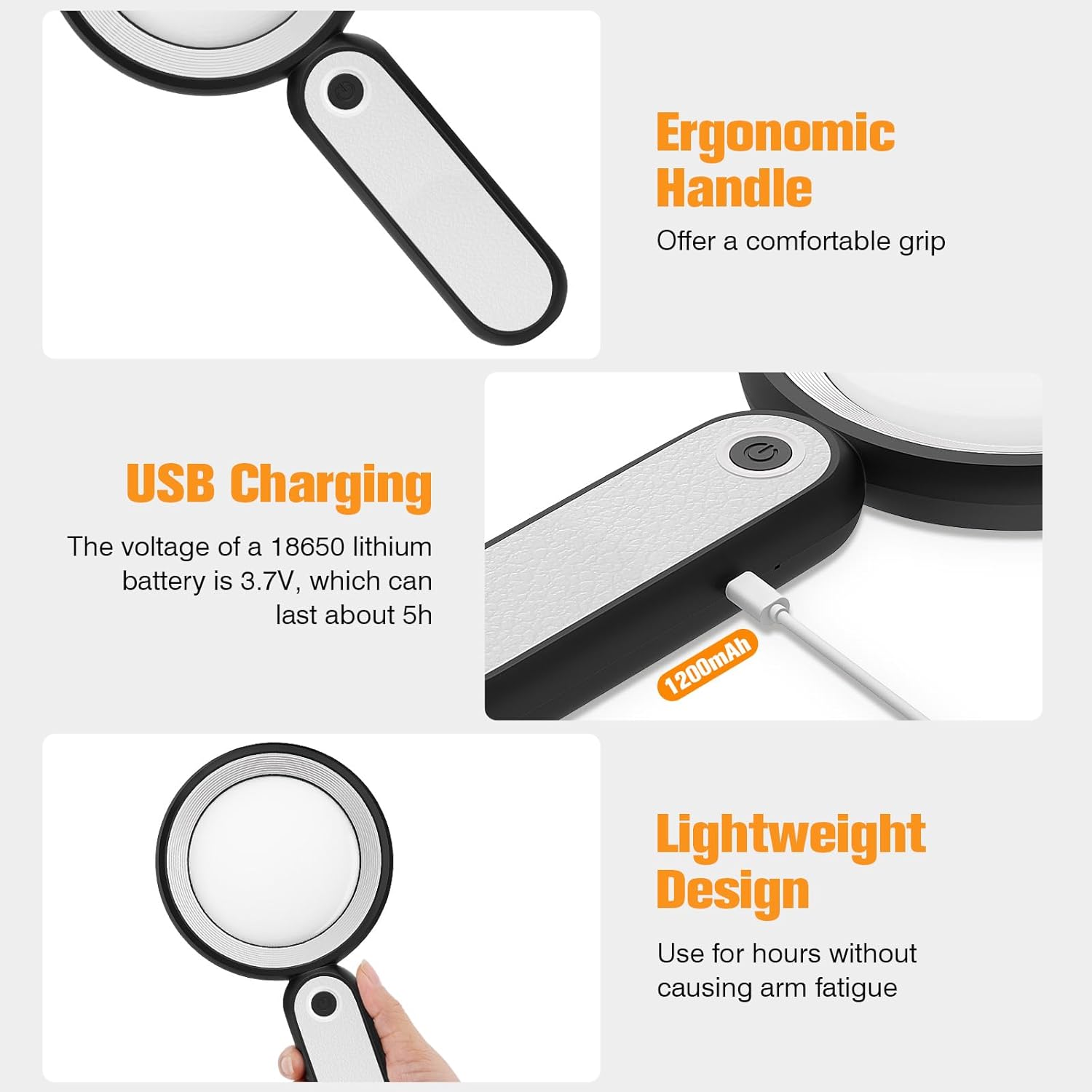
Before first use, fully charge the magnifying glass. Locate the USB charging port on the handle of the device.

Image: USB charging port on the handle.
- Connect the provided USB charging cable to the charging port on the magnifying glass.
- USB ケーブルのもう一方の端を、互換性のある USB 電源アダプタ (別売) またはコンピュータの USB ポートに差し込みます。
- The charging indicator lights (if present) will show the charging status. Allow the device to charge until fully powered, typically around 5 hours for a full charge.
2. ハンドル調整
The magnifying glass features an adjustable handle for comfortable use.

Image: Ergonomic handle design.
- Gently pivot the handle to your desired angle for handheld use.
- The handle can be folded for compact storage or extended for a comfortable grip during use.
操作手順
1. 倍率
The MoKo Magnifying Glass provides 10X magnification for clear viewing of small text and objects.

Image: Magnifying glass in use, showing 10X magnification on text.
- Hold the magnifying glass approximately 3-5 inches (7.5-12.5 cm) above the object you wish to magnify.
- Adjust the distance slightly until the object comes into clear focus.
2. LED照明モード
The device is equipped with 21 LED lights and three lighting modes to suit various environments and reduce eye strain.

Image: Three adjustable lighting modes (cool, warm, mixed) for the LED lights.
- Locate the power button on the handle.
- 電源ボタンを1回押すと、 クールライト モード。
- 電源ボタンをもう一度押すと、 暖かい光 モード。
- 電源ボタンを3回押すと、 ミックスライト モード。
- Press the power button a fourth time to turn off the LED lights.
Choose the lighting mode that provides the most comfortable and clear viewing experience for your specific task and ambient light conditions.
メンテナンス
1. レンズのクリーニング
To maintain optimal clarity, keep the optical glass lens clean.
- Use the provided soft cleaning cloth to gently wipe the lens surface.
- Avoid using abrasive materials, paper towels, or chemical cleaners, as these can scratch or damage the lens.
- 頑固な汚れには、軽くampen the cleaning cloth with a small amount of lens cleaning solution or water, then gently wipe and dry.
2. ストレージ
When not in use, store the magnifying glass in the provided storage pouch to protect it from dust and scratches.

Image: Magnifying glass being stored in its protective pouch.
- 直射日光や極端な温度を避け、涼しく乾燥した場所に保管してください。
トラブルシューティング
| 問題 | 考えられる原因 | 解決 |
|---|---|---|
| ライトが点灯しません。 | バッテリー残量が少ないか、デバイスの電源がオフになっています。 | Charge the device using the provided USB cable. Ensure the power button is pressed correctly to cycle through modes. |
| Magnification is blurry or distorted. | Incorrect distance from object or dirty lens. | Adjust the distance between the lens and the object. Clean the lens with the provided cleaning cloth. |
| Handle is stiff or difficult to adjust. | Minor friction in the hinge. | Apply gentle, consistent pressure. Avoid forcing the hinge. |
仕様
| 特徴 | 詳細 |
|---|---|
| ブランド | モコ |
| モデル番号 | 10X |
| 倍率の強さ | 10X |
| レンズ素材 | 光学ガラス |
| LEDライト | 21個のLEDビーズ |
| 照明モード | 3 (Cool, Warm, Mixed) |
| 電源 | Rechargeable USB (1200mAh battery, 3.7V) |
| 電池寿命(連続使用) | 約5時間 |
| 製品寸法 | 9.57 x 4.72 x 1.02 インチ (24.3 x 12 x 2.6 cm) |
| アイテム重量 | 7.05オンス(200g) |
| 欧州連合 | 840401442876 |
画像: 製品の寸法。
保証とサポート
MoKo products are designed for reliability and performance. For warranty information or technical support, please refer to the contact details provided with your purchase or visit the official MoKo webサイト。
保証請求の際に購入証明として購入レシートを保管してください。
重要な安全情報
- 拡大鏡を長時間直射日光にさらさないでください。火災や表面の損傷の原因となる可能性があります。
- お子様の手の届かない場所に保管してください。
- デバイスを落としたり、強い衝撃を与えたりしないでください。
- Do not attempt to disassemble or modify the magnifying glass.


