導入
This manual provides detailed instructions for the 8BitDo Ultimate Mini Wired Controller for Xbox. It covers essential information regarding setup, operation, maintenance, and troubleshooting to ensure optimal performance and longevity of your device. This controller is officially licensed for Xbox and compatible with Xbox Series X|S, Xbox One, and Windows 10/11.
設定
The 8BitDo Ultimate Mini Wired Controller is designed for simple plug-and-play functionality. Follow these steps to connect your controller:
- Ensure your Xbox console (Xbox Series X|S, Xbox One) or Windows PC (Windows 10/11) is powered on.
- コンソールまたは PC で使用可能な USB ポートを見つけます。
- Connect the USB-C end of the provided cable to the controller and the USB-A end to your console or PC.
- The controller will automatically be detected and configured. The Xbox button on the controller will illuminate to indicate a successful connection.
- For audio, connect a standard CTIA connector 3.5mm headset to the audio jack located on the controller.
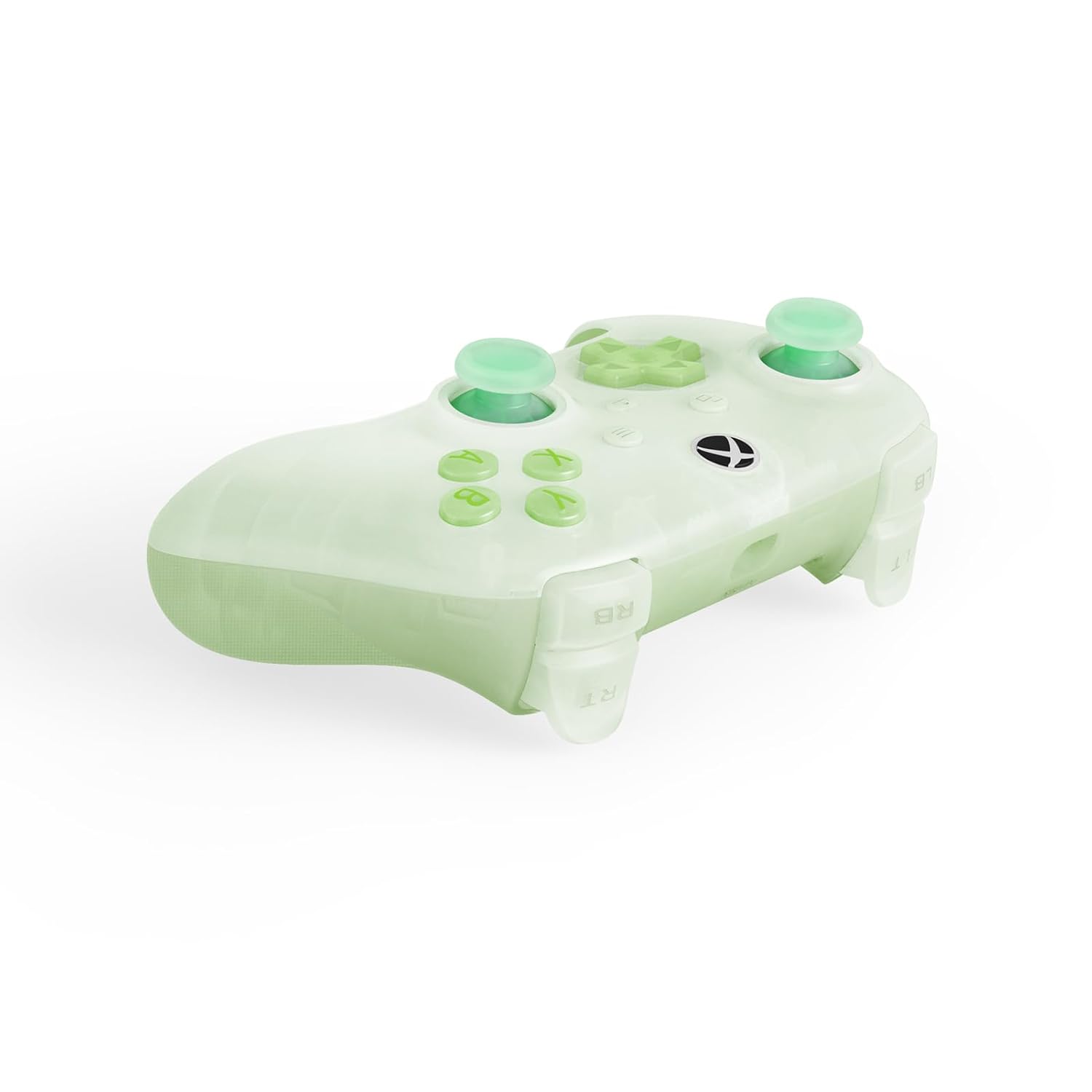
The controller is now ready for use. No additional drivers are typically required for supported systems.
コントローラーの操作
The 8BitDo Ultimate Mini Wired Controller features a standard layout with several advanced functionalities:
- ホール効果ジョイスティック: These joysticks provide enhanced precision and durability, reducing drift over time.
- インパルストリガー: Experience tactile feedback with vibration in the triggers, adding immersion to your gameplay.
- 改良されたバンパーとDパッド: Designed for a responsive and tactile feel, ensuring accurate inputs.
- Crystal Action Buttons: Durable and clear action buttons for a consistent feel.
RGB Lighting Fire Ring
The controller features interactive RGB lighting around the joysticks, known as the 'Fire Ring'. This lighting can be adjusted through multiple modes:
- Fire Ring Mode: Displays a dynamic lighting effect.
- Light-tracing Mode: Follows your joystick movements with light.
- Rainbow Ring Mode: 色のスペクトルを循環します。
To cycle through the lighting modes or turn off the lighting, locate the small button positioned below the right analog stick. Press this button to change modes or deactivate the lighting as desired.


メンテナンス
Proper maintenance ensures the longevity and performance of your 8BitDo Ultimate Mini Wired Controller:
- クリーニング: コントローラーの表面は、柔らかく乾いた布で拭いてください。頑固な汚れには、軽く拭いてください。amp布に水を含ませて拭いてください。コントローラーの表面や内部部品にダメージを与える可能性があるため、強力な化学薬品や研磨剤入りの洗剤の使用は避けてください。
- ストレージ: コントローラーは、直射日光や極端な温度を避け、涼しく乾燥した場所に保管してください。コントローラーの上に重い物を置かないでください。
- ケーブルのお手入れ: Handle the USB-C cable gently. Avoid sharp bends, kinks, or pulling the cable forcefully from the port. If the cable becomes damaged, replace it with a compatible USB-C cable to ensure proper functionality and safety.
トラブルシューティング
コントローラーで問題が発生した場合は、次の一般的な解決策を参照してください。
- コントローラーが応答しない:
- USB ケーブルがコントローラーとコンソール/PC の両方にしっかりと接続されていることを確認します。
- コントローラーを別の USB ポートに接続してみてください。
- Test the controller on another compatible device (if available) to determine if the issue is with the controller or the original device.
- コンソールまたは PC を再起動します。
- Lighting Issues (Too Bright/Not Working):
- Press the small button located below the right analog stick to cycle through lighting modes or turn the lighting off/on. Repeated presses will change the effect or brightness.
- オーディオジャックが機能しない:
- Ensure your headset uses a standard CTIA connector.
- Verify the headset is fully plugged into the 3.5mm audio jack on the controller.
- ヘッドセットを別のデバイスでテストして、正しく機能していることを確認します。
- 入力遅延または切断:
- Ensure the USB cable is not damaged. Replace if necessary.
- Avoid using USB hubs if possible; connect directly to the console/PC.
これらの手順で問題が解決しない場合は、サポート セクションを参照してさらにサポートを受けてください。
仕様
| 特徴 | 説明 |
|---|---|
| モデル番号 | 6922621507000 |
| 接続性 | 有線USB(USB-CからUSB-A) |
| 互換性 | Xbox シリーズ X|S、Xbox One、Windows 10/11 |
| 特集 | Hall Effect Joysticks, Impulse Triggers, RGB Lighting Fire Ring (multiple modes), Refined Bumpers and D-pad, 3.5mm Audio Jack (CTIA standard), Crystal Action Buttons |
| 寸法 | 7.48 x 5.51 x 0.79 インチ (189.9 x 140 x 20 mm) |
| 重さ | 11.99オンス(340グラム) |
保証とサポート
保証情報: This product comes with a manufacturer's warranty. Please refer to the warranty card included in the product packaging or visit the official 8BitDo web詳細な保証条件については、サイトをご覧ください。
カスタマーサポート: For technical assistance, product inquiries, or warranty claims, please visit the official 8BitDo support page or contact their customer service through the contact information provided on their webサイトをご覧ください。サポートにお問い合わせの際は、製品のモデル番号(6922621507000)と購入証明書をご用意ください。


